
Video Briefs That Editors Get Right
shootsta.
Video Briefs That Editors Get Right
By Shootsta · Published January 28, 2026 · Updated September 2026
A bad brief costs more than the time it takes to fix. It costs a revision cycle, a missed deadline, and the trust between your team and your editors. Here is how to write briefs that get the result you want on the first pass.
We have edited tens of thousands of videos for enterprise teams. The single biggest predictor of whether a video turns out right on the first edit is the quality of the brief.
Not the footage quality. Not the editor's skill. The brief.
A good brief gets you a video that matches what you had in your head. A bad brief gets you something that technically follows the instructions but misses the point. Then you are into revision cycles, and every revision takes time, costs money, and pushes your timeline back.
Here is what actually makes the difference between a brief that works and one that does not.
Why do most video briefs fail?
The most common problem is not too little information. It is the wrong information. Teams spend time describing what they want the video to look like (the aesthetic, the transitions, the music mood) while skipping what the video needs to accomplish.
Editors can make creative decisions about transitions and music. What they cannot do is guess who the audience is, what action viewers should take after watching, or which sections of a 45-minute interview are the ones that actually matter.
The second problem is scattered instructions. The brief says one thing, the email thread says another, and the comments on the uploaded footage say something else entirely. The editor has to piece together the real brief from three different sources. That is where misunderstandings happen.
What should a video brief include?
A brief that works on the first pass covers these six things. Everything else is nice to have.
1. Purpose and audience
What is this video for, and who is watching it? An onboarding video for new hires needs a different tone than a LinkedIn ad targeting CFOs. Editors make dozens of small decisions during editing (pacing, music energy, text overlay style) and they all stem from knowing the purpose and audience.
One sentence is usually enough: "This is a 90-second product overview for prospects who visited our booth at the conference." For a quick-reference checklist, see our video brief template.
2. Key message
What is the one thing the viewer should take away? Not three things. Not five. One. If you cannot articulate the key message in a single sentence, the video will feel unfocused because the brief was unfocused.
3. Script or talking points
If there is a script, include the final version. If the video is based on an interview or unscripted footage, provide timestamps for the sections you want included. "Use the part where Sarah talks about the client results" is not helpful when Sarah spoke for 30 minutes. "Use 12:45-14:20 where Sarah discusses the Q3 results" is.
4. Visual direction
This does not need to be a detailed shot list. A few sentences about what the viewer should see while listening to the audio is enough. "Show product screenshots during the feature explanation" or "Cut to B-roll of the office during the culture section." For more structured projects, a storyboard helps editors see exactly what you have in mind for each scene.
5. Brand requirements
Logo placement, color palette, fonts, intro/outro templates. If your team has brand guidelines, link to them. If you have existing videos that represent the style you want, share those as references. Editors who can see a reference video produce more consistent results than editors working from a written description of a style.
6. Deliverable specs
Duration target, aspect ratio, file format, and where the video will live. A LinkedIn video, an Instagram Story, and an internal training video have different specs. Specify these upfront rather than asking for reformats after the first edit is done.
How long should a video brief take to write?
A good brief should take 5-10 minutes, not 20. If your team regularly spends more than 15 minutes writing a brief, the process is too complex.
The problem is usually structural, not effort. When briefing requires filling out five separate forms, uploading assets to one place, writing the script in another, and leaving editor notes in a third, the time adds up. Most of it is spent navigating the process, not thinking about the video.
Consolidating the brief onto a single page - where objectives, script, visual direction, and editor notes all live together - cuts the time in half. Your video production platform should make briefing feel like filling out one form, not running a project through five gates.
What about AI-assisted briefing?
AI can help with the blank-page problem. Many teams stall on briefing not because they do not know what they want, but because starting from zero is hard. AI-generated script drafts, scene suggestions, and shot type recommendations give you a starting point to edit rather than a blank page to fill.
The important distinction: AI should draft, humans should decide. Use AI to generate a first pass of your script or a suggested scene breakdown based on your brief. Then edit it, cut the parts that do not fit, and add the specifics that only you know. The result is a more complete brief in less time, not a brief that sounds like it was written by a machine.
This is especially useful for teams where the person briefing the video is not a video expert. A marketing manager who knows what they want but is not sure how to describe it in production terms benefits from AI suggesting "wide shot of office lobby" or "close-up of product in use" as starting points.
How do you handle briefs for different video types?
Not every video needs the same level of detail in the brief.
Talking head and interview videos need clear timestamps, speaker names, and the key message. The footage already exists. The brief is about what to include and what to cut.
Event and conference recaps need the event schedule, highlight moments, and any must-include speakers or segments. These videos often have hours of raw footage, so being specific about what matters saves your editors from watching everything.
Marketing and promotional videos need the most complete briefs: script, visual direction, brand guidelines, CTA, and target platform specs. These are the videos where the gap between what you imagined and what you get is most painful. Invest the time upfront.
Compliance and training videos need accuracy above all else. Include the specific policies or regulations being covered, any mandatory disclaimers, and who needs to sign off on the final version. Editor creativity matters less here than getting the content right.
Social media clips are often cuts from longer videos. The brief needs the source video, the timestamps of the best moments, and the target platforms. If you are producing LinkedIn video content, specify whether you want square, vertical, or landscape format.
How do you reduce revision cycles?
Revisions are expensive. Every round adds days to your timeline. The fastest way to reduce revisions is to front-load the decisions that cause them.
Include reference videos. "Make it feel like this" with a link to an existing video communicates more than a paragraph of written direction. Editors calibrate their approach to match the reference, which dramatically reduces "this is not what I had in mind" feedback.
Consolidate feedback. One person collects all stakeholder comments and delivers a single, unified set of revision notes. When an editor receives conflicting feedback from three different people, the result is a compromise that nobody loves.
Review the brief, not just the video. Before the editor starts, have someone else on the team read the brief. If they can picture the video from reading it, the brief works. If they have questions, the editor will have the same questions.
Add captions during the editing process, not after. Bolting captions on after the edit is approved creates an unnecessary extra step. When captions are part of the brief, they ship with the first delivery.
What does a great brief look like in practice?
Here is a real example structure that works for most video types:
Project: Q1 Customer Testimonial - Acme Corp
Purpose: Show prospects how Acme uses our platform to produce training videos across 12 offices
Audience: L&D leaders evaluating video production solutions
Key message: Our platform lets distributed teams produce consistent training content without a central video team
Duration: 90 seconds
Format: 16:9 (YouTube, website), also need a 1:1 cut for LinkedIn
Script notes: Use interview timestamps 3:20-4:15 (results discussion) and 8:40-9:30 (workflow description). Cut the section about pricing.
Visual direction: Mix interview footage with screen recordings of the platform. Include B-roll of their Sydney office from the site visit folder.
Brand: Use Q1 2026 brand kit. Acme has approved their logo for co-branded use - file in shared assets.
Captions: Open captions, English
That brief took under 5 minutes to write. An editor reading it knows exactly what to build.
Frequently asked questions
What if I do not have a script?
That is fine for interview-based and event videos. Provide timestamps for the sections you want and a clear sense of the story arc. "Start with Sarah's intro, then cut to the demo footage, then close with the customer quote" gives editors a structure to work with.
How detailed should visual descriptions be?
Detailed enough that the editor does not have to guess, but not so detailed that you are micromanaging every cut. "Show the product dashboard during the feature walkthrough" is good. "At 0:15, cut to a medium shot of the dashboard with a 0.5s cross-dissolve, then zoom to the top-right chart at 0:18" is too much unless you are producing a commercial with a specific creative vision.
Should I include music preferences?
If you have a strong preference, yes. If not, trust your editors. "Upbeat but not cheesy" or "calm and professional" is usually enough direction. Linking to a reference track is even better.
How do I brief videos when multiple stakeholders are involved?
Designate one person as the brief owner. They collect input from stakeholders, resolve any conflicts, and submit a single unified brief. Multiple people editing the same brief leads to contradictory instructions that slow editing down.
What is the most common briefing mistake?
Not saying what the video is for. Teams describe what they want the video to contain but skip why they are making it and who will watch it. Start with purpose and audience. Everything else follows from those two things.
A half-finished brief is only one of the things that slows video down at volume. For the other seven, read what slows scalable corporate video editing.
Take this article with you
Read the latest at shootsta.com/blog/writing-video-briefs-editors-get-right
You might also like
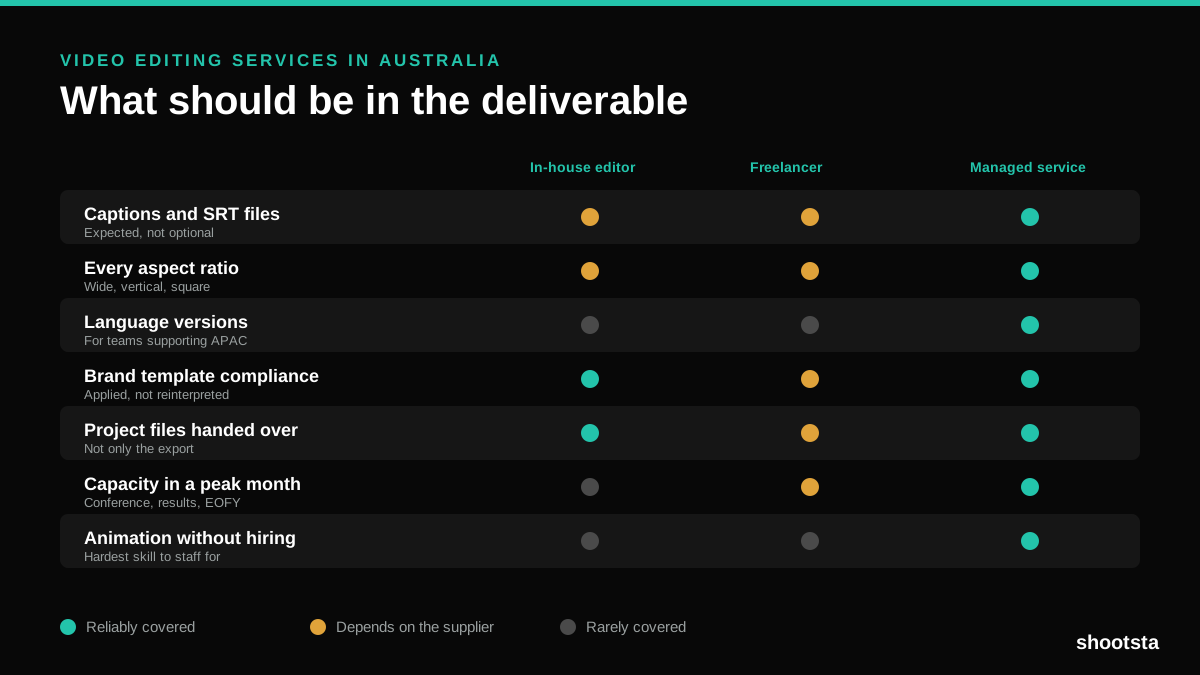
Video Editing Services in Australia
Australian teams are spread across time zones and offices, so the editing queue matters more than the editing. Here is what to expect on cost and turnaround.
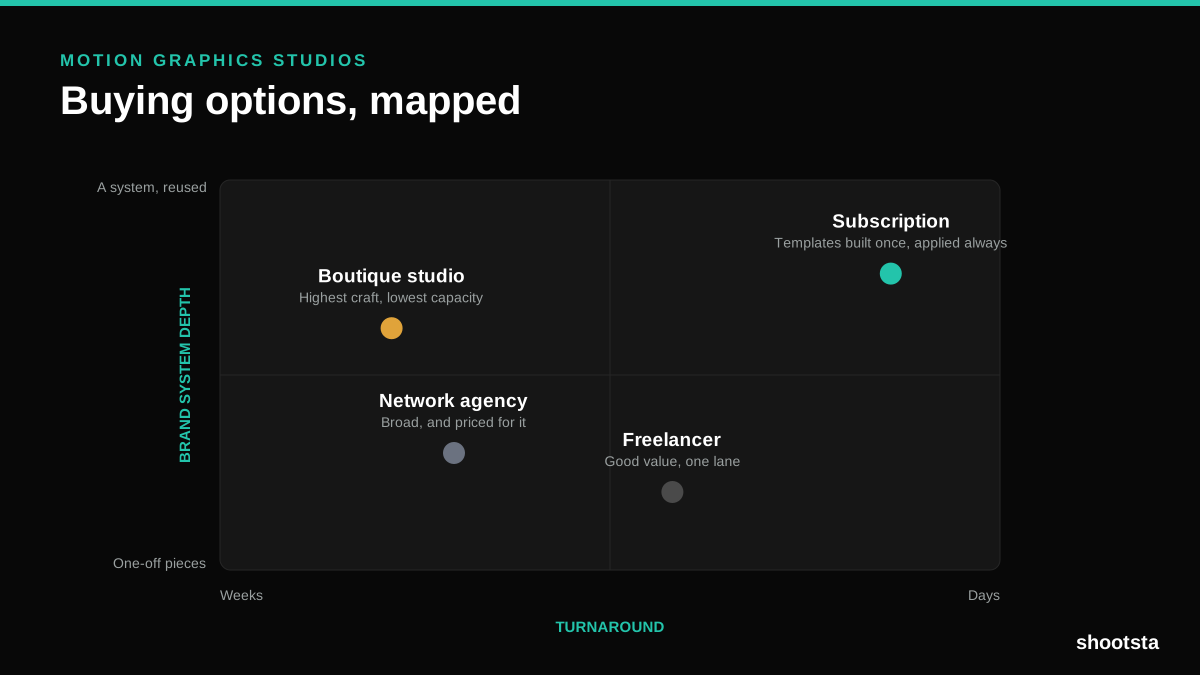
How to Choose Between Motion Graphics Studios
Every motion graphics studio has a good reel. The reel is the one thing that will not tell you how the fifth project goes. These ten criteria will.
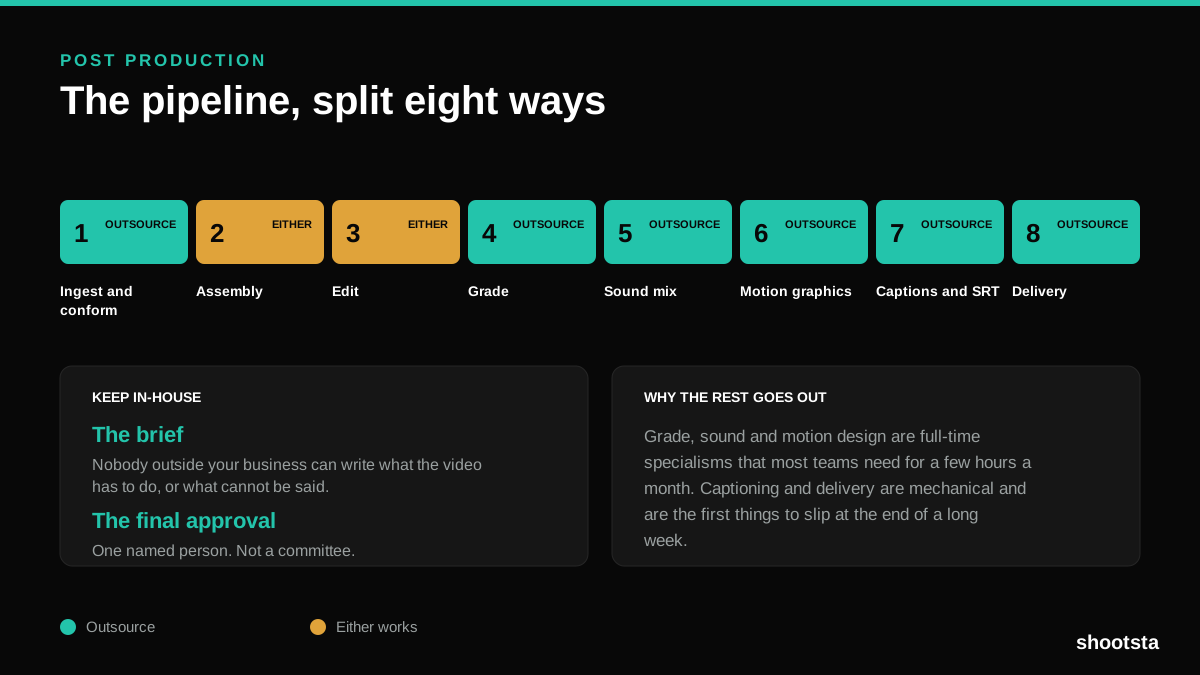
Post Production Agency or In-House Team?
Post production is eight stages, not one. Some of them need context only your team has. The rest are mechanical and are the first things worth handing over.
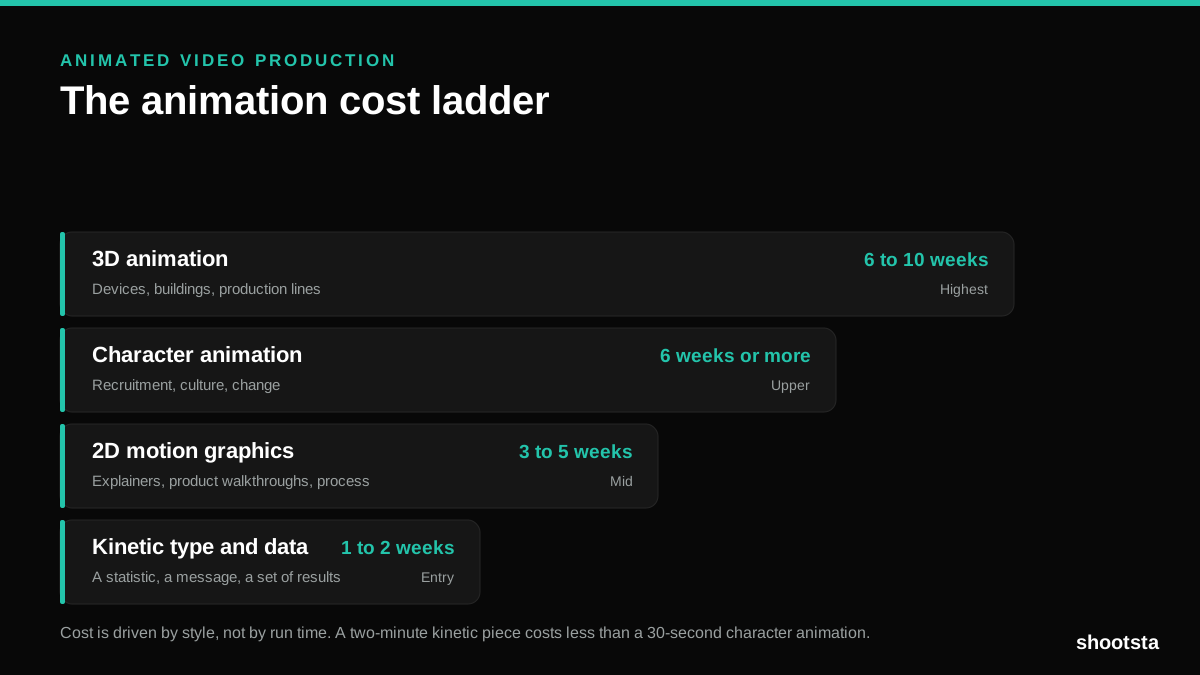
Animated Video Production Cost in the US
Animated video production costs move with style, not with length. Kinetic type, 2D motion, character and 3D sit on four rungs of a ladder. Here is what separates them.
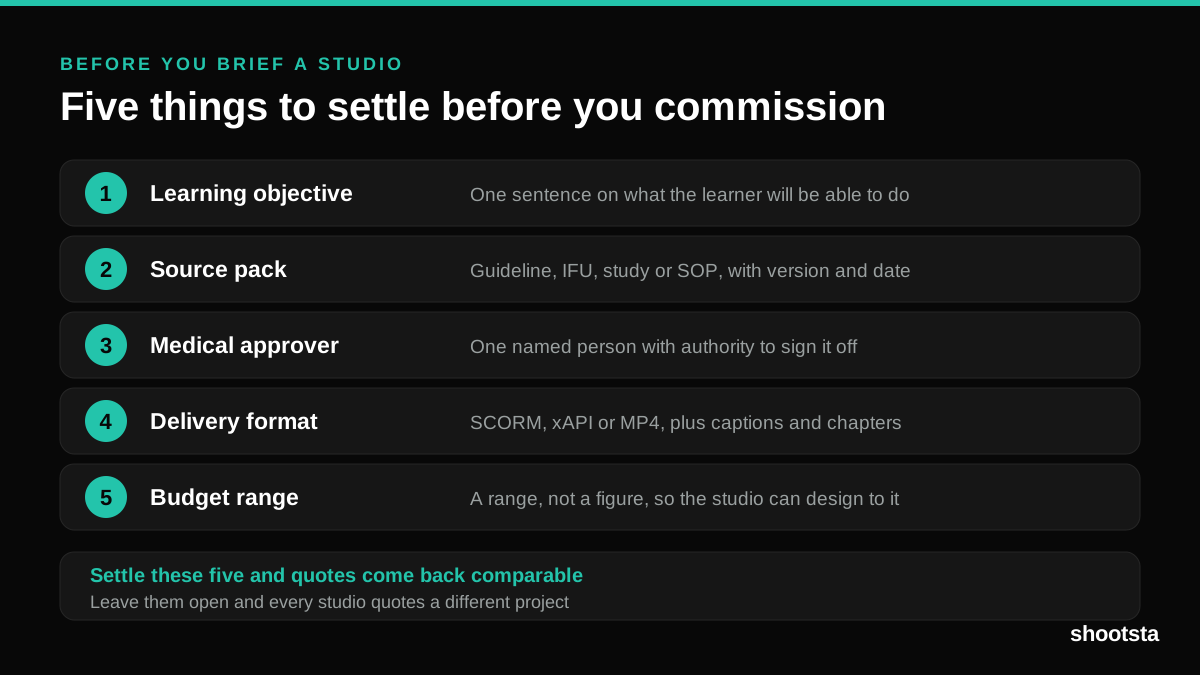
How to Commission Medical Training Animation
Commissioning a medical training animation is mostly decisions you make before anyone animates a frame. The brief fields that matter, what to ask a studio, how much expert time to budget, and the contract terms that stop a rebuild in two years.
How to Write an Animation Brief
How to Write an Animation Brief
Most animation briefs cause delays because they over-specify the visual style and under-specify the outcome. Here are the nine fields an animation production team actually needs to quote accurately and start without rework.