
Captioning Business Videos at Scale
shootsta.
Captioning Business Videos at Scale
By Shootsta · Published April 3, 2026 · Updated October 2026
Captions matter, and the hard part is getting them done on every video without creating a bottleneck. Here is a captioning workflow that holds up at dozens of videos a month.
Once you produce video at volume, captions start to slip. You know they matter, your legal team knows they matter, and your social media manager reminds you every week. The trouble starts when you try to add them to every video, in every format, every time.
We have produced over 70,000 videos for enterprise teams across four continents. Captions come up in almost every conversation we have with clients about scaling their video programs. Nobody questions their value. The hard part is getting them done on every video without holding up the release.
Below is what we have learned about making captions work at scale without slowing everything else down.
Why do captions keep falling through the cracks?
Captions are rarely the first thing a team thinks about when planning a video. They tend to get added at the end, after editing is done, as a final step before publishing. That makes them the easiest thing to skip when deadlines get tight.
In a typical enterprise video workflow, adding captions involves a separate request to production, a turnaround window, a review cycle, and then re-uploading the final file. For a single video, that is manageable. For a team shipping dozens of videos a month, it turns into a real bottleneck.
The teams we work with that handle captions well have one thing in common: they build captioning into the production process rather than treating it as an add-on. Captions sit in the brief, the review and the delivery checklist, so nobody has to remember them at the end.
What is the business case for captioning every video?
Start with engagement. A large share of video on social platforms is watched with the sound off, and a silent video with no text says nothing. For a full breakdown of the legal and engagement case, see our guide on video accessibility at scale. On LinkedIn, where a lot of B2B video gets shared, autoplay starts muted. Without captions, viewers scroll past before they know what the video is about.
Engagement is only one reason to caption. Here are three more reasons enterprise teams should caption everything they publish.
Accessibility compliance
WCAG 2.1 Level AA requires captions on all prerecorded video content. If you work in a regulated industry or sell to government agencies, this is a legal requirement. Accessibility lawsuits have become more common, and video is now often part of the claim.
Global teams with language differences
If your company operates across multiple countries, captions help non-native English speakers follow along. This is especially relevant for onboarding videos, compliance training, and internal communications where staff need to understand every point.
SEO and discoverability
Search engines cannot watch your video, but they can read your captions. Captioned video gets indexed more fully, which means your marketing videos and thought leadership content show up in search results more often.
What are the different approaches to video captioning?
Teams handle captions in one of three ways, and each comes with tradeoffs.
Manual transcription
Someone watches the video and types out every word. This produces the most accurate results, especially for industry-specific terminology, proper nouns, and acronyms. The downside is speed. Manual transcription takes several times the length of the video, and it does not scale well when you are producing video in volume.
Auto-generated captions
Speech recognition software generates captions automatically, which is fast and cheap. Accuracy has improved a lot in recent years. It still struggles with accents, technical jargon and multiple speakers. Auto-generated captions almost always need a human review pass before publishing.
Hybrid approach
With a hybrid approach, you auto-generate the captions first, then a person reviews and edits them. Many high-volume teams settle here. You get the speed of automation with the accuracy of human review, as long as the review step is quick enough that people do it instead of skipping it.
How do you maintain caption quality across dozens of videos?
Quality is where caption workflows tend to fall apart at scale. The first few videos get a careful review. A few weeks later, someone is pasting in auto-generated text and hoping for the best.
Three habits help keep the standard up:
Create a caption style guide. Decide upfront how you handle numbers (written out or digits?), acronyms (spelled out on first use?), speaker identification, and line breaks. This saves time during review because editors are not making the same decisions over and over.
Set a maximum line length. Two lines of text, around 42 characters per line, is the standard for readability. Longer lines get cut off on mobile screens. If your captions regularly exceed this, viewers on phones are missing words.
Review the timing as well as the text. Captions that appear a half-second late, or that stay on screen too long, feel off even when the words are correct. Good caption timing matches the natural rhythm of speech. This is something auto-generation often gets wrong, especially during pauses or when speakers overlap.
What about open captions vs. closed captions?
Open captions are burned into the video file. They are always visible and cannot be turned off. Closed captions are a separate track that viewers can toggle on or off.
For social media, open captions are usually the better choice. Most platforms support closed captions, but they display them in the platform's default style, which often clashes with your brand. Open captions let you control the font, size, color, and positioning. They also show up in video previews and thumbnails, which helps with scroll-stopping.
For internal communications and training content hosted on an LMS or intranet, closed captions give employees the choice. Some people prefer watching without captions when they have headphones on. Closed captions also support multiple languages more cleanly since you can offer separate caption tracks.
Many teams use both, with open captions for social posts and closed captions for internal hosting. The extra effort is worth it when the same video serves multiple channels, which is increasingly common in video-first organizations.
How do you handle captions for different video types?
Different video types need different caption treatment. Talking head and interview videos are the simplest. They usually have one or two speakers, clear audio and little background noise, so auto-generation handles them well with light editing.
Event recordings and panel discussions are harder because they have multiple speakers, audience questions and people talking over each other. These need speaker identification in the captions and more careful timing. If you are repurposing event video for LinkedIn, budget extra time for caption quality here.
Animated and motion graphics videos with voiceover usually have clean audio, so auto-generation works well. The challenge is syncing caption timing with visual transitions. You want captions to appear and disappear in rhythm with the animation so they do not fight it.
Training and instructional videos have the highest accuracy bar. If a caption says "administer 5ml" when the speaker said "15ml", that error could cause real harm. For training video production, treat caption review as part of the content review process rather than a separate step.
What tools and workflows scale?
The teams that caption consistently at volume have captioning built into their production platform. They do not bolt it on as a separate tool.
When captions require exporting video to a third-party tool, uploading it, generating captions, downloading an SRT file, re-syncing it, and re-uploading the final version, people skip it. They do care about captions, but the extra steps are too much when you are shipping video on a deadline.
The best workflow is to finish your edit, generate captions, review them in the same place and publish, all in one platform and one pass. Here is how that works in Shootsta. The fewer handoffs there are, the more likely it is that every video ships with captions.
If you are evaluating video production platforms, ask about their captioning workflow in detail. Find out how many steps it takes, whether you can edit captions inside the platform and whether you need to export and re-import files. Those details decide whether your team captions everything or only the videos that have time left in the schedule.
Frequently asked questions about video captions
Do captions really improve video performance?
Yes. Captions keep viewers watching when the sound is off, which is how many people watch at work or on the move. On social platforms where autoplay is muted by default, captions are often the only thing communicating your message in the first few seconds.
Are auto-generated captions accurate enough to publish without editing?
For conversational content with clear audio, modern speech recognition gets most words right. Even a small error rate still leaves several wrong words in a 3-minute video. For brand content, training materials, or anything with industry terminology, you should always review before publishing.
What caption file format should I use?
SRT is the most widely supported format and works on YouTube, LinkedIn, Vimeo, and most LMS platforms. VTT offers more styling options and is the standard for web-based video players. If you are only using one format, SRT is the safe default.
How long does it take to caption a 3-minute video?
With auto-generation and a review pass, it takes a few minutes. Manual transcription of the same video takes several times longer. At scale, the gap between the two approaches adds up. A team producing dozens of videos a month saves hours each month by using auto-generation with a review instead of manual transcription.
Do I need captions in multiple languages?
If your audience spans multiple language groups, yes. Start with your primary language and add translations for your largest audience segments. For global companies, English captions plus one or two regional languages covers most use cases. Machine translation of caption files has improved a lot, but it still needs human review for business content.
Related reading
- Captions are one slice of a bigger discipline. Read about using typography well in business video.
Captions are one of six groups in a full pre-delivery check. The rest are in the complete guide to video editing QA.
Take this article with you
Read the latest at shootsta.com/blog/how-to-caption-business-videos-at-scale
You might also like
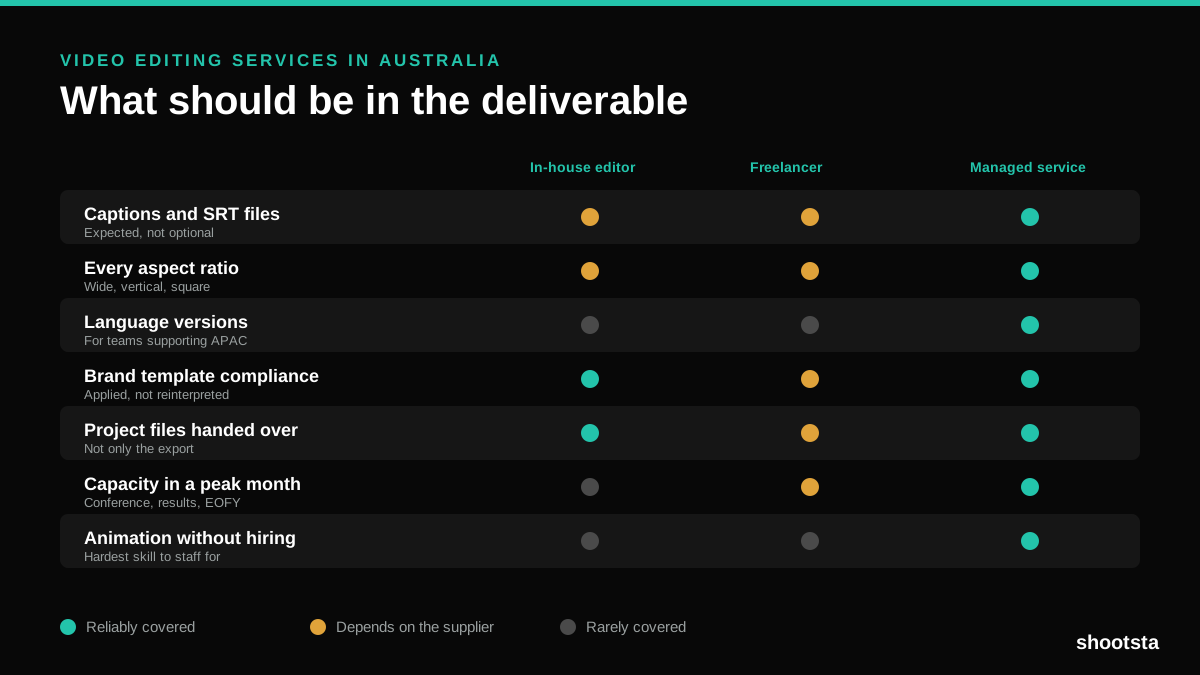
Video Editing Services in Australia
Australian teams are spread across time zones and offices, so the editing queue matters more than the editing. Here is what to expect on cost and turnaround.
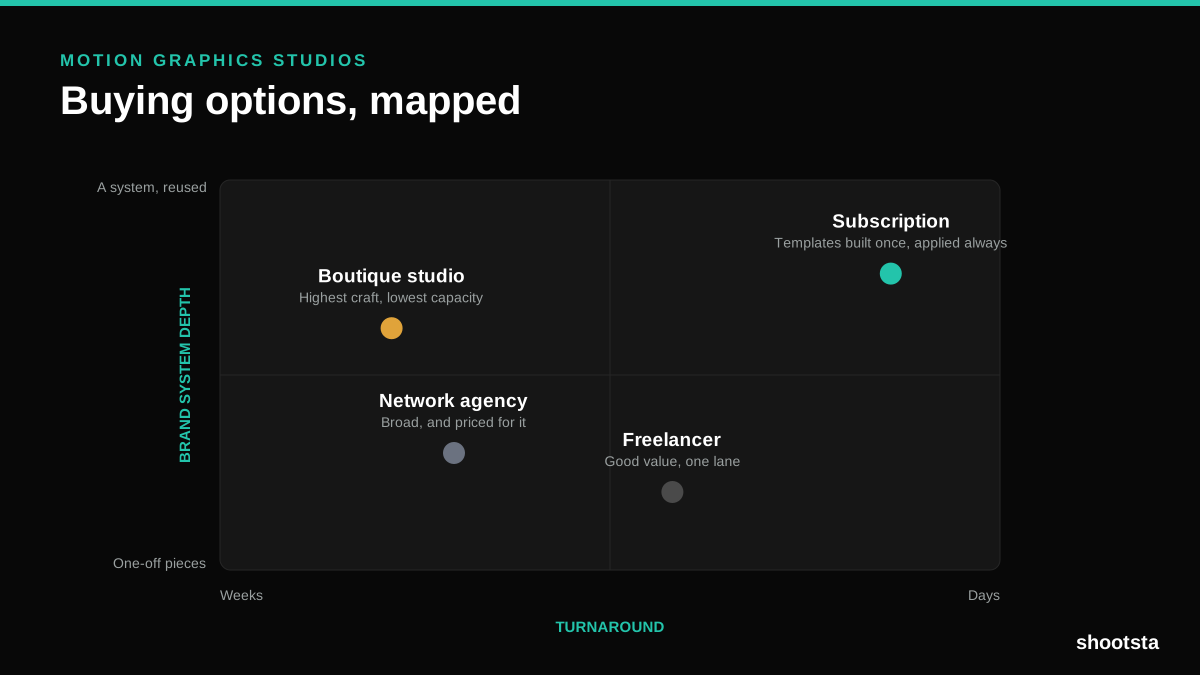
How to Choose Between Motion Graphics Studios
Every motion graphics studio has a good reel. The reel is the one thing that will not tell you how the fifth project goes. These ten criteria will.
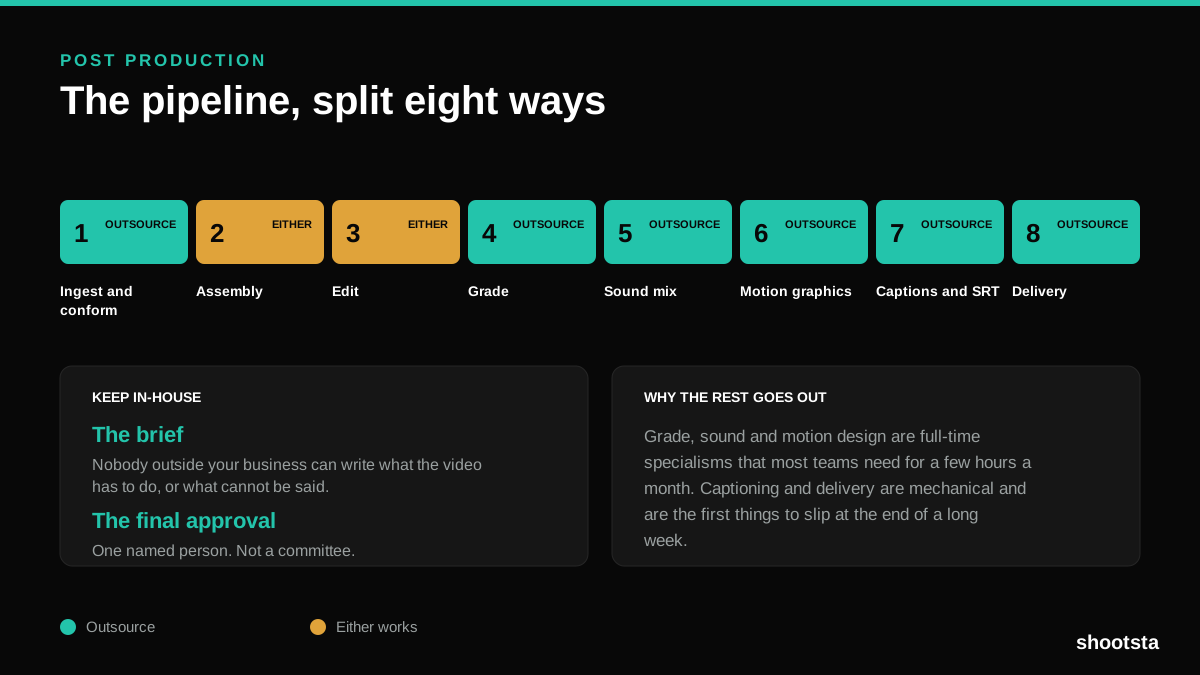
Post Production Agency or In-House Team?
Post production is eight stages, not one. Some of them need context only your team has. The rest are mechanical and are the first things worth handing over.
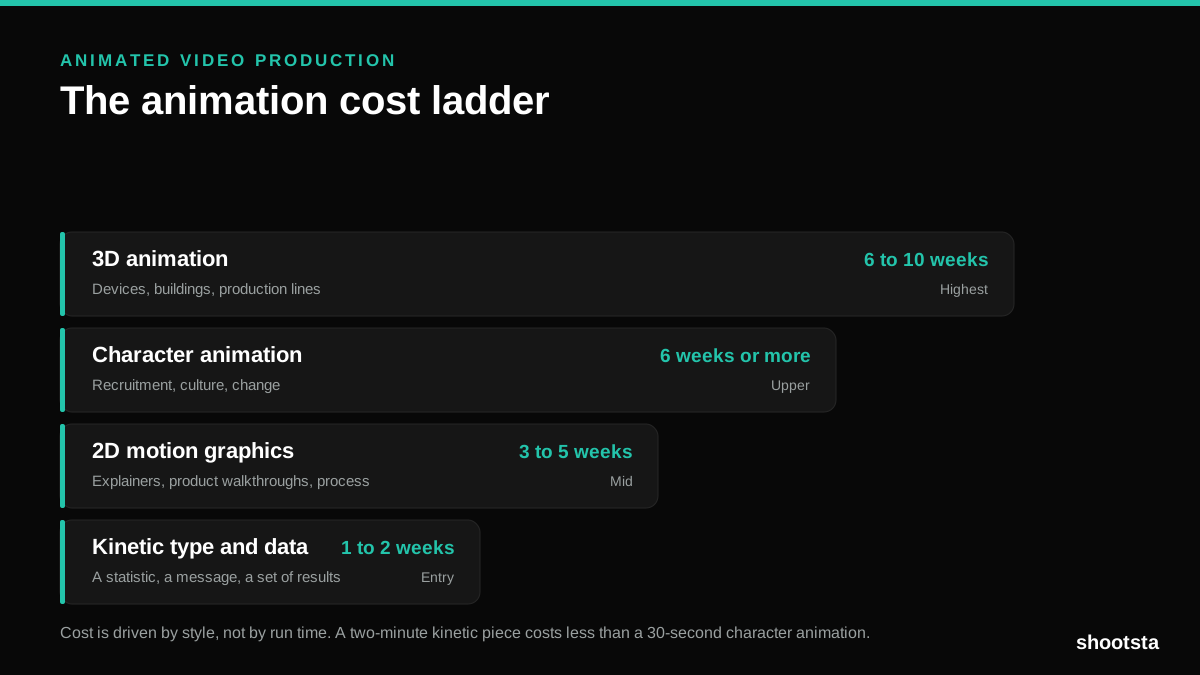
Animated Video Production Cost in the US
Animated video production costs move with style, not with length. Kinetic type, 2D motion, character and 3D sit on four rungs of a ladder. Here is what separates them.
How to Commission Medical Training Animation
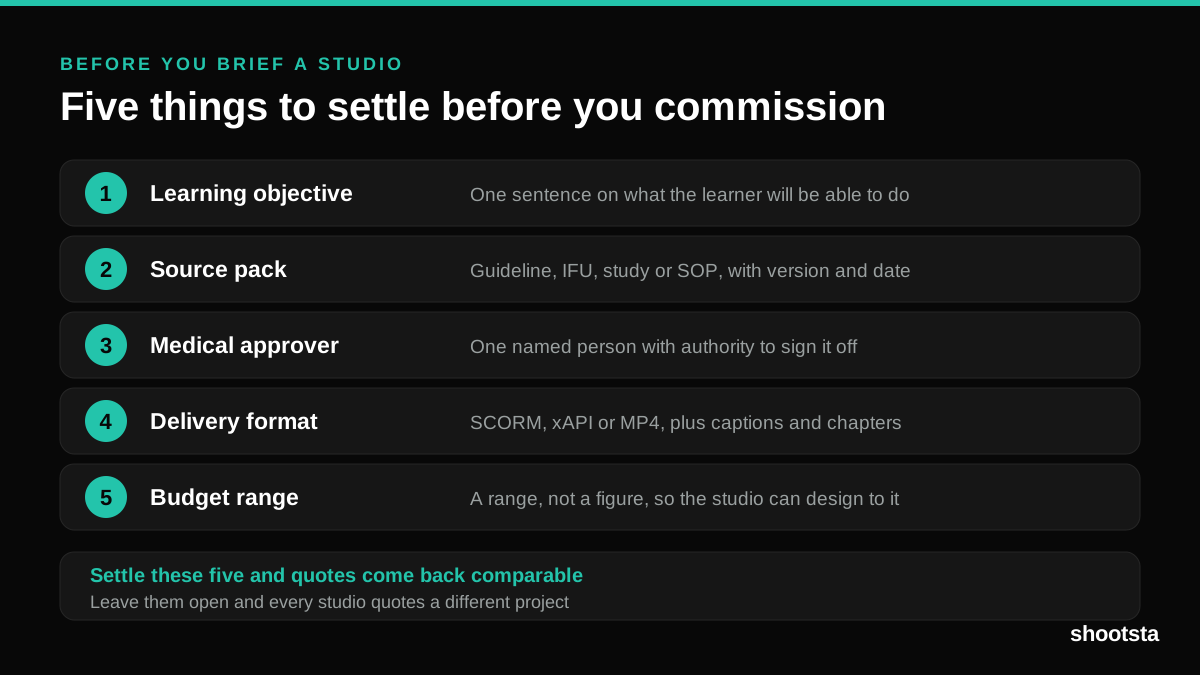
Commissioning a medical training animation is mostly decisions you make before anyone animates a frame. The brief fields that matter, what to ask a studio, how much expert time to budget, and the contract terms that stop a rebuild in two years.
How to Write an Animation Brief
How to Write an Animation Brief
Most animation briefs cause delays because they over-specify the visual style and under-specify the outcome. Here are the nine fields an animation production team needs to quote accurately and start without rework.