
How to Write a Video Brief That Gets Results
shootsta.
How to Write a Video Brief That Gets Results
By Shootsta · Published April 9, 2026 · Updated October 2026
A bad brief produces a bad video. Here is a simple framework for writing video briefs that give editors and producers exactly what they need to deliver what you want.
Why do video projects go wrong?
Many video production problems trace back to the brief. The brief said "make a video about our new product", and the team delivered something the stakeholder didn't expect. The video wasn't bad, but the brief was too vague to aim at anything.
A good video brief takes about 15 minutes to write and can save days of revisions. It makes you answer the questions that matter before anyone presses record.
What should a video brief include?
Who is the audience?
Avoid writing "everyone" here, and name a specific group instead. Good examples are "Marketing directors at enterprise companies evaluating video production solutions", "New hires in their first week at our Sydney office" and "Existing customers who haven't used the reporting feature yet." The audience sets the tone, the length, the format and where the video will be distributed.
What is the one thing you want the viewer to do?
Decide what the viewer should do after watching. It might be to book a demo, complete a compliance quiz or share the video with their team. It could also be to visit a landing page or apply for a job. Every video needs a single clear action, and if you have two actions, you need two videos.
What is the key message in one sentence?
If the viewer remembers only one thing, what should it be? Write it as a single sentence, such as "Our editors turn your footage into a branded first cut in about 48 hours" or "The new expense system saves you 15 minutes per claim." If you can't write it in one sentence, you haven't yet worked out what the video is about.
Where will this video live?
The distribution channel sets the format. For LinkedIn, plan a horizontal video of 30-60 seconds with captions, and for Instagram Stories, a vertical one under 30 seconds. A website homepage suits a horizontal video of 60-90 seconds, while email works best under 60 seconds. For an LMS, plan horizontal modules of 3-5 minutes. Your editor needs to know this before they start cutting.
What is the tone?
Pick the tone you want, such as professional and authoritative, casual and conversational, energetic and fast-paced, or technical and detailed. Then point to an existing video (yours or someone else's) that has that tone. "Like our customer case study, but for a tech audience" is clearer than "professional but approachable."
What assets do you have?
List what's available: existing footage, logos, brand guidelines, music preferences, product screenshots, headshots. The editor shouldn't have to ask for things that should have been in the brief.
What are the constraints?
List the deadline, the budget and the approval process, plus any legal review requirements. Note anything that must or must not be included. Constraints are parameters that help the team deliver something usable, so put them in writing early.
What does a bad brief look like?
"We need a video about our company for the website. It should be professional and engaging. We want to highlight our values and what makes us different. Please make it around 2-3 minutes."
This brief will produce a generic corporate video that few people finish. It doesn't specify the audience, the action, the key message or the tone. The team will make assumptions, the stakeholder will disagree with them, and revisions will follow.
What does a good brief look like?
Audience: Marketing directors at mid-market companies (100-1000 employees) in AU and US, currently using agencies for video production.
Action: Visit the pricing page.
Key message: Your team films, and professional editors turn the footage into branded video in about 48 hours, at 50-60% below typical agency cost.
Distribution: Website homepage (hero position) and LinkedIn (organic post).
Tone: Confident and direct, like the Schneider Electric overview video but shorter.
Format: 60 seconds, horizontal, with captions for social.
Assets: Customer testimonial clips from two existing customers, plus product platform screenshots. The brand kit is already on file.
Deadline: The first cut is due by Friday and the final by next Wednesday.
This brief gives the production team everything they need, and revisions will be minor because the direction was clear from the start. For a deeper guide on reducing revision cycles and handling briefs across different video types at volume, see video briefs that editors get right.
How do you use a video brief with Shootsta?
Shootsta's platform includes a built-in briefing system that walks you through each of these elements. You fill in the brief, upload your footage, and editors use both to deliver a video that matches what you asked for. The brief stays attached to the project so anyone reviewing it can see the original intent.
Explore how the Shootsta platform works, or read about enabling non-creatives to produce video for tips on getting good footage from non-video people.
Related reading
- A solid brief sets up a solid script. Read about how to write a script for business video.
- Once the brief is locked, the next planning document is the shot list. Read about building a shot list.
- The brief is also where you should commit to a target length. Read about the perfect length for business video.
Take this article with you
Read the latest at shootsta.com/blog/how-to-write-video-brief-that-gets-results
You might also like
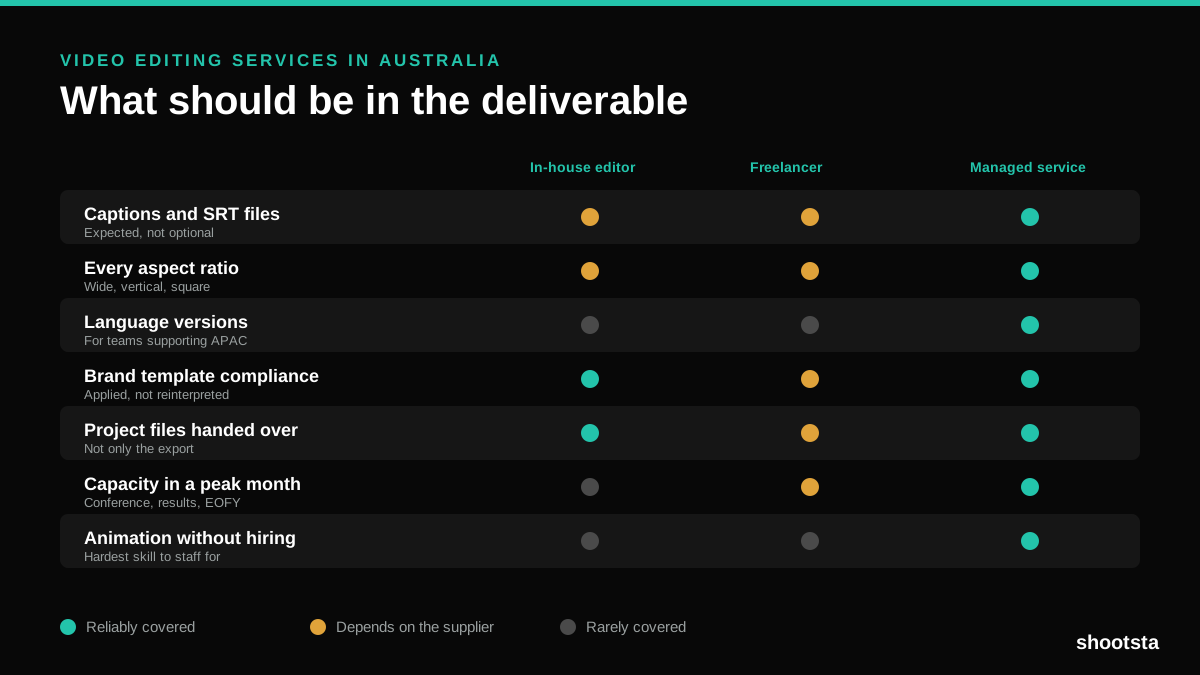
Video Editing Services in Australia
Australian teams are spread across time zones and offices, so the editing queue matters more than the editing. Here is what to expect on cost and turnaround.
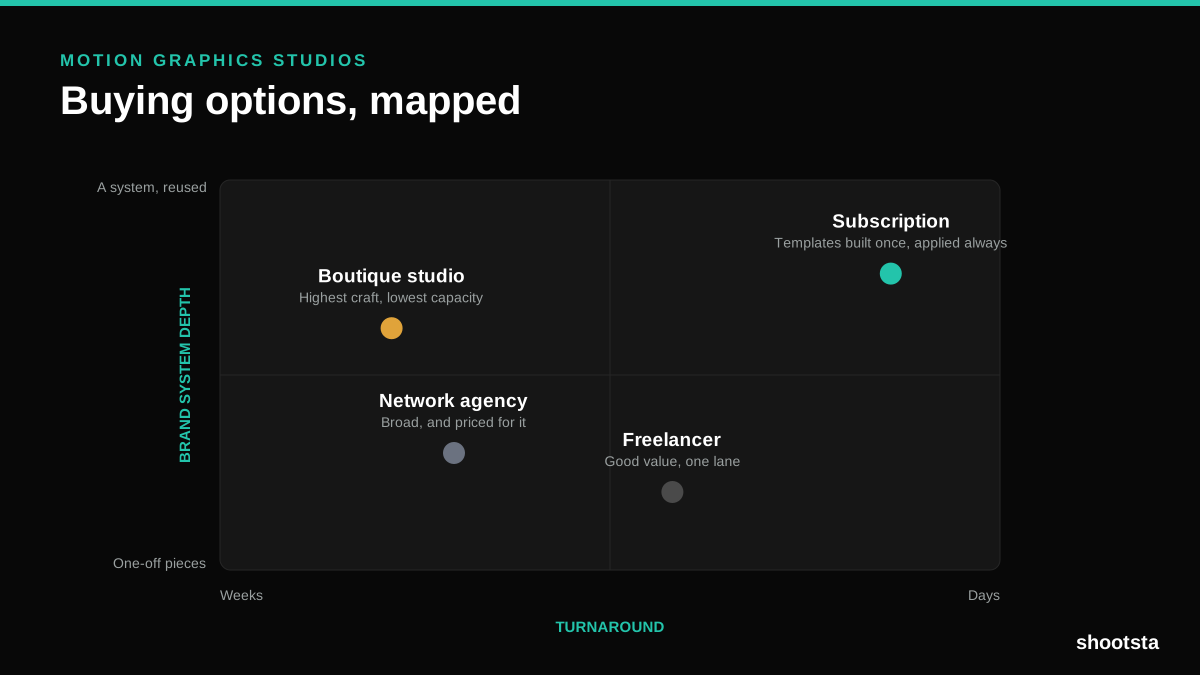
How to Choose Between Motion Graphics Studios
Every motion graphics studio has a good reel. The reel is the one thing that will not tell you how the fifth project goes. These ten criteria will.
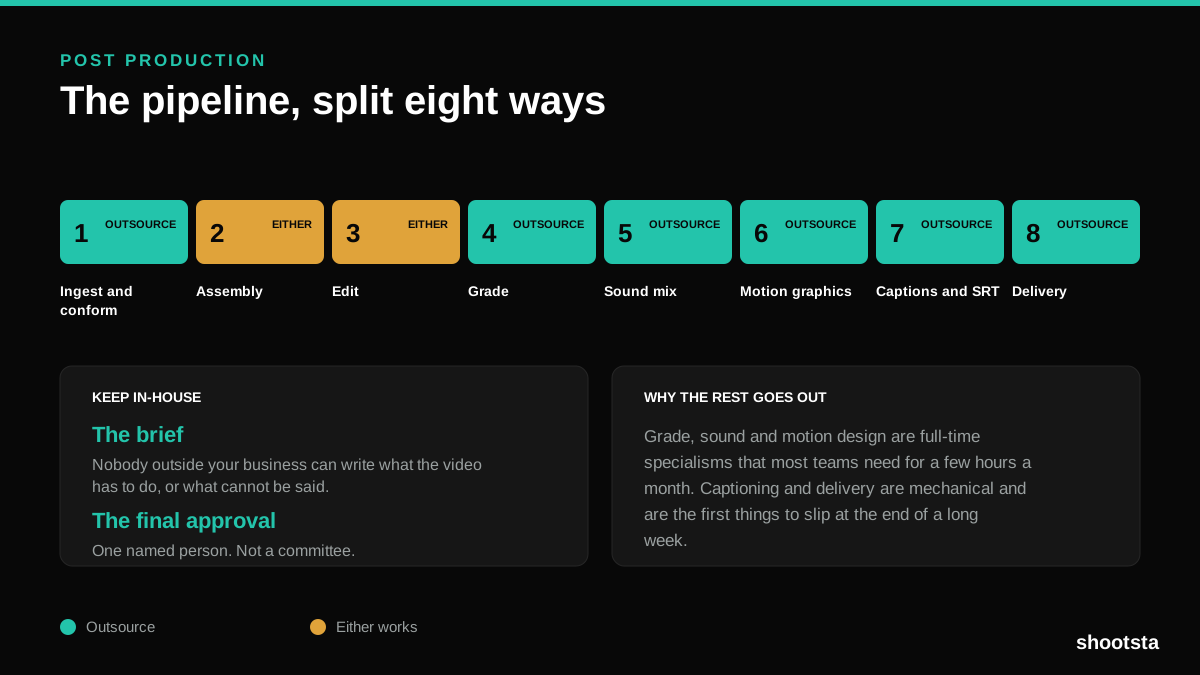
Post Production Agency or In-House Team?
Post production is eight stages, not one. Some of them need context only your team has. The rest are mechanical and are the first things worth handing over.
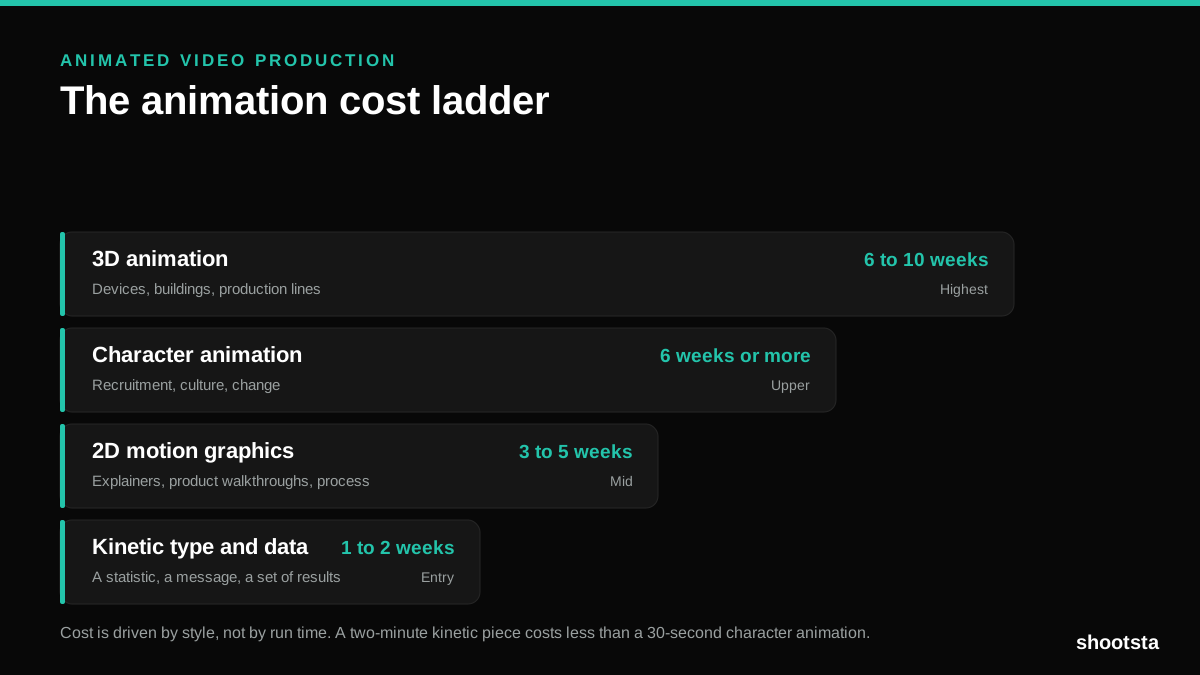
Animated Video Production Cost in the US
Animated video production costs move with style, not with length. Kinetic type, 2D motion, character and 3D sit on four rungs of a ladder. Here is what separates them.
How to Commission Medical Training Animation
Commissioning a medical training animation is mostly decisions you make before anyone animates a frame. The brief fields that matter, what to ask a studio, how much expert time to budget, and the contract terms that stop a rebuild in two years.
How to Write an Animation Brief
How to Write an Animation Brief
Most animation briefs cause delays because they over-specify the visual style and under-specify the outcome. Here are the nine fields an animation production team needs to quote accurately and start without rework.