
How to Storyboard a Corporate Video
shootsta.
How to Storyboard a Corporate Video
By Shootsta · Published April 29, 2026 · Updated October 2026
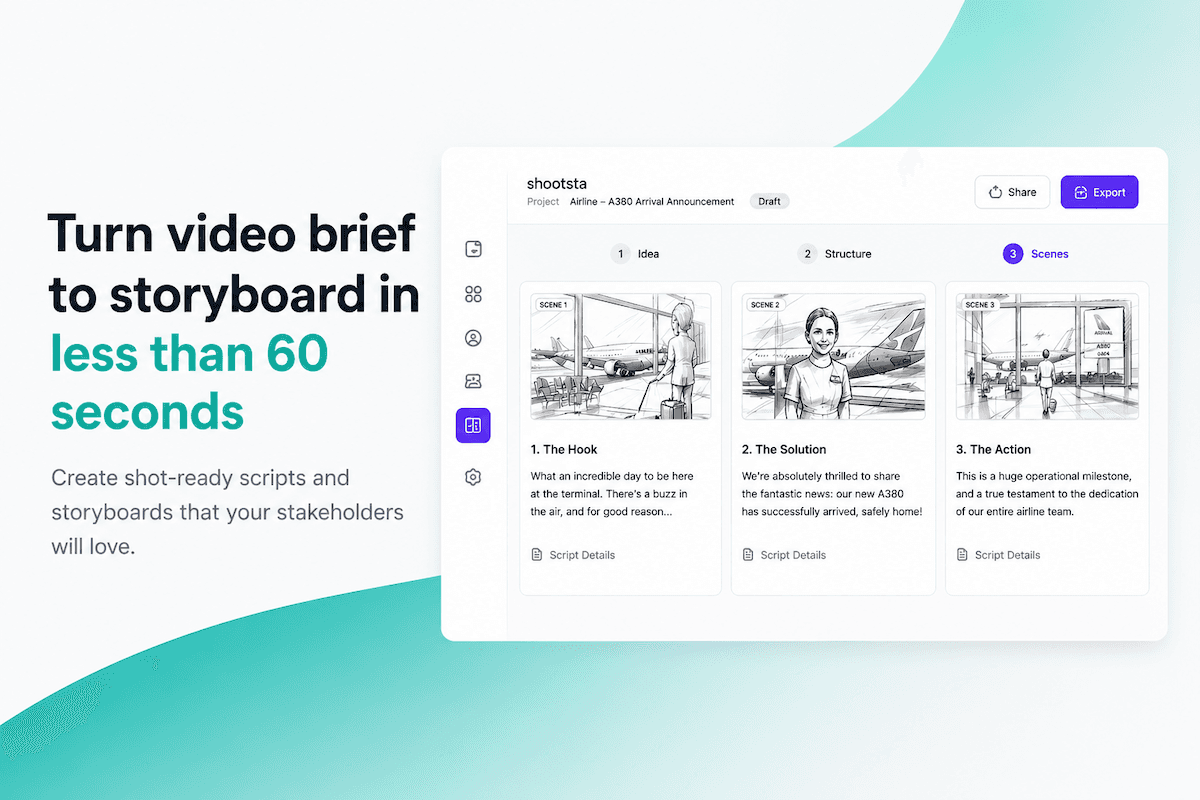
Most corporate videos skip the storyboard step entirely. The ones that get approved faster and cost less to produce don't. Here's how to storyboard a corporate video, even if you've never drawn a stick figure.
Every video production that runs over budget or misses the mark has one thing in common: nobody agreed on what the video would look like before filming started.
A storyboard fixes that. It turns a vague brief into a visual plan that everyone, from the marketing manager to the CEO, can react to before a camera rolls or an animation frame gets rendered.
You don't need to be a designer or an artist to create one, and you don't even need to draw. Here's how to storyboard a corporate video step by step.
What is a video storyboard?
A storyboard is a sequence of panels that shows what each scene in your video will look like. Each panel typically includes:
- A visual - a sketch, illustration, or photo showing the shot
- Narration or dialogue - what's being said in that scene
- Camera direction - wide shot, close-up, tracking, etc.
- Scene notes - any context for the crew or editor
A storyboard is a comic strip version of your video. It doesn't need to look beautiful, but every panel needs to be clear to someone who wasn't in the planning meeting.
Why corporate videos need storyboards more than most
Creative agencies often skip boards for experimental work, which is fine when the audience is other creatives. Corporate video works under different pressures, and you're usually dealing with:
- Multiple stakeholders who all need to approve the concept
- Brand guidelines that constrain what you can show
- Limited shoot days where every hour counts
- Budgets that don't allow for "let's figure it out on set"
A storyboard shortens the approval cycle. Instead of several rounds of revision on a finished edit, you get everyone to agree at the concept stage, when a change costs almost nothing.
We see the same pattern on Shootsta projects. When a storyboard comes attached to the brief, the editor knows what you expect before the first cut, so there are usually fewer revision rounds. Time spent planning up front comes back to you at the end.
Step 1: Start with the brief, not the visuals
Before you open any tool, answer these questions:
- Who is this video for? It could be your internal team, customers or investors.
- What should they do after watching? You might want them to book a demo, understand a process or feel inspired.
- How long should it be? Decide whether it runs 30 seconds, 2 minutes or 5 minutes.
- Where will it live? Name the channel, such as LinkedIn, an internal portal or your homepage.
These constraints shape every creative decision. A 30-second social clip needs fast cuts and big text. A 3-minute explainer needs a clear narrative arc, while a training video needs visible UI and clear steps.
You can skip the blank page entirely. Shootsta's free AI storyboard generator turns a one-line idea into a full storyboard - panels, script, and shot directions - in about 60 seconds.
Step 2: Write the script first
Storyboards follow scripts, not the other way around. You need to know what's being said before you can decide what's being shown.
Your script doesn't need to be polished, and a rough version with scene-by-scene talking points is enough. Break it into logical scenes, then give each scene its own storyboard panel or group of panels.
A typical corporate video script structure:
- Hook - first 5 seconds that stop the scroll or hold the viewer
- Problem - the challenge your audience faces
- Solution - how your product, process, or company solves it
- Proof - data, testimonials, or examples that back it up
- CTA - what you want them to do next
Free AI Storyboard Tool
Storyboard your corporate video in minutes
Skip the blank page. Shootsta's AI storyboard tool builds a first draft from your brief. It is free to try in your browser.
Step 3: Choose your storyboarding method
You have three options, depending on your timeline and budget:
Option A: Pen and paper (free, 1-2 hours)
Print a storyboard template with empty frames, sketch a rough visual in each one and write the narration underneath. This works fine for simple videos where you're the one making the creative decisions.
The downside is that paper is hard to share digitally and hard to revise. Your sketches might also confuse someone who wasn't in the room.
Option B: Slide deck (free, 1-3 hours)
Open Google Slides or PowerPoint and give each scene its own slide. Drop in stock photos or screenshots to stand in for each shot, then add text boxes for narration and camera notes. When you're done, export it as a PDF to share.
Plenty of marketing teams still work this way. It does the job, but it's slow, and stock photos often look nothing like the video you will end up with.
Option C: AI storyboard generator (free, under 2 minutes)
Tools like Shootsta's AI storyboard generator take a text description and produce illustrated panels with script, camera directions, and scene notes automatically. You describe the video, optionally add a brand URL, and get a shareable storyboard in about 60 seconds.
This is the fastest option by a wide margin. It helps most when the brief keeps changing, because you regenerate the board instead of redrawing it.
Step 4: Build your panels
Regardless of which method you chose, each panel in your storyboard should answer three questions:
- What does the viewer see? - the visual composition
- What does the viewer hear? - narration, music, sound effects
- How is it shot? - camera angle, movement, framing
For a typical 2-minute corporate video, expect 8-12 panels. A social clip might need only 4-6, while a detailed brand campaign could run to 15-20.
Keep the visuals simple. A rough sketch with clear labels ("wide shot of office", "close-up of product on desk") tells people more than a detailed drawing with no context.
Step 5: Get feedback before production
Share the storyboard with every stakeholder who will have an opinion on the final video. The whole point is to catch "I don't like that shot" or "we can't show that product yet" before you've spent money producing it.
If you're using an AI storyboard tool, you can share a link directly instead of exporting a PDF or sending attachments. Stakeholders can view the board without creating an account.
Common feedback to expect:
- Scene order changes (rearranging the narrative)
- Brand compliance flags (wrong colors, unauthorized messaging)
- Missing scenes (they wanted a product demo shot you didn't include)
- Length concerns (too many scenes for a 60-second video)
Feedback on a storyboard can come back within a day. The same feedback on a finished edit can take a week, and every change means more editing time.
Storyboard examples by video type
Here's what storyboards typically look like for different corporate video formats:
Explainer video (60-90 seconds)
An explainer board usually has 6-8 panels, heavy on motion graphics or animation cues. Each panel maps to one key message. Camera directions matter less, since most explainers are animated.
Testimonial video (2-3 minutes)
A testimonial board needs 4-6 panels covering the interview setup, B-roll ideas and where title cards go. The script is looser because real people are speaking, but you still plan the visual flow.
Training video (3-5 minutes)
Plan on 10-15 panels for a training video, with screen recordings cut between presenter shots. Each panel maps to one process step, and the text overlay notes need plenty of detail.
Social content (15-30 seconds)
A social clip needs only 3-5 panels in vertical format, with big text callouts and fast cuts. The AI storyboard generator's Social tier is built for this format.
Common storyboarding mistakes?
Too much detail too early. Keep the first version rough, because at this stage you're checking the narrative flow. Exact framing can wait until the shoot.
No script attached. Visuals without narration leave too much open to interpretation, so always include what's being said.
Skipping it for "simple" videos. Even a 30-second clip benefits from a 3-panel board. It takes a few minutes to make, and a reshoot takes days.
Not sharing it widely enough. If someone will have opinions on the final video, show them the storyboard first, on every project.
The storyboard step itself is also changing. More teams now use AI generators or animatics in place of hand-drawn boards. For the wider category shift, see storyboard alternatives in modern video production.
What happens after the storyboard?
Once the storyboard is approved, it becomes the production blueprint. Your videographer plans shots from it and your editor uses it to structure the timeline. If the video is animated, your animator builds each scene from the matching panel.
If you're working with Shootsta, you can hand the storyboard directly to our editing team through Shootsta Pro or our full-service Shootsta Premier offering. The storyboard becomes part of the brief, so the editor already knows what you're going for before they start cutting.
For teams producing video regularly, Shootsta Create bundles the storyboard generator with script tools, a teleprompter and screen recording, so your pre-production happens in one place.
Take this article with you
Read the latest at shootsta.com/blog/how-to-storyboard-corporate-video
You might also like
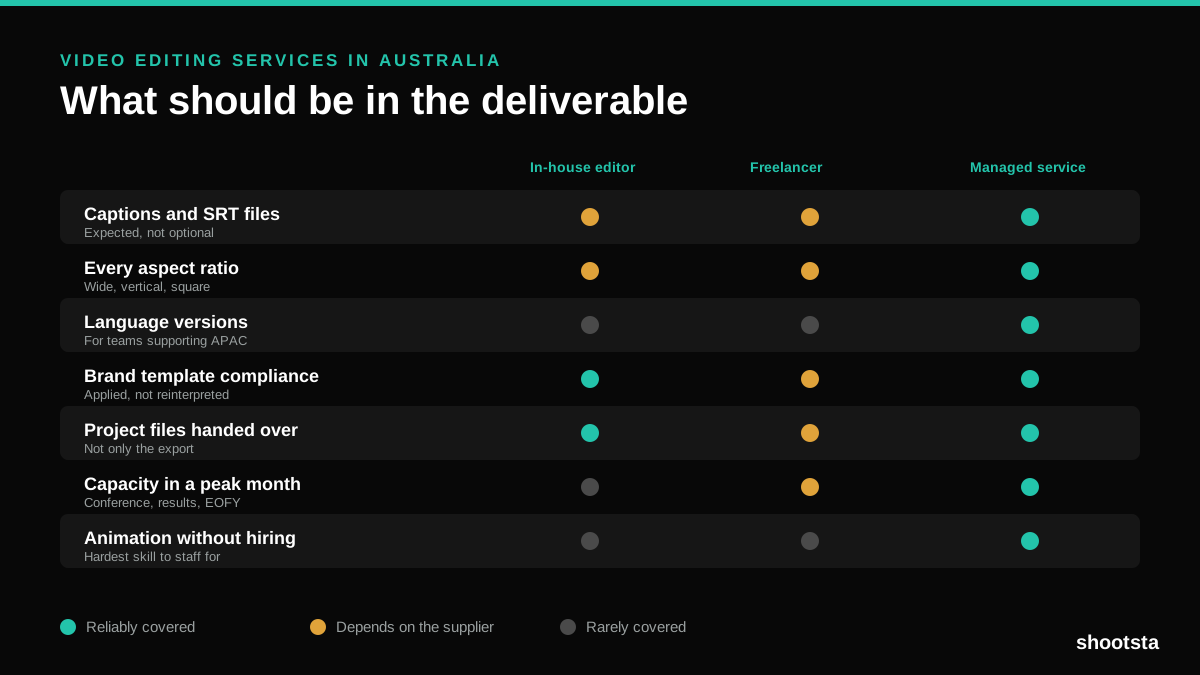
Video Editing Services in Australia
Australian teams are spread across time zones and offices, so the editing queue matters more than the editing. Here is what to expect on cost and turnaround.
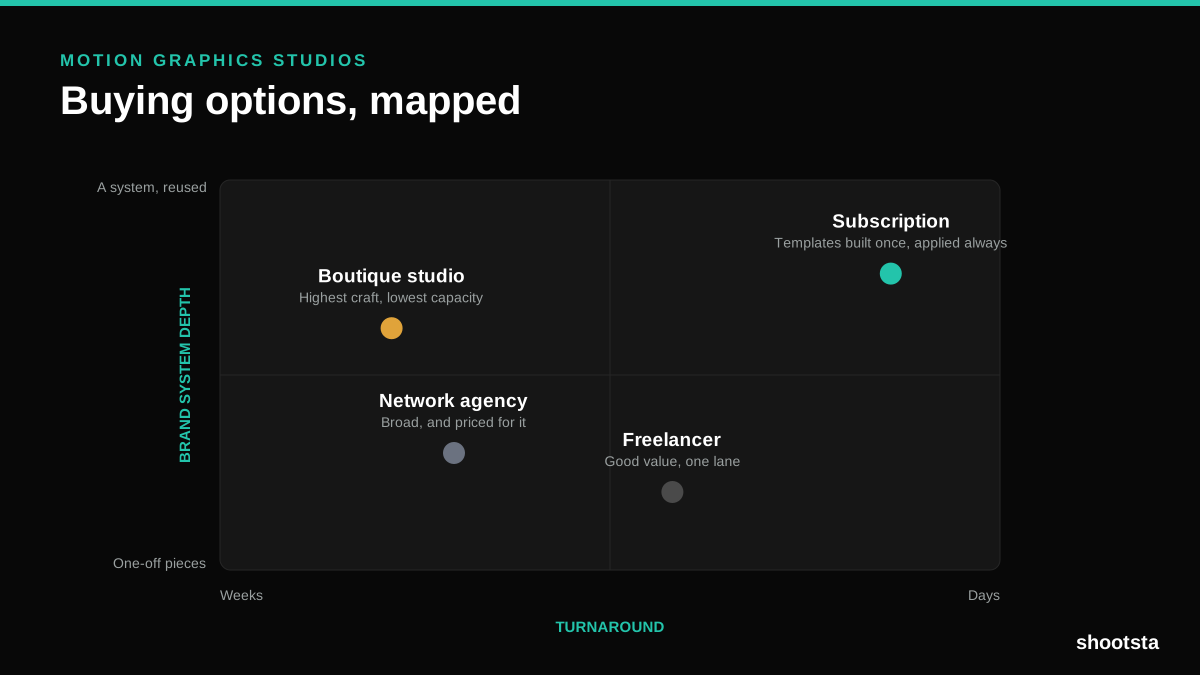
How to Choose Between Motion Graphics Studios
Every motion graphics studio has a good reel. The reel is the one thing that will not tell you how the fifth project goes. These ten criteria will.
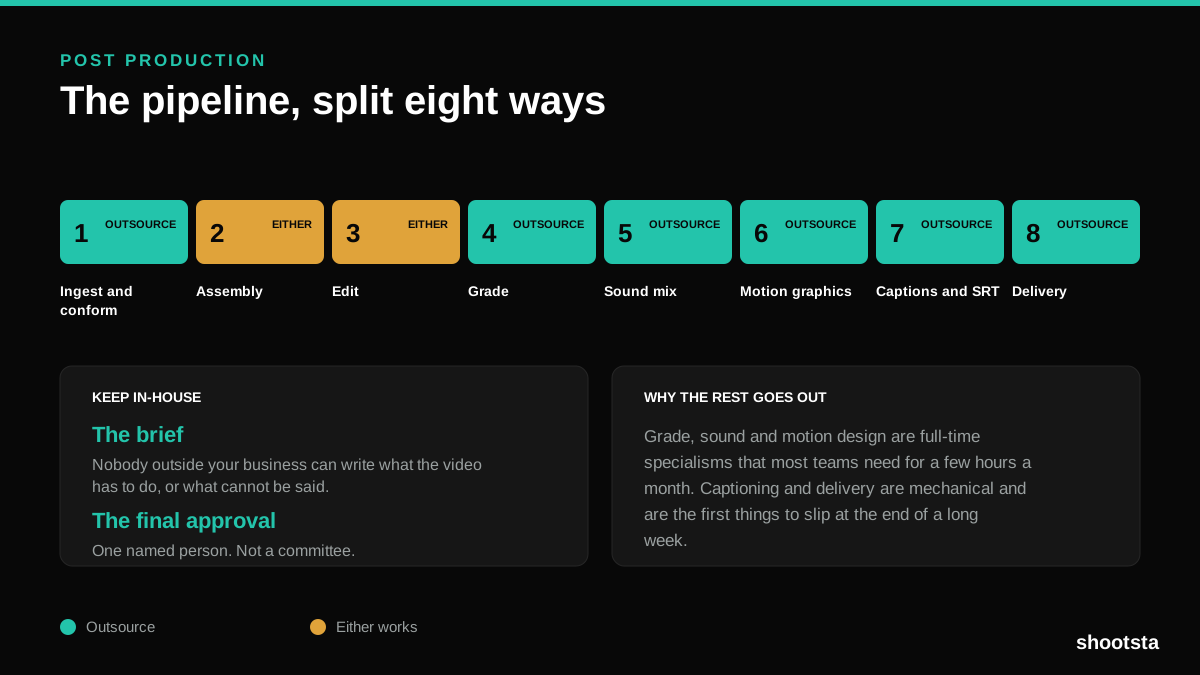
Post Production Agency or In-House Team?
Post production is eight stages, not one. Some of them need context only your team has. The rest are mechanical and are the first things worth handing over.
Animated Video Production Cost in the US
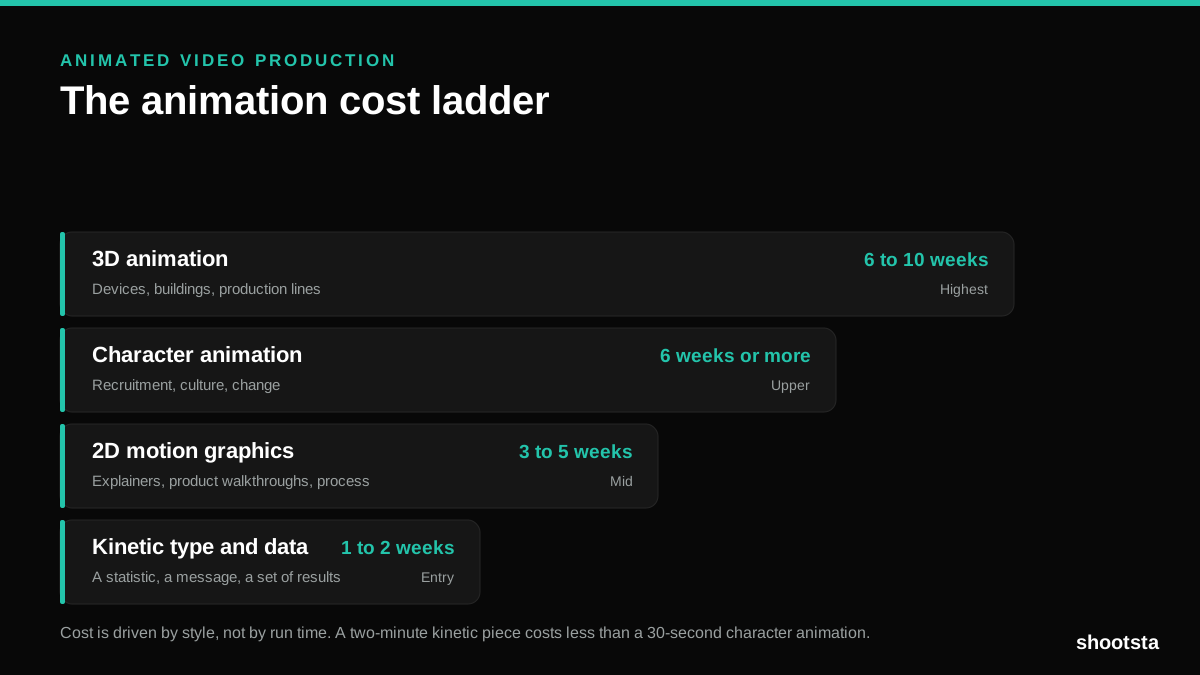
Animated video production costs move with style, not with length. Kinetic type, 2D motion, character and 3D sit on four rungs of a ladder. Here is what separates them.
How to Commission Medical Training Animation
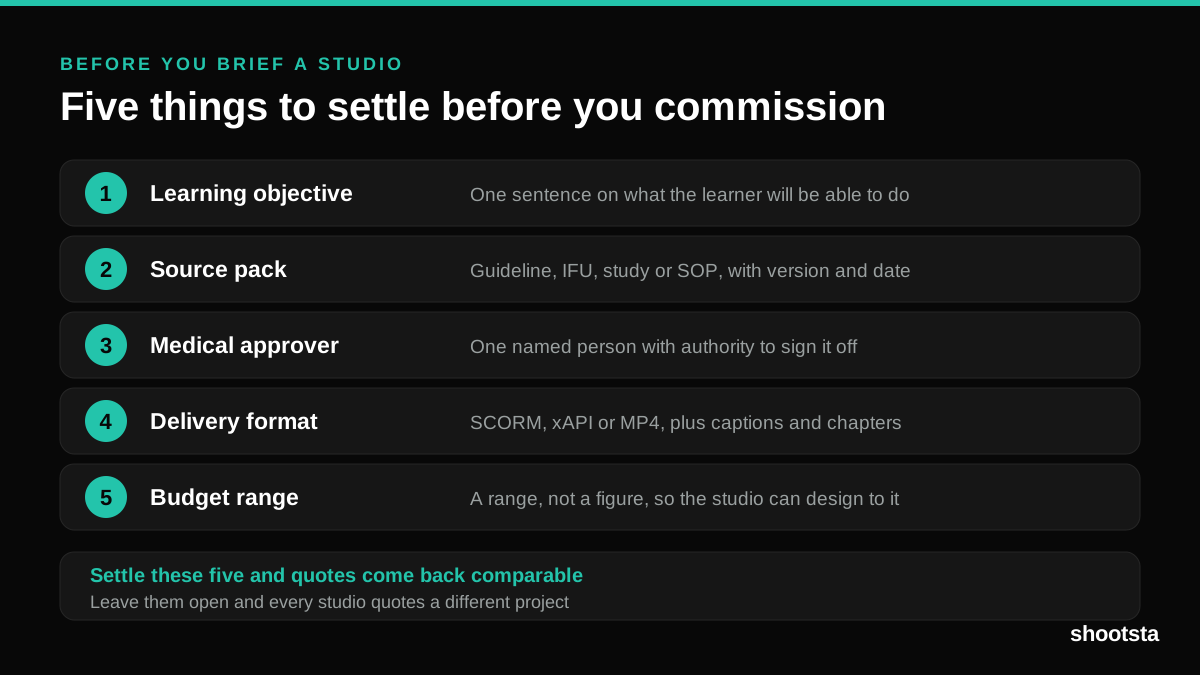
Commissioning a medical training animation is mostly decisions you make before anyone animates a frame. The brief fields that matter, what to ask a studio, how much expert time to budget, and the contract terms that stop a rebuild in two years.
How to Write an Animation Brief
How to Write an Animation Brief
Most animation briefs cause delays because they over-specify the visual style and under-specify the outcome. Here are the nine fields an animation production team needs to quote accurately and start without rework.