
Why Urgent Video Requests Go Sideways
shootsta.
Why Urgent Video Requests Go Sideways
By Shootsta · Published November 3, 2026 · Updated November 2026
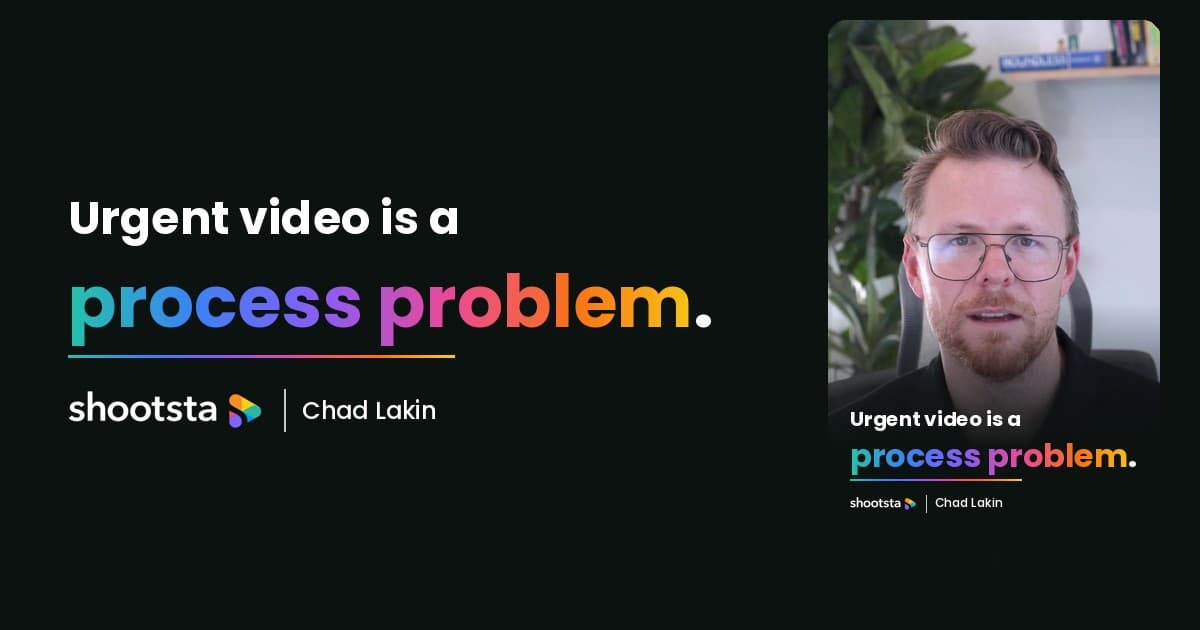
Most urgent videos go sideways because nobody planned for urgent work to happen. Chad Lakin explains how comms teams build the process first, so a fast turnaround becomes routine.
If you work in a comms team and a video has to go out in days rather than weeks, the scramble that follows is rarely your team's fault. Most urgent video requests go sideways because nobody planned for urgent work to happen, so every decision gets made while the deadline is already running.
In this one-minute clip, Chad Lakin, Senior Vice President of Growth at Shootsta, explains why the teams that handle urgent video well are the ones that settled the process long before the request arrived.
Below, we look at what goes wrong when an urgent request lands, what Chad means by building the process first, and how to put a simple urgent video playbook in place for your own team.
Why do urgent video requests go wrong?
An urgent request usually arrives with a fixed date and very little else. The team then has to work out who will film it, who will edit it, where the shoot will happen and who needs to approve the final cut. Each of those questions takes a few emails to settle, and every email eats into time the edit needed.
Chad's point is that the problem sits in the process rather than the people. A talented team that improvises every time will still lose a day or two to setup, and on a three-day deadline that is most of the schedule. We list the most common causes of these delays in our guide to internal comms video delays.
Build the process before you need it
The fix Chad recommends is to answer the setup questions while things are calm. When the roles and steps are agreed in advance, an urgent request becomes a matter of running the plan you already have. These are the four areas he suggests locking in first.
Who is filming?
Decide who captures footage when there is no time to book a crew. That might be a trained person on the comms team with a phone kit, a regular videographer on call, or the speaker recording themselves with clear instructions. The important part is that the decision is made in advance and written down where the team can find it.
Who is editing?
Name the editor or editing partner who takes urgent work, along with the hours they can turn it around in. If your only editor is already busy with a launch, the urgent job needs a second route that does not depend on that person being free.
Where does it happen?
Pick a location that works for short-notice filming, with decent light and quiet sound, and keep it on record. A meeting room that has been tested in advance saves an hour of searching for somewhere suitable on the day of the shoot.
What happens when the request comes in?
Write down the first steps for a new urgent request, from the brief template to the approval chain. As Chad puts it, you know the request is going to come, so the steps should already be written down before it does.
Why boring makes fast video possible
Chad admits this part sounds dull. Agreeing roles, templates and approval paths ahead of time will never feel as exciting as pulling off a last-minute edit, but it is the work that makes speed repeatable.
The comms teams that turn video around quickly are rarely more talented than everyone else. They have the roles, the process and the people lined up, so when an urgent request lands they run the system they already built. Chad sees this as the change that matters most, because it lets the same team deliver fast on a Tuesday and again on the following Friday.
What goes in an urgent video playbook?
You do not need a long document to get started. One page that the whole team can find is enough, as long as it covers the following points:
- A short brief template with the message, the audience, the deadline and the approver.
- The named person who films, with a backup if they are away.
- The editing route for urgent work, including the expected turnaround in hours.
- A tested filming location and a basic kit list for phone or webcam recordings.
- The approval chain, with one decision-maker for the final sign-off.
- Brand assets such as logos, lower thirds and caption styles stored where the editor can reach them.
Review the playbook after each urgent job and fix whatever slowed you down. If your urgent requests often come from a crisis or a leadership announcement, our guide on producing video for crisis comms covers the extra steps those situations need.
Where a video partner fits in the process
Many teams find that the editing step is the hardest one to make reliable on short notice. A video partner that already holds your brand assets and knows your approval process can take the footage and the brief and start straight away.
That is how Shootsta works with comms teams. Your brand kit and past projects sit on one platform, and our editors in Sydney, London, Singapore and San Diego send back a first edit in about 48 hours. You can follow the steps in how a video partner ships in 48 hours, and compare that with typical timelines in our guide to video turnaround times.
Frequently asked questions
How fast can a comms team produce an urgent video?
With the roles and steps agreed in advance, many teams can film, edit and approve a short video within two to three working days. Without a process, the same video often takes a week or more because so much time goes on setup and approvals.
Do we need a bigger team to handle urgent video?
Usually you need a clearer process before you need more people. Chad's view is that urgent video problems are mostly process problems, so the first step is to agree who does what and how requests move through the team.
What should an urgent video brief include?
Keep it short and include the core message, the audience, the deadline, the format and the person who signs off the final cut. Our guide on writing a video brief that gets results has a fuller template you can adapt for urgent jobs.
How do we stop urgent requests from taking over the schedule?
Set a clear rule for what counts as urgent and keep a separate route for that work, so planned projects keep moving at their normal pace. A partner who handles overflow means your in-house editor does not have to drop everything each time a request comes in.
Where to go next
We have helped hundreds of global businesses set up video processes that hold up under pressure. If urgent video keeps catching your team off guard, we can help you put the system in place before the next request arrives. Start with our enterprise video editing service, or talk to our team about how your requests work today.
Take this article with you
Read the latest at shootsta.com/blog/urgent-video-requests-process
You might also like

How to Plan Video Team Capacity Around Leave
Your only editor just booked two weeks off, and you already know which projects will slip. Chad Lakin explains how to plan video team capacity so the work keeps moving when someone is away.
Corporate Video Editing Standards: Full Guide
A two-page editing standard does more for consistency than a forty-page brand book. Here is what it should cover, who owns each part, and how to enforce it with an in-house editor or an outside partner.
Quality Control in Outsourced Video Editing
When editing leaves the building, quality has to be checked by a system rather than by whoever happens to look. Here is the system: acceptance criteria, two QA gates, counted revision rounds and a quarterly audit.
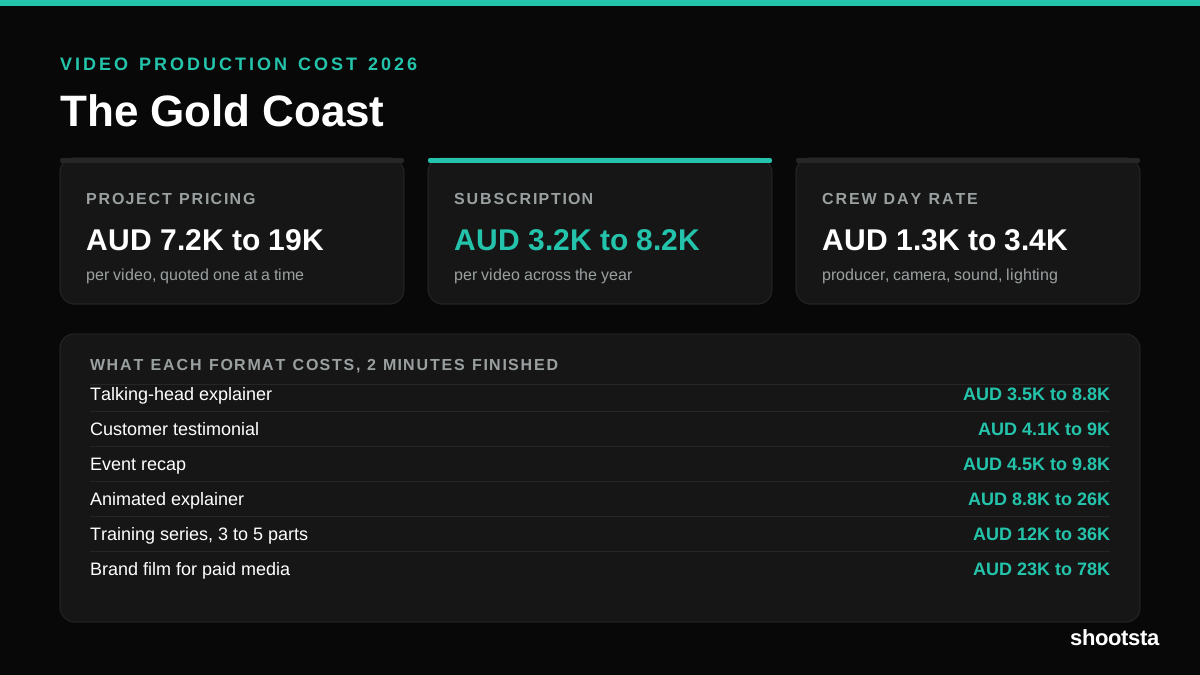
Video Production Cost on the Gold Coast 2026
Video production in the Gold Coast costs AUD 3,200 to AUD 8,200 per finished video on a subscription model, and AUD 7,200 to AUD 18,500 for one-off project work. Here is what you are paying for, and how the three pricing models compare.
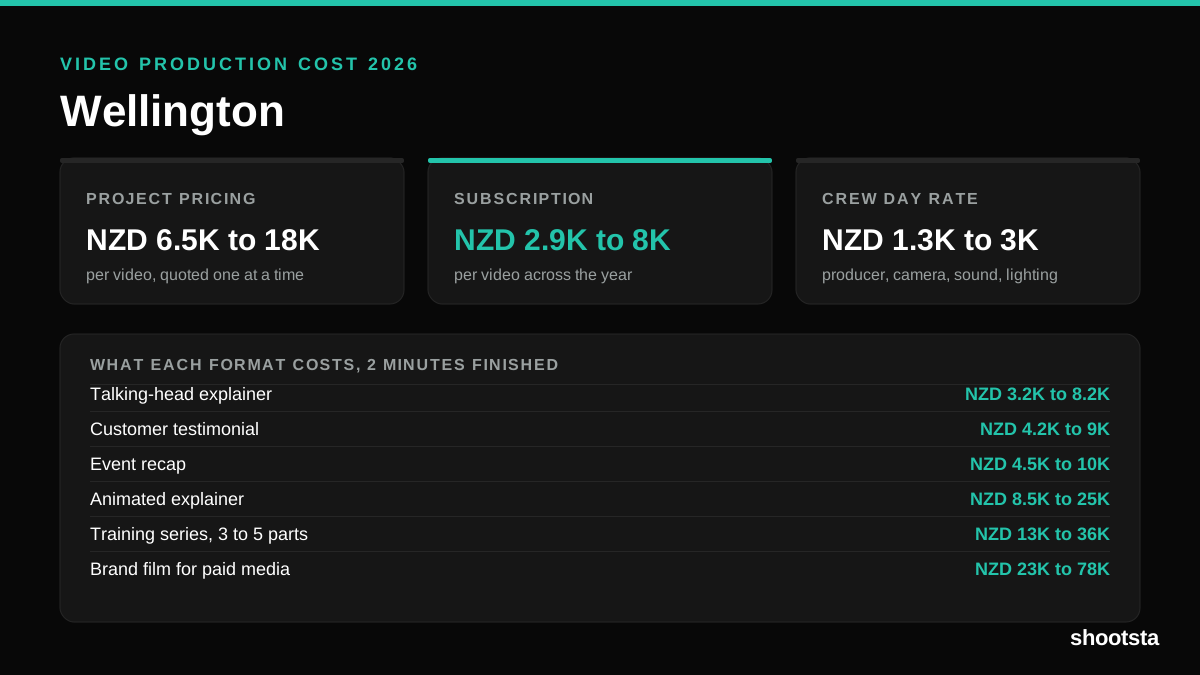
Video Production Cost in Wellington (2026)
Video production in Wellington costs NZD 2,900 to NZD 8,000 per finished video on a subscription model, and NZD 6,500 to NZD 18,000 for one-off project work. Here is what you are paying for, and how the three pricing models compare.
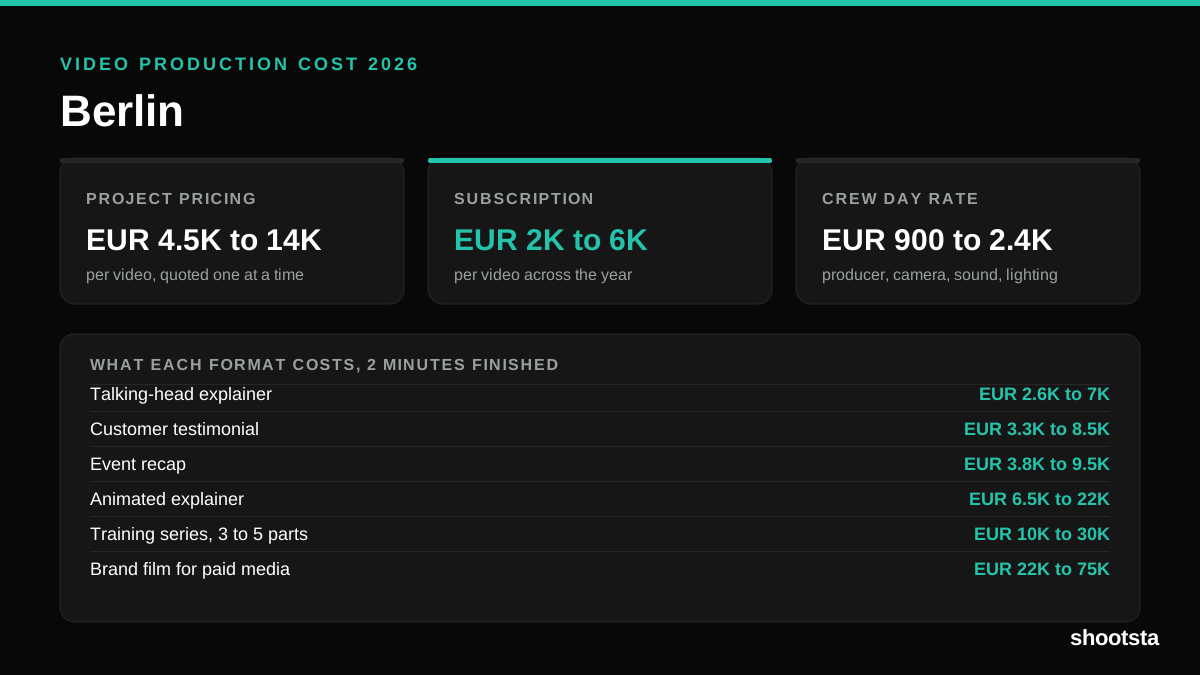
Video Production Cost in Berlin (2026)
Video production in Berlin costs EUR 2,000 to EUR 6,000 per finished video on a subscription model, and EUR 4,500 to EUR 13,500 for one-off project work. Here is what you are paying for, and how the three pricing models compare.