
How Product Marketers Scale Video With Templates
shootsta.
How Product Marketers Scale Video With Templates
By Shootsta · Published November 10, 2026 · Updated November 2026
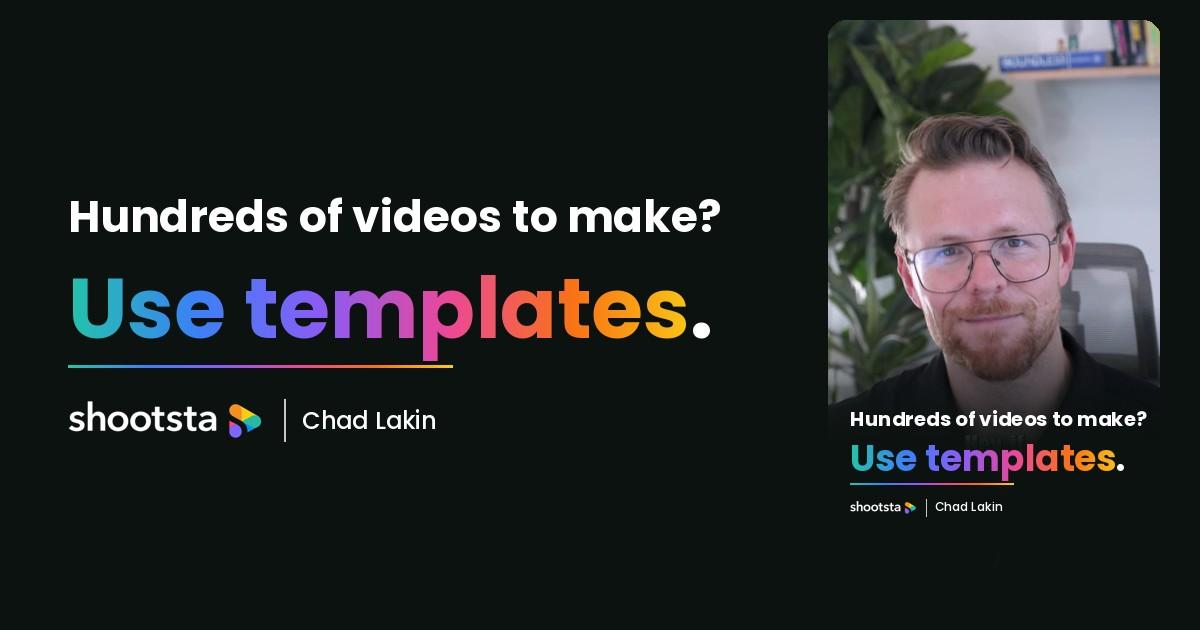
Product marketing teams often need hundreds of videos with a small team. Chad Lakin explains how grouping the list into categories and building one template per category makes volume easier.
If you work in product marketing and need hundreds of videos for your website and social channels, the size of that list can feel like the main obstacle. Chad Lakin argues the opposite: the more videos you have to make, the easier each one should get, as long as you stop treating them as separate projects.
In this short clip, Chad, Senior Vice President of Growth at Shootsta, explains how product marketing teams use video templates to make a large library of videos without adding more people to the team.
Below, we walk through his approach step by step and show how to turn a long list of product videos into a small set of repeatable formats.
Why should more videos make the work easier?
It sounds backwards, and Chad says so himself. Most product videos follow a predictable structure, even when they feel very different to the person watching. A demo of one feature and a demo of another use the same running order, the same graphics and the same call to action, with different footage in the middle.
Once you see that pattern, volume starts to help you. The tenth video in a format is faster than the first, because the decisions about structure, pacing and branding have already been made. If you are early in planning a large library, our guide on how to 10x your video content covers the wider strategy.
Step 1: Group your video list into categories
Start with the full list of videos the business wants, then sort them into groups. Chad's example is a team with 20 product demos, 15 customer testimonials and 30 feature videos, but the right categories depend on what your business sells and where the videos will live.
Most product marketing lists fall into a handful of groups. You will usually see product demos, feature explainers, customer stories, how-to guides, launch announcements and short social cuts. Count how many videos sit in each group, because the biggest groups are where a template saves the most time.
Step 2: Build one strong template for each category
For each category, build a single template that sets the structure, the length, the graphics and the brand elements. A feature video template might open with the problem, show the feature in use, add a short on-screen benefit and close with a consistent end card.
The template should also cover the practical details that slow teams down. Decide the aspect ratios each format needs, how captions look, where the logo sits and which music tracks are approved. Our guide to choosing the right aspect ratio can help you settle the formats before you build.
Step 3: Treat the list as a system rather than one-off requests
With templates in place, a new request no longer starts from a blank page. The brief only needs to say which template to use and what changes, and the editor can work from a structure that has already been approved.
This is the point Chad makes about scale. A system like this lets a small team produce tens, hundreds or even thousands of videos with a fraction of the time and budget they would need otherwise. It also keeps the library consistent, so a viewer who watches five of your product videos sees one brand rather than five different styles. We cover that side of the problem in brand consistency when video scales.
How do you keep templated video from feeling repetitive?
A template fixes the structure, but the content inside it still changes from video to video. Customer stories feature different people, feature videos show different screens, and the opening line can speak to a different problem each time.
The best product marketing teams also review their templates every few months. If one format is underperforming, they change the hook or the length and roll the new version out across the category. That keeps the library fresh without rebuilding each video from scratch.
Where a video partner helps
Building templates takes some up-front design work, and producing videos from them takes steady editing capacity. Many product marketing teams have the ideas and the footage but not the editing hours to work through a list of several hundred videos.
That is the gap Shootsta fills. We build templates around your brand, store them with your assets on one platform, and our editors produce each video from the agreed structure with a first edit in about 48 hours. Teams use this to run large libraries of customer testimonial videos and product content without hiring extra editors.
Frequently asked questions
What is a video template?
A video template is a reusable structure for one type of video. It sets the running order, length, graphics, captions and branding, so each new video in that category only needs fresh footage and a short brief.
How many templates does a product marketing team need?
A good starting point is four to six templates, one for each of your largest categories. It is better to build a few strong templates and use them often than to create a template for every edge case.
Do templates work for customer testimonial videos?
Yes, testimonial videos are one of the best fits for a template. The questions, the graphics and the closing message stay the same, while each customer brings their own story and voice.
Can we scale video without hiring more people?
Templates reduce the time each video takes, which lets a small team produce far more. Pairing them with a video partner for the editing means you can grow the library without growing headcount. Our guide on scaling video production across teams explains how that works in practice.
Where to go next
We have helped hundreds of businesses produce thousands of videos every year from a small number of well-built templates. If you are facing a long list of product videos with a small team, we can help you set up the system. Start with our enterprise video editing service, or talk to our team about the videos on your list.
Take this article with you
Read the latest at shootsta.com/blog/video-templates-product-marketing
You might also like
Why Brand Video Goes Stale and How to Fix It
Why Brand Video Goes Stale and How to Fix It
How to find out-of-date videos, decide whether to re-edit or re-shoot, and keep your video library current with owners, review dates and brand templates.

Why Urgent Video Requests Go Sideways
Most urgent videos go sideways because nobody planned for urgent work to happen. Chad Lakin explains how comms teams build the process first, so a fast turnaround becomes routine.
The Real Risks of Outsourcing Video Production
The Real Risks of Outsourcing Video Production
Brand drift, slow approvals, hidden costs, footage security and supplier lock-in, with the questions that expose each risk before you sign.

How to Plan Video Team Capacity Around Leave
Your only editor just booked two weeks off, and you already know which projects will slip. Chad Lakin explains how to plan video team capacity so the work keeps moving when someone is away.
Corporate Video Editing Standards: Full Guide
A two-page editing standard does more for consistency than a forty-page brand book. Here is what it should cover, who owns each part, and how to enforce it with an in-house editor or an outside partner.
Quality Control in Outsourced Video Editing
When editing leaves the building, quality has to be checked by a system rather than by whoever happens to look. Here is the system: acceptance criteria, two QA gates, counted revision rounds and a quarterly audit.