
What Is a Good Video Turnaround Time?
shootsta.
What Is a Good Video Turnaround Time?
By Shootsta · Published July 15, 2026 · Updated October 2026
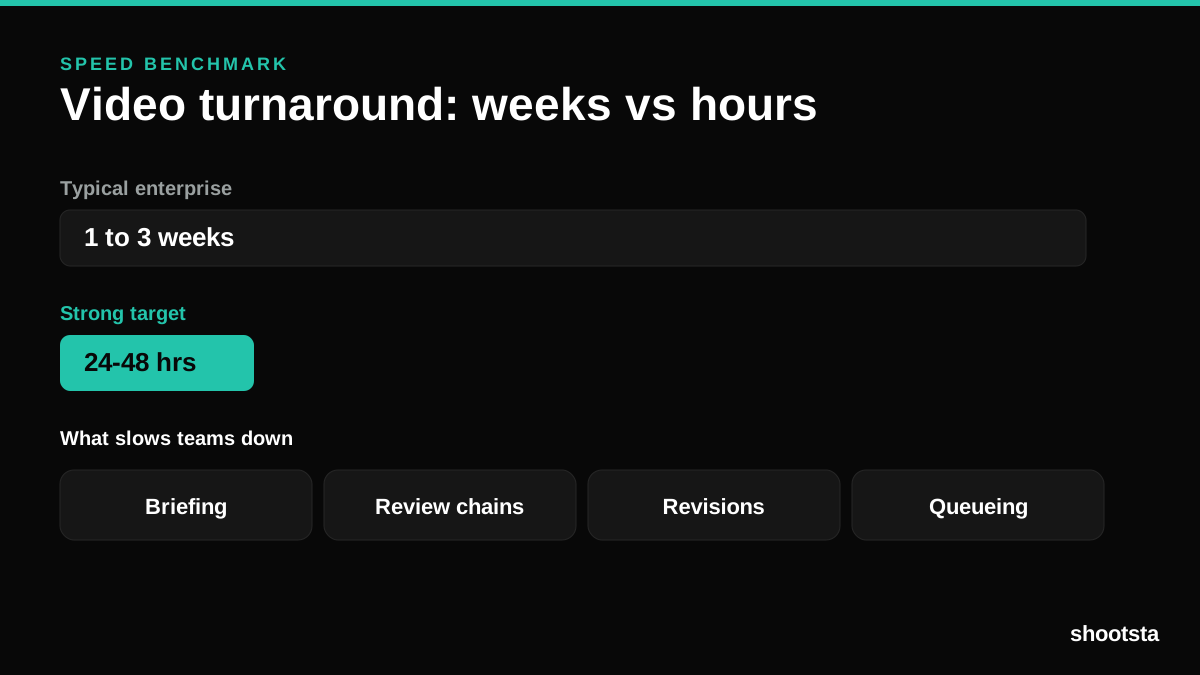
Most enterprise teams measure video turnaround in weeks. A strong target is hours. Here is the benchmark, what slows teams down, and how to close the gap.
What is a good video turnaround time for enterprise teams?
Most enterprise teams report one to three weeks from raw footage to final video, and longer once review cycles are counted. A strong target for standard edited content is 24 to 48 hours. The distance between those two numbers is where the cost of delay lives, and closing it is one of the highest-return changes a video team can make.
Why does turnaround matter so much?
Turnaround matters because most enterprise video is time-sensitive. A campaign that launches a week late has less time in market and competes with whatever came out first. An internal update that arrives a week or two after the news has already spread gets less attention, because staff have heard the story elsewhere. Turnaround decides whether a video lands while people still care or arrives after the moment has passed. You can size that cost with the enterprise video ROI calculator.
What slows enterprise teams down?
- Briefing takes too long. Teams that spend more than 30 minutes briefing each video lose a large share of capacity before editing begins.
- Review chains grow. Every extra approver adds time that repeats on every video.
- Revisions drag on. Open-ended revision cycles are where schedules slip without anyone noticing.
- Videos wait in a queue. A single in-house editor becomes a bottleneck the moment volume rises.
The editing-stage version of this is covered in how much in-house video editing costs.
How do you measure your own turnaround?
Track two numbers: time from footage received to final delivery, and time spent briefing before editing starts. The briefing number is often larger than people expect. Both are inputs in the calculator, and both are fixable.
How do you speed it up?
Standardize briefs so they take minutes to fill in. Cap the review chain to the people whose sign-off is required, and define revision rounds up front. Then use a production model built for fast, repeatable turnaround rather than per-project agency timelines. The wider revenue effect is in how to measure video speed-to-market.
Where to start
Benchmark your current turnaround against the 24 to 48 hour target, then run the enterprise video ROI calculator to see what the gap is costing.
Sources
- Shootsta customer reporting across 70,000+ videos produced.
Turnaround is one of five measures of a working video program. Grade yours with the CMO video scorecard to see whether speed is the weak link or a symptom of something further upstream.
If your turnaround is worse than the benchmark, the cause is usually one of eight known delays. They are set out in what slows scalable corporate video editing.
Take this article with you
Read the latest at shootsta.com/blog/enterprise-video-turnaround-time
You might also like
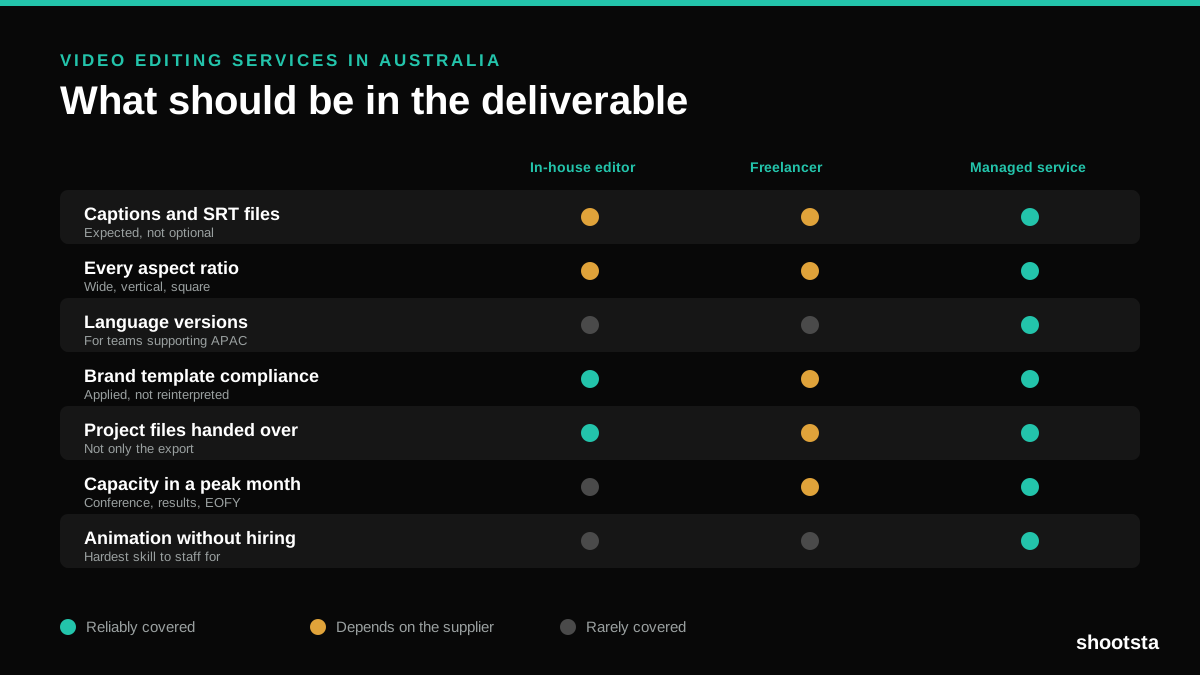
Video Editing Services in Australia
Australian teams are spread across time zones and offices, so the editing queue matters more than the editing. Here is what to expect on cost and turnaround.
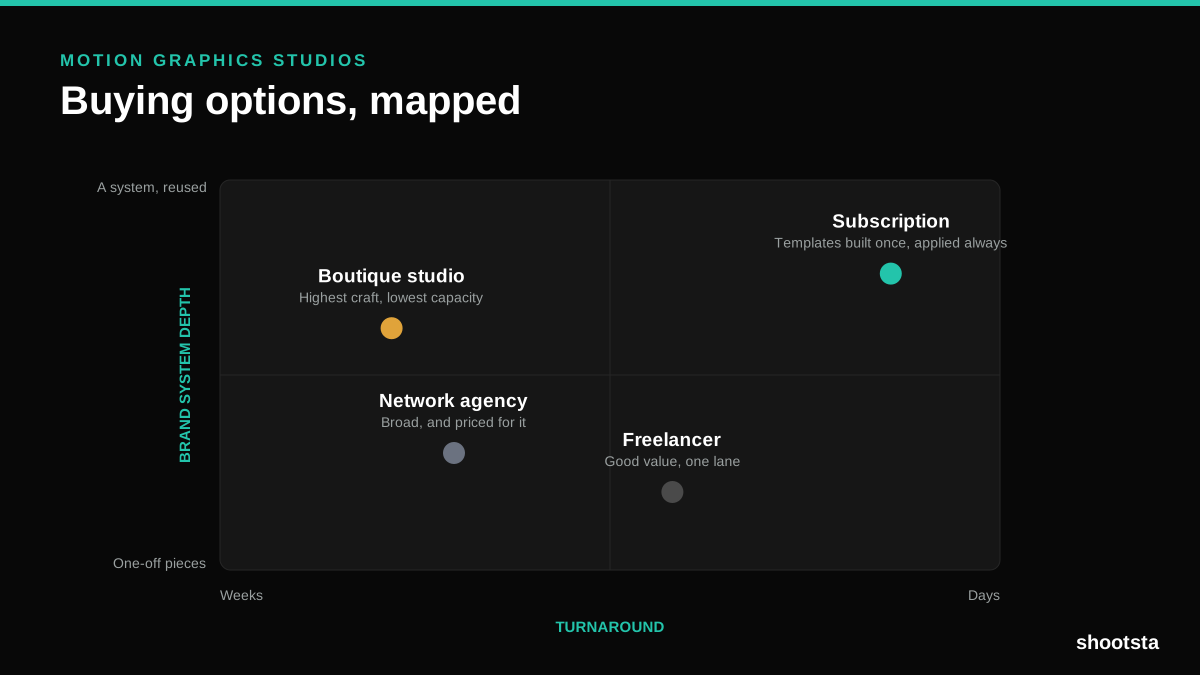
How to Choose Between Motion Graphics Studios
Every motion graphics studio has a good reel. The reel is the one thing that will not tell you how the fifth project goes. These ten criteria will.
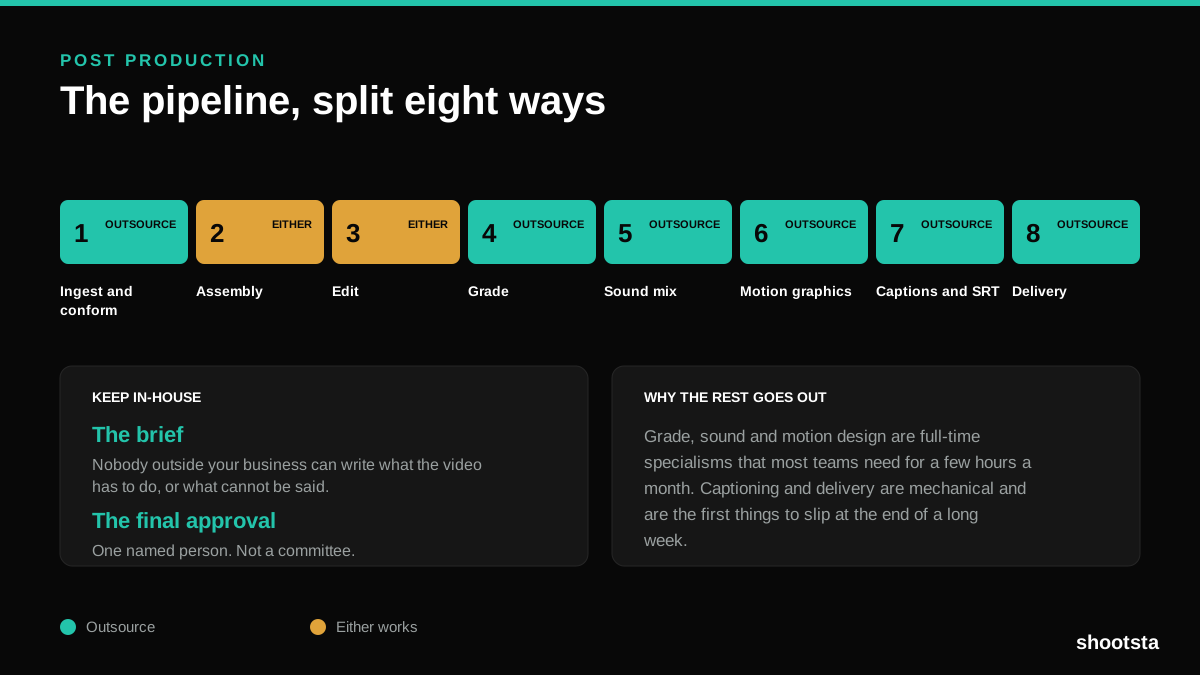
Post Production Agency or In-House Team?
Post production is eight stages, not one. Some of them need context only your team has. The rest are mechanical and are the first things worth handing over.
Animated Video Production Cost in the US
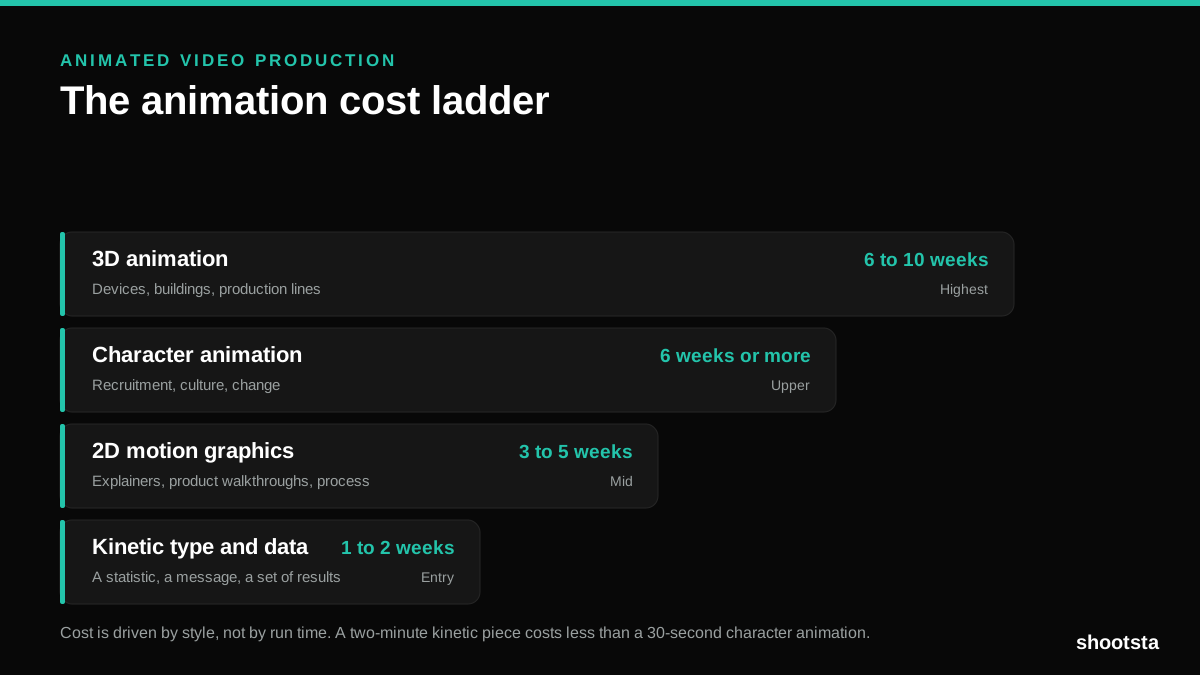
Animated video production costs move with style, not with length. Kinetic type, 2D motion, character and 3D sit on four rungs of a ladder. Here is what separates them.

How to Commission Medical Training Animation
Commissioning a medical training animation is mostly decisions you make before anyone animates a frame. The brief fields that matter, what to ask a studio, how much expert time to budget, and the contract terms that stop a rebuild in two years.
How to Write an Animation Brief
How to Write an Animation Brief
Most animation briefs cause delays because they over-specify the visual style and under-specify the outcome. Here are the nine fields an animation production team needs to quote accurately and start without rework.