
How to Shoot Corporate Mobile Video on a Phone
shootsta.
How to Shoot Corporate Mobile Video on a Phone
By Shootsta · Published April 10, 2026 · Updated October 2026
Your smartphone shoots better video than the cameras most agencies used 5 years ago. Here is how to get professional-looking corporate video from the phone in your pocket.
Can you really film corporate video on a phone?
Yes, you can. Modern smartphones shoot in 4K at 60fps, and the camera in a current iPhone or Samsung Galaxy matches what many video agencies used a few years ago. For talking-head videos, interviews and quick updates, the gap between phone footage and camera footage is smaller than you might expect.
Where phone footage and "professional" footage differ is in the lighting, framing, audio and editing. If you get those right, phone footage looks polished. If you get them wrong, even an expensive cinema camera will give you footage that looks amateur.
Why does mobile video work for corporate content?
For the everyday video a business publishes, the gap between a phone and a professional camera has closed. A current handset shoots 4K, handles focus and exposure well, and steadies the picture in software. Viewers of an internal update, a testimonial or a training module are not judging the sensor size.
The bigger change mobile video brings is access. A crew has to be booked, briefed and paid to be in one place on one day. A phone is already in the pocket of every person you might want on camera, in every office you have.
That turns video from an event into a habit. A regional manager can record a two-minute update the morning it matters, instead of waiting for the next quarterly shoot. Staff in several countries can each film a piece of the same video on the same day.
The harder part is finishing the video. Phone footage is raw footage, and someone still has to clean the audio, apply the brand and cut it. Teams that do well with mobile video solve the finishing problem first and the filming problem second.
How do you set up your phone for corporate video?
Orientation: always landscape
Hold your phone sideways. People watch corporate video on desktops, laptops and TV screens, and all of those are wide screens held in landscape. The only exception is a video made for Instagram Stories or TikTok, where vertical is the format.
Camera settings
Set the phone to film at 1080p or 4K, at 30fps. Don't use slow motion unless you have a clear creative reason. Turn off HDR video, because it can shift the skin tones and make the edit harder. Lock the exposure and focus by tapping and holding on your subject's face before you start recording.
Stability
Use a tripod or phone mount. A basic one is cheap and makes an immediate difference. If you don't have one, prop the phone against a stack of books at the right height. Handheld footage looks amateur even when everything else is right.
How do you get good lighting on a phone?
Light does more for video quality than anything else you control. A phone in good light will beat a cinema camera in bad light.
The easiest option is to sit facing a window. Daylight from a window falls softly and evenly on your face. Don't sit with the window behind you, because that turns you into a silhouette. The window should be in front of you or slightly to one side.
If there is no window, use a ring light or desk lamp at eye level, slightly off to one side. Avoid overhead fluorescent lighting, which casts harsh shadows and a green tint.
To check your setup, record 10 seconds and play it back. If you can see the person's face clearly and the skin tones look natural, the lighting is good enough.
How do you get good audio on a phone?
Bad audio is the fastest way to make good footage feel amateur. The built-in phone microphone picks up everything in the room, from the air conditioning and keyboard clicks to traffic and the echo off hard walls.
The answer is an external microphone. A lavalier (clip-on) mic is inexpensive and plugs into your phone. It sits close to the speaker's mouth, so their voice stays clear over the room noise. This one purchase makes more difference than any other equipment upgrade.
If you don't have an external mic, film in a small, quiet room with soft furnishings, since carpet, curtains and upholstered chairs absorb echo. Close the door, and turn off the air conditioning for the few minutes you're recording.
How should you frame the shot?
For a talking-head video, place the subject in the middle of the frame with their eyes roughly on the upper third line. Leave a little space above their head. Frame from the chest up, since closer feels uncomfortable and wider makes the speaker feel distant.
Check the background before you press record. A cluttered desk, a bathroom door or a coworker walking past will ruin the video. A plain wall, a bookshelf or a tidy workspace works best. If the background is messy, move, or blur it with a shallow depth of field (portrait mode on some phones).
What should you say?
Don't learn a script word for word, because viewers can tell when you are reciting. Use 3-4 bullet points as prompts and speak naturally. If you stumble, pause and restart the sentence, and the editor will cut the mistake.
Guided prompts work better than scripts for many corporate formats. You might ask someone to explain what their team does in 30 seconds, then describe a recent win, then share one tip for new team members. Three short clips like these are easier to record than one long monologue.
Read our guide on enabling non-creatives to film on-brand video for more tactics on getting usable footage from people who have never been on camera.
What happens after you film?
Upload the footage to your editing platform. Professional editors add your brand kit, including the intro, lower thirds, grading and music, and deliver a polished corporate video in about 48 hours. You send raw phone footage and get back a finished video in your brand.
This model is what makes phone filming work for corporate video. You don't need to learn editing software or worry about the branding yourself. Your job is to press record and talk about what you know.
See more filming tips in our 6 tips for filming on your phone, or explore how Shootsta's platform works.
Related reading
- Different platforms want different aspect ratios. Read about choosing the right aspect ratio.
- For shoots that benefit from a bigger screen, an iPad is a real option. Read about filming business video on an iPad.
Take this article with you
Read the latest at shootsta.com/blog/how-to-film-corporate-video-on-your-phone
You might also like
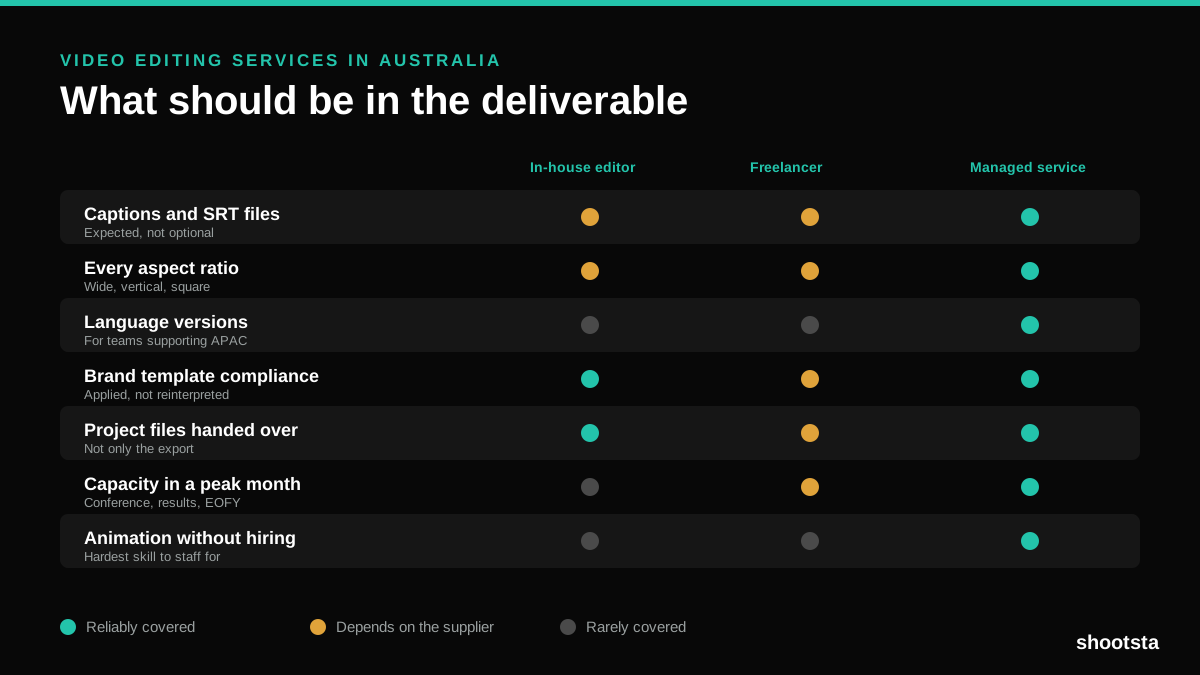
Video Editing Services in Australia
Australian teams are spread across time zones and offices, so the editing queue matters more than the editing. Here is what to expect on cost and turnaround.
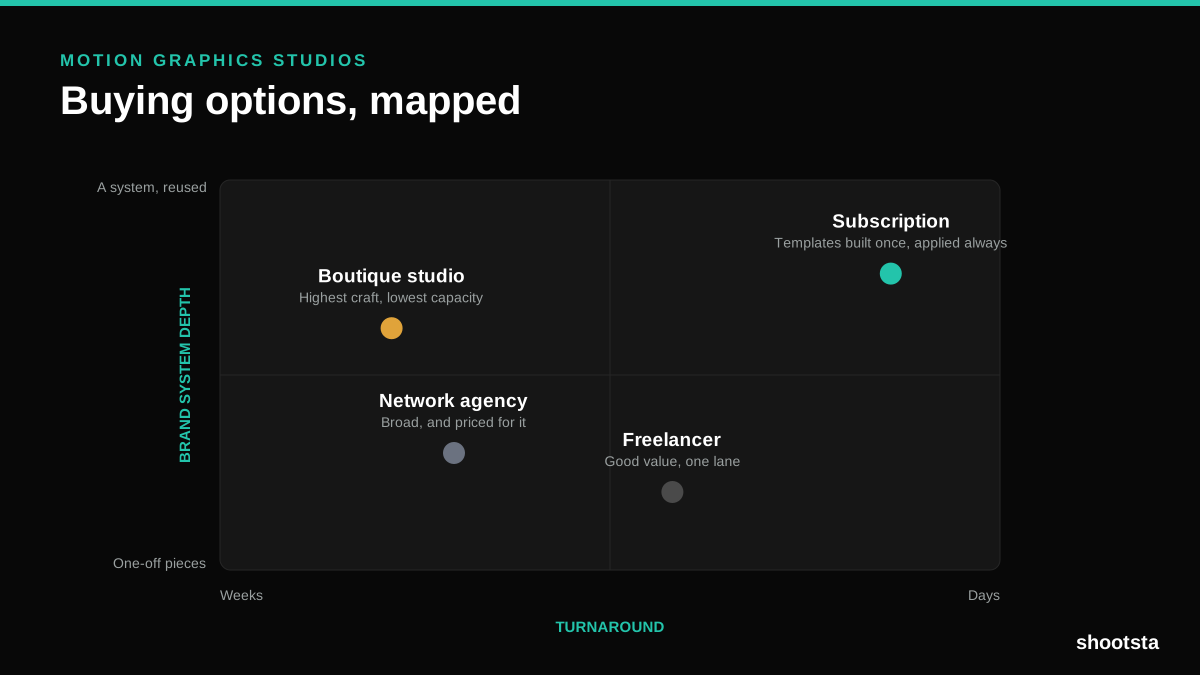
How to Choose Between Motion Graphics Studios
Every motion graphics studio has a good reel. The reel is the one thing that will not tell you how the fifth project goes. These ten criteria will.
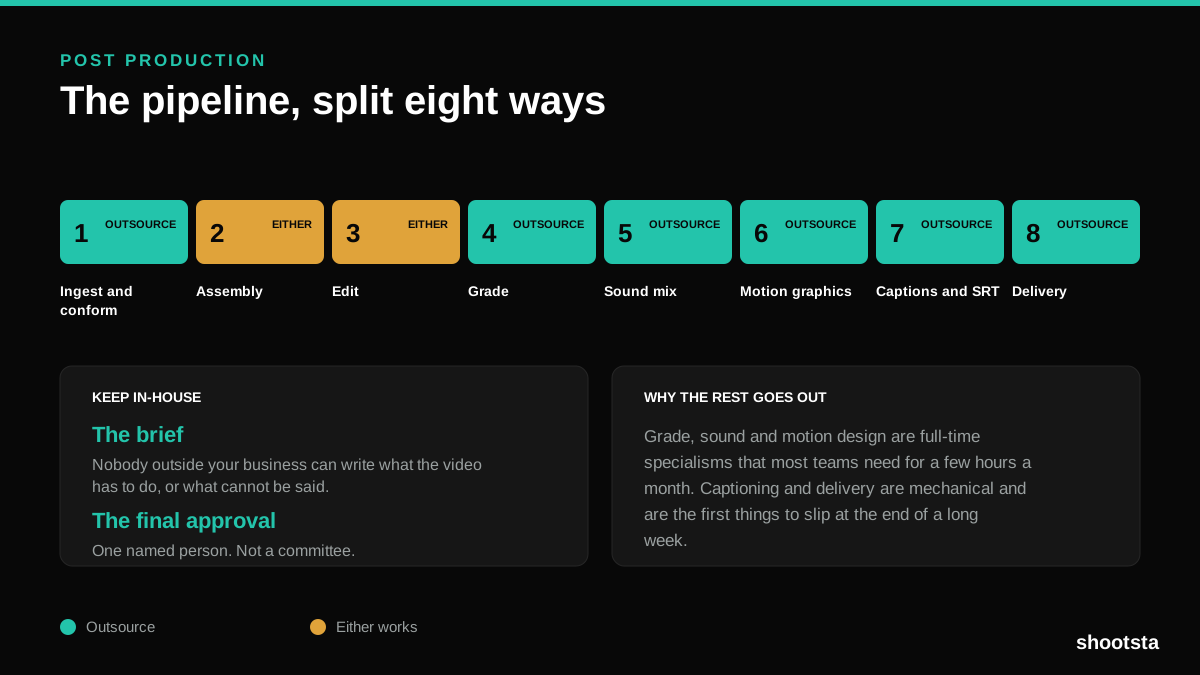
Post Production Agency or In-House Team?
Post production is eight stages, not one. Some of them need context only your team has. The rest are mechanical and are the first things worth handing over.
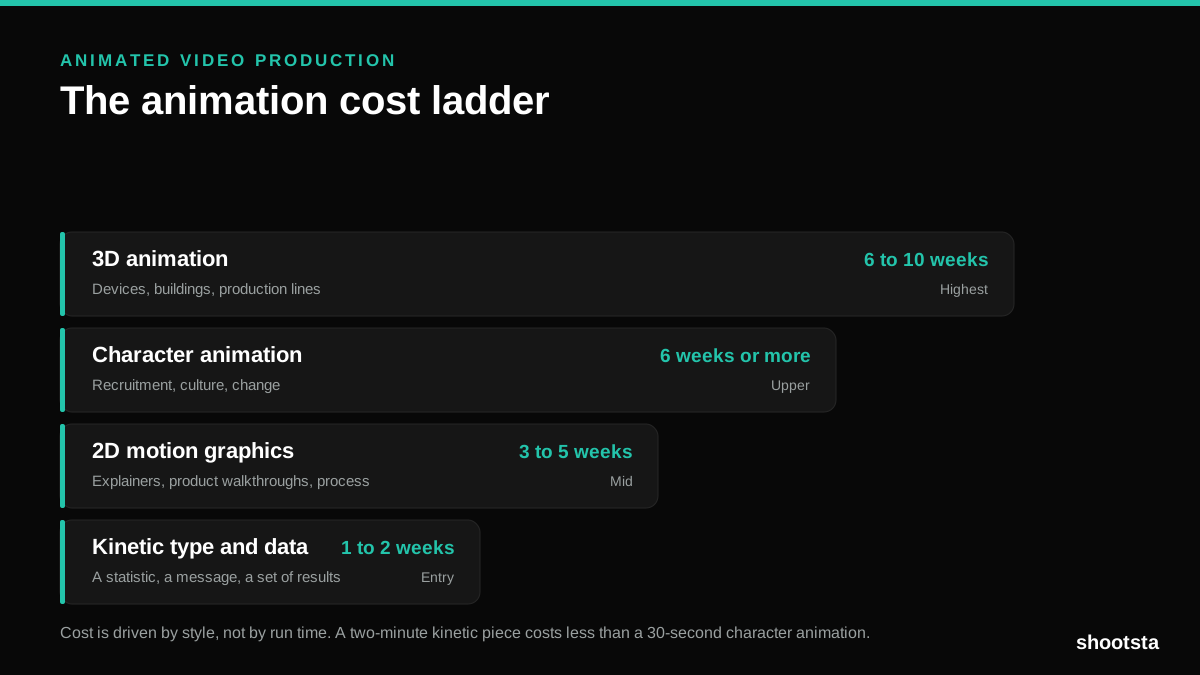
Animated Video Production Cost in the US
Animated video production costs move with style, not with length. Kinetic type, 2D motion, character and 3D sit on four rungs of a ladder. Here is what separates them.
How to Commission Medical Training Animation
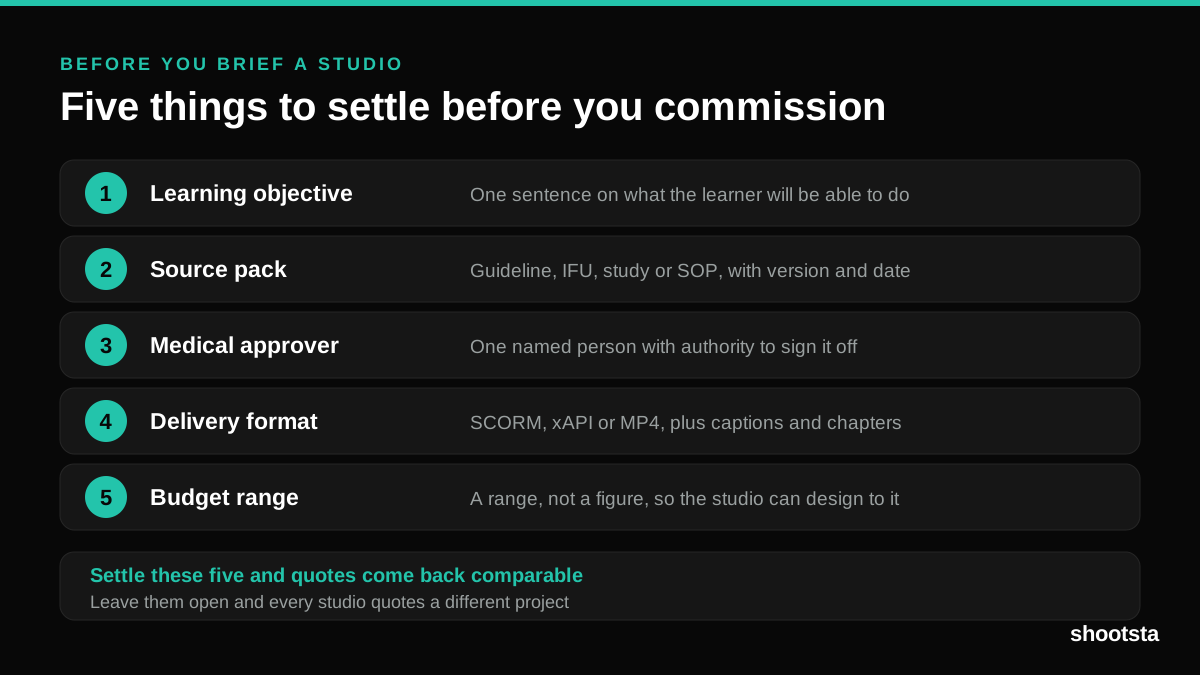
Commissioning a medical training animation is mostly decisions you make before anyone animates a frame. The brief fields that matter, what to ask a studio, how much expert time to budget, and the contract terms that stop a rebuild in two years.
How to Write an Animation Brief
How to Write an Animation Brief
Most animation briefs cause delays because they over-specify the visual style and under-specify the outcome. Here are the nine fields an animation production team needs to quote accurately and start without rework.