
How to Enable Non-Creatives to Create On-Brand Video
shootsta.
How to Enable Non-Creatives to Create On-Brand Video
By Shootsta · Published March 15, 2026 · Updated October 2026
Your subject matter experts know the content best but have never made a video. Here is how to set up a system where anyone in your organization can produce on-brand video without design skills or camera experience.
Why should non-creatives be making video?
The people who know your customers, your products, and your industry are rarely the same people who know how to use a camera. In many organizations, video production sits with a creative team or an external agency, and everyone else submits a request and waits.
This creates a bottleneck, because the creative team has a queue and the agency has its own timeline. Meanwhile, the sales director who just had a breakthrough conversation with a client, or the product manager who shipped a feature yesterday, can't capture that moment on video because the process is too slow.
Enabling non-creatives to create video doesn't mean lowering your standards. It means separating the parts of video production that require expertise (editing, branding, post-production) from the parts that don't (pressing record and talking about something you know well).
What stops non-creatives from filming video today?
Willingness is rarely the problem. Plenty of people are happy to be on camera once you remove the barriers. These are the blockers you are more likely to hit:
They don't know what to say
Put someone in front of a camera with no guidance and they freeze. Give them three specific questions to answer and they talk naturally. What changed is the structure around them, and their confidence follows from it.
They worry about quality
People think their phone footage won't look professional, but a modern smartphone shoots excellent video. The quality gap sits in editing, lighting and framing rather than in the camera itself. In a decentralized model, professionals handle the editing for them.
They don't know the technical basics
They need to know whether to film in landscape or portrait, where to put the camera, how to check audio and whether the lighting is good enough. Each of these takes minutes to learn, yet nobody has taught them. Simple on-screen guides or a one-page cheat sheet fix the gap.
They're afraid of looking bad
This feels like the hardest barrier, yet it is the easiest to address. Show them examples of other non-video people in the organization who've filmed successfully. When a finance director sees another finance director doing it, the psychological barrier drops.
How do you set up a system for non-creative video production?
The system has four parts. Once they are in place, anyone in your organization can produce usable video.
Guided filming prompts
Instead of asking someone to "make a video about the new product feature," give them a filming link with specific prompts. The first might ask them to explain in 30 seconds what the feature does, the second why a customer would care, and the third what problem it solves. Three short clips are easier to record than one long monologue, and the editor can assemble them into a polished piece.
Brand-locked editing
This is the part that protects quality. Non-creatives film the content, but professional editors apply your brand kit - intros, lower thirds, fonts, brand palette, music, and transitions. The person filming doesn't need to think about branding at all, because their job is to press record and talk about what they know. The finished product looks and feels like every other video your company produces.
A simple filming guide
Cover the basics in a one-page guide or a 2-minute video. Tell people to film in landscape mode and find a quiet room with natural light. The camera should sit at eye level, and the background shouldn't distract from the speaker. Ask them to speak at their normal pace, and leave the rest to the editor. Read our phone filming tips for a quick reference your team can use.
A fast feedback loop
If someone films a video and waits weeks to see the result, they are unlikely to film another one. A 48-hour turnaround from filming to first cut keeps momentum high. People see their footage transformed into a professional video quickly, which builds confidence and motivates them to film again.
Which teams benefit most from non-creative video production?
Sales teams
Reps can record tailored video messages for prospects, product walkthroughs for specific use cases, and quick competitive positioning clips. These clips don't need to be polished, because a prospect cares more about relevance and a real face.
Subject matter experts
Engineers, scientists, analysts, and consultants have deep expertise that's hard to capture in writing. A 3-minute video of a senior engineer explaining a technical concept is more valuable than a long whitepaper that few people finish.
People and culture teams
HR teams can produce recruitment videos, onboarding content, employee spotlights, and culture videos without waiting for a creative team. Employee-filmed content feels more authentic than agency-produced employer branding.
Internal communications
Comms teams that enable department heads to film their own updates can publish video content weekly instead of quarterly. A 90-second video from the head of operations about a process change reaches more people than an email.
Customer-facing teams
Account managers, customer success managers, and support teams can film quick how-to videos, product tips, and tailored updates for clients. A familiar face on screen builds a relationship in a way an email can't.
How do you maintain brand consistency when everyone is filming?
This is the concern that stops many companies from decentralizing video production. If anyone can film, the worry goes, the quality will be all over the place.
The answer is to control the parts you can. You can't control how every person frames a shot or how well they project on camera. But you can control the finished product. When professional editors apply your brand kit to every video, the output is consistent regardless of who filmed it.
Think of it like a company blog. You don't require every author to be a professional writer. You have an editor who cleans up the prose, applies the style guide, and makes sure the published piece meets your standards. Video works the same way: the subject matter expert brings the knowledge, and the editor brings the polish.
Set minimum quality thresholds for footage - good enough audio, decent lighting, reasonably steady framing - and reject footage that falls below them. Once people understand the basics, they usually clear the bar on a second attempt.
How do you get buy-in from leadership?
Leadership buy-in usually requires two things: a cost argument and a proof point.
The cost argument is straightforward. Price a month of regular videos through an agency, then price the same volume on a subscription model where employees film and editors deliver. Shootsta customers typically see a 50-60% lower per-video cost than with agencies, and that gap grows with volume.
The proof point comes from a pilot. Choose one team, produce 5-10 videos in a month, and measure the results. When leadership sees the sales team producing personalized prospect videos that accelerate deals, or the HR team producing recruitment videos that improve application quality, the pilot has done the persuading for you.
Learn more about how the Shootsta platform works and how it enables non-video professionals to produce content at enterprise scale.
Take this article with you
Read the latest at shootsta.com/blog/how-to-enable-non-creatives-to-create-on-brand-video
You might also like
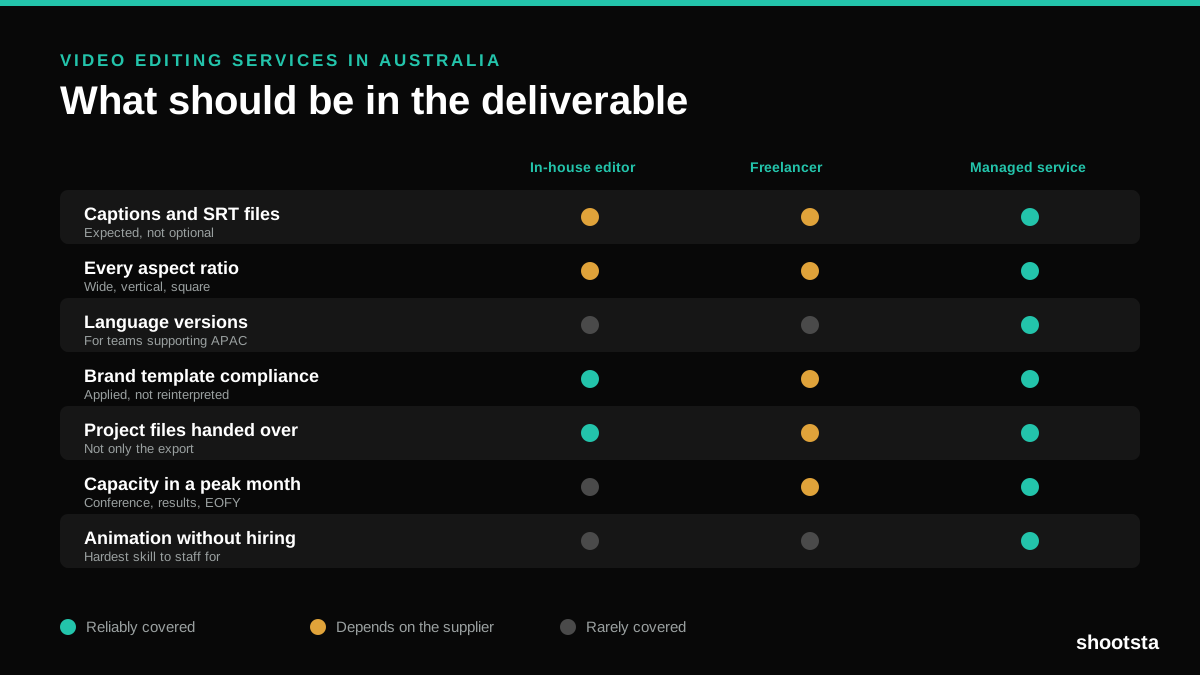
Video Editing Services in Australia
Australian teams are spread across time zones and offices, so the editing queue matters more than the editing. Here is what to expect on cost and turnaround.
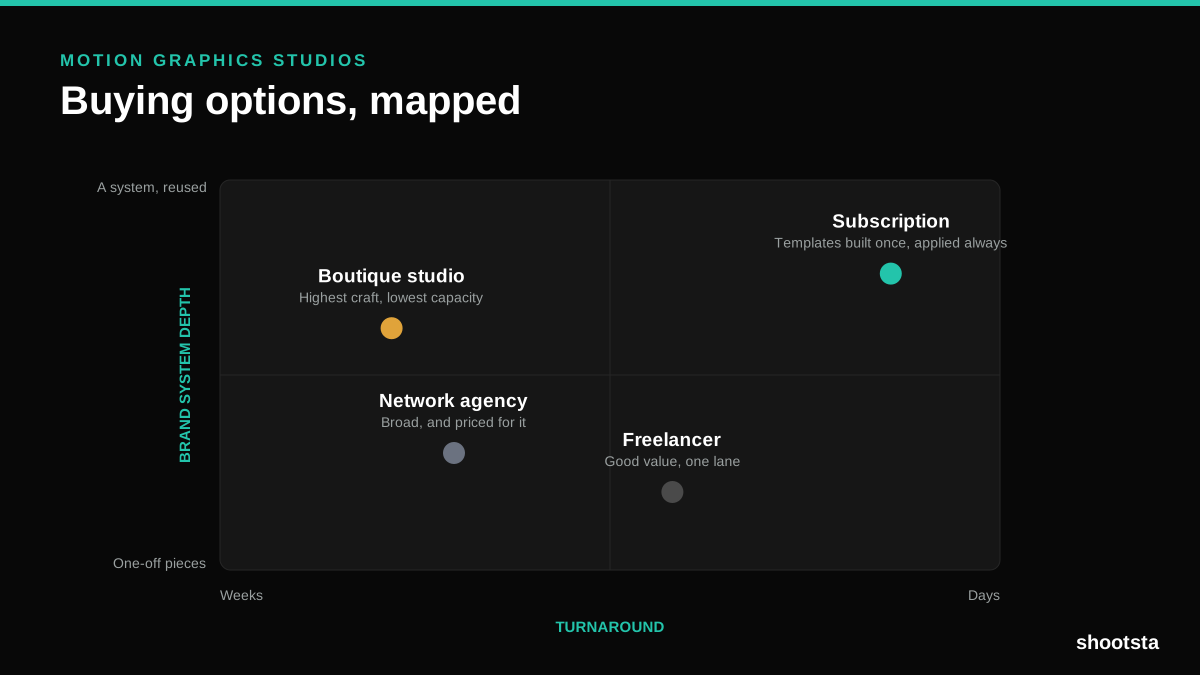
How to Choose Between Motion Graphics Studios
Every motion graphics studio has a good reel. The reel is the one thing that will not tell you how the fifth project goes. These ten criteria will.
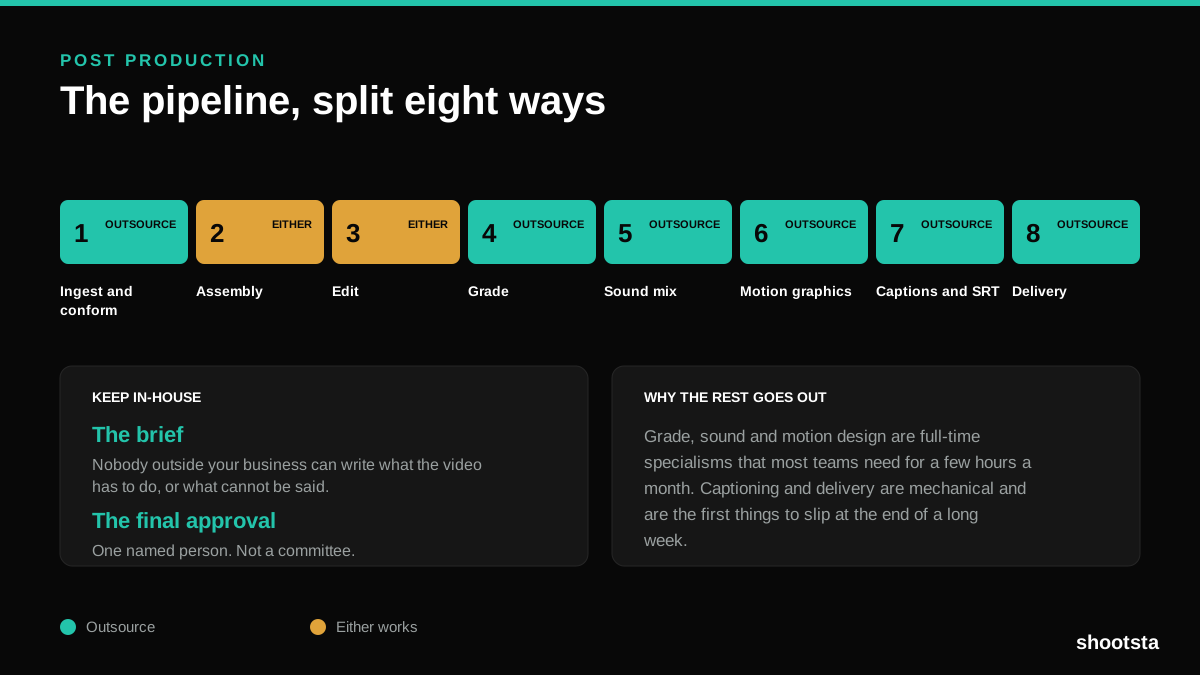
Post Production Agency or In-House Team?
Post production is eight stages, not one. Some of them need context only your team has. The rest are mechanical and are the first things worth handing over.
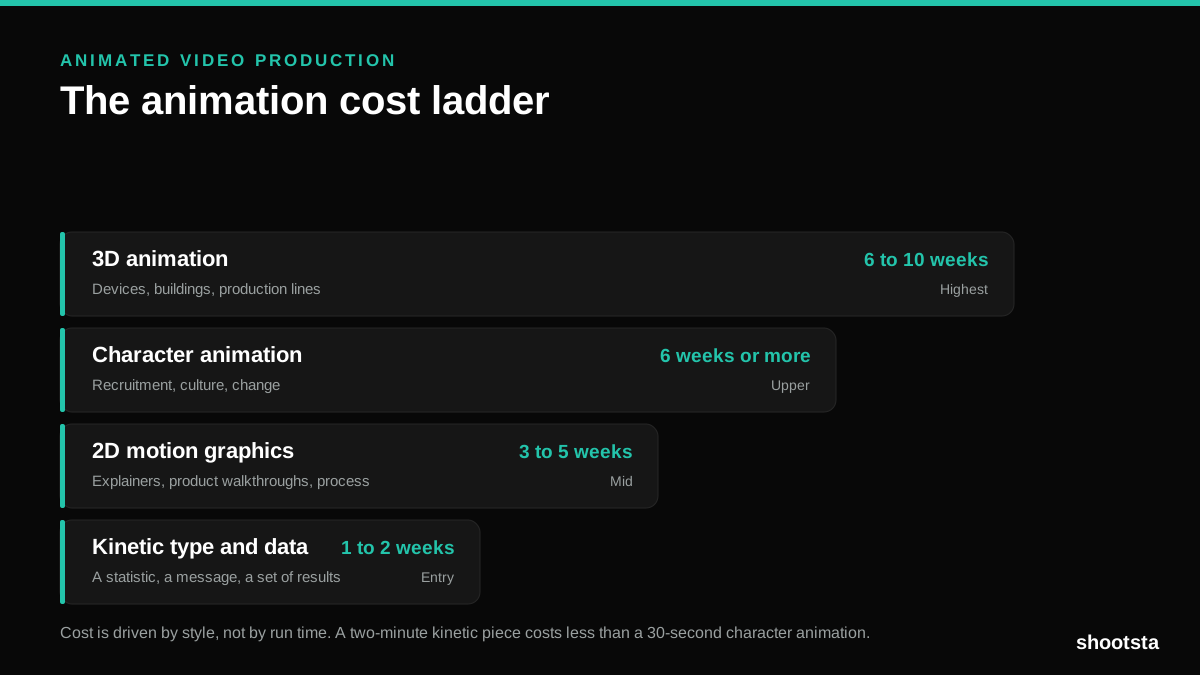
Animated Video Production Cost in the US
Animated video production costs move with style, not with length. Kinetic type, 2D motion, character and 3D sit on four rungs of a ladder. Here is what separates them.
How to Commission Medical Training Animation
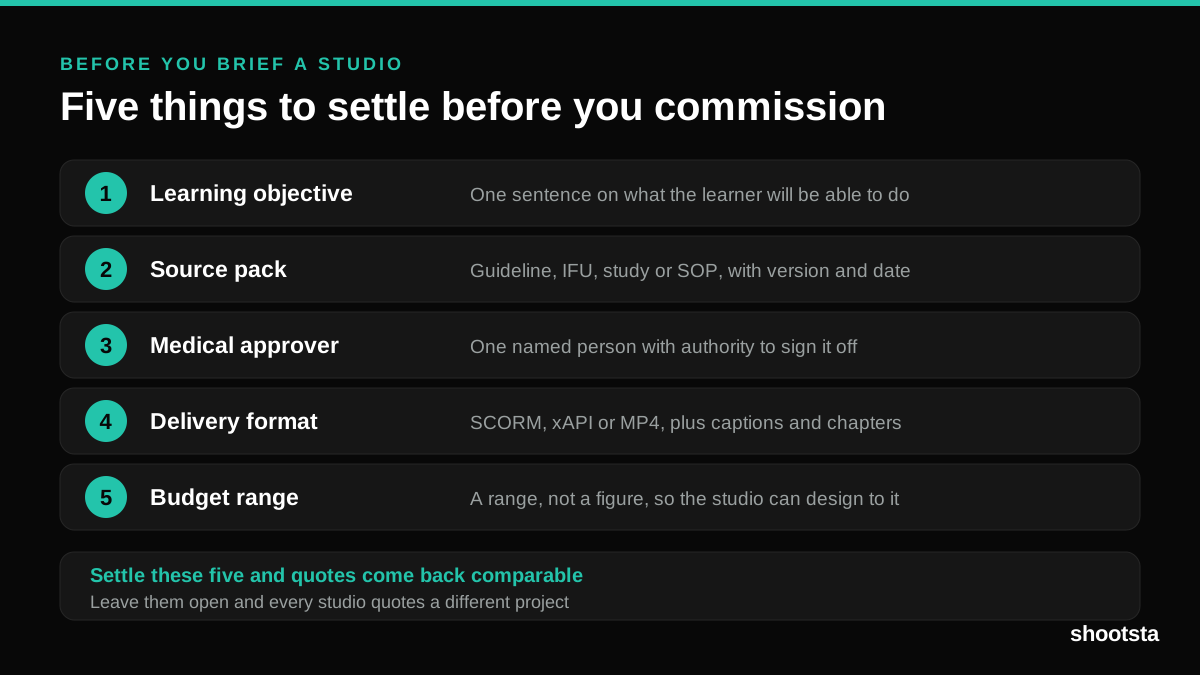
Commissioning a medical training animation is mostly decisions you make before anyone animates a frame. The brief fields that matter, what to ask a studio, how much expert time to budget, and the contract terms that stop a rebuild in two years.
How to Write an Animation Brief
How to Write an Animation Brief
Most animation briefs cause delays because they over-specify the visual style and under-specify the outcome. Here are the nine fields an animation production team needs to quote accurately and start without rework.