
Burned-in vs SRT subtitles: when to use each
shootsta.
Burned-in vs SRT subtitles: when to use each
By Shootsta · Published June 9, 2026 · Updated October 2026
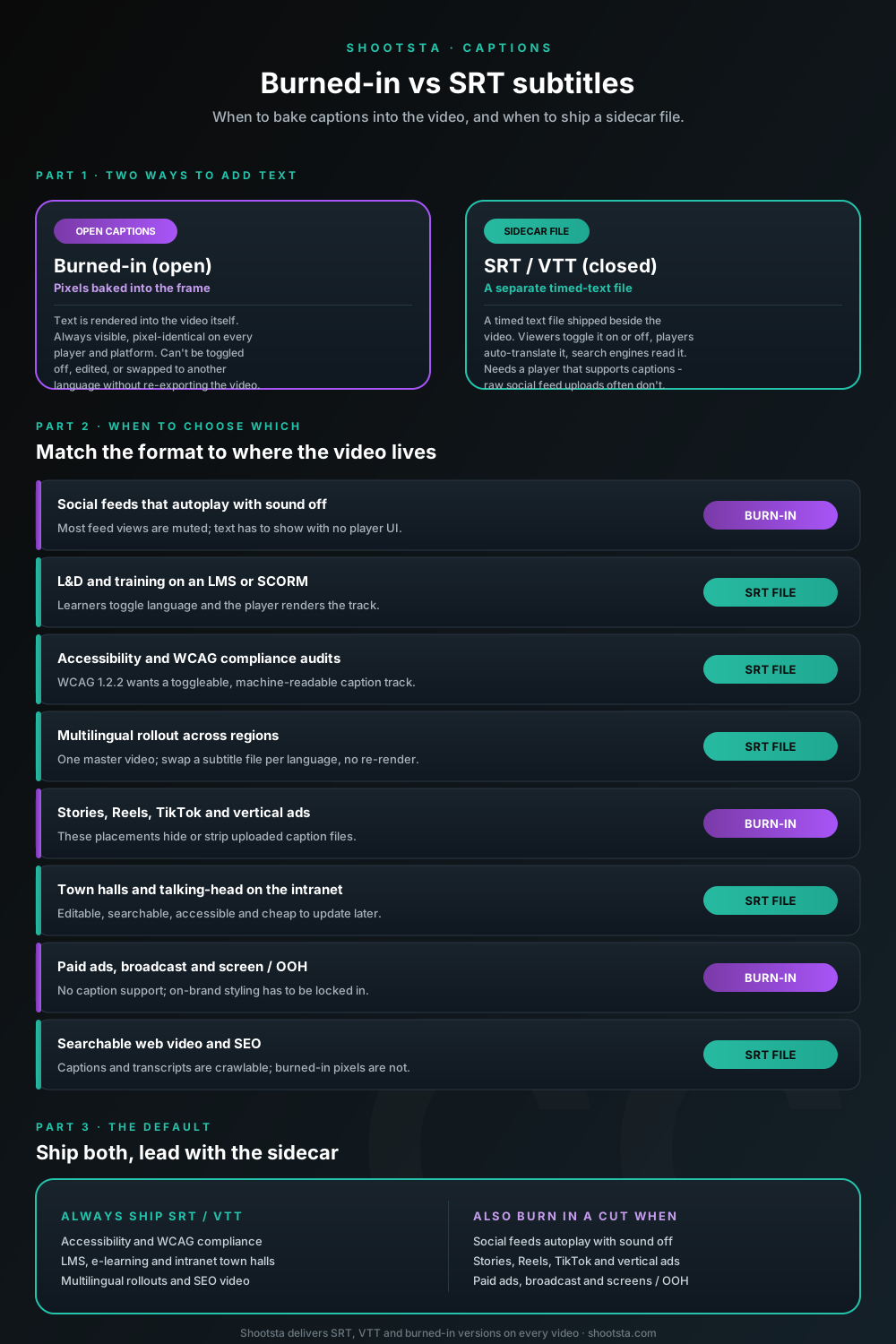
Burned-in (open) captions vs SRT/VTT sidecar files is a delivery decision. Here is the format to lead with for each video type - L&D on an LMS, social autoplay, multilingual rollouts, accessibility audits and searchable web video - plus a sensible default.
Short answer: ship an SRT or VTT sidecar file on almost everything. It is what accessibility audits, LMS players, multilingual rollouts and search engines all need. Add a burned-in (open caption) version on top when the video plays somewhere that autoplays muted or strips caption tracks: social feeds, Stories, Reels, vertical ads, paid and broadcast. For L&D specifically, lead with SRT/VTT on the LMS and only burn in the short social cut.
Burned-in vs SRT subtitles: what is the difference?
Burned-in subtitles (also called open captions or hard subs) are text rendered directly into the video frame. They are part of the picture, so they always show, look identical on every player, and survive any upload. The catch is that they cannot be turned off, edited, restyled or translated without re-exporting the whole video.
An SRT file is a sidecar: a separate timed-text file that travels alongside the video. WebVTT is the same idea in the web-native format players use for the HTML5 <track> element. The viewer toggles the track on or off, the player can auto-translate it, and search engines can read it. The catch is that the track only appears if the player supports captions, and many social feeds do not honor an uploaded file.
So this is a delivery question, not a quality one. The right choice depends on where the video plays and who has to read, audit or translate it later.
When should you use burned-in subtitles?
Burn captions into the frame when you cannot trust the player to show a separate track. That is the whole rule. In practice it covers a few clear cases.
- Social feeds that autoplay with sound off. Most feed views start muted, so the words have to be visible the instant the clip plays, with no caption button in sight.
- Stories, Reels, TikTok and vertical ads. These placements commonly hide or strip an uploaded caption file, so a sidecar track may never render.
- Paid ads, broadcast and on-screen / out-of-home. Many of these pipelines have no caption support at all, and you usually want the type styled on-brand rather than left to a default player font.
- Anywhere the exact look matters. If brand wants a specific font, position or color treatment locked across every view, burning in is the only way to guarantee it.
When should you use an SRT or VTT file?
Use a sidecar file as the default for anything that has to be accessible, searchable, editable or multilingual. A separate track wins whenever flexibility beats guaranteed pixels.
- Accessibility and WCAG compliance. WCAG 2.1 Success Criterion 1.2.2 is about a synchronized caption track users can engage, and auditors expect a machine-readable file they can check, not pixels in a frame.
- L&D and training on an LMS. Learners pick their language, the player renders the track, and you can fix a typo by editing one file instead of re-rendering the course.
- Multilingual rollouts. One master video plus one subtitle file per language means no re-render per market. Swap the file, ship the language.
- Searchable web video and SEO. Caption and transcript text is crawlable; text baked into pixels is not. A WebVTT track and a transcript give search engines something to index.
- Internal town halls and talking-head video. Editable, searchable and cheap to update beats locked-in for anything that lives on an intranet or video portal.
Which captions should you use for L&D and training videos?
For L&D, you should lead with SRT or VTT. Training video almost always lives on an LMS or a learning portal where the player handles caption tracks, learners may need a language other than the master, and content gets revised. All three favor an editable sidecar file over burned-in text.
Two cases flip it back to burn-in for L&D. The first is the short promo or teaser cut you push to social to drive enrollment, which follows the social rule above. The second is any micro-lesson distributed as a raw social-style clip rather than through the LMS. For the course itself, SRT/VTT is the right call, and a full transcript alongside it covers screen-reader users and adds searchable text.
The right caption format by video type
The same decision, mapped across the video types most enterprise teams produce. Lead with the format in the middle column; add the other one only when a specific placement demands it.
| Video type | Lead format | Why |
|---|---|---|
| Social feeds (autoplay, sound off) | Burned-in | Muted views need visible text with no player UI |
| Stories, Reels, TikTok, vertical ads | Burned-in | Placements hide or strip uploaded caption files |
| Paid ads, broadcast, screen / OOH | Burned-in | No caption support; on-brand styling locked in |
| L&D and training on an LMS / SCORM | SRT / VTT | Learners toggle language; player renders the track |
| Accessibility / WCAG audits | SRT / VTT | Auditors want a toggleable, machine-readable track |
| Multilingual rollout | SRT / VTT | One master video, swap a file per language, no re-render |
| Town halls, talking-head, intranet | SRT / VTT | Editable, searchable and cheap to update later |
| Searchable web video / SEO | SRT / VTT | Captions and transcripts are crawlable; pixels are not |
Does burning in subtitles hurt SEO?
Indirectly, yes, when burn-in is the only caption you ship. Search engines and AI answer engines read caption and transcript text to understand a video, and they cannot read words baked into pixels. A page that hosts video with a VTT track and a transcript gives crawlers far more to index than the same video with hard subs and nothing else. For anything meant to be found, ship the sidecar file and a transcript.
Can you have both burned-in and SRT on the same video?
Yes, and for many programs that is the right answer. Keep the clean master with an SRT/VTT track for the LMS, the website, accessibility and translation, then export a burned-in cut for the muted social and paid placements. You produce the captions once from a single transcript, then deliver them in whichever form each channel needs. That is how to cover every placement without choosing one format and losing the other.
How Shootsta handles captions
Every video produced in the Shootsta workflow ships with captions as a default, so you do not have to request them per project. Auto-generated captions are reviewed by a human editor for terminology and accuracy, then delivered as SRT, VTT and a burned-in version from the same transcript source. Because the transcript is produced once and reused, adding all three formats costs far less than retrofitting captions after delivery, when someone has to transcribe the video again. Captions land with the finished video on the standard turnaround rather than on a separate timeline. You should not have to decide burn-in or sidecar at brief stage. Get both, and pick per channel at publish time.
Frequently asked questions
What is the difference between open and closed captions?
Open captions are burned into the video frame and are always visible. Closed captions are a separate track the viewer can turn on or off, usually delivered as an SRT or VTT file. Burned-in subtitles are open captions; SRT and VTT are how closed captions are delivered.
Is SRT or VTT better for web video?
VTT (WebVTT) is the web-native format and the one the HTML5 video player expects, so it is the better default for video embedded on a website. SRT is more widely accepted by social and LMS uploaders. Most workflows produce both from the same transcript, so you rarely have to choose.
Do burned-in captions meet accessibility requirements?
Burned-in captions are visible, but auditors generally expect a separate, machine-readable caption track they can verify against WCAG 2.1 SC 1.2.2. For compliance, ship an SRT or VTT track. Treat burn-in as an addition for muted placements, not a replacement for the sidecar file.
Will captions slow down video delivery?
No. In the Shootsta workflow captions ship with the finished video on the standard turnaround, including SRT, VTT and a burned-in version. There is no separate caption delivery timeline.
What format should subtitles be for an LMS?
Most learning platforms accept SRT or VTT caption tracks, which is the right choice for training video because learners can toggle language and you can edit a file rather than re-render the course. Confirm your specific LMS, since a few older systems prefer one format over the other.
How we built the numbers in this post
The claims here rest on public accessibility standards and on how Shootsta produces captions across 70,000+ videos. We quote no Shootsta customer outcome figures.
- Captions made as a default cost less than captions retrofitted later. This follows from how the work is done: captions made from the existing transcript need no second pass, while captions added after delivery are a separate job.
- WCAG 2.1 SC 1.2.2 governs prerecorded captions. W3C Web Content Accessibility Guidelines 2.1, Understanding Success Criterion 1.2.2 (Captions, Prerecorded).
- WebVTT is the web-native caption format. W3C WebVTT: The Web Video Text Tracks Format specification.
- Captions ship on the standard turnaround. Captions are part of the standard Shootsta deliverable, so they do not run on a separate timeline.
Editorial standards
- Numbers cited are the most up-to-date figures we had at the time of writing. The "last updated" date on this page is when the numbers and sources were last reviewed.
- External benchmarks come from publicly available accessibility standards and industry data. We name the source where possible and summarize where the underlying data sits behind a paywall.
- Figures and ranges come from the public sources cited on this page and from published market rates. We do not quote any Shootsta customer outcome figures here.
- Where ranges are given, they cover variability across sector, geography and program maturity. Treat them as starting hypotheses to test in your own program rather than as guarantees.
- Spotted a number you would challenge? Let our editorial team know what you are seeing in your business and the data behind it. Material updates get credited in the post footer.
Where to go next
For the full accessibility picture that captions sit inside, read how to make enterprise video accessible. For the multilingual production layer where sidecar files do the heavy lifting, read how to scale video across global offices. For where captions fit into a training program specifically, see the training video production page.
To scope captions and accessibility across your video program, book a free consultation.
Take this article with you
Read the latest at shootsta.com/blog/burned-in-vs-srt-subtitles
You might also like
Video Editing Services in Australia
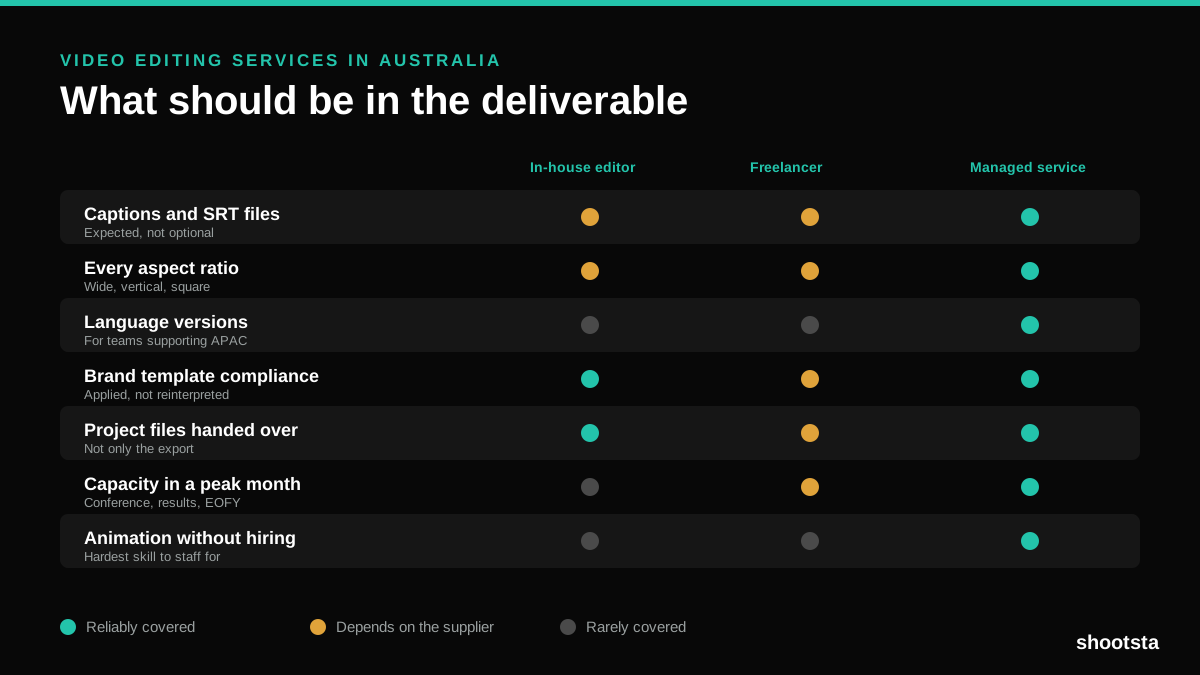
Australian teams are spread across time zones and offices, so the editing queue matters more than the editing. Here is what to expect on cost and turnaround.
How to Choose Between Motion Graphics Studios
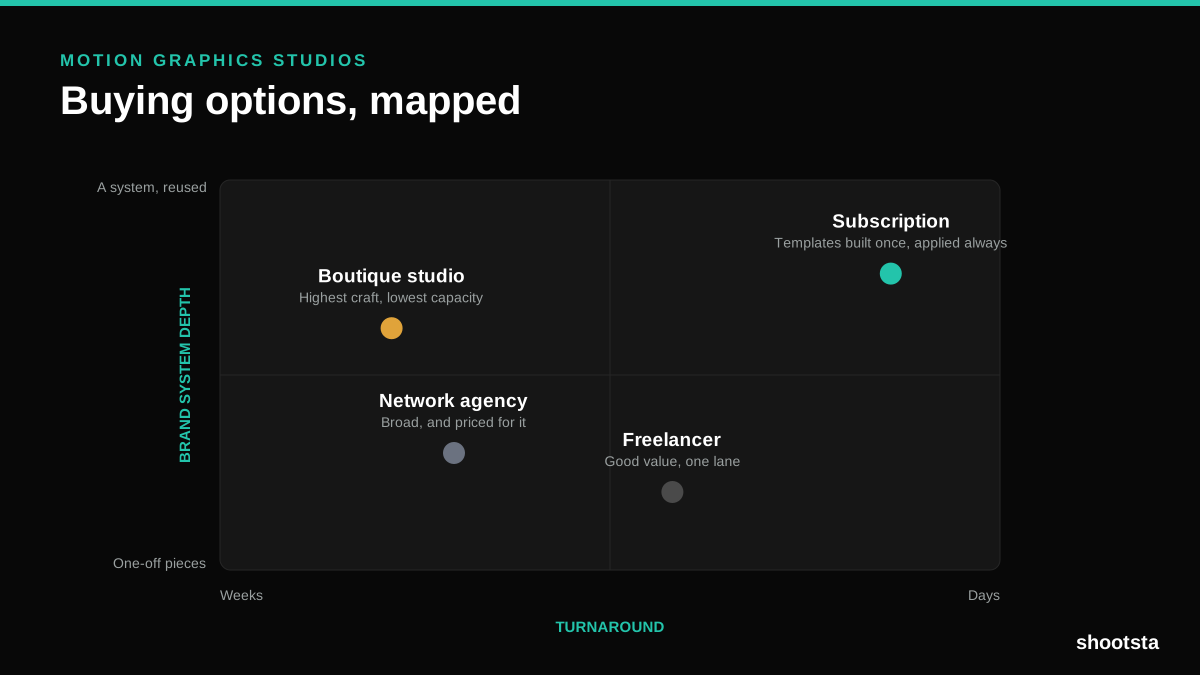
Every motion graphics studio has a good reel. The reel is the one thing that will not tell you how the fifth project goes. These ten criteria will.
Post Production Agency or In-House Team?
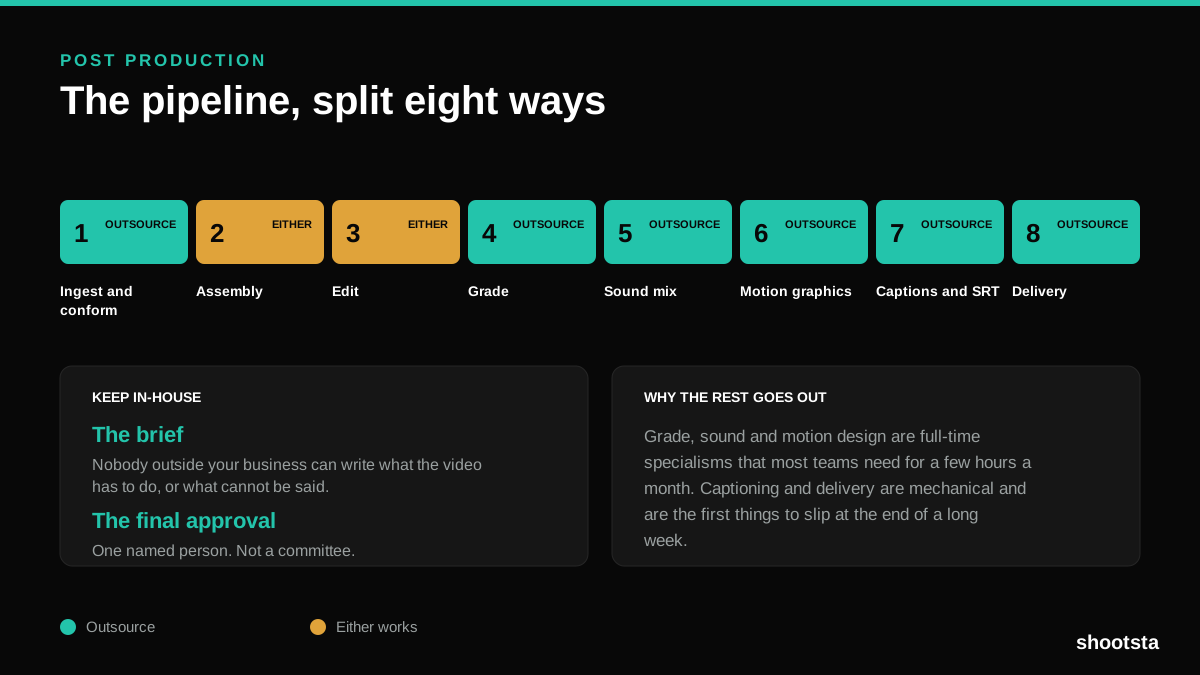
Post production is eight stages, not one. Some of them need context only your team has. The rest are mechanical and are the first things worth handing over.
Animated Video Production Cost in the US
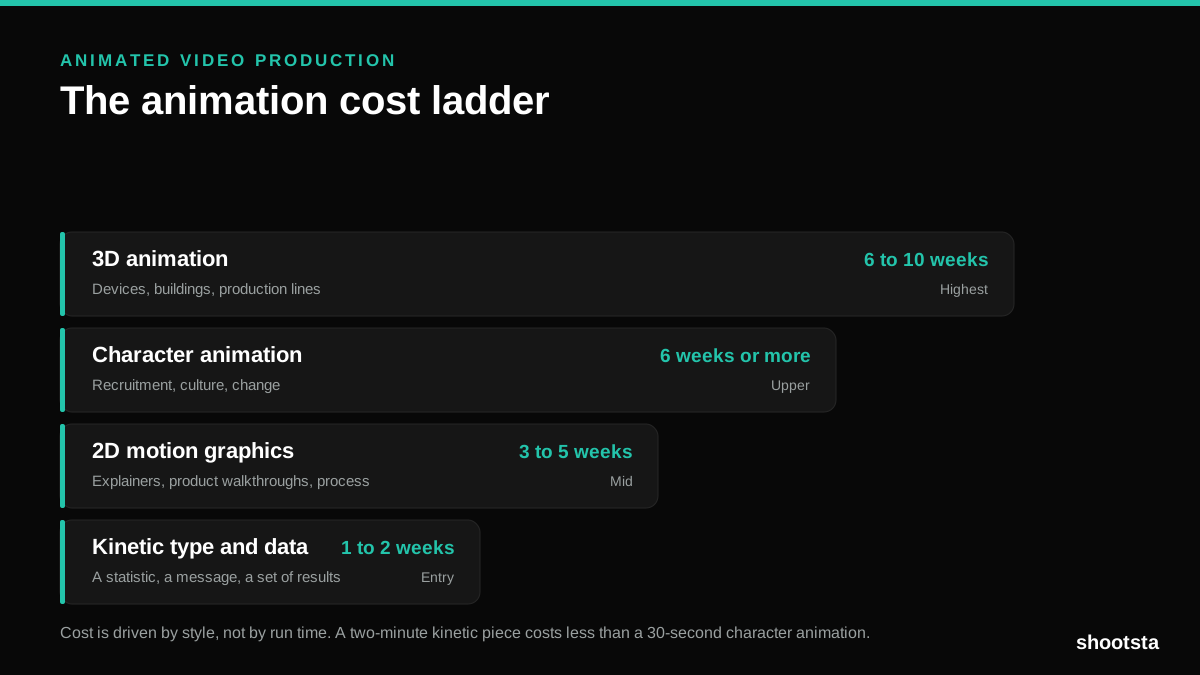
Animated video production costs move with style, not with length. Kinetic type, 2D motion, character and 3D sit on four rungs of a ladder. Here is what separates them.
How to Commission Medical Training Animation
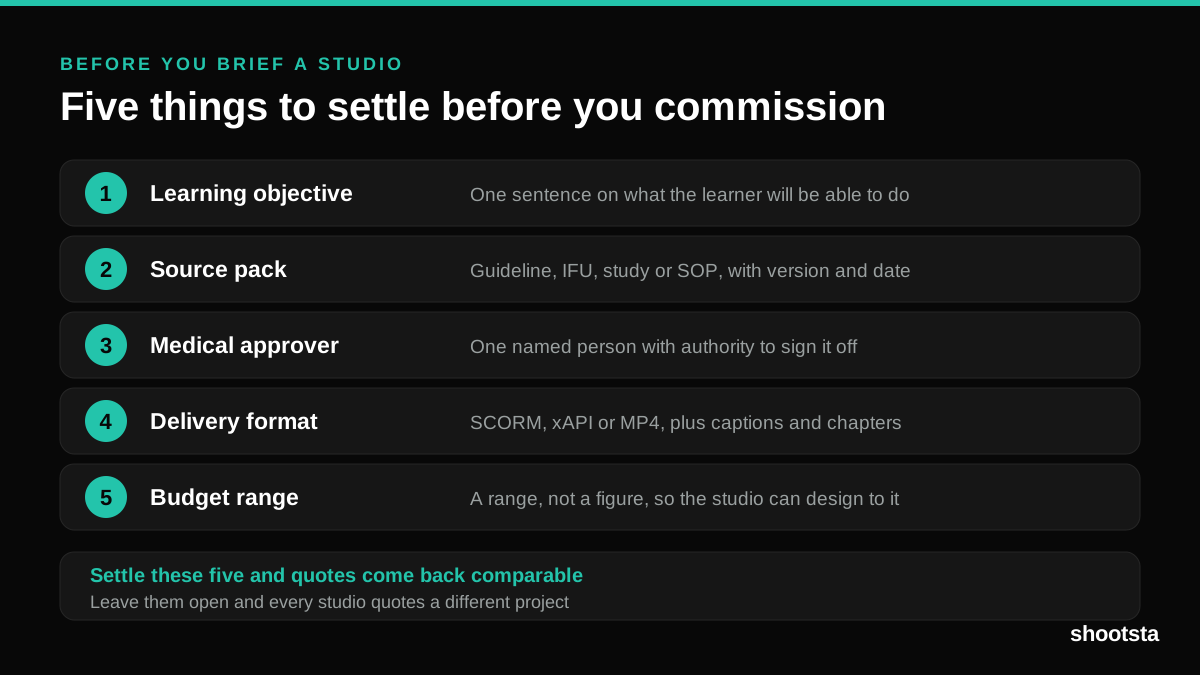
Commissioning a medical training animation is mostly decisions you make before anyone animates a frame. The brief fields that matter, what to ask a studio, how much expert time to budget, and the contract terms that stop a rebuild in two years.
How to Write an Animation Brief
How to Write an Animation Brief
Most animation briefs cause delays because they over-specify the visual style and under-specify the outcome. Here are the nine fields an animation production team needs to quote accurately and start without rework.