
Corporate Video Editing Standards: Full Guide
shootsta.
Corporate Video Editing Standards: Full Guide
By Shootsta · Published September 28, 2026 · Updated October 2026
A two-page editing standard does more for consistency than a forty-page brand book. Here is what it should cover, who owns each part, and how to enforce it with an in-house editor or an outside partner.
Short answer. Corporate video editing standards are a short written spec that every editor cuts to, whoever they are and wherever they sit. A workable standard covers nine things: formats and aspect ratios by channel, brand elements, structure and pacing, picture and grade, audio loudness, captions and accessibility, music and rights, delivery and naming, and review and sign-off. Two pages is the right length. The standard only works once it is loaded into the editing workspace and checked at a QA gate, because a document nobody opens changes nothing.
Line up the last twenty videos your company published and the problem shows itself. The logo sits in three different corners. Two typefaces compete. One video opens on a title card and the next on a cold interview. Each one was approved, and together they look like the output of several companies.
Brand guidelines were supposed to stop this. They cover the logo and the palette and say little about motion, pacing, sound or captions, which is where video drifts. Corporate video editing standards fill that gap. This guide sets out what they should cover, how to write them and how to make them stick.
What are corporate video editing standards?
Corporate video editing standards are a written specification for how a company's video is cut, finished and delivered. They sit under the brand guidelines and above the individual brief. The guidelines say what the brand is. The standards say how an editor applies it in a timeline. The brief says what this one video needs.
A good editing standard is short, specific and testable. Every line should be something a QA pass can check with a yes or a no. "Keep it clean and modern" fails that test. "Lower thirds use template B, hold for four seconds, enter from the left" passes it.
The editing standard is also an agreement between whoever briefs video and whoever edits it. That matters most when editing is shared between an in-house editor, freelancers and an outside partner, because the editing standard is the one thing all of them are cutting to.
What causes inconsistent corporate video style?
Inconsistent corporate video style has seven common causes, and the edit is responsible for most of them. Corporate video editing standards exist to remove each one.
- More than one editor and no shared spec. Each one applies the brand from memory, and memories differ.
- Brand assets sent as a PDF. The editor rebuilds lower thirds by eye, and every rebuild is slightly different.
- No format rule by channel. The same cut is stretched, cropped or letterboxed for each platform.
- No loudness target. One video is quiet, the next clips, and viewers notice the jump between them.
- Grade left to taste. Skin tones and brand blue shift from clip to clip and from video to video.
- Captions handled differently each time. Burned in on one, a separate file on the next, absent on the third.
- Music chosen per project. Mood and tempo swing with whoever picked the track.
Every one of these is fixed by writing the rule once and loading it into the workspace. That is what a corporate video editing standard is for. The wider causes across a company, such as vendor sprawl and regional teams hiring locally, are covered in brand consistency when video scales and why brand guidelines don't keep video consistent.
What should corporate video editing standards cover?
A corporate video editing standard has nine sections. Each one gets a paragraph or a short table in the document, and each has an owner.
| Section | What it fixes | Who owns it |
|---|---|---|
| 1. Formats and aspect ratios | The deliverable set per channel (16:9, 9:16, 1:1) and safe margins for each | Marketing operations |
| 2. Brand elements | Logo version and placement, fonts, palette, lower thirds, end card | Brand |
| 3. Structure and pacing | Opening rule, length bands by video type, cut rhythm | Content lead |
| 4. Picture and grade | Rec 709 as the reference, one shared look and a skin-tone rule | Editor lead |
| 5. Audio | Loudness target per channel, dialogue clarity, music bed level | Editor lead |
| 6. Captions and accessibility | Caption style and timing, burned-in or sidecar, WCAG 2.2 conformance | Comms or accessibility lead |
| 7. Music and rights | Approved library, mood by video type, rights held by the company | Brand |
| 8. Delivery and naming | Codec, bitrate, file naming, version numbering, where files live | Marketing operations |
| 9. Review and sign-off | Who reviews, how many rounds, what a comment must contain | Content lead |
Formats and aspect ratios
List the deliverables for each channel and stop there. A leadership update might ship as 16:9 for the intranet and 9:16 for the internal app. A campaign film might need 16:9, 1:1 and 9:16 plus a six-second cutdown. Add a safe-margin rule so titles survive the crop. Platform specs change, so link to the platform's own encoding page rather than copying it.
Brand elements
Name the exact files: which logo version for dark and light backgrounds, which weight of which font, the hex values. Then say where the logo sits and for how long. Lower thirds and end cards should exist as templates in the workspace, and the standard should name them rather than describe them.
Picture and grade
Pick one delivery standard for picture, which for most business video is Rec. 709. Build one look and share it as a LUT or a preset, so grading starts from the same place every time. Add a skin-tone rule, because a shift in skin tone is the first thing a viewer notices and the last thing an editor checks.
Audio loudness
Set a target in LUFS and make it channel-specific. Online platforms sit around -14 LUFS integrated. Broadcast in Europe follows EBU R 128 at -23 LUFS, and in the US ATSC A/85 at -24 LKFS. Whatever the number, the point is that every video lands at the same level so a playlist does not jump.
Captions and accessibility
Decide burned-in or sidecar per channel. Set the caption style, including font, size, position and characters per line. Require an accuracy check on names. Aim for WCAG 2.2 conformance on anything public, and expect it to be a legal requirement for public sector and some regulated work. Treat captions as a deliverable with its own line in the standard rather than as a finishing step.
Review and sign-off
Name one approver per video type. Cap review at two rounds. Require that every comment names a change and a timestamp. This section saves more calendar time than any other, and the mechanics are in how to speed up corporate video review workflows.
What should you standardize first for editing consistency?
If the document has to be written in an afternoon, do these four and leave the rest for the next revision.
- Lower thirds and the end card, built as templates rather than described.
- A loudness target for each channel you publish to.
- The deliverable list by channel, with safe margins.
- One approver and a two-round cap for each video type.
Those four remove the defects viewers notice and the delays teams feel. Grade, pacing and music matter too, and they can follow once the first four are holding.
Interactive check
How much of your editing standard exists?
Nine statements, one for each section a corporate video editing standard should cover. Mark a section only if it is written down and loaded into the editing workspace as a template or a preset. The score tells you where the next inconsistency will come from.
1. Formats and aspect ratios are listed per channel
The deliverable set for each channel, with safe margins so titles survive the crop.
2. Brand elements exist as templates in the workspace
Named logo files, font weights, hex values, and lower thirds and end cards an editor can drop in.
3. Structure and pacing rules are written by video type
An opening rule and a length band for each type you publish.
4. One shared look exists as a LUT or preset
A Rec 709 reference and a skin-tone rule, so grading starts from the same place every time.
5. A loudness target is set per channel
A number in LUFS for each channel, so a playlist does not jump between videos.
6. Caption style and delivery are fixed
Burned in or sidecar per channel, a caption style, and an accuracy check on names.
7. An approved music library is in use
Tracks with rights held by your company, sorted by the mood each video type needs.
8. Delivery specs and file naming are written down
Codec, bitrate, naming convention, version numbering and where files live.
9. One approver and a two-round cap are set per video type
Every comment names a change and a timestamp.
The nine statements match the nine sections in the article. A section counts only when it is loaded into the editing workspace, because that is where it is enforced.
How do you write the corporate video editing standards document?
- Start from the last twenty videos. Note every inconsistency. That list is the first draft of the standard.
- Write rules as tests. Each line should be checkable with a yes or a no.
- Keep it to two pages. A forty-page document is a brand book, and nobody opens a brand book under deadline.
- Build the templates as you write. A rule about lower thirds becomes real once the template exists in the workspace.
- Version it. Date the document and update it after each quarterly audit.
- Give every section an owner. Rules without an owner decay within a quarter.
How do you enforce corporate video editing standards with an outside editor or partner?
An editing standard enforces itself only when it is loaded into the tools. Three moves make that happen.
- Load the brand elements and templates into the editing workspace, so the on-standard version is the fastest one to make. The setup is in brand governance for outsourced video editing.
- Put the standard in the contract as acceptance criteria, and agree who runs the QA gate before delivery. The gates and the scorecard are in quality control in outsourced video editing.
- Run the QA checklist against the standard on every video, and audit a sample each quarter. The 30-point list is in the complete guide to video editing QA.
With a partner such as Shootsta, the editing standard is set up once in the brand kit and applied by a named editor pool on every cut. The first cut comes back in about 48 hours with the templates, grade and loudness already applied, so reviewers spend their round on the message.
How do you know the standard is working?
Three numbers tell you whether your corporate video editing standards are holding. Defects per video found at QA should fall over the first quarter. Revision rounds per video should settle at two or fewer. And the quarterly audit should find fewer inconsistencies each time. If the audit keeps finding the same defect, the rule is unclear or the template is missing, and the fix is in the editing standard rather than in the editor.
Frequently asked questions
What are corporate video editing standards?
They are a short written specification for how a company's video is cut, finished and delivered. A complete standard covers formats, brand elements, structure, picture, audio, captions, music, delivery and sign-off, and every line in it can be checked with a yes or a no.
What causes inconsistent corporate video style?
Several editors working from memory, brand assets sent as a PDF instead of templates, no format rule per channel, no loudness target, grade left to taste, captions handled differently each time, and music chosen per project. Each cause is fixed by one written rule loaded into the editing workspace.
How long should a corporate video editing standards document be?
Two pages is enough for corporate video editing standards. Anything longer is a brand book, and it will not be opened under deadline. Put the detail in the templates and the presets, and keep the editing standards document to the rules and the owners.
Do editing standards make every video look the same?
Editing standards make every video look like the same company. Within the standard there is room for a different structure, pace and tone by video type. The standard fixes the elements a viewer reads as identity, such as titles, sound level and grade, and leaves the storytelling to the brief.
What loudness standard should corporate video use?
About -14 LUFS integrated for online platforms, -23 LUFS under EBU R 128 for European broadcast, and -24 LKFS under ATSC A/85 for US broadcast. Pick the target per channel and write it into the editing standard, so every video lands at the same level.
We have an in-house editor who knows our brand. Why write standards down?
Because the knowledge leaves when they do, and because they will not be the only person who ever cuts your video. Freelancers, regional teams and an outside partner will all touch it at some point. A written editing standard is how your editor's knowledge gets applied by people who do not have it. It also frees your editor from policing the brand, which is the part of the job most editors like least. When volume grows past what one person can cut, a partner working to the same standard extends the team rather than replacing it. The split is set out in how a video partner extends your in-house team.
Sources and further reading
- Picture and audio standards: ITU-R BT.709, EBU R 128, ATSC A/85, Audio Engineering Society, SMPTE.
- Platform delivery specs: YouTube recommended upload encoding settings, IAB video guidelines, Netflix partner delivery specifications.
- Captions and accessibility: WCAG 2.2, W3C captions guidance, WebAIM, Section 508, DCMP Captioning Key, ADA.gov, Australian Human Rights Commission.
- Quality systems: ISO 9001, ASQ on quality assurance vs quality control.
- Brand consistency: Interbrand, HubSpot on brand consistency, Content Marketing Institute research, Nielsen Norman Group.
- Review and versions: Frame.io, Ziflow.
- Rights: US Copyright Office, WIPO, IP Australia.
- Video volume: Wistia State of Video, Vidyard business video benchmarks.
Where to go next
For why video drifts across a company in the first place, read brand consistency when video scales. For the controls that enforce the standard through an outside editor, read brand governance for outsourced video editing and quality control in outsourced video editing. For the checklist that tests each video against the standard, read the complete guide to video editing QA.
If you are choosing a partner to cut to your corporate video editing standards, run the ten checks for corporate video editing services. To have the standard set up once in a brand kit and applied to every cut, book a free consultation.
About Shootsta
Shootsta is a global video production service that helps enterprises create on-brand videos at scale and operationalize video production across every business touch-point. We have produced 70,000+ videos for 920+ brands since 2014, with a first cut in about 48 hours and 4.9 / 5 customer satisfaction across post-delivery surveys. Editors work from offices in Sydney, London, Singapore and San Diego.
Last updated 28 September 2026.
Take this article with you
Read the latest at shootsta.com/blog/corporate-video-editing-standards
You might also like
How to Plan Video Team Capacity Around Leave
Your only editor just booked two weeks off, and you already know which projects will slip. Chad Lakin explains how to plan video team capacity so the work keeps moving when someone is away.
Quality Control in Outsourced Video Editing
When editing leaves the building, quality has to be checked by a system rather than by whoever happens to look. Here is the system: acceptance criteria, two QA gates, counted revision rounds and a quarterly audit.
Video Production Cost on the Gold Coast 2026
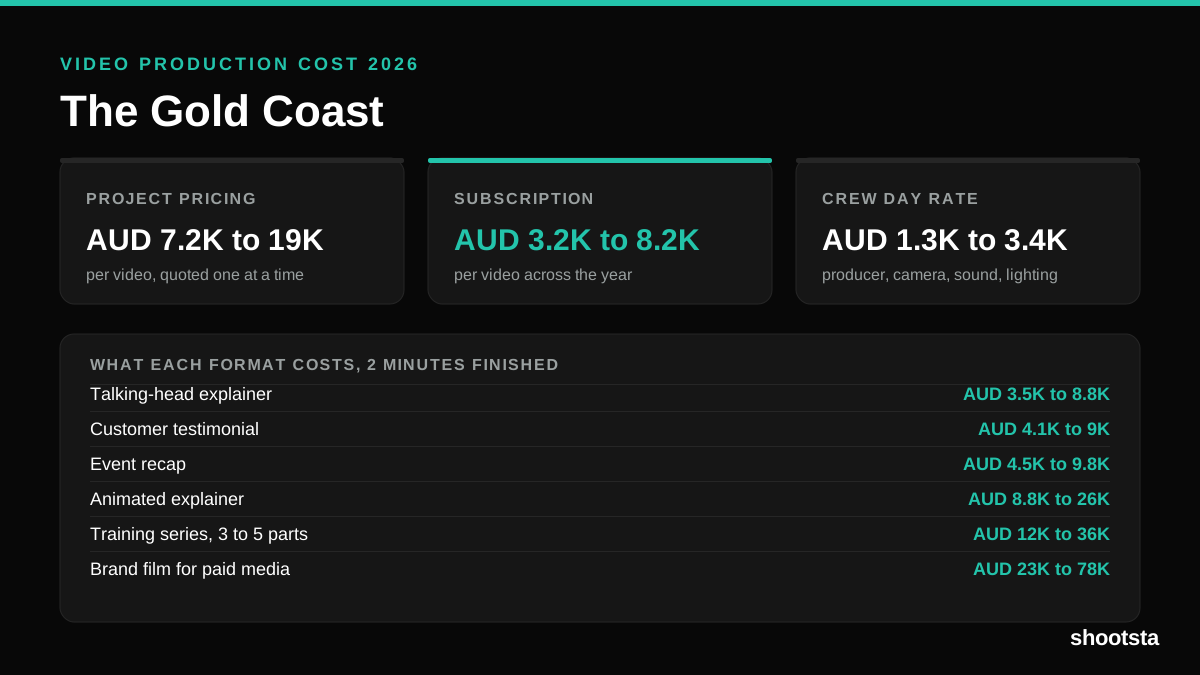
Video production in the Gold Coast costs AUD 3,200 to AUD 8,200 per finished video on a subscription model, and AUD 7,200 to AUD 18,500 for one-off project work. Here is what you are paying for, and how the three pricing models compare.
Video Production Cost in Wellington (2026)
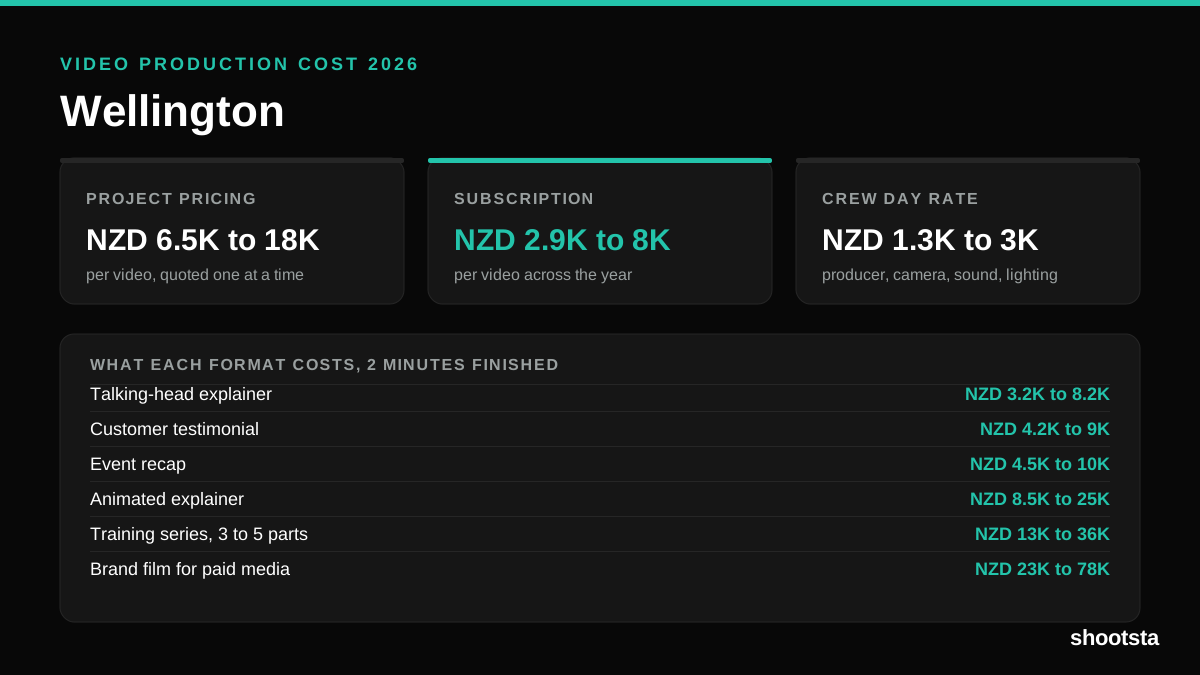
Video production in Wellington costs NZD 2,900 to NZD 8,000 per finished video on a subscription model, and NZD 6,500 to NZD 18,000 for one-off project work. Here is what you are paying for, and how the three pricing models compare.
Video Production Cost in Berlin (2026)
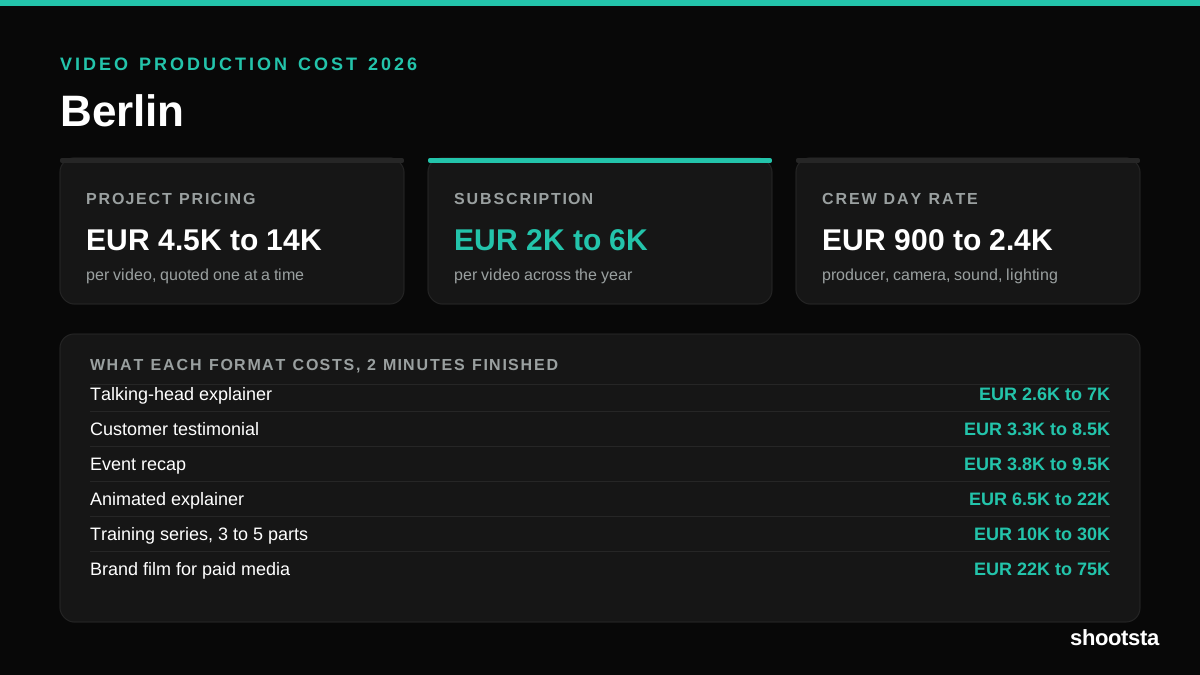
Video production in Berlin costs EUR 2,000 to EUR 6,000 per finished video on a subscription model, and EUR 4,500 to EUR 13,500 for one-off project work. Here is what you are paying for, and how the three pricing models compare.
Video Editing QA: The Complete 2026 Guide
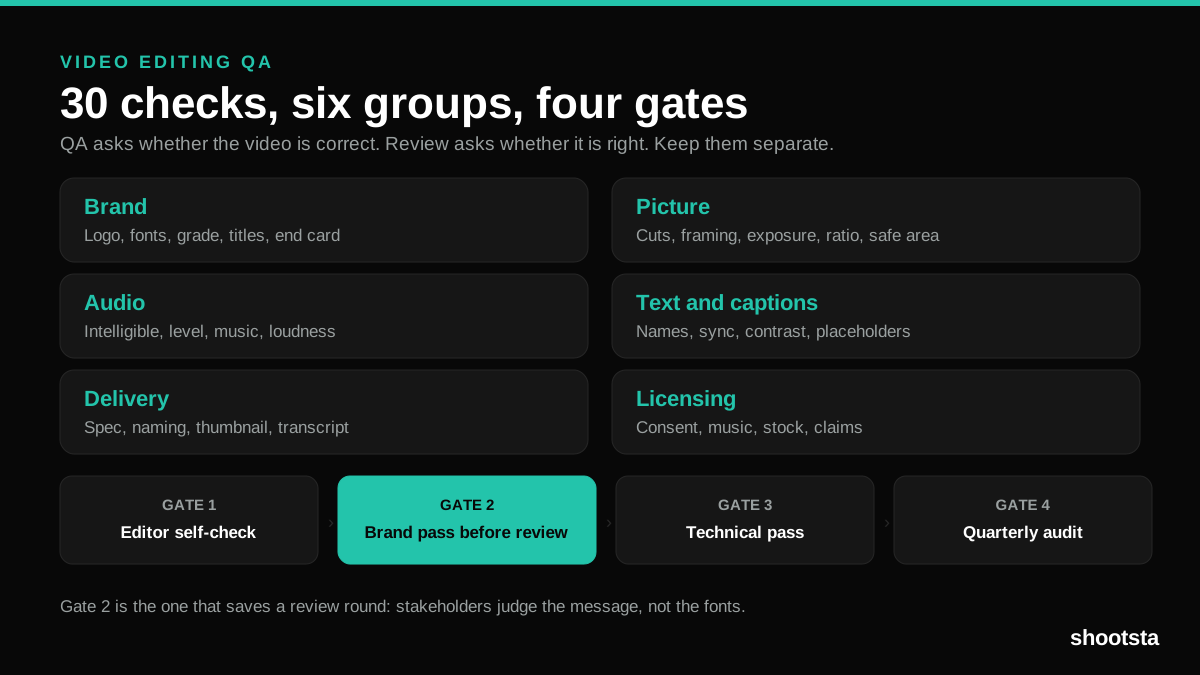
Video editing QA is the pass that catches brand drift, bad audio and wrong deliverables before stakeholders do. Here is the 30-point checklist, the four stage gates, and how to run it at 40 videos a month.