
How to Speed Up Corporate Video Review Workflows
shootsta.
How to Speed Up Corporate Video Review Workflows
By Shootsta · Published August 12, 2026 · Updated October 2026
Review and approval is usually the slowest part of corporate video, not the edit. Here is how to cut a 2 to 3 week review cycle down to a few days: one approver, parallel review against the brief, timestamped feedback in one place, and a hard cap on rounds.
Short answer. Corporate video review is slow because feedback runs in series, too many people review too late, and notes arrive as vague paragraphs the editor has to decode. You speed it up by naming one approver, reviewing in parallel against the brief, collecting timestamped comments in one place, and capping the project at two review rounds. A review loop set up this way can clear in 2 to 3 days where a serial loop takes weeks, and the edit itself does not change.
On an enterprise video project, the edit is rarely what holds things up. An editor can cut a 2 minute corporate video in a working day or less. The review and approval loop around that edit often takes weeks. The finished work sits waiting for people to watch it, comment, disagree and sign off.
That gap is the cheapest speed you will ever buy. You do not need a faster editor or a bigger budget to fix it. You need to change how feedback is collected and who is allowed to give it, and this how-to walks through both.
Why is review the slowest part of corporate video?
The edit is one person doing focused work, while the review is many people fitting it into the gaps between meetings. An editor blocks out an afternoon and finishes a cut. A reviewer opens the link three days later, watches half of it and forgets to reply. Repeat that across five reviewers and two rounds, and the calendar disappears.
The other reason is structure. When review runs as a relay race, the video goes to person A, who passes it to person B, who passes it to person C. Each handoff adds a wait. We covered where this sits among the other delays in how to fix enterprise video editing bottlenecks. Review is almost always the biggest one.
What slows a corporate video review down?
Five things slow it down, listed here in roughly the order they cost you time.
Feedback runs in series instead of in parallel
The video goes to one stakeholder at a time, and each person waits for the one before them. Five reviewers at two days each adds up to ten days of waiting before anyone has changed a single frame.
Too many people are in the review
Every extra reviewer adds delay and conflicting notes. When eight people review a video, two of them will disagree about the music and the editor is stuck in the middle. A typical video needs only two or three reviewers.
Reviewers join too late
Legal, brand or a senior leader sees the video for the first time at the final cut. They raise a point that should have been settled in the brief, and the whole thing goes back to the start. A late review costs more than any other.
Feedback is vague
"Can we make it punchier" gives the editor nothing to act on. The editor guesses, the guess is wrong, and you burn a round finding that out. Vague notes cause more extra revision rounds than anything else.
There is no version control
Comments arrive by email, in a meeting, on a printed storyboard and in a chat thread. The editor merges four sources by hand and misses one, and that miss triggers another round. When feedback is scattered, it is slow.
How do you speed up the review workflow?
Fix the five problems above directly. None of these fixes needs new software or budget, only a decision about how the team works.
Name one approver before the project starts
One person owns the final yes. Others can comment, but only the approver signs off. This removes the deadlock where two reviewers disagree and nobody can break the tie. The approver should be the person who owns the outcome the video is for, who may not be the most senior person in the room.
Review in parallel, not in series
Send the cut to every reviewer at the same time, with the same deadline. Keep the window short, at 24 to 48 hours. Parallel review turns ten days of relay into two days of overlap. The approver consolidates the comments and resolves any conflicts before the editor touches the file.
Collect feedback in one place, timestamped
Comments should land on the video itself, pinned to the second they refer to. "At 0:32 the logo is too small" is something an editor can act on without a meeting. Everything sits in one thread, so nobody has to match an email against a chat message and a phone call. We compared this to email and meetings in the FAQ below.
Cap the project at two rounds
Agree up front that the video gets one round of consolidated changes and one final check. A hard cap forces reviewers to give their real notes the first time instead of dripping them out across five passes. By the fifth round, a video is usually changing without getting any better.
Pull brand and legal review forward
If a video needs legal or brand sign-off, get those constraints into the brief. Show those reviewers the script or storyboard well before the finished cut exists. Settling a compliance point on a one-page script costs an hour. Settling it on a finished edit costs a reshoot.
How do you cut the number of review rounds?
Rounds are where the time goes, so cutting a round matters more than speeding up any single one. What decides the count is the quality of the first brief and of the first round of notes.
A clear brief names the audience, the one message, the must-include shots and the brand rules, and that removes most of the surprises that cause round three. A first round where every reviewer gives specific, timestamped notes removes the rest. Brand review consuming more time than the edit itself is one of the five structural reasons teams cannot scale, which we broke down in why marketing teams cannot scale video editing.
Who should be in the review, and who should not?
In: the approver, the person who wrote the brief, and any reviewer with a hard constraint the editor cannot see, such as legal wording or a brand rule. That is usually two or three people.
Out: anyone who is reviewing for visibility rather than for a decision. If a stakeholder needs to be kept informed, send them the final video once it is approved. Someone who watches a rough cut and adds optional opinions slows the timeline without deciding anything. Keeping the reviewer list short is the fastest single change you can make.
How do you give feedback that does not trigger another round?
Make each note specific and timestamped, and decide what you want before you type. Good feedback says what is wrong, where, and what good looks like: "At 0:14, the lower third stays up too long, cut it at 0:16." Bad feedback says "the start feels off" and leaves the editor to guess.
Resolve conflicts before they reach the editor. If two reviewers want opposite things, the approver picks one and sends a single instruction. An editor who receives "make it shorter" and "add the extra case study" in the same round cannot satisfy both, so the round is wasted.
Interactive scorecard
Is your video review loop built for days or for weeks?
Eight statements about how your last few videos were reviewed. Mark each one that is true. The score tells you whether the loop is the reason a two-minute video takes three weeks, and which change to make first.
1. One named approver is set before the edit starts
Written in the brief, with their review slot booked at the same time as the shoot.
2. Every reviewer sees the cut at the same time
One send, one deadline, one tie-breaker, rather than a chain of forwards.
3. Comments are timestamped and live in one place
On the timeline or the frame, so a note about the opening light points at 00:00:04.
4. Versions are numbered and the current one is never in doubt
Reviewers can see what changed between cuts, and the approved version is the only one that can be published.
5. Brand and legal review the script before the final cut
Sensitive points are settled before footage exists, so the final round is a confirmation.
6. Review is capped at two rounds
Round one for substantive notes, round two to confirm. A third needs a reason.
7. Every comment names a change
A timestamp and an instruction, rather than a feeling the editor has to decode.
8. The approval is recorded, with who and when
So the question of who signed this off has an answer six months later.
The eight statements are the fixes described in the article. Nothing here is scored on your editing speed, only on how the cut moves from the editor to sign-off.
What does a fast review workflow look like end to end?
Here is the shape of a review loop that runs in days instead of weeks.
On day 0 the first cut lands. It goes to two or three named reviewers at once, with a 48 hour comment window and a link where they leave timestamped notes. On day 2 the approver merges the comments, settles any conflicts and sends one clear set of instructions to the editor. The editor returns the revised cut on day 3, and on day 4 the approver checks it against the brief and signs off.
That gives you an approval cycle of a few days on a video that used to take weeks to clear. The edit is no faster than before, but the loop around it is. When the production side also holds a 48 hour first cut, the whole thing compresses further, which we covered in how a video partner ships in 48 hours.
Frequently asked questions
Why is timestamped review better than email or a meeting?
Email scatters feedback across a thread the editor has to reassemble, and meetings produce notes that nobody writes down precisely. Timestamped comments sit on the video at the exact second they refer to, so the editor knows what to change and where without a follow-up call. It also gives you one record of who asked for what, which settles disputes in round two.
How many reviewers should a corporate video have?
Two or three for most videos: the approver, the brief owner, and one constraint holder such as brand or legal if the content needs it. Add more than that and you are buying delay and conflicting notes. If a wider group needs to see the video, send them the finished version after sign-off.
How many review rounds is normal?
Two is a healthy target: one round of merged changes and one final check. If you routinely hit four or five rounds, the cause is usually the brief or the number of reviewers, and rarely the editing. Capping rounds up front pushes reviewers to give their real notes the first time.
How do we speed up review without losing brand or legal control?
Move those checks earlier in the project. Put the brand rules and legal constraints into the brief, and have brand and legal review the script or storyboard before the edit exists. That way the finished cut only needs a confirmation pass, and nobody raises fresh objections that send it back to the start. For the wider picture on holding brand at volume, see how to fix enterprise video editing bottlenecks.
What is a realistic review turnaround for an enterprise team?
A 2 to 3 day approval cycle is achievable for a standard corporate video once you review in parallel and cap rounds. The benchmark to track is total turnaround from first cut to sign-off, rather than editing time alone. We covered how to measure and improve that in what a good video turnaround time looks like.
Sources and further reading
The patterns above line up with how creative teams and review tooling vendors describe approval friction across B2B content. For wider context:
- Frame.io insights on timestamped video review and collaborative feedback.
- Wistia State of Video report on rising production volume and the review load that comes with it.
- Content Marketing Institute research on workflow bottlenecks across distributed content teams.
On Shootsta's side, see enterprise video editing services, how to fix enterprise video editing bottlenecks, and why marketing teams cannot scale video editing.
Where to go next
To see the workflow described here running inside one platform, with timestamped comments, notes drawn on the frame, numbered versions and one approve button, read about video review workflows for corporate marketing teams on the Shootsta platform.
For the full set of delays that slow enterprise video, read how to fix enterprise video editing bottlenecks. For the production speed that makes a fast review loop worth it, read how a video partner ships in 48 hours. For the benchmark to hold your team to, read what a good video turnaround time looks like.
To set up a video workflow that clears review in days instead of weeks, book a free consultation.
Review is one of eight delays that stall video at volume. For the rest of them, read what slows scalable corporate video editing.
The single change that saves a review round is a brand QA pass before stakeholders see the cut. The checklist is in the complete guide to video editing QA.
Last updated 26 September 2026.
Take this article with you
Read the latest at shootsta.com/blog/speed-up-corporate-video-review-workflows
You might also like
Why Urgent Video Requests Go Sideways
Most urgent videos go sideways because nobody planned for urgent work to happen. Chad Lakin explains how comms teams build the process first, so a fast turnaround becomes routine.

How to Plan Video Team Capacity Around Leave
Your only editor just booked two weeks off, and you already know which projects will slip. Chad Lakin explains how to plan video team capacity so the work keeps moving when someone is away.
Corporate Video Editing Standards: Full Guide
A two-page editing standard does more for consistency than a forty-page brand book. Here is what it should cover, who owns each part, and how to enforce it with an in-house editor or an outside partner.
Quality Control in Outsourced Video Editing
When editing leaves the building, quality has to be checked by a system rather than by whoever happens to look. Here is the system: acceptance criteria, two QA gates, counted revision rounds and a quarterly audit.
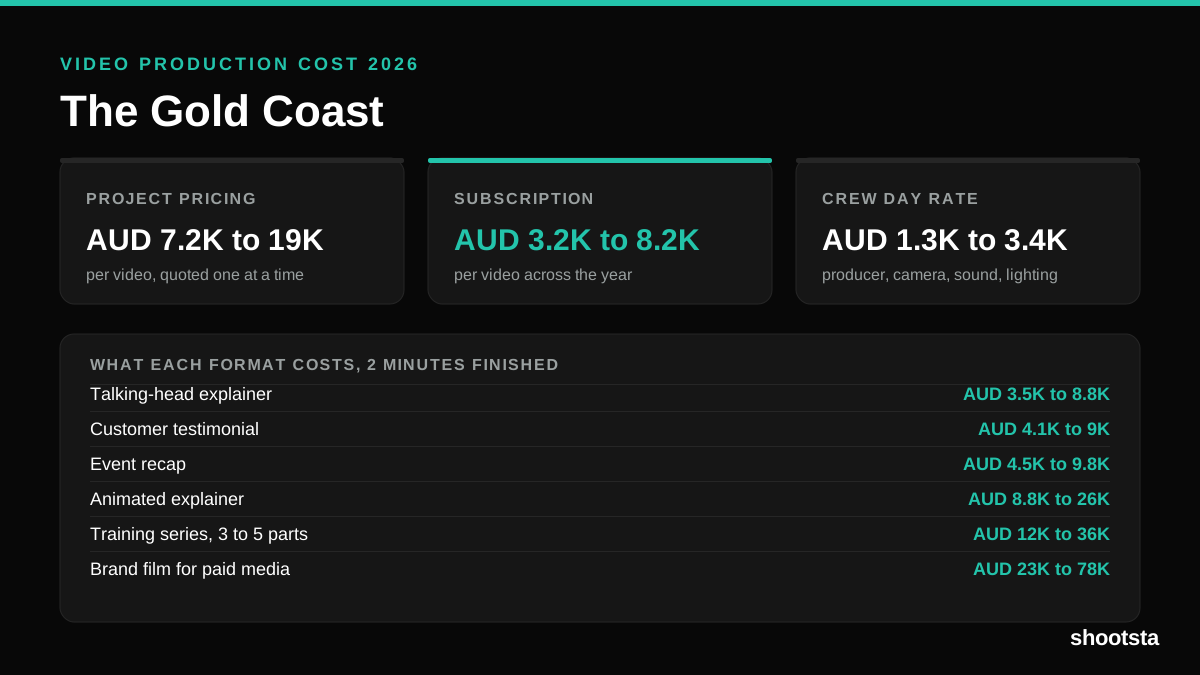
Video Production Cost on the Gold Coast 2026
Video production in the Gold Coast costs AUD 3,200 to AUD 8,200 per finished video on a subscription model, and AUD 7,200 to AUD 18,500 for one-off project work. Here is what you are paying for, and how the three pricing models compare.
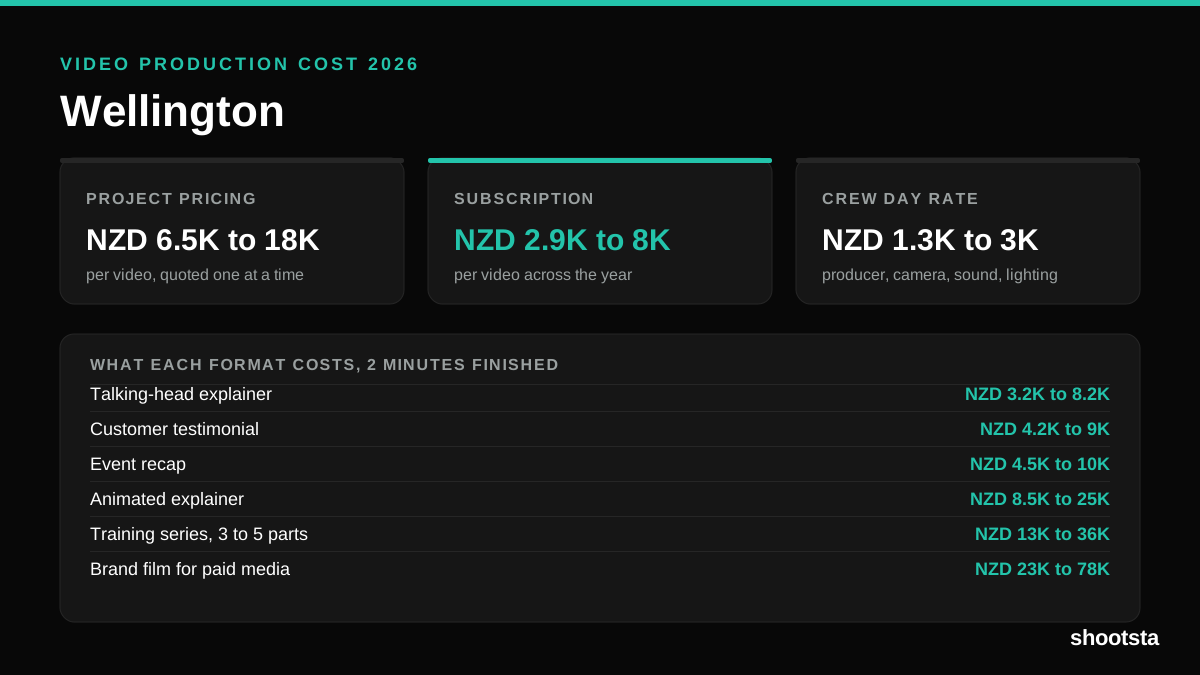
Video Production Cost in Wellington (2026)
Video production in Wellington costs NZD 2,900 to NZD 8,000 per finished video on a subscription model, and NZD 6,500 to NZD 18,000 for one-off project work. Here is what you are paying for, and how the three pricing models compare.