
How to Plan Video Team Capacity Around Leave
shootsta.
How to Plan Video Team Capacity Around Leave
By Shootsta · Published September 29, 2026 · Updated September 2026

Your only editor just booked two weeks off, and you already know which projects will slip. Chad Lakin explains how to plan video team capacity so the work keeps moving when someone is away.
Your only editor just booked two weeks off, and your first thought is which projects are about to slip. If that sounds familiar, you have a video team capacity problem, and it is worth fixing before the next request lands.
In this one-minute clip, Chad Lakin, Senior Vice President of Growth at Shootsta, explains how he would set up cover before an absence turns into a string of missed deadlines.
Below, we walk through his three steps and show how to apply each one to your own team and production schedule.
Why does one person's leave put your video work at risk?
Most in-house video teams are sized for an average week, which works well until someone is sick, on leave or pulled onto a product launch. When you only have one or two editors, a single absence can cut your output in half for as long as they are away.
The warning sign is how you react when the leave request arrives. If you start counting which videos will be late, your video team capacity is already fully used every week, with no room left for a normal week off. We covered the wider version of this problem in what happens when your whole video team is one person.
Step 1: Sort your video work by type
Chad starts by putting the work into buckets, because "not every video is the same." Some jobs are simple edits from footage you already have, some need a shoot, and others are larger productions that need more people and several weeks of work.
These categories use very different amounts of your team's time. A quick edit might take a few hours, while a multi-week production can tie up an editor for most of a month. Look back over the last quarter and count what you produced in each bucket, so you are planning from the real mix rather than the one you assume you have.
This is the same thinking behind treating each video by the job it does. Once the work is sorted, you can see exactly where your editing hours are going.
Step 2: Measure video team capacity for a bad week
Next, work out how many of each type your team can realistically handle at once. Chad is clear that this should not be the ideal figure, where everyone works perfectly, but your "real world, I need to take a coffee break" capacity.
Write down two numbers for each bucket of work. The best case is a normal week with everyone available, and the worst case is a week with someone on leave, a sick day and a brief that arrives late. Plan around the worst case, because that is the week that decides whether your deadlines hold.
Your worst-case figures show you the size of the gap. For example, if a busy month needs 20 quick edits and your team can only manage 12 with one editor out, you now know you need cover for 8 edits and roughly when.
Step 3: Decide where the overflow goes
The last step is choosing where extra work goes once you pass your worst-case limit. As Chad puts it, if your answer every time the team gets busy is "sorry, that video is going to be delayed," you do not really have a capacity plan.
The usual choices are hiring, bringing in freelancers or working with a video partner. Hiring takes months and adds a fixed salary for a peak that may only last a few weeks, so the other two options usually deserve a closer look.
Where do freelancers fit in a video team capacity plan?
Freelancers can help, and a good one can cover a busy month well. Chad's point is that they come with setup work, because each one needs onboarding, a detailed brief and someone to manage the review rounds. They also keep their own calendars, so the person who knows your brand guidelines may be booked on the week you need them.
Without a system around them, freelancers can end up adding to your team's workload. The manager who wanted relief spends the time briefing, chasing and correcting instead. If you are weighing that trade-off, read our comparison of a freelance video editor and a subscription.
Why a video partner is often the better overflow option
Chad's preference is an established video partner that already understands your brand, your standards and how you like to work. When your team is stretched, the partner picks up the extra projects and the finished videos still look like yours.
That is how Shootsta works alongside in-house teams. Your brand kit, templates and past projects sit on one platform, and our editors in Sydney, London, Singapore and San Diego pick up the brief and send back a first edit in about 48 hours. The cost is predictable and usually lands 50 to 60% below typical agency rates. You can follow the process step by step in how a video partner ships in 48 hours.
What goes in a simple video team capacity plan?
You do not need a complex forecasting model to protect your video team capacity. A one-page plan with the following parts is enough to start:
- Your buckets of video work, with a typical monthly volume for each one.
- Best-case and worst-case output for each bucket, based on real production weeks.
- Known pressure points in your calendar, such as school holidays, financial year-end and major product launches.
- The overflow route for each bucket, with a named person who owns the decision.
- How briefs, brand assets and approvals reach whoever is doing the editing.
Review the plan every quarter, and again before anyone takes extended leave. When someone books time off, the plan should already say who picks up their work and how the brief gets to them.
If you want to see how capacity planning connects to the rest of your video setup, read the enterprise video operating model.
Frequently asked questions
What is video team capacity?
Video team capacity is the number of videos your team can finish in a set period, broken down by the type of work involved. A useful figure reflects real conditions like leave, sick days and late feedback, rather than a perfect week where everything goes to plan.
How do I work out my team's worst-case capacity?
Look back at your busiest or most disrupted months and count what the team finished in each bucket of work during those weeks. That lower number, rather than the average, is the one to plan your video team capacity around.
We already have an in-house editor. Why would we need a partner for cover?
Your editor knows your brand and your stakeholders better than anyone, and that should not change. A partner covers the weeks when your editor is away or buried in a launch, so routine edits keep moving and your editor comes back to a clear queue. We explain the approach in more detail in how a video partner extends your in-house team.
How fast can a video partner pick up overflow work?
With Shootsta, a first edit comes back in about 48 hours once the footage and brief are in. Because your brand assets are already stored on the platform, nobody needs to brief a new editor from scratch each time the team needs extra hands.
Is it cheaper to hire another editor?
Hiring can make sense if you have steady, year-round demand for a second editor. If the extra load arrives in peaks, a full-time hire means paying for the quiet weeks as well. For a breakdown of the numbers, see how much in-house video editing costs.
Where to go next
Shootsta has helped hundreds of businesses around the world sort out video overflow. If the next leave request already has you worried, we can help you plan cover before it arrives. Start with our enterprise video editing service, or talk to our team about your current workload.
Take this article with you
Read the latest at shootsta.com/blog/video-team-capacity-planning
You might also like
Corporate Video Editing Standards: Full Guide
A two-page editing standard does more for consistency than a forty-page brand book. Here is what it should cover, who owns each part, and how to enforce it with an in-house editor or an outside partner.
Quality Control in Outsourced Video Editing
When editing leaves the building, quality has to be checked by a system rather than by whoever happens to look. Here is the system: acceptance criteria, two QA gates, counted revision rounds and a quarterly audit.
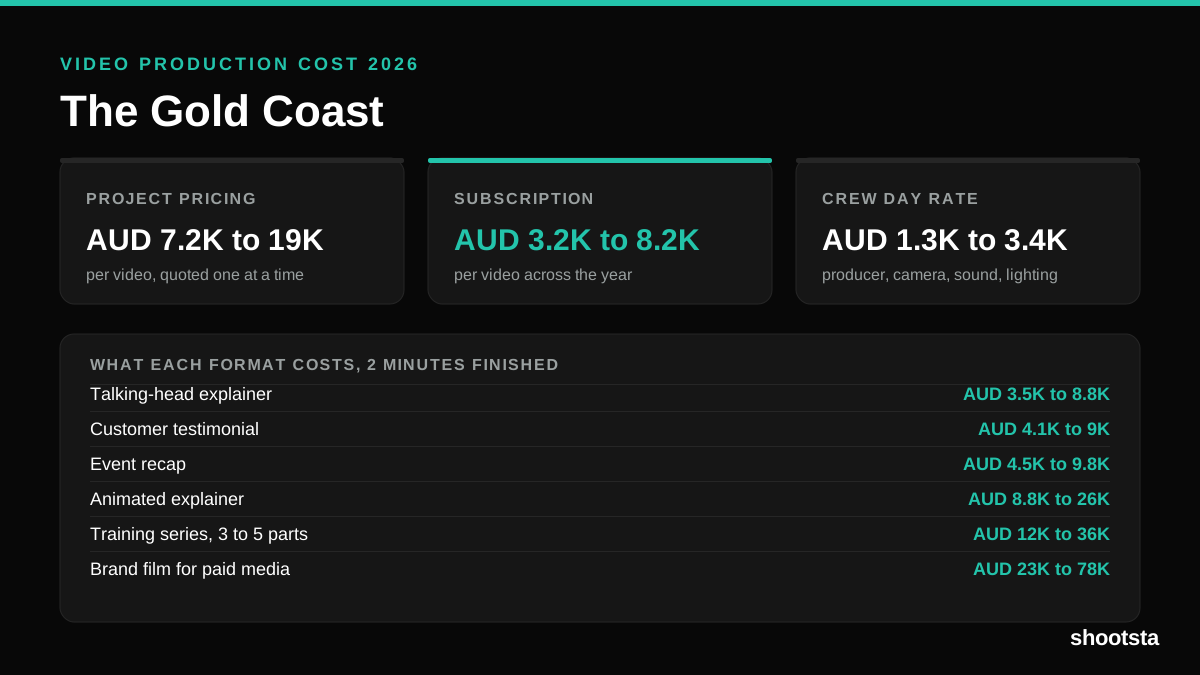
Video Production Cost on the Gold Coast 2026
Video production in the Gold Coast costs AUD 3,200 to AUD 8,200 per finished video on a subscription model, and AUD 7,200 to AUD 18,500 for one-off project work. Here is what you are paying for, and how the three pricing models compare.
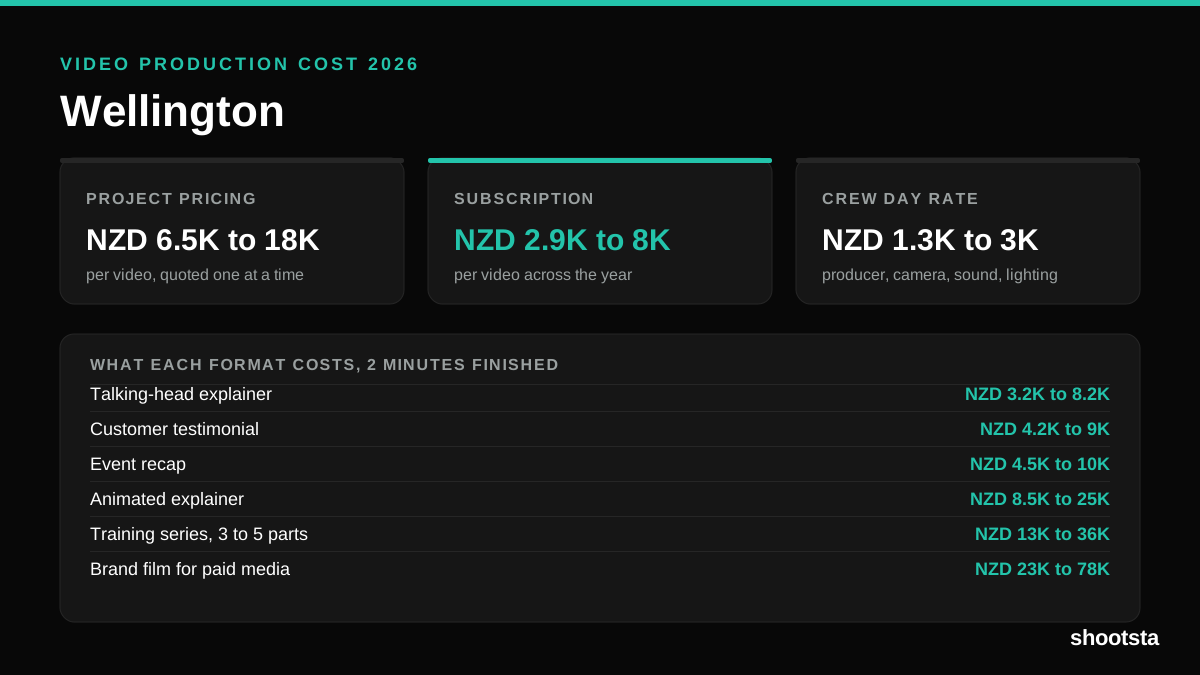
Video Production Cost in Wellington (2026)
Video production in Wellington costs NZD 2,900 to NZD 8,000 per finished video on a subscription model, and NZD 6,500 to NZD 18,000 for one-off project work. Here is what you are paying for, and how the three pricing models compare.
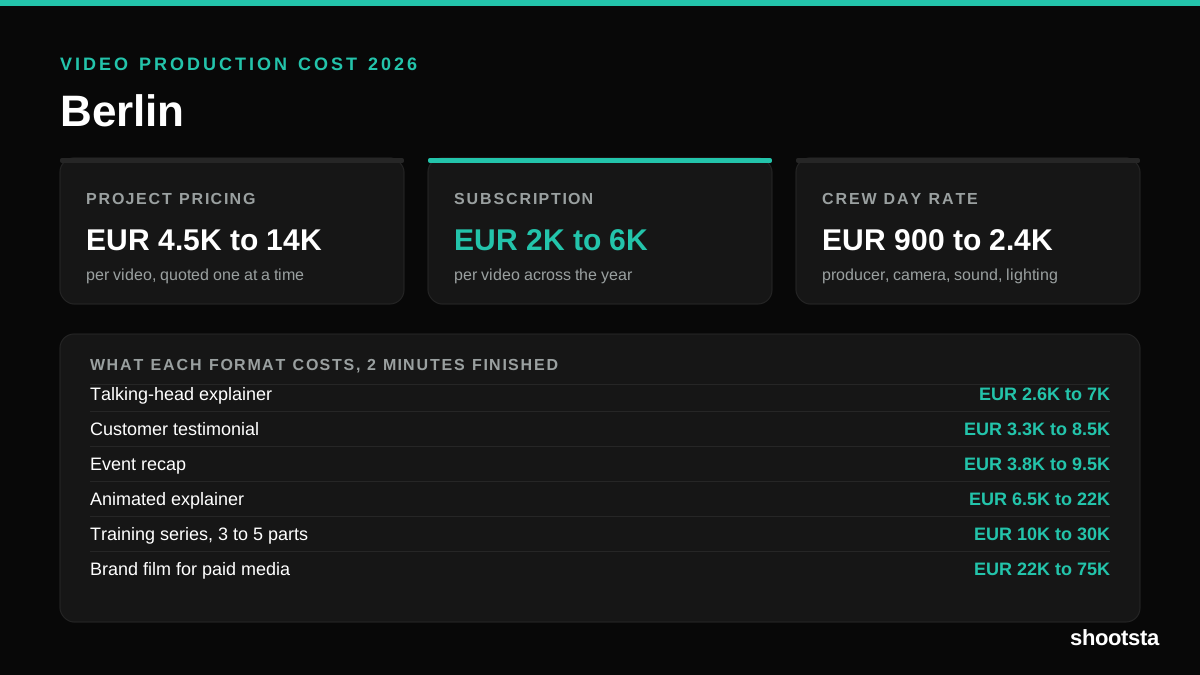
Video Production Cost in Berlin (2026)
Video production in Berlin costs EUR 2,000 to EUR 6,000 per finished video on a subscription model, and EUR 4,500 to EUR 13,500 for one-off project work. Here is what you are paying for, and how the three pricing models compare.
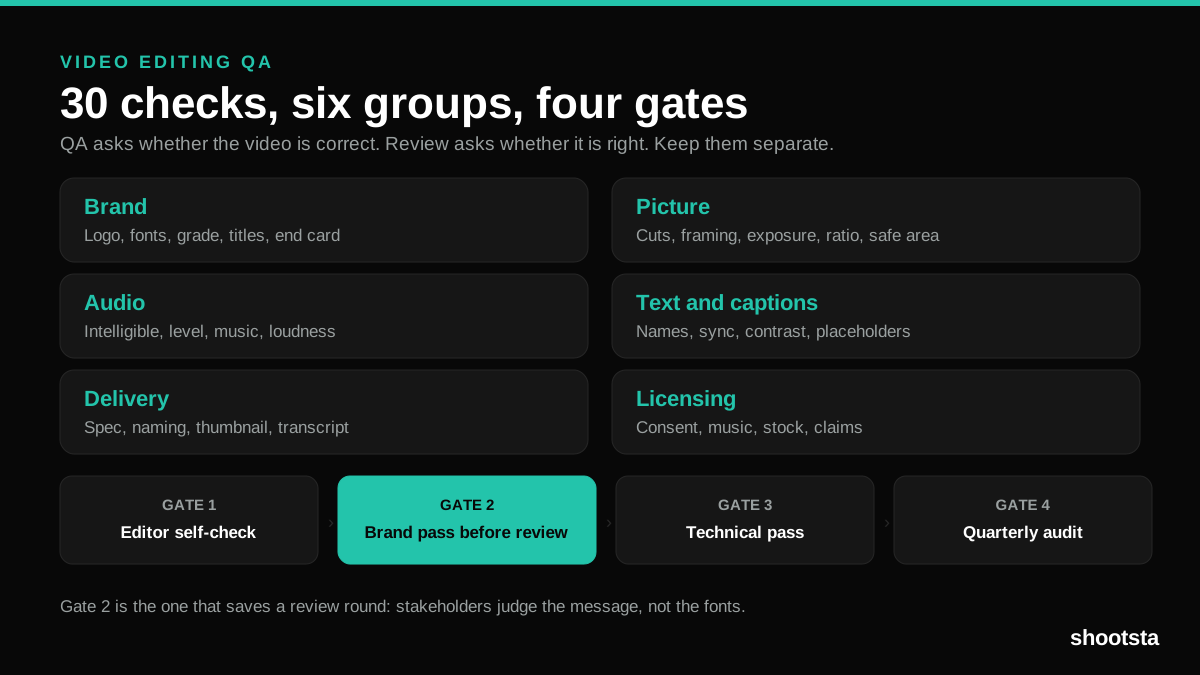
Video Editing QA: The Complete 2026 Guide
Video editing QA is the pass that catches brand drift, bad audio and wrong deliverables before stakeholders do. Here is the 30-point checklist, the four stage gates, and how to run it at 40 videos a month.