
Political Campaign Video: 4 Storyboard Formats
shootsta.
Political Campaign Video: 4 Storyboard Formats
By Shootsta · Published June 7, 2026 · Updated October 2026
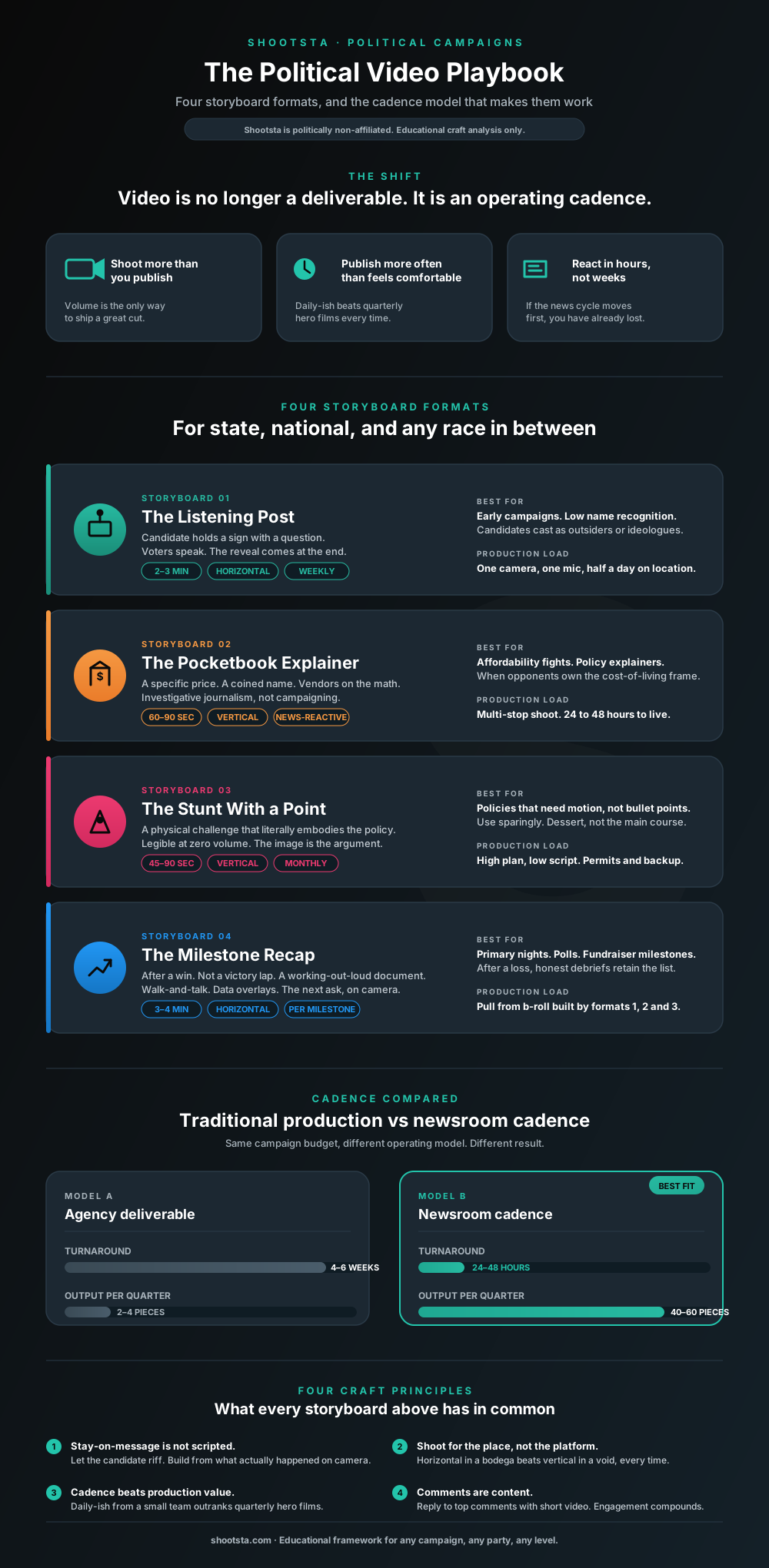
Four storyboard formats any state or national campaign can adapt - the Listening Post, the Pocketbook Explainer, the Stunt With a Point and the Milestone Recap - plus the newsroom cadence model that makes them work.
In November 2025, a 34-year-old state assemblyman with limited name recognition became Mayor of the largest city in the United States. The political analysis of how Zohran Mamdani beat a well-funded establishment opponent will be written for years. The video analysis is more urgent. Campaigns reading this in 2026 are already trying to copy it, and many are taking the wrong lessons from it.
What Mamdani's team understood, and what many state and national campaigns still miss, is that video now works as an operating cadence rather than a single deliverable. The campaign produced a steady feed of video instead of a handful of ads.
Below are four storyboard formats any campaign can adapt, whether it leans left or right and runs at state or federal level. We have kept them conceptual rather than shot-by-shot, because the principle matters more than the framing. Each format pairs a creative idea with a production reality: how a lean team can ship this kind of work at the cadence and speed it requires.
Generate your own storyboard in 60 seconds
What is the core principle behind every viral political video right now?
Before the storyboards, it helps to name the underlying point. The production model his team has described publicly was to model and self-advocate the kind of thing people watch on social media, without bending too far from the message. A core part of the work was letting the candidate riff in front of the camera, then developing videos from what happened on the day.
That is a production model more than a creative one, and it assumes three things about your campaign.
- You will shoot more than you publish.
- You will publish more often than feels comfortable.
- You will react to the news cycle within hours.
If your campaign is not built for that, no storyboard will save you. The storyboards below assume you can ship video at the volume and speed of a small newsroom, which for most campaigns means building the production pipeline before the creative one. The 48-hour workflow we wrote up for insurance marketing teams applies almost line for line to a campaign comms shop. The constraint is identical: regulated, time-sensitive, multi-stakeholder content that has to ship between news cycles.
Storyboard 1: How does the Listening Post format work?
The candidate stands in a public space (a busy street corner, a transit hub, a market) holding a microphone and a sign with a single question on it, such as "Why did you stop voting?" or "What would you cut from the state budget?" Another option is "What's the one thing your representative has never asked you?" No staff appear in frame. Citizens walk up, and the candidate listens and barely speaks. Only at the end of the video do they say who they are and what they are running for.
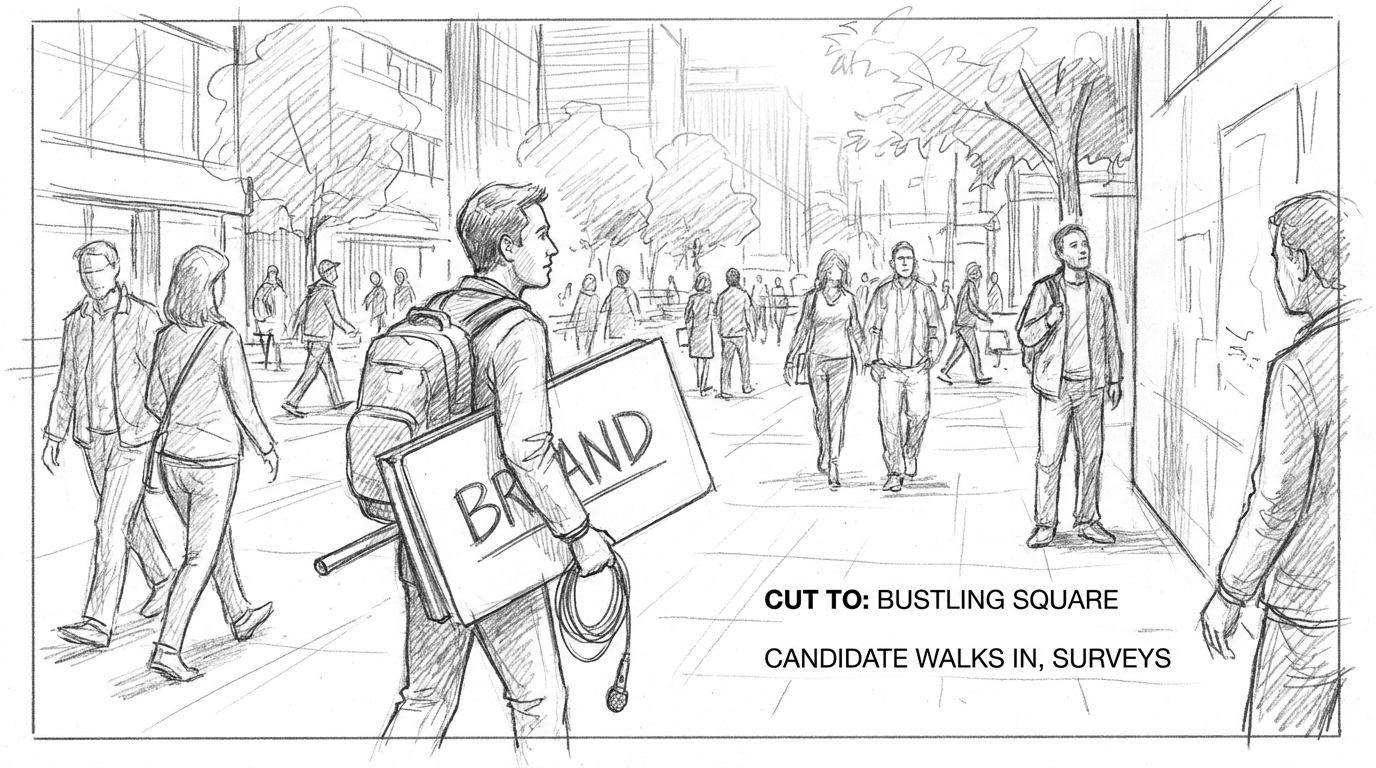
Sample storyboard generated in Shootsta's free AI storyboard tool. Open the full 8-panel storyboard to see the complete sequence.
Why the Listening Post works
The format turns the usual campaign video around. In almost every other campaign video the candidate is talking. This one has the candidate listening, which is the thing voters say they want and almost never see. The reveal at the end converts curiosity into a follow.
When to use it
Use it early in a campaign, when name recognition is low. It also works well in districts where the candidate is perceived as an outsider, an ideologue, or out of touch, because the format forces them to demonstrate the opposite on camera.
Strategic note
Resist the urge to edit the answers, because the discomfort is what makes the video worth watching. If every clip is a flattering soundbite, the audience knows. If some answers are hostile or rambling and the candidate sits with them, the video earns trust.
Production reality
This is a one-camera, one-mic, half-day shoot. It is also a weekly format if you commit. A campaign that can post a Listening Post every Friday for six months builds a library of constituent-voiced content that fuels everything else: paid ads, fundraising emails, debate prep. The value builds with cadence: one viral Listening Post is luck, while a steady weekly run of them becomes a brand.
Storyboard 2: How does the Pocketbook Explainer format work?
The candidate identifies a specific everyday cost that has risen in their state, such as childcare, insulin, a gallon of gas, a single grocery item or a state park day pass. They open the video at the point of purchase, whether that is the register, the pump or the daycare drop-off, and name a price. The video then cuts to three or four small business owners or workers who answer one question: what did this cost two years ago? On-screen text shows the math, and the candidate closes by naming the policy that addresses it.
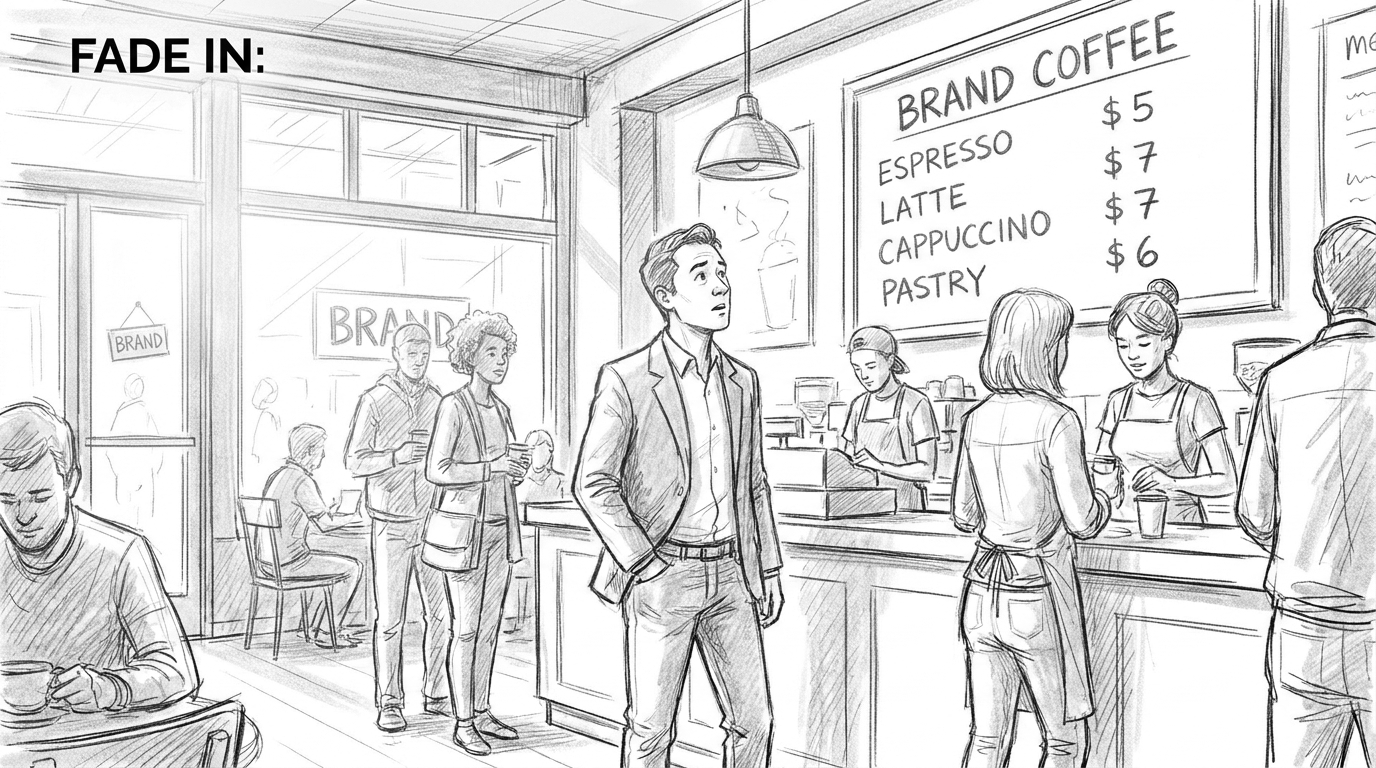
Sample storyboard generated in Shootsta's free AI storyboard tool. The full 9-panel sequence walks through the price reveal, vendor cutaways and policy reveal.
Why the Pocketbook Explainer works
It looks more like investigative journalism than campaigning. The candidate is a guide through a problem the viewer already feels in their wallet. The math sits on screen instead of inside a soundbite, so the argument stands or falls on the numbers.
When to use it
Use it whenever the opposition is winning the affordability frame. It also fits any specific policy that is hard to explain in a stump speech but easy to demonstrate in a transaction. Nearly every state and national race in 2026 has a few of these waiting to be filmed.
Strategic note
The single most copyable element of the original viral version of this format ("Halalflation", which spread fast across Instagram and TikTok) was that it had a name. The campaign coined a term, and "Halalflation" did rhetorical work that "the rising cost of street food" cannot. Before you shoot, name the thing, because if you cannot name it you do not have a video yet.
Production reality
This is the format that proves whether your campaign can move on news cycles. If a state inflation report drops on Tuesday morning and your Pocketbook Explainer is live by Wednesday evening, you own the frame for the week. If it takes three weeks to clear creative review, the moment is gone. This is the case for embedding video production inside the campaign rather than treating it as an agency deliverable, since a slow external review loop kills this format. The same logic shows up in our modern pre-production workflow piece: every gate you add to the brief costs you a news cycle.
Free AI Storyboard Tool
Storyboard your campaign video
Turn a brief into a storyboard in minutes with Shootsta's AI tool. It is free to try in your browser.
Storyboard 3: How does the Stunt With a Point format work?
The candidate sets up a physical challenge that acts out the policy. They might race the city bus on foot to argue bus service is too slow, or stand in cold water to argue a rent freeze is overdue. Another version has them try to fill out the state's small-business permit forms on camera, on a timer, and fail. The visual gag carries the argument. One direct-to-camera line at the end names the policy.
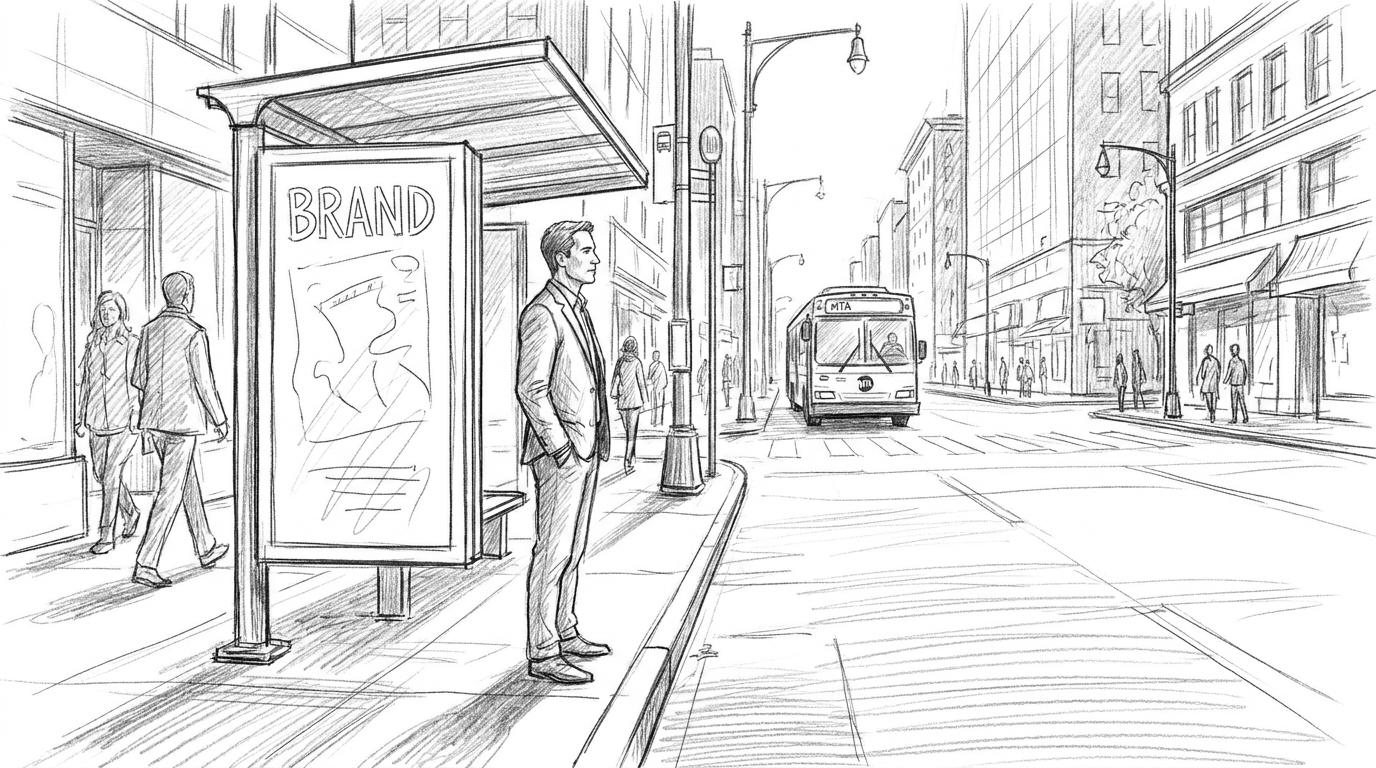
Sample storyboard generated in Shootsta's free AI storyboard tool. The full 6-panel sequence sets up the stunt, the race, and the policy line.
Why the Stunt With a Point works
It is the most-shared format because it is the most legible at zero volume on someone's commute. The image carries the message, so viewers do not have to remember a policy bullet. They remember a candidate getting beaten by a bus.
When to use it
Use it sparingly, as the occasional treat in your video calendar rather than the staple. One great stunt video a month can earn as much attention as a long run of Listening Posts and Pocketbook Explainers.
Strategic note
The hardest part of this storyboard is finding the visual metaphor, and the shoot is easy by comparison. Here is an exercise to run with your campaign team. Take every policy in the platform and ask, "what is the one-shot physical action that proves this?" Many policies fail the test, and the ones that pass are your Stunt videos. The ones that fail belong in the other storyboard formats.
Production reality
Stunts look spontaneous and require the most planning. You need permits, a safety plan, a second camera for the wide shot and a fallback for the moment the stunt does not work (it often fails on the first take). This is where having a production partner who can move fast on logistics, locations, releases and backup plans earns its keep. The creative stays yours, and the operational lift is what stops many campaigns from ever shooting one.
Storyboard 4: How does the Milestone Recap format work?
After a meaningful campaign moment (a poll crossing, a fundraising mark, a primary win, a hundredth town hall), the candidate walks through a place that matters to the campaign and explains, on camera, how the milestone happened. The video works as an honest debrief rather than a victory lap. It uses data overlays and footage from earlier in the campaign, and the candidate names what worked and what did not.
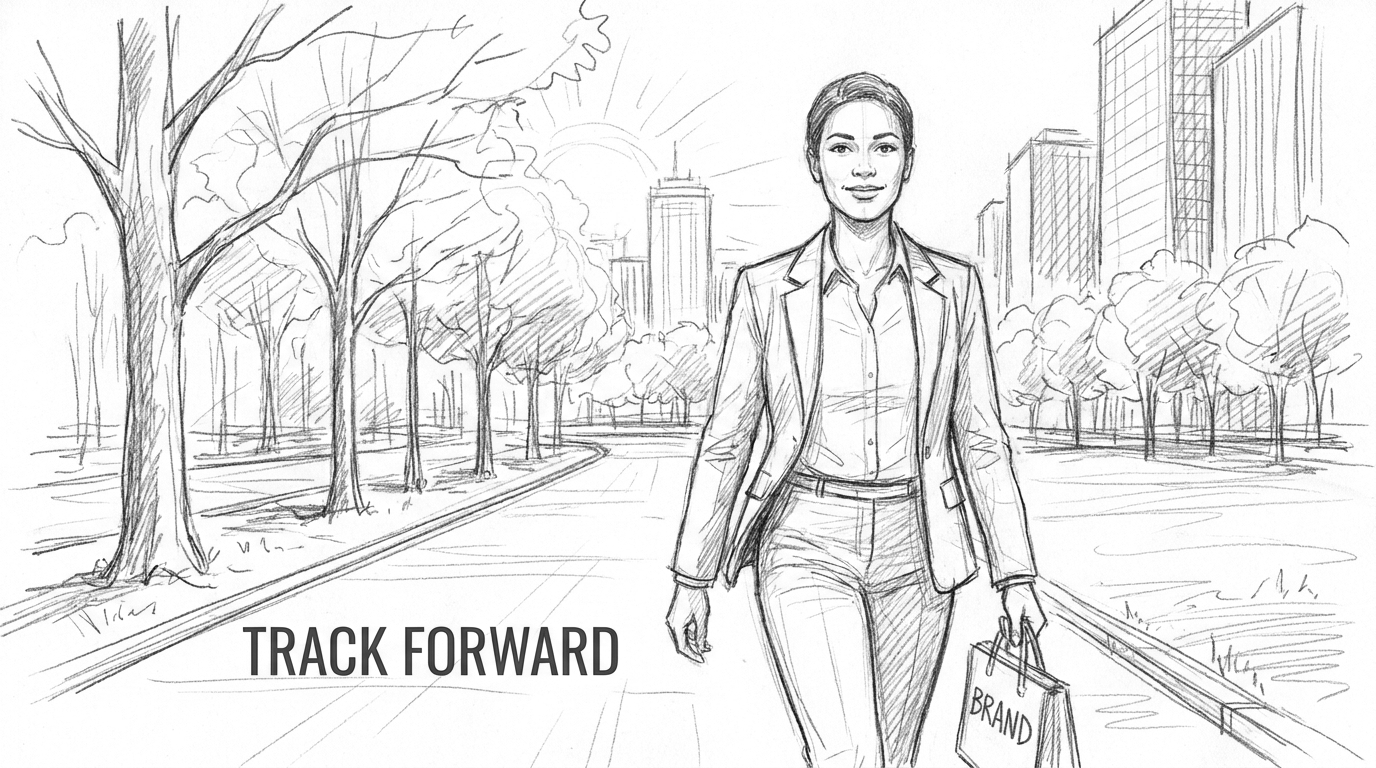
Sample storyboard generated in Shootsta's free AI storyboard tool. The full 8-panel sequence frames the walk-and-talk, the data overlays and the closing ask.
Why the Milestone Recap works
Many campaigns publish triumphalism after a win and disappear after a loss. The Milestone Recap does neither. It treats supporters as a working group who get a transparent debrief. That is the kind of video that converts a one-time donor into a sustaining one, and a volunteer into an organizer.
When to use it
Use it after any inflection point, such as primary night, a quarterly fundraising close, the first poll where you cross 40 percent, a convention or a debate. Use it after a loss too, and especially then. Campaigns that publish honest post-mortems keep their lists, while the ones that go quiet lose them.
Strategic note
Keep the polish low. This format works because it shows the candidate thinking out loud instead of the comms shop performing. A walk-and-talk in a real location beats a studio segment every time.
Production reality
This format is where the volume model and the speed model converge. You need volume, because the b-roll that makes this video work is the archive your campaign has been building for months across the other three formats. And you need speed, because a Milestone Recap published 36 hours after the milestone is a different product from one published a week later. The first reads as news, while the second reads as a late press release.
How do you ship video at this cadence?
All four storyboards rest on one claim: the campaigns that win the next cycle of state and national elections will be the ones that treat video as an in-house newsroom rather than an agency deliverable. The creative formats above are the easy part. The hard part is building a production capability that can ship at this cadence, daily-ish, with 24-hour turnaround on news moments, without burning out your team or blowing the budget on bespoke shoots.
Two practical moves help. First, write a brief once and reuse the structure for every video. That is what our corporate video storyboarding guide covers, and the same brief template works for political content. Second, use a storyboard generator at the front of the process so every shoot starts with an agreed visual sequence rather than a vibe. The four sample storyboards linked in the sections above were all generated in Shootsta's free AI storyboard tool in under a minute each.
What are the four production principles all great campaign video shares?
If you only remember four things from this article, remember these.
Stay-on-message is not the same as scripted. Let the candidate riff in front of the camera, then build videos from what happened on the day. A great Listening Post or stunt cannot be storyboarded down to the dialogue, so your job is to set it up well.
Shoot for the place, not the platform. Horizontal in a real bodega beats vertical in a green-screen void every time. The most-shared political videos of the last two years have established a sense of place first and platform-fit second.
Cadence beats production value. A small team posting four times a week beats a studio shoot once a quarter. The effect on follower count, algorithm reach and earned-media coverage builds week after week.
Comments are content. The accounts that grow fastest reply to top comments with short video. Engagement in the comment thread is a second loop of distribution that many campaigns ignore.
Frequently asked questions
Can a state-level campaign really run a content calendar at this cadence?
Yes, and several already have. The capacity question depends less on budget than on whether the campaign has decided to treat video as an in-house function. State-level races with small comms teams have run several posts a week using one in-house producer plus an external editing partner. The math works because the storyboards above are built for low-cost, repeatable shoots rather than one-off hero films.
How is this different from the way campaigns have always made video?
Traditional campaign video is a deliverable. A vendor gets briefed, several rounds of revisions follow, and a finished ad lands weeks later. Newsroom-cadence campaign video works as a feed, where the loop from brief to shoot to edit to post runs in a day or two. The same total budget produces far more video, and that video sits inside the news cycle instead of trailing it.
Does the storyboard generator work for political content?
Yes. The four sample storyboards embedded above were each generated in under 60 seconds from a one-line prompt. The output is a set of generic illustrations and a panel-by-panel shot sequence rather than finished video, and the structure transfers directly to a shoot day. Try Shootsta's free AI storyboard generator.
What about negative or attack ads?
The four formats above are constructive by design. They build a candidate's identity rather than tear down an opponent. Attack content uses different rules (different pacing, different sound design, different talent direction) and a different storyboard template. We have not covered it here because the campaign video that drives long-term favorability is mostly positive, and the formats above are where many campaigns underinvest.
Is Shootsta available to political campaigns?
Shootsta is politically non-affiliated and does not endorse any candidate, party or campaign. We work with organizations across sectors that need to ship video at high cadence, including any campaign that wants a production partner for newsroom-style content. The platform and workflow are the same as the one we use with enterprise communications teams.
Where to go next
If you are running comms for a state or national campaign in 2026 and want to talk through what a production model that supports this kind of cadence looks like for your team, get in touch. If you would rather start with the tooling, the free Shootsta storyboard generator turns a one-line idea into a full storyboard in about 60 seconds. Or read our piece on whether storyboarding still matters in 2026 for the longer argument on why the format is back.
Take this article with you
Read the latest at shootsta.com/blog/political-campaign-video-storyboards
You might also like
How to Plan Video Team Capacity Around Leave
Your only editor just booked two weeks off, and you already know which projects will slip. Chad Lakin explains how to plan video team capacity so the work keeps moving when someone is away.
Corporate Video Editing Standards: Full Guide
A two-page editing standard does more for consistency than a forty-page brand book. Here is what it should cover, who owns each part, and how to enforce it with an in-house editor or an outside partner.
Quality Control in Outsourced Video Editing
When editing leaves the building, quality has to be checked by a system rather than by whoever happens to look. Here is the system: acceptance criteria, two QA gates, counted revision rounds and a quarterly audit.
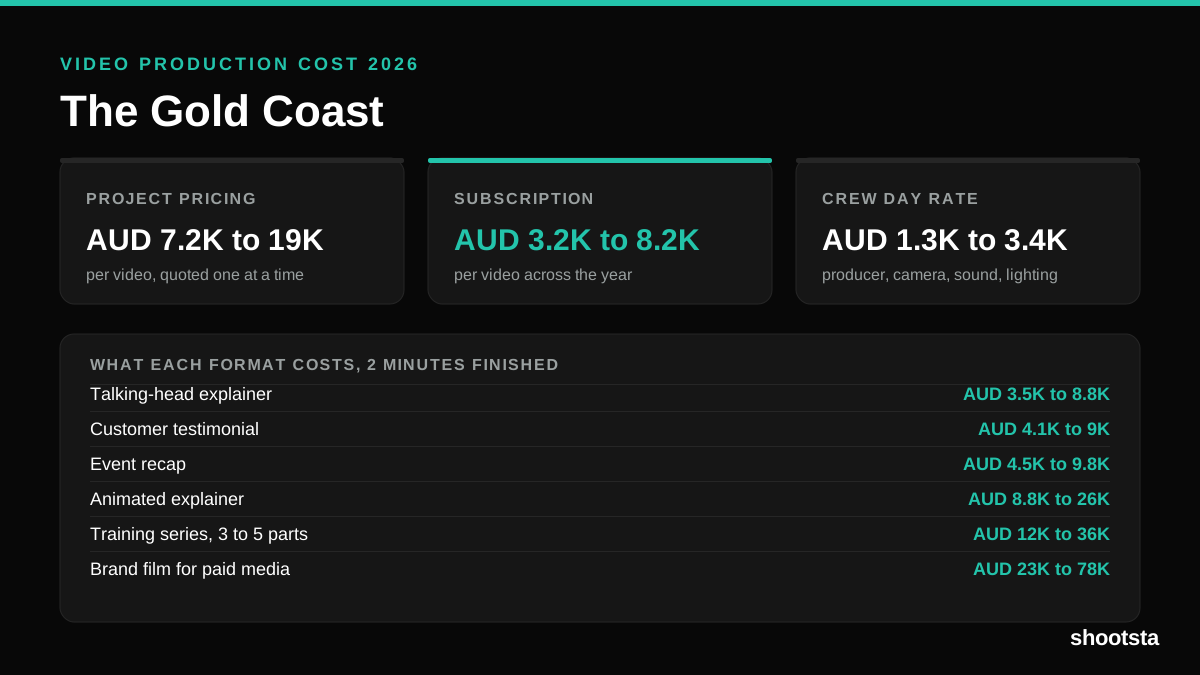
Video Production Cost on the Gold Coast 2026
Video production in the Gold Coast costs AUD 3,200 to AUD 8,200 per finished video on a subscription model, and AUD 7,200 to AUD 18,500 for one-off project work. Here is what you are paying for, and how the three pricing models compare.
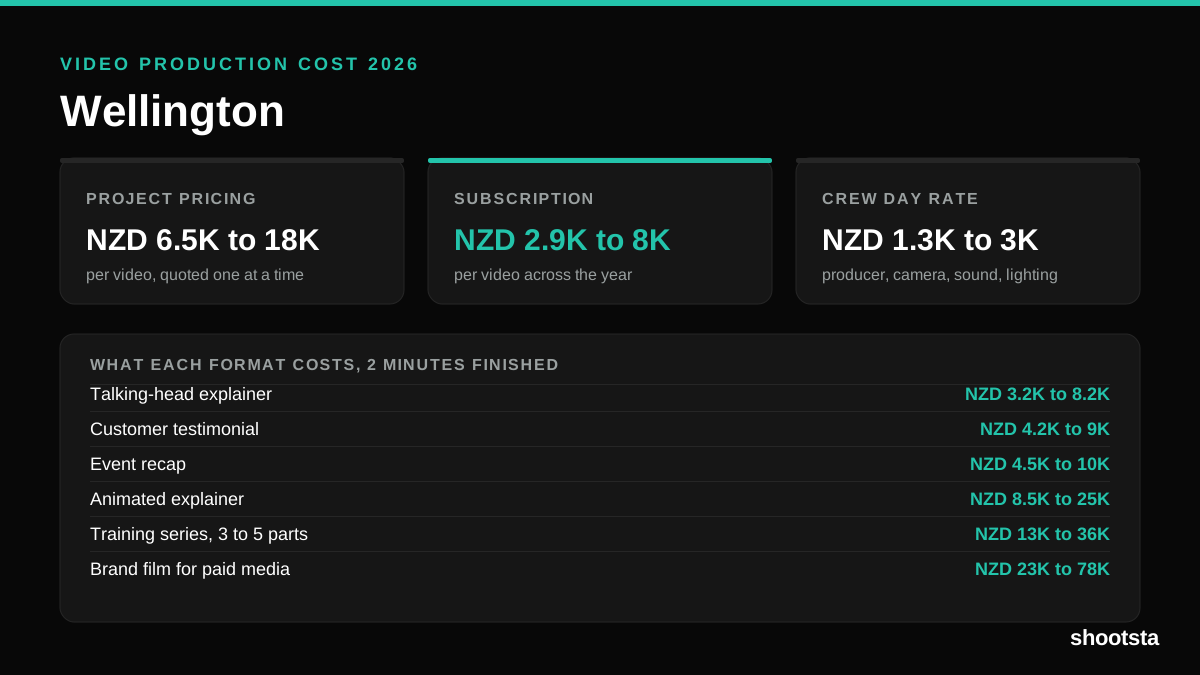
Video Production Cost in Wellington (2026)
Video production in Wellington costs NZD 2,900 to NZD 8,000 per finished video on a subscription model, and NZD 6,500 to NZD 18,000 for one-off project work. Here is what you are paying for, and how the three pricing models compare.
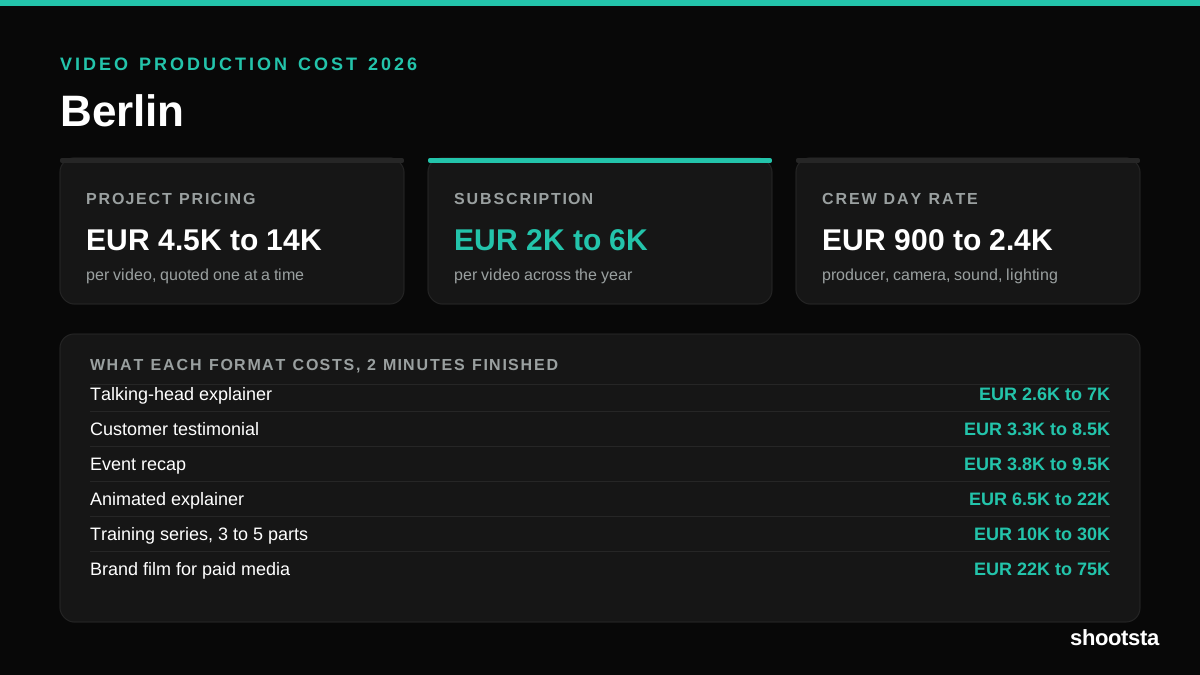
Video Production Cost in Berlin (2026)
Video production in Berlin costs EUR 2,000 to EUR 6,000 per finished video on a subscription model, and EUR 4,500 to EUR 13,500 for one-off project work. Here is what you are paying for, and how the three pricing models compare.