
shootsta.
How to Deliver a Great Piece to Camera: UK Executive Guide
By Mark Ashworth · Published December 18, 2025 · Updated October 2026
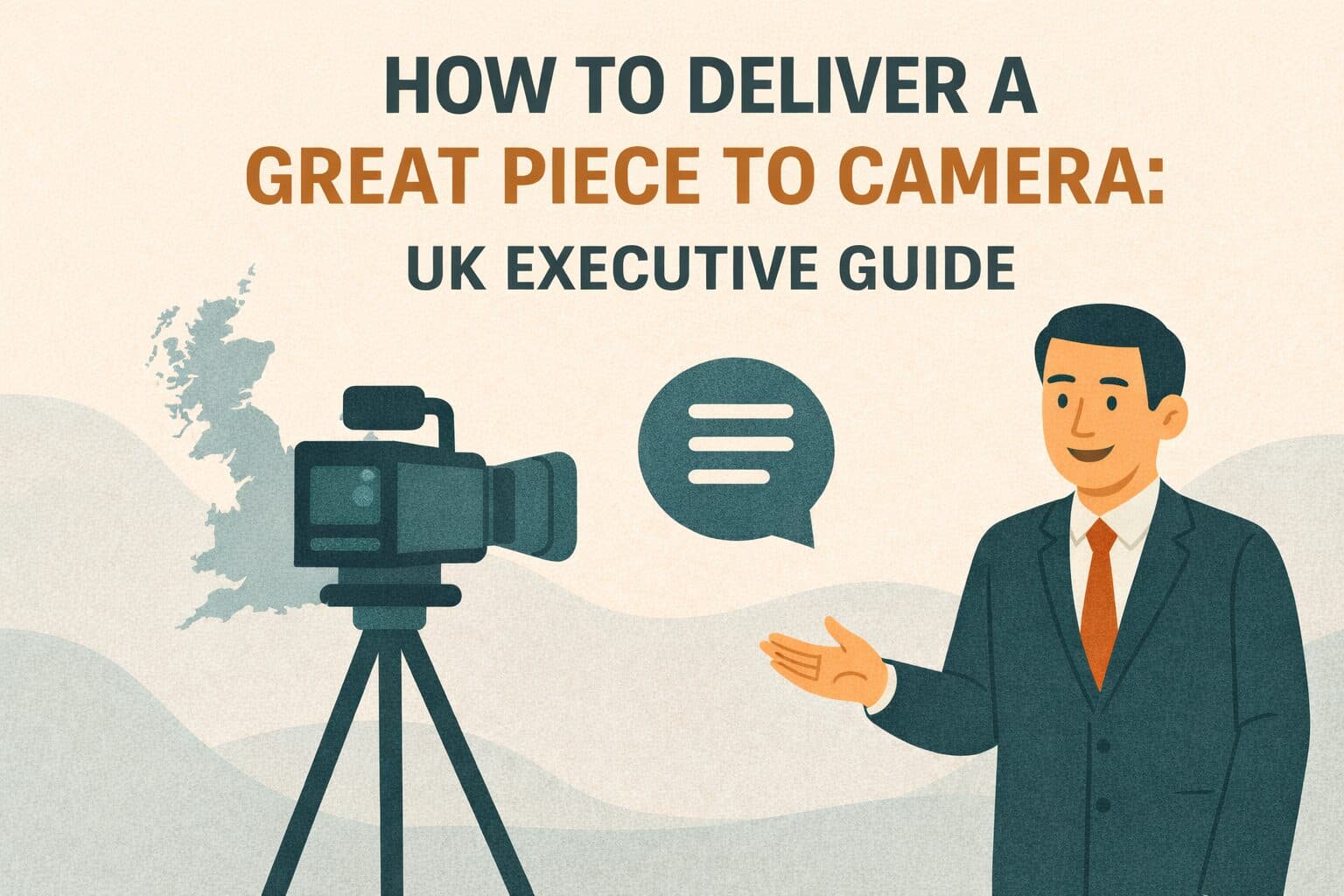
Master camera delivery with expert tips for authentic on-camera presence. Complete guide for UK executives overcoming camera discomfort and building confidence.
UK executives filming direct-address videos often look stiff, uneasy, and unnatural. This hurts the connection these messages should create. Wooden delivery, obvious script-reading, and nervous body language can turn a powerful leadership message into an awkward viewing experience.
Getting good at camera delivery turns what many executives see as a weakness into a strength. Whether recording company updates, thought leadership content, or client messages, confident on-camera presence builds trust that written messages simply cannot match.
This guide covers preparation, delivery technique, body language, technical setup, and practice methods. It has everything you need to deliver authentic, engaging videos.
Understanding Direct-Address Video Basics
Speaking straight to camera needs different skills from in-person talks or traditional interviews. The sections below explain why it feels hard and what to aim for instead.
Why Executives Struggle on Camera
An executive who is at ease in a boardroom or on a conference stage can still freeze when speaking straight to camera. The lens gives no feedback, with no nodding heads, no body language cues and no energy coming back. This one-way format feels unnatural and creates self-consciousness that shows up as stiffness.
Reading scripts while keeping eye contact with the lens is hard too. Many either stare at teleprompters looking disconnected, or memorize content and deliver it like a rehearsed speech. These issues are both technical and mental.
The Conversational Approach
Good camera delivery starts with treating the lens as a person you are talking to. Picture a colleague, client or team member you respect. This mental shift turns a performance into a conversation, and audiences respond to that.
Professional internal communications put real connection above polished perfection. Slight pauses while gathering thoughts, natural hand gestures, and a conversational tone create far more engaging delivery than a flawless but robotic performance.
Authenticity Versus Polish
Audiences value authenticity over production perfection. Overly rehearsed delivery makes viewers doubt you, because it looks like corporate theater. Minor slips, like a brief pause or a small verbal stumble, tend to help your credibility because they show a real person is speaking.
This does not mean accepting poor quality. Clear speech, good pacing, and a logical structure still matter. What you are aiming for is authentic delivery with a few human touches, which lands better than a flawless reading that feels robotic.
Delivery Insight
Viewers tend to trust a slightly imperfect but authentic delivery more than a perfectly scripted performance. Executives who settle into a conversational style, instead of chasing corporate polish, connect better with their audience and their message is easier to remember.
Preparation Techniques for Success
Confident delivery starts long before the camera rolls. Good preparation turns nervous executives into engaging speakers.
Script Development
Write the script to be spoken aloud. Formal written language sounds awkward when spoken aloud. Use contractions (we're, don't, it's) and shorter sentences. Read scripts aloud during drafting and revise anything that feels stiff. Aim for 130-150 words per minute - about two words per second.
Bullet points often work better than full scripts for speakers who are comfortable improvising. Key messages with supporting points give structure while allowing natural delivery. If you need a full script, mark natural pause points and words to stress.
Content Structure
A clear structure keeps viewers watching. Open with a hook that shows why viewers should care. Present main points briefly with evidence or examples. Close with a clear takeaway or call to action.
Aim for 1-3 minutes for an executive video. Completion rates tend to fall away on longer videos, so cut anything that does not support the main point.
Rehearsal Methods
Practice several times before recording, but avoid over-rehearsal that creates robotic delivery. Record rehearsals on your phone and review them critically. Watch for verbal tics (um, uh, you know), nervous habits, or clumsy phrasing. Practice keeping steady eye contact with the camera lens.
Many executives benefit from coaching sessions with experienced production teams. Small tweaks to posture, eye contact, or pacing can turn good delivery into excellent delivery.
Mental Preparation
Deal with nerves before filming. Take deep breaths to calm your body. Picture a successful delivery with a positive audience response. Remember that the footage will be edited, so mistakes are expected and can be fixed. Focus on your message and audience rather than judging your own performance.
Mastering Delivery Technique
A few core techniques make the difference between an amateur and a professional on-camera presence. Each one below can be practiced on your phone before the shoot.
Eye Contact and Connection
Keep steady eye contact with the camera lens. Imagine you are looking into a specific person's eyes. Avoid glancing at teleprompters, monitors, or your surroundings. If using a teleprompter, place it as close to the lens as possible to reduce eye movement.
Practice looking straight at the lens during rehearsals until it feels natural rather than scary.
Steady eye contact builds trust and connection. Wandering eyes suggest discomfort or a lack of interest, which is the opposite of what you want.
Voice and Pacing
Speak a bit slower than normal conversation for clear speech. Vary your speed by slowing down for key points and speeding up a little for transitions. Use natural pauses before important statements to let them land. Avoid a flat, monotone delivery that drains energy from your content.
Project your voice without shouting, because a clear and confident volume shows authority. Mumbling or speaking softly hurts your presence no matter how good your content is.
Body Language and Posture
Sit or stand with straight but relaxed posture. This shows confidence without stiffness. Keep shoulders back and down to avoid looking hunched. Use light hand gestures to stress points, since a rigid stance looks forced. Avoid fidgeting, swaying, or too much hand motion.
Let your facial expressions match your content. Smile when it fits, but skip forced grins. Serious topics call for a serious tone. Let real emotions show, whether that is passion for an opportunity, concern about a challenge or pride in a result. Authentic expression builds connection, while a blank face suggests you are detached from the message.
Energy and Enthusiasm
Bring a bit more energy than you would to a normal conversation. The camera flattens energy, so what feels a bit exaggerated to you looks natural to viewers. Executives often go too subdued and end up looking tired or bored on screen. A conscious energy boost creates engaging presence without looking over the top.
Common Mistakes
The biggest mistakes are reading from scripts and looking disconnected, rigid posture that shows discomfort, monotone delivery that kills engagement, and avoiding eye contact with the lens. Each one hurts your presence no matter how good the content is. Focus on these basics before moving to advanced techniques.
Technical Setup for Professional Results
Even great delivery suffers from poor technical setup. Get these four things right and the video will look professional.
Camera Positioning
Place the camera at eye level or slightly above. Low angles looking up are unflattering. High angles looking down reduce authority. Set the lens about 1-1.5 meters from the subject for a natural look without distortion.
Frame the shot from mid-chest up. This keeps natural hand gestures in view while the focus stays on the face.
Lighting Requirements
Good lighting makes a huge difference on camera. Use three-point lighting: a key light at a 45-degree angle for main light, a fill light on the other side to soften shadows, and a back light to separate the subject from the background. Aim for even, flattering light without harsh shadows.
Window light works well when placed correctly, but limits you to certain times and weather conditions.
Audio Quality
Clear audio is non-negotiable. Use a lavalier microphone clipped to clothing 15-20cm below the mouth, or a shotgun microphone above the frame pointing at the subject. Never rely on built-in camera microphones. Pick a quiet location. Test audio before recording to check for distortion or background noise.
Background Selection
Choose clean, professional backgrounds that complement rather than compete with the subject. Office settings with some depth work well, such as bookshelves, plants or design details. Avoid busy patterns, bright colors, or distracting elements. Learn more about maintaining visual consistency across videos.
Benefits of Strong On-Camera Presence
Getting good on camera gives you more than better-looking videos. It changes how people inside and outside the business see you.
Enhanced Leadership Visibility
Regular video messages build leadership visibility that text alone cannot match. Employees, clients, and stakeholders see and hear leaders directly. This creates personal connection that strengthens trust and alignment. Video makes executives accessible rather than distant figures known only through formal memos.
Improved Message Impact
Confident delivery makes a message land harder. On video, your face, your tone of voice and your body language all carry the message at the same time. That leaves a stronger impression than a written memo, and people tend to remember it for longer.
Scalable Communication
Video lets executives speak to thousands at once while keeping a personal feel. Understanding how to scale video efficiently makes regular executive messages practical rather than rare special efforts.
Professional Brand Perception
Strong on-camera presence lifts brand perception. Leaders who look comfortable on camera make the organization look modern and professional. Poor or awkward delivery hurts your professional image regardless of how good your business is.
Impact Evidence
When executives are at ease on camera, staff are more likely to watch leadership messages to the end and remember what was said. Stakeholders also find it easier to trust a leader they have seen and heard speak plainly. Coaching for executive video pays for itself through leadership messages that people take in.
Implementation and Continuous Improvement
On-camera confidence comes from steady practice over months. The four habits below help you build it without putting a high-profile message at risk.
Progressive Skill Development
Start with lower-stakes internal messages to build confidence before high-profile external content. Practice regularly, because monthly or bi-weekly videos build comfort faster than rare attempts. Review footage and identify specific areas to improve. Work with professional coaches or production teams for targeted feedback on delivery.
Technology Support
Teleprompters let you deliver a script while keeping eye contact with the lens, when set up and paced correctly. But many executives get better results from bullet points and natural delivery than from reading a script. Test both approaches to see which feels more authentic for you.
Production Partnership
Working with experienced production teams speeds up skill growth. Professional directors coach delivery in real time. Technical crews set up the lights, camera and audio so you look your best. Editors shape imperfect takes into polished final content. A good production partner gives you both professional quality and coaching support.
Feedback Integration
Get honest feedback from trusted colleagues or communication professionals. Specific comments like "you look away from camera a lot" or "your pacing is too fast" help you target improvements. Vague reactions like "it doesn't feel right" do not give much to work with.
Track your progress over time. Early videos will feel uncomfortable, but steady practice brings a clear improvement within a year.
Executive Delivery Checklist
Use this checklist to keep quality consistent and track your growth.
On-Camera Excellence Checklist
Content Preparation:
- Script written in conversational language that sounds natural when spoken
- Key messages clearly defined with supporting points
- Content duration appropriate (1-3 minutes for most uses)
- Opening hook and closing takeaway defined
Delivery Basics:
- Steady eye contact with camera lens throughout
- Conversational tone, treating lens as a person
- Natural pacing with pauses on key points
- Energy level a bit higher than normal conversation
- Relaxed, confident body language with natural gestures
Technical Setup:
- Camera at eye level, 1-1.5 meters from subject
- Three-point lighting for flattering, professional look
- External microphone for clear audio
- Clean, professional background that does not distract
- Test recording reviewed to confirm everything works
Performance Elements:
- Authentic delivery chosen over perfect polish
- Facial expressions matching content naturally
- Voice projection clear without shouting
- Posture straight but relaxed
- Multiple takes recorded to capture best delivery
Continuous Improvement:
- Footage reviewed to find specific areas to improve
- Honest feedback gathered from trusted colleagues
- Regular practice scheduled to build comfort
- Professional coaching considered for faster growth
Taking Action on Camera Confidence
Building camera confidence turns a perceived weakness into a leadership asset through steady practice and the right support.
Start by accepting that initial discomfort is normal and temporary. Every confident on-camera executive started out feeling self-conscious. Executives who develop a strong video presence are the ones who keep practicing through the awkward phase.
Think of video as a skill you can learn, like public speaking, rather than a talent some people have and others do not.
Begin with low-stakes practice. Record internal team updates, department messages, or informal content. This lets you experiment without high-profile pressure. Review footage honestly but constructively. Identify specific behaviors to change rather than feeling general dissatisfaction.
Invest in proper technical setup so your delivery is not hurt by poor production quality. Even great delivery suffers from bad lighting, bad audio, or busy backgrounds. Understanding realistic production timelines helps you plan enough preparation time.
Work with experienced production partners who provide both technical skill and coaching support. Professional teams create comfortable filming setups, give real-time delivery feedback, and shape imperfect takes through editing.
Schedule regular practice to keep improving. Monthly or bi-weekly videos build comfort much faster than quarterly attempts. A regular rhythm matters more than any single session, and frequent time on camera makes it feel familiar.
Remember that audiences value authenticity over perfection. Minor imperfections that show a real person speaking connect better than robotic flawlessness. Focus on the message and the audience rather than on judging yourself. You are there to communicate clearly, and nobody expects award-winning acting.
A production partner that pairs human editors with AI tools can give you professional results and coaching on the day. A first cut in about 48 hours means you see each video quickly, which makes regular practice and quick feedback realistic.
When your executives are confident on camera, the organization gains an edge. Leaders are more visible, their messages land with more force and the business looks more modern. Over time, stronger leadership messages are worth far more than the cost of the coaching.
Frequently Asked Questions About Executive Video Delivery
Should executives use teleprompters for video messages?
Teleprompters let you deliver a script while keeping camera eye contact, when placed close to the lens and run at your natural speaking speed. However, many executives get more authentic results using bullet points with natural speaking rather than reading a script word for word.
Test both approaches. Some speakers do better with prepared scripts. Others excel with structured bullet points. If using a teleprompter, write conversational content and practice beforehand. Adjust the scroll speed to match your comfortable pace.
For shorter content under 90 seconds, memorization often works best. Executives who take in the message deliver more confidently without technical help. Pick the method that produces the most authentic, confident delivery for each person.
How can executives overcome nervousness when filming?
Camera nerves are normal. Accepting them rather than fighting them reduces anxiety by a lot.
Helpful strategies include reframing the camera as a way to reach people, rather than a judge rating your performance.
Practice regularly to build familiarity. Start with shorter, simpler formats before attempting longer presentations.
Celebrate small wins to keep your motivation up while you improve.
Most importantly, slight nervousness can help you. A completely relaxed performance sometimes looks too casual, while a bit of tension shows you take the message seriously. Aim to channel your nerves into energy instead of trying to remove them altogether.
What clothing works best for professional videos?
Clothing choices have a big effect on camera presence. Wear solid colors. Avoid busy patterns, thin stripes, or small checks that create visual interference on screen.
Pick colors that suit your skin tone and match brand guidelines, and you will find blues, grays and earth tones usually work well. Pure white or black can cause exposure problems. Make sure clothing fits well, since loose clothes look sloppy and tight ones look uncomfortable.
Wear business attire appropriate for your industry. Avoid large logos or graphics unless you are intentionally showing company branding. Remove reflective jewelry or accessories that catch lights and create distractions. Solid, well-fitted professional clothing keeps focus on your message rather than your wardrobe.
Consider keeping dedicated video outfits for a consistent, professional look across recordings. When in doubt, slightly overdressed beats underdressed for professional settings.
How long should executive videos be?
Best length depends on balancing full messaging with viewer attention. For most uses, aim for 1-3 minutes. That is long enough to cover real content without testing patience. Internal messages can run a bit longer (3-5 minutes) since employees will sit through more detail from leadership.
External or marketing content should stay under 2 minutes given shorter attention spans. Social media clips work best under 60-90 seconds. Breaking longer messages into a series of short videos often works better than one long piece.
Check completion rates. If viewers regularly drop off before the end, the content is too long. Concise, focused messaging shows respect for your audience's time. When writing scripts, aim for 130-150 words per minute for comfortable pacing.
A 2-minute video needs roughly 260-300 words. That is not much text, but it is enough for a clear, impactful message when delivered well.
How can we improve delivery without expensive coaching?
While professional coaching speeds things up, executives can improve through self-directed practice and peer feedback. Record practice sessions on your phone and review the footage critically. Seeing yourself on screen often reveals issues you can feel but cannot pinpoint otherwise.
Focus on one thing at a time rather than trying to fix everything at once. Work on eye contact in one session, pacing in the next and body language in the one after that. Watch confident executives and note what works for them, such as direct address, natural gestures and a conversational tone. Then try those techniques yourself.
Practice regularly rather than cramming before important recordings. Weekly 10-minute sessions build skills faster than pre-recording panic sessions. Ask trusted colleagues for specific feedback: "you look away from camera a lot" is useful, while "something feels off" is not.
Work with experienced production teams who often give informal coaching along with technical support. Remember that consistent practice matters more than expensive coaching. Executives who put in regular self-directed time often match the results of those with professional coaches.
Keep reading
Take this article with you
Read the latest at shootsta.com/blog/piece-to-camera-uk
You might also like
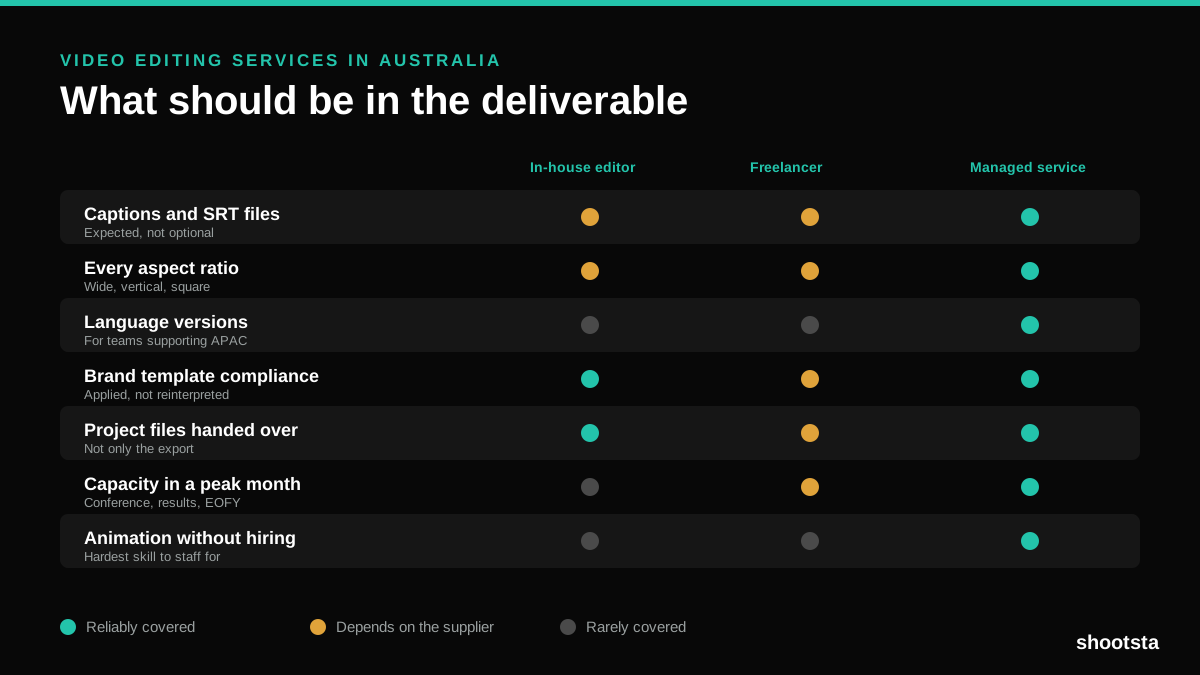
Video Editing Services in Australia
Australian teams are spread across time zones and offices, so the editing queue matters more than the editing. Here is what to expect on cost and turnaround.
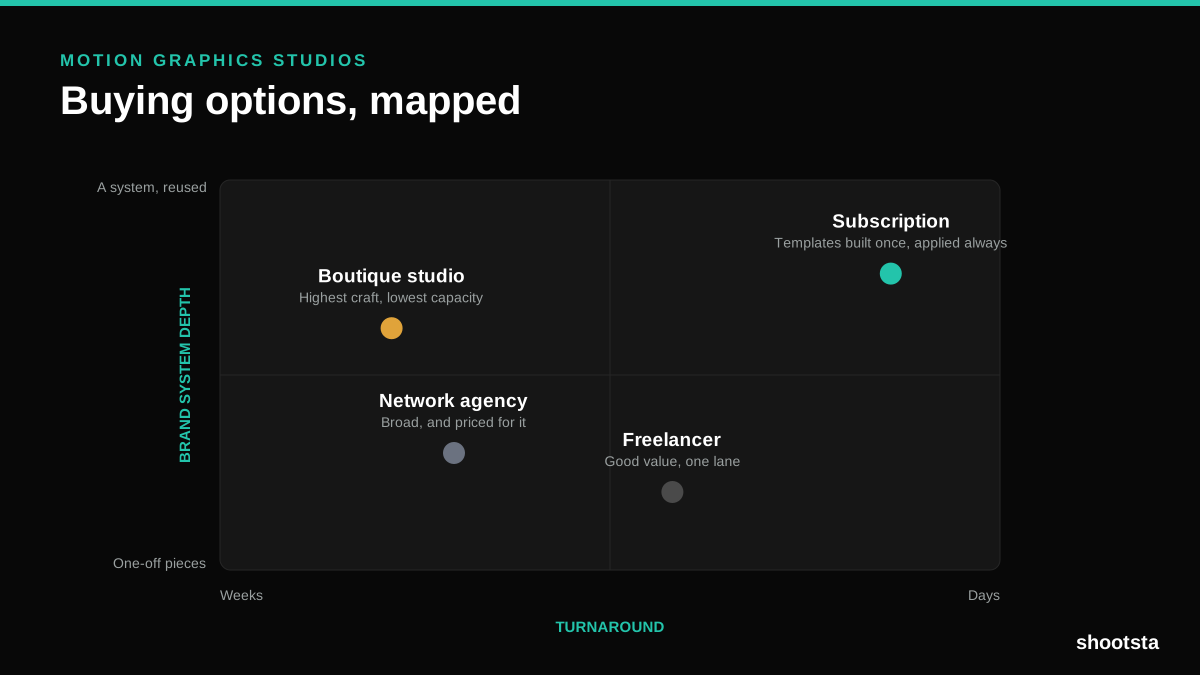
How to Choose Between Motion Graphics Studios
Every motion graphics studio has a good reel. The reel is the one thing that will not tell you how the fifth project goes. These ten criteria will.
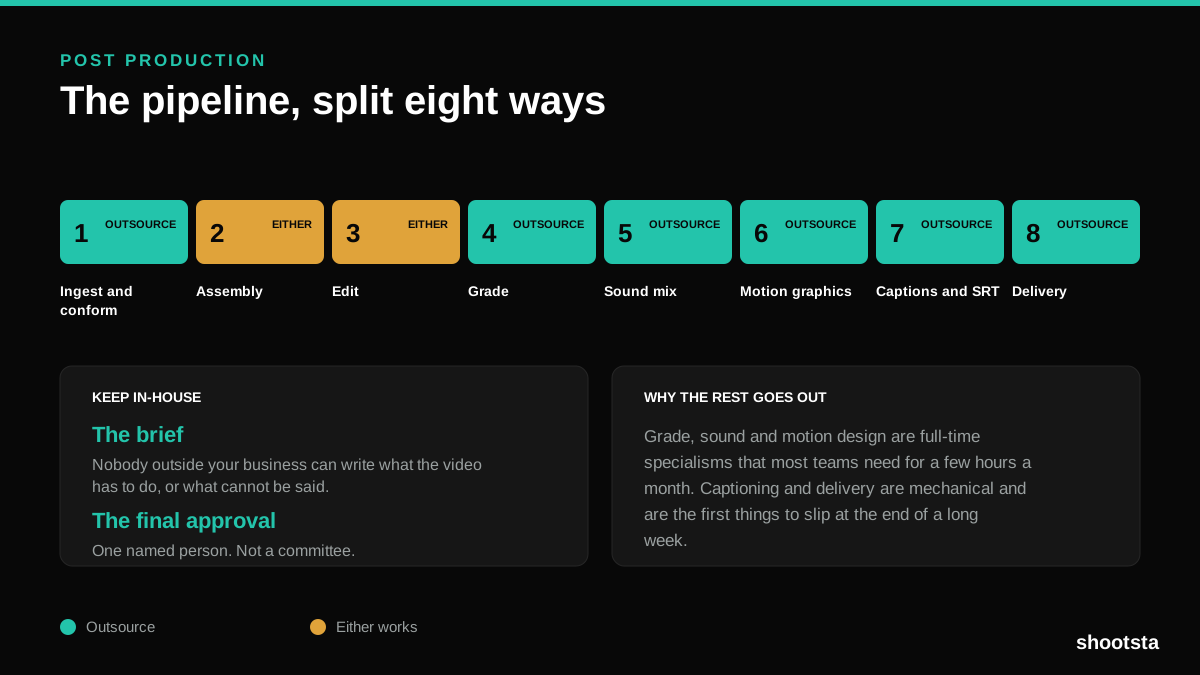
Post Production Agency or In-House Team?
Post production is eight stages, not one. Some of them need context only your team has. The rest are mechanical and are the first things worth handing over.
Animated Video Production Cost in the US
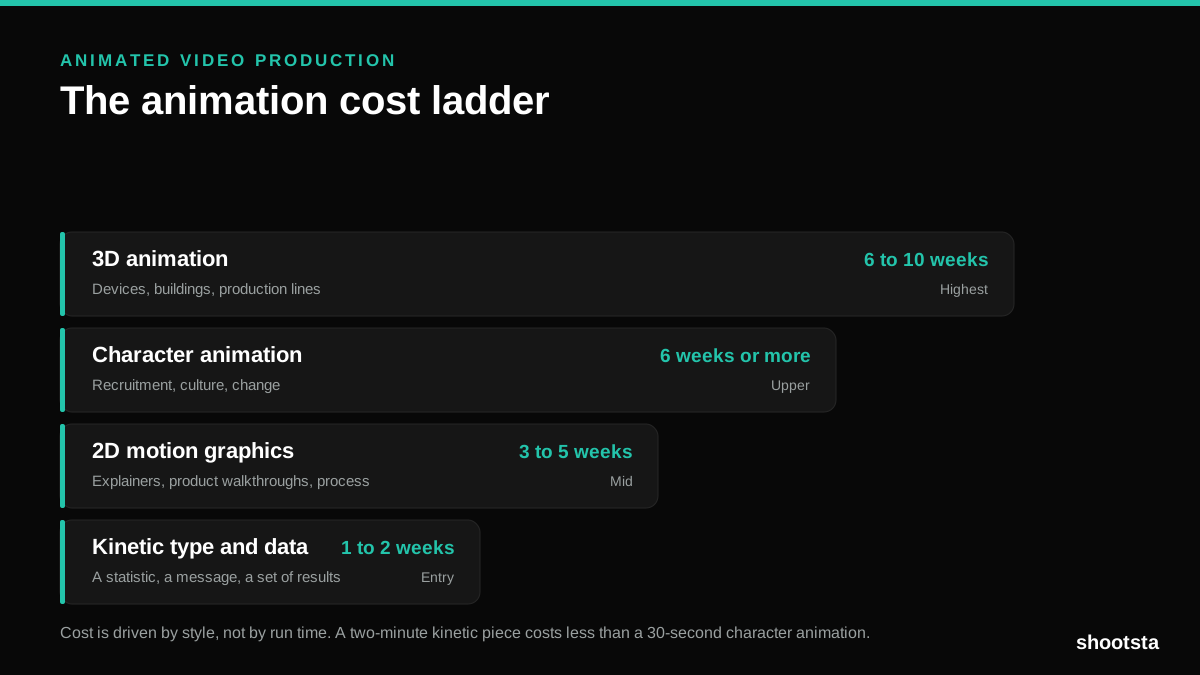
Animated video production costs move with style, not with length. Kinetic type, 2D motion, character and 3D sit on four rungs of a ladder. Here is what separates them.
How to Commission Medical Training Animation
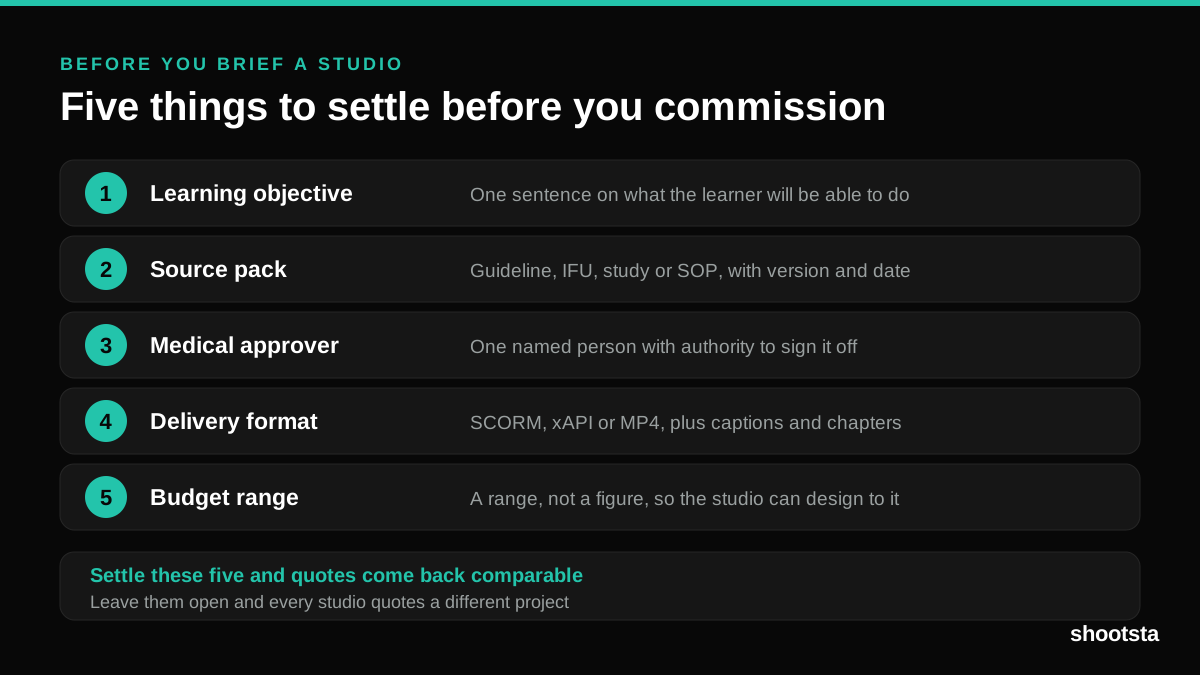
Commissioning a medical training animation is mostly decisions you make before anyone animates a frame. The brief fields that matter, what to ask a studio, how much expert time to budget, and the contract terms that stop a rebuild in two years.
How to Write an Animation Brief
How to Write an Animation Brief
Most animation briefs cause delays because they over-specify the visual style and under-specify the outcome. Here are the nine fields an animation production team needs to quote accurately and start without rework.