
LinkedIn Employee Advocacy Video Playbook
shootsta.
LinkedIn Employee Advocacy Video Playbook
By Mark Ashworth · Published April 16, 2026 · Updated October 2026
How to launch an employee-generated content (EGC) video program on LinkedIn. Covers why personal profiles outperform company pages, how to recruit champions, and what metrics to track.
What is employee-generated content and why does it matter on LinkedIn?
Employee-generated content (EGC) is video that your employees make, rather than your marketing team. It shows people talking about their work and their company in their own words. On LinkedIn, EGC tends to beat branded content because the feed is built around personal connections.
When an employee posts a video from their personal profile, it reaches their network first. Those are people who already know and trust them. A company page post has a harder job, because it competes with every other brand in the feed. The same clip posted from a person's profile will usually travel much further than it would from your page.
Why do personal profiles outperform company pages for video?
LinkedIn is designed for people talking to people, and its algorithm favors that over brands talking at an audience. A company page post is shown to only a small slice of its followers. A personal post reaches a wider share of that person's network, and every comment pushes it out to their contacts' networks too.
Trust plays a part as well. B2B buyers are wary of corporate messaging. When a product manager explains how a feature works, or an account executive shares a client win, it carries more weight than the same story on a brand channel. People buy from people, and that holds on LinkedIn more than anywhere.
What does the data say about employee advocacy ROI?
The strongest return shows up in sales. Leads that come through employee advocacy tend to convert better, and the effect is largest when employees reach out to accounts that already follow your company page. Senior people who post for their own connected accounts see a lift as well. LinkedIn's own Sales Navigator research points the same way, and you can test it on your own pipeline within a quarter.
Recruitment is the second payoff. Many job seekers now watch video about a company before they apply. When employees share day-in-the-life videos and team clips, you tend to get more applications and better ones. Candidates judge your employer brand by what your employees show them, and they trust it more than your careers page.
Across the business, an active advocacy program brings more web traffic and more leads than brand channels can on their own. The math is simple. Every employee who takes part adds their own network to your distribution.
How do you identify and recruit video champions?
Some employees will never want to make video, and that is fine. You do not need everyone, because 10-15 committed champions are enough to build momentum. Here is how to find them:
Look for existing activity. Check who already posts on LinkedIn regularly. These people are at ease on the platform and see the value of a professional presence, so they are the easiest people to sign up.
Start with volunteers, not mandates. Mandatory advocacy programs fail because people can tell when a post was forced. Send an open invitation, explain what is in it for them (personal brand growth, visibility with leadership, professional development), and let people opt in.
Model from the top. If your CEO or VP is already posting video (and they should be - see our thought leadership video guide), that sets the tone. Employees are more likely to post when they see leaders doing it first. It also tells staff that the company values this kind of visibility.
Focus on subject matter experts. Engineers, product managers, customer success leads, and solutions architects have deep knowledge that buyers want to hear about. They do not need to be charismatic on camera, as long as they know the subject and are willing to talk.
Free PDF Guide
Get the LinkedIn Video Strategy Guide
The employee advocacy playbook, posting cadence, and distribution tactics for B2B LinkedIn video.
How do you help employees who are nervous about video?
Plenty of people get nervous in front of a camera. These techniques help:
Collaborate, do not assign. Instead of saying "record a video about X," sit down with the employee and talk through the topic. Record the conversation. Often the best content comes from these informal discussions rather than scripted solo pieces.
Use interview format. Having someone ask questions off-camera is easier than speaking to a lens alone. The employee responds naturally, and the interviewer's questions get edited out. To the person on camera, it feels like a chat with a colleague.
Keep it short. Asking someone to record a 3-minute video feels like a big ask. Asking them to answer one question in 30 seconds feels manageable. Start with short clips and let people build confidence over time.
Show them examples. Share EGC videos from other employees (or from other companies) that are clearly unscripted and imperfect but engaging. When people see that "good enough" is the standard, the pressure drops.
What content should employees create?
The best EGC content falls into a few categories:
Day-in-the-life videos. These show what a normal day at your company looks like. A 45-second walkthrough of someone's morning routine, their workspace, or a team standup gives prospects and candidates a real sense of culture.
Expert tips and how-tos. An engineer might explain a common problem and how to solve it. A customer success manager might share three things they wish every new client knew. Videos like these position employees as experts and the company as a place where smart people work.
Event recaps. When employees attend conferences, team offsites, or company events, a quick video recap extends the value of that event to their entire network. One person at a conference becomes a content source for the whole team.
Client win stories. This is a plain "here is what we built for a client and why it mattered" story rather than a polished testimonial. These perform well because they are specific and show real work in plain language.
How do you gamify and sustain an advocacy program?
Launching a program is easy, and keeping it going is the hard part. Here is what keeps programs alive past the first month:
Create a content calendar. Give participants a weekly theme or prompt. "This week, share something you learned from a client." "This week, show your workspace." Structure reduces the friction of deciding what to post.
Build a leaderboard. Track who is posting, how often, and what engagement they are getting. Share the results internally. Some companies offer small incentives such as gift cards, extra leave or public recognition. Even so, the visibility itself is often enough to keep champions posting.
Provide production support. This is where many programs stall. Employees want to create video but struggle with editing, captions, and formatting. A production partner like Shootsta takes that work off their hands. Employees record raw footage, and the Shootsta team handles editing, branding, and delivery.
Share wins loudly. When an employee's video generates a lead, gets a prospect to reply, or hits a view milestone, tell the whole team. Success stories recruit new champions better than any kickoff meeting.
How do you measure an employee advocacy video program?
Track these metrics monthly:
- Participation rate: What percentage of enrolled advocates posted at least once this month?
- Total reach: Combined impressions across all employee posts
- Engagement rate: Likes, comments, and shares per post
- Website traffic: Referral traffic from LinkedIn personal profiles
- Leads influenced: Prospects who engaged with employee content before entering the pipeline
- Recruitment impact: Application volume and quality from LinkedIn
The first two months focus on participation and reach. After that, shift attention to business outcomes. For a broader measurement framework, check our B2B video ROI KPIs guide.
What is the fastest way to get started?
You can launch in a month. In the first week, recruit 5-10 volunteers. During the second, run a 30-minute recording session where each person films 2-3 short clips. Start posting in week three, with one employee per day, then measure results and share the wins in week four.
If you want a full framework for building LinkedIn video into your marketing strategy - from thought leadership to paid ads to employee advocacy - download the LinkedIn Video Strategy Guide. It covers everything from content planning to production workflows to distribution playbooks.
Take this article with you
Read the latest at shootsta.com/blog/linkedin-employee-advocacy-video-playbook
You might also like

Shootsta at Day 1 of B2B Marketing Leaders Forum
Shootsta is at B2B Marketing Leaders Forum Asia in Singapore on 14 and 15 October 2026. Watch our day 1 video, edited overnight and ready before the first coffee break on day 2.
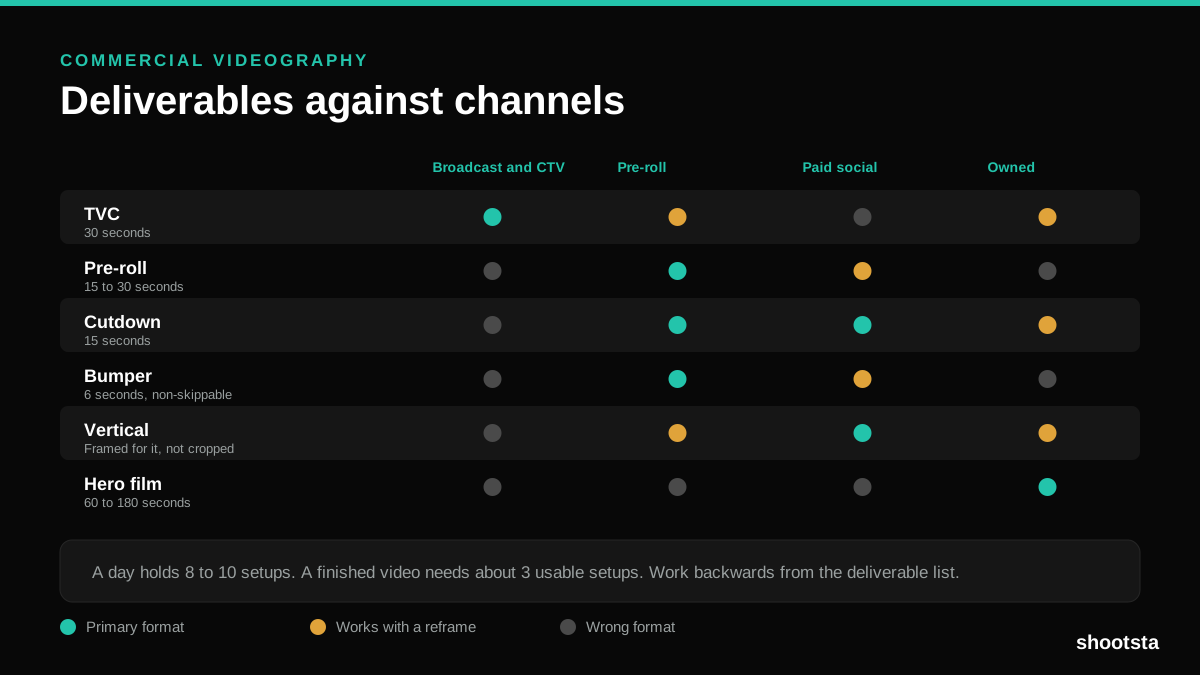
Commercial Videography: Cost and Scope
Commercial videography is priced by the day and judged by the deliverable. Most projects go wrong because those two numbers were never reconciled.
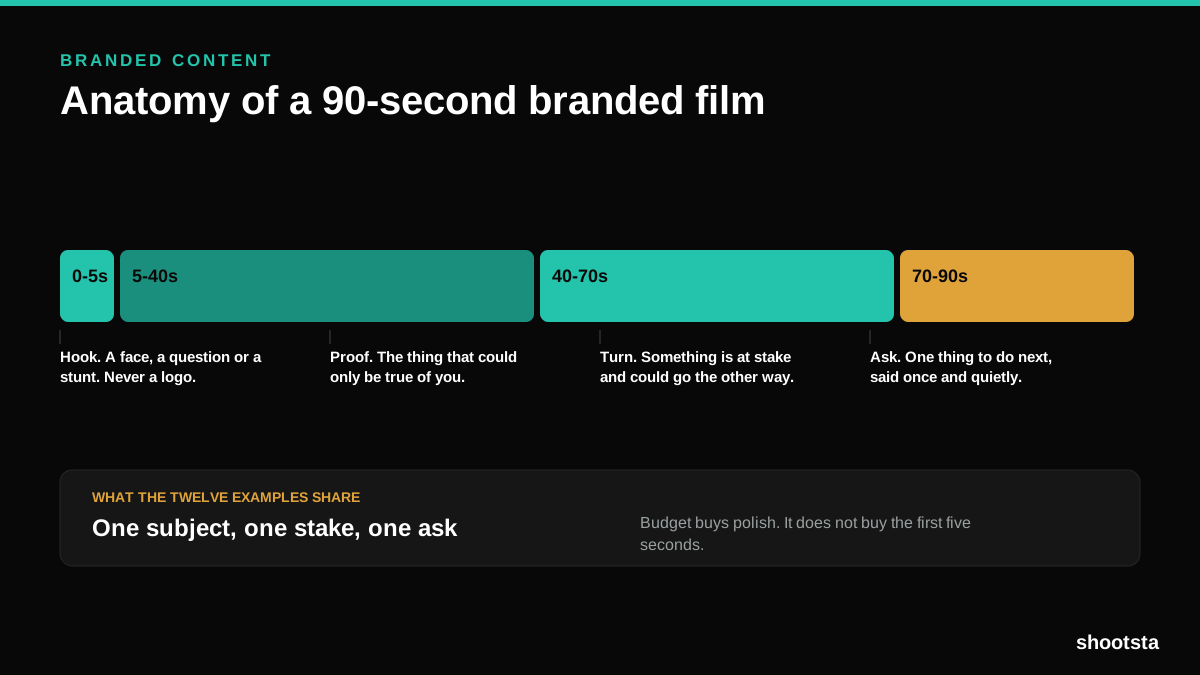
12 Branded Content Examples That Worked
Twelve pieces of branded content that people chose to watch, what each one got right, and the structure underneath all of them.
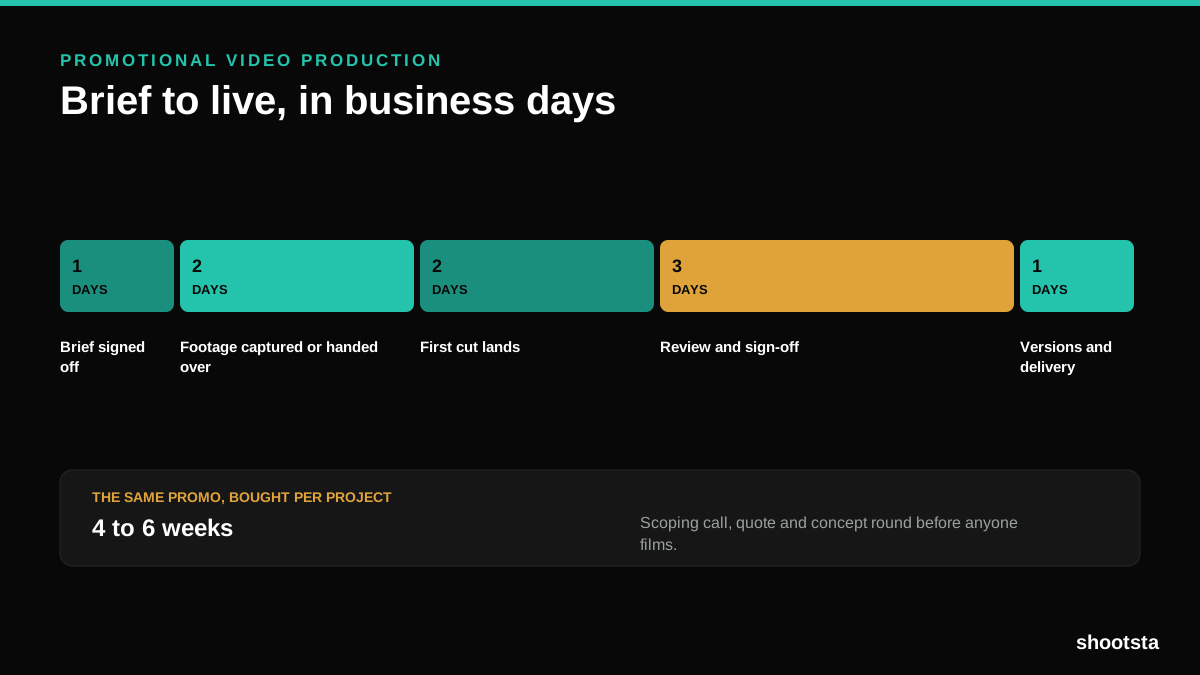
Promotional Video Production: Cost and Time
Most promotional video production schedules are not slow because of the edit. They are slow because of the approval chain. Here is where the days go.
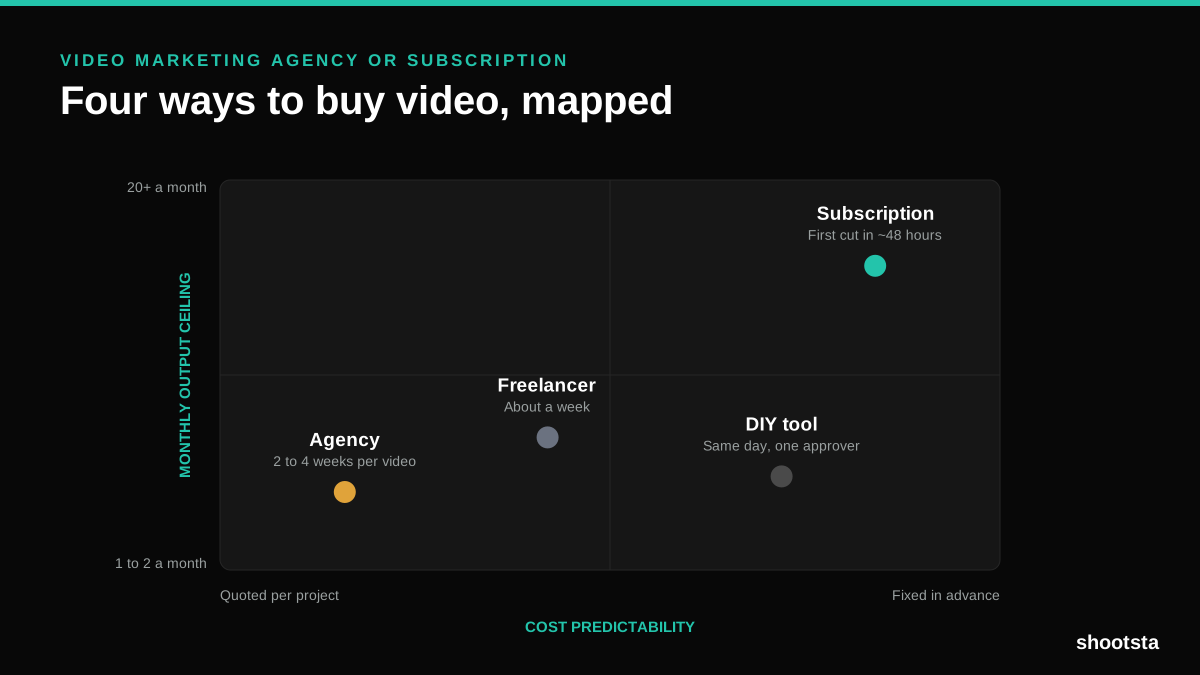
Video Marketing Agency or Subscription?
A video marketing agency prices per project and works in weeks. A subscription prices the year and works in days. Which one fits depends on how often you publish, not on which is better.

B2B Video Production: Costs and Buying Models
There are five ways to buy B2B video production. Each one works well up to a point and then breaks, usually at a volume nobody planned for. Here is what each costs and where the ceiling sits.