
shootsta.
How to Write a CTA for Business Video
By Shootsta · Published February 28, 2026 · Updated October 2026
A clear call to action turns a video from passive content into a conversion tool. Here is how to write CTAs that move viewers to act.
What is a video call to action?
A call to action (CTA) is the moment in a video that tells the viewer what to do next. That might be clicking a link, booking a demo, replying to an email or sharing the video with a colleague. Without a CTA, a video informs and lets people go. With one, it is a conversion tool.
Why most video CTAs fail
A lot of business videos end with "thanks for watching," which is a polite goodbye with no action attached. The viewer has just given you one to three minutes of attention, the most expensive resource on the internet. Ending on a thank-you lets them leave without a next step.
The other common failure is too many CTAs. "Click the link, like the video, follow our page, share with your network, comment below." When everything is a CTA, the viewer picks none of them. Give them one ask at one moment, with one place to click.
What makes a CTA work?
Clear language
"Book a demo." "Download the guide." "Reply with a yes." The viewer should know exactly what action they're taking. Vague CTAs ("learn more," "explore options") are weak because they ask the viewer to think, and thinking gets put off.
Single ask
Give each video one CTA. If the video has three goals, it should probably be three videos. When you split attention across several CTAs, you split the conversions across them too.
Visible and audible
Say the CTA out loud and put it on screen at the same time. Some viewers watch with the sound off and others have it on, so cover both every time.
A reason to act now
"Book a demo this week and the team will tailor the walkthrough to you." "Reply by Friday and we'll include the report." Time-bound asks convert better than open-ended ones, because the viewer has to make the decision now instead of later (where "later" usually means never).
Where in the video should the CTA appear?
Three useful placements, in order of effectiveness:
- End frame. The classic spot. Make sure it's on screen for at least 4 to 5 seconds so the viewer can read and act.
- Lower third, mid-video. A subtle text overlay during the body of the video catches the many viewers who drop off before the end.
- Spoken in the first 30 seconds. For long-form, a spoken hint at what the viewer will be asked to do at the end primes them, and they are more likely to follow through.
For very short videos (under 30 seconds), the CTA can be the only thing on screen for the final 3 seconds. Whoever is still watching by then is committed.
Sample CTAs that work for business video
- "Book a 20-minute demo at [link]."
- "Download the guide for the full framework."
- "Reply to this email if you want a copy."
- "Share this with one person on your team who needs to see it."
- "Comment with your biggest blocker and we'll respond."
Each one names the action, the time it takes, and the place to do it.
Two short reinforcements from Shootsta Academy
The CTA usually gets written last, which is why it usually feels rushed. Try flipping the order and write the CTA first, in the video brief, and let the script work backward to support it.
FAQs about video CTAs
Should every business video have a CTA?
Yes. Even an internal town hall has a next step ("read the full memo on the intranet" or "join the Q&A on Friday"). Every video has a goal, and the CTA is where you name it.
What's the best CTA for sales videos?
"Book time on my calendar at [link]" beats "let me know if you'd like to chat" almost every time, because a specific ask reduces friction. The full breakdown is in our video maker for sales teams guide.
How long should a CTA be on screen?
It should stay up long enough to read and act on. For a single-line CTA, that is 4 to 5 seconds. For a CTA with a URL the viewer needs to type, 6 to 8 seconds. If the CTA flashes by, conversions flash by with it.
Take this article with you
Read the latest at shootsta.com/blog/how-to-write-a-cta-for-business-video
You might also like
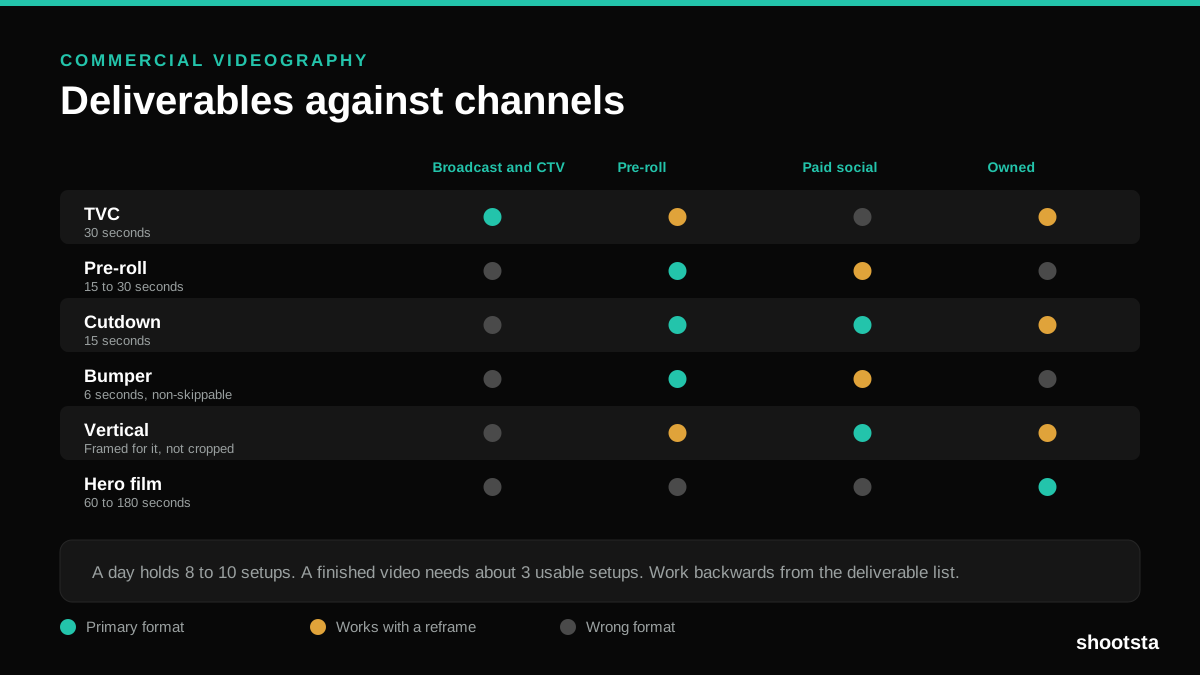
Commercial Videography: Cost and Scope
Commercial videography is priced by the day and judged by the deliverable. Most projects go wrong because those two numbers were never reconciled.
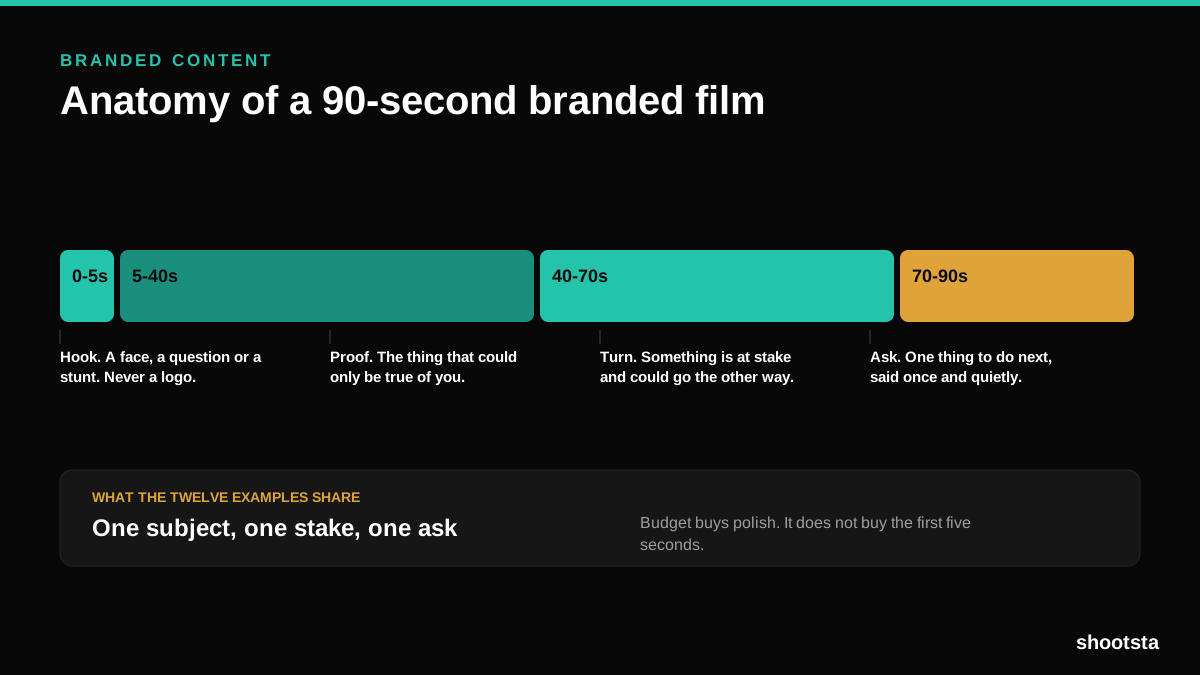
12 Branded Content Examples That Worked
Twelve pieces of branded content that people chose to watch, what each one got right, and the structure underneath all of them.
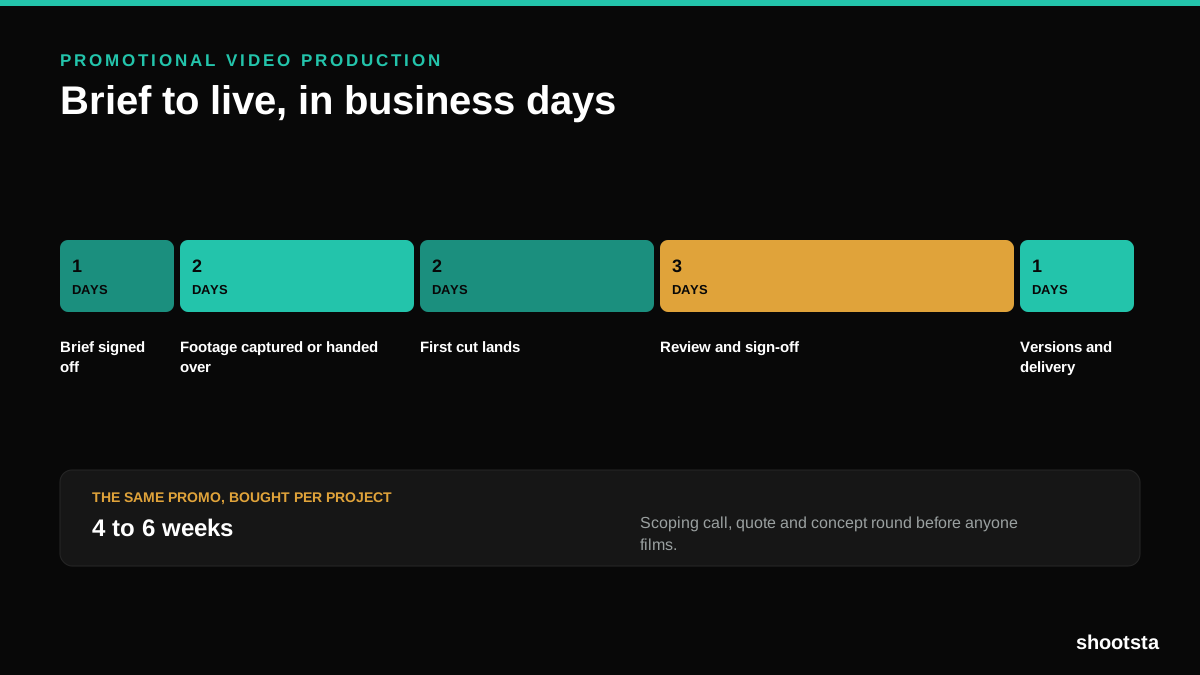
Promotional Video Production: Cost and Time
Most promotional video production schedules are not slow because of the edit. They are slow because of the approval chain. Here is where the days go.
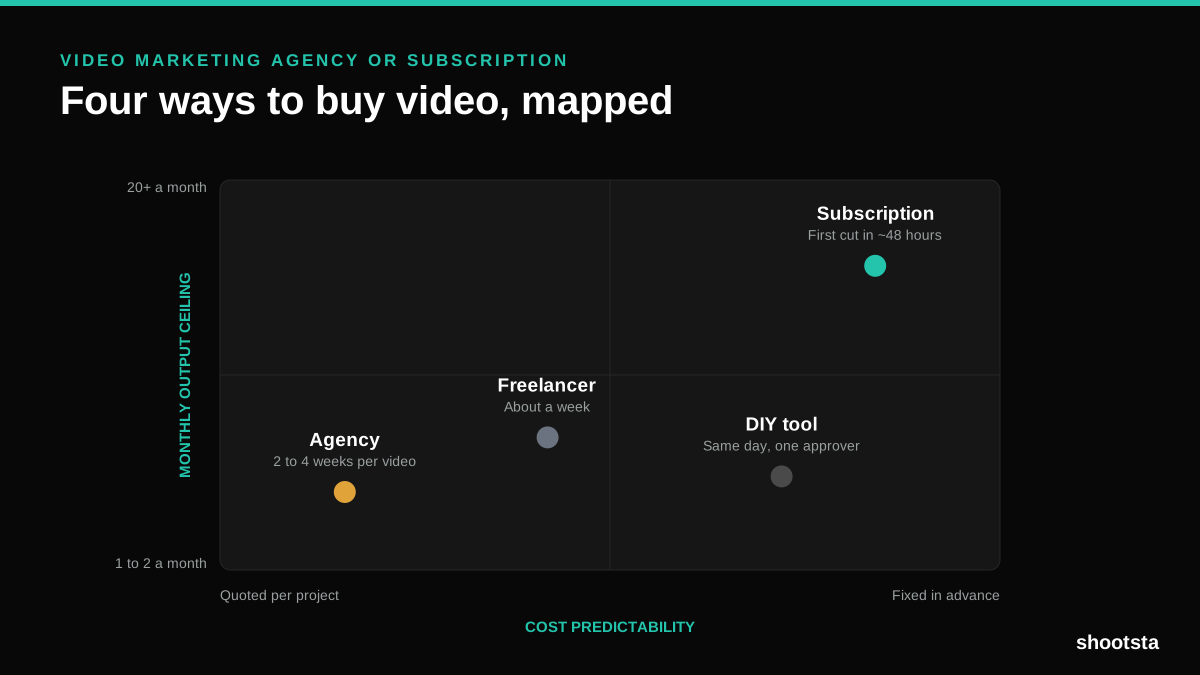
Video Marketing Agency or Subscription?
A video marketing agency prices per project and works in weeks. A subscription prices the year and works in days. Which one fits depends on how often you publish, not on which is better.

B2B Video Production: Costs and Buying Models
There are five ways to buy B2B video production. Each one works well up to a point and then breaks, usually at a volume nobody planned for. Here is what each costs and where the ceiling sits.
How to Measure Video Speed-to-Market
How to Measure Video Speed-to-Market
Speed-to-market is the lag between needing a video and publishing it. For marketing teams it is a revenue metric. Here is how to measure and improve it.