
Video Maker for Sales Teams: Close Faster With Video
shootsta.
Video Maker for Sales Teams: Close Faster With Video
By Shootsta · Published March 3, 2026 · Updated October 2026
Sales reps who use video in their outreach get higher response rates. Here is what sales teams need from a video maker and which tools work for prospecting, demos, and follow-ups.
Why do sales teams need video?
A short video in a sales email gives the prospect a reason to stop scrolling. When they see a real person say their name, mention their company and explain why the call matters, they pay attention. Text emails start to blur together after the third one in a day, and a face on screen breaks that pattern.
Plenty of sales reps skip video because it feels like a production job. They are unsure how to film, they have no editing skills and they have no time to learn. A video maker for sales needs to be fast enough that recording and sending takes under 5 minutes.
What types of sales video work?
Personalized prospecting videos
This is a 30-60 second video where the rep introduces themselves, mentions something specific about the prospect's company and explains why a call is worth their time. Film it on a webcam or phone. These need no editing, because a natural delivery matters more than polish here.
Product demo clips
Instead of sending a 45-minute recorded demo, send a 2-minute clip focused on the specific feature the prospect asked about. A screen recording with a talking-head overlay is enough. It answers their question straight away, so your next call can go deeper instead of starting from scratch.
Proposal walkthrough videos
Walk through the proposal on screen while narrating. This stops the prospect flipping straight to the pricing page and missing the context. It also adds a personal touch that sets you apart from sellers who send a PDF with no commentary.
Follow-up and check-in videos
After a meeting or demo, send a 60-second video summarizing what you discussed, the agreed next steps, and what you'll send over. The recap holds both sides to the plan and shows the prospect you listened. They can also forward it to the other decision-makers who were not in the room.
Customer testimonials for sales
Pre-recorded customer testimonial videos that reps can share at the right moment in the sales cycle. A line like "Here's a 90-second video of [similar company] describing their experience" persuades better than a slide deck can.
What tools do sales teams use for video?
For quick personalized videos
Loom, Vidyard GoVideo, and BombBomb let reps record and send videos directly from their browser or email client. They suit one-to-one prospecting videos that need no editing or branding. The footage is raw, and for cold outreach that feels more human.
For polished sales enablement content
Product demos, customer testimonials, competitive comparisons, and case study videos need professional editing and branding. Reps share them with many prospects, so each one represents the company brand. A product demo video or testimonial produced with Shootsta gives sales teams a library of professional assets they can send at the right moment.
The combination that works
Sales teams that get the most from video tend to use both: a quick recording tool for one-to-one outreach (Loom or Vidyard) and a production platform for the polished library they share again and again (Shootsta). The quick video earns the prospect's attention, and the polished demos and testimonials help move the deal to a close.
How do you measure sales video performance?
For prospecting videos, track the video-to-reply rate. Demo clips should be measured on video-to-meeting rate. Then compare deal velocity on opportunities where a testimonial or case study video was shared against those where it wasn't.
See our full B2B video KPI guide for measurement setup, or explore how Shootsta produces personalized sales video at scale.
Take this article with you
Read the latest at shootsta.com/blog/video-maker-for-sales-teams-close-faster
You might also like
Commercial Videography: Cost and Scope
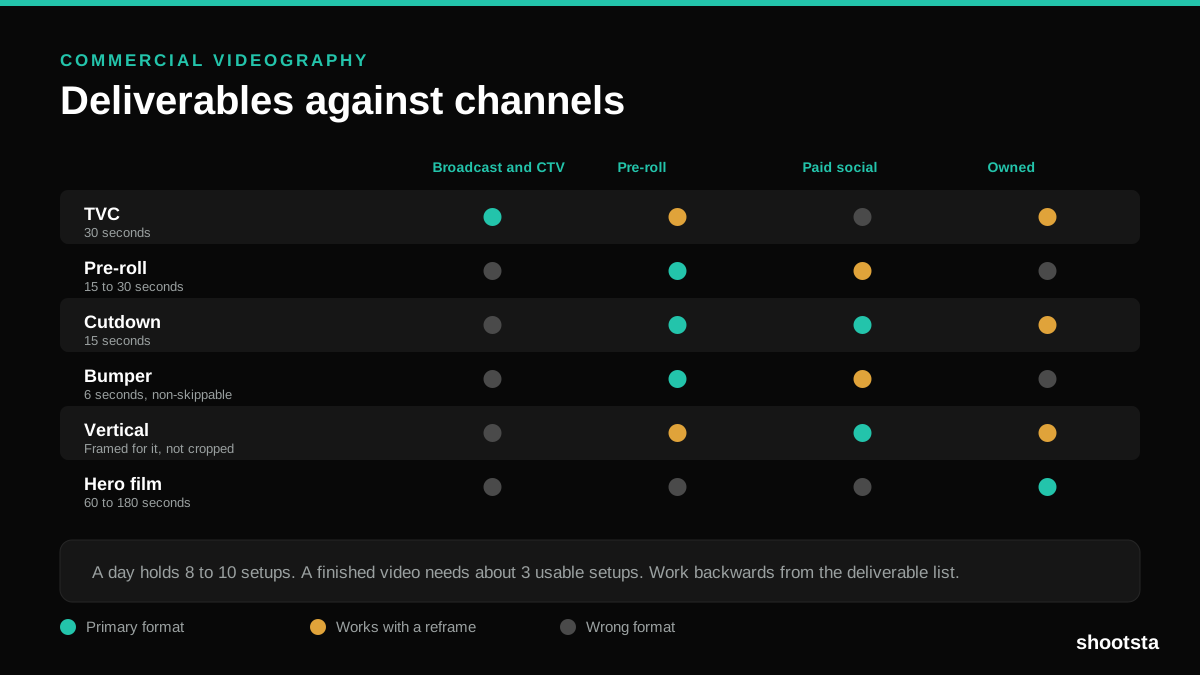
Commercial videography is priced by the day and judged by the deliverable. Most projects go wrong because those two numbers were never reconciled.
12 Branded Content Examples That Worked
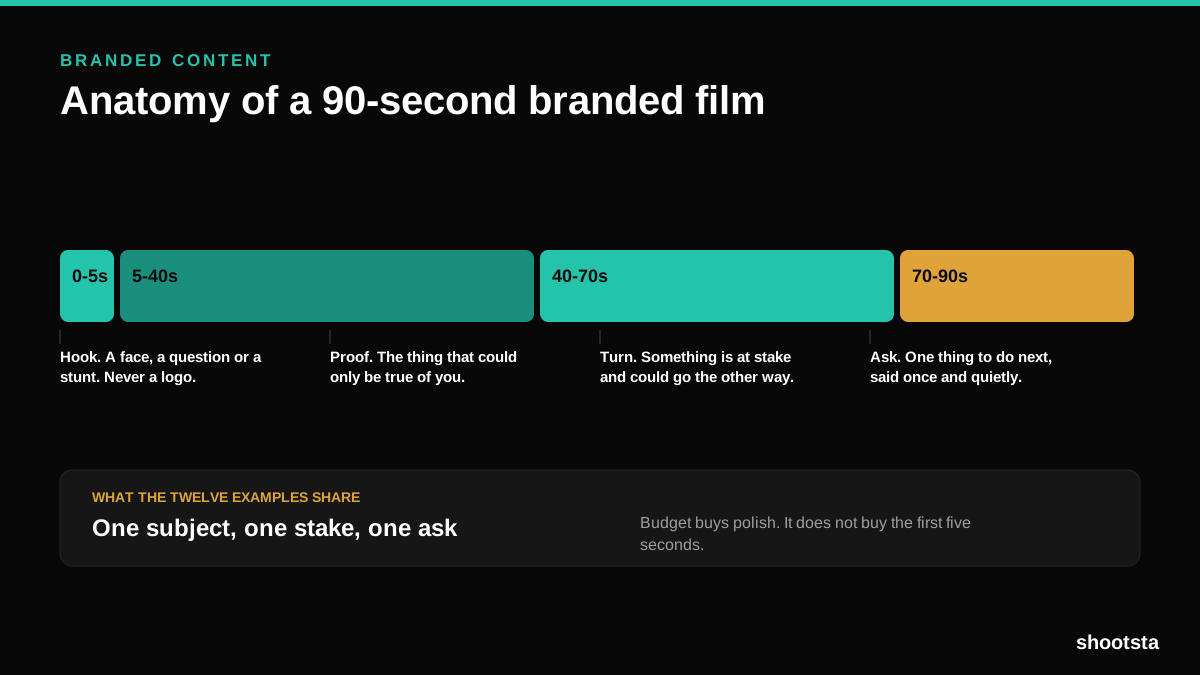
Twelve pieces of branded content that people chose to watch, what each one got right, and the structure underneath all of them.
Promotional Video Production: Cost and Time
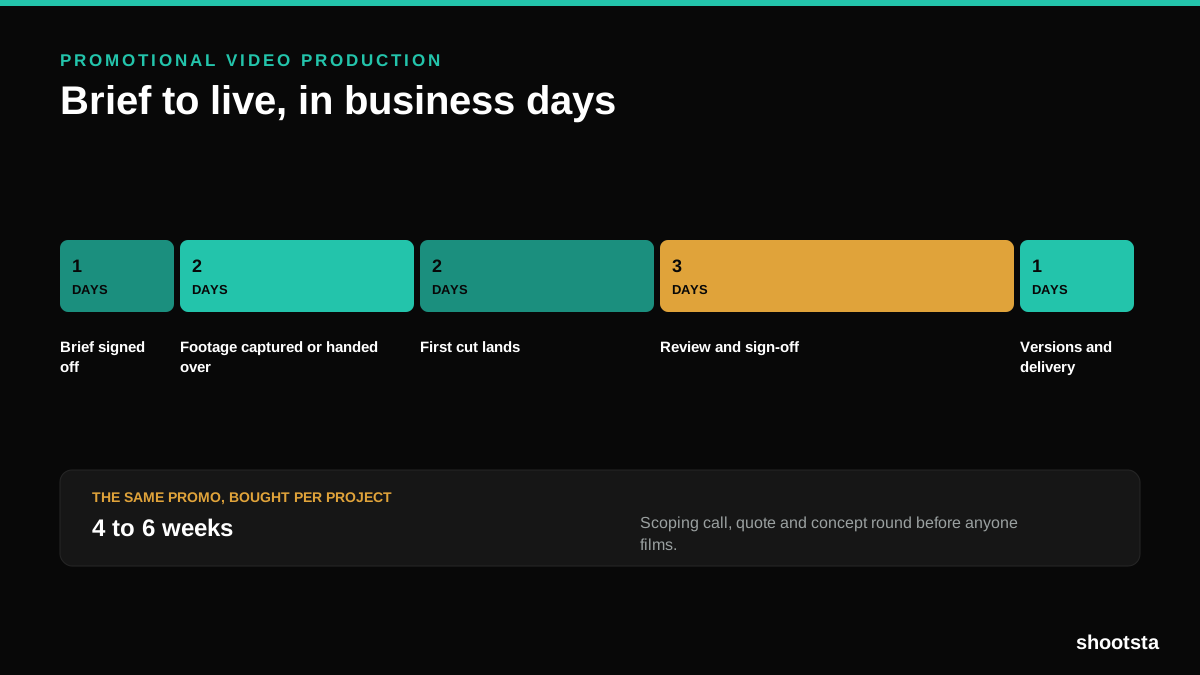
Most promotional video production schedules are not slow because of the edit. They are slow because of the approval chain. Here is where the days go.
Video Marketing Agency or Subscription?
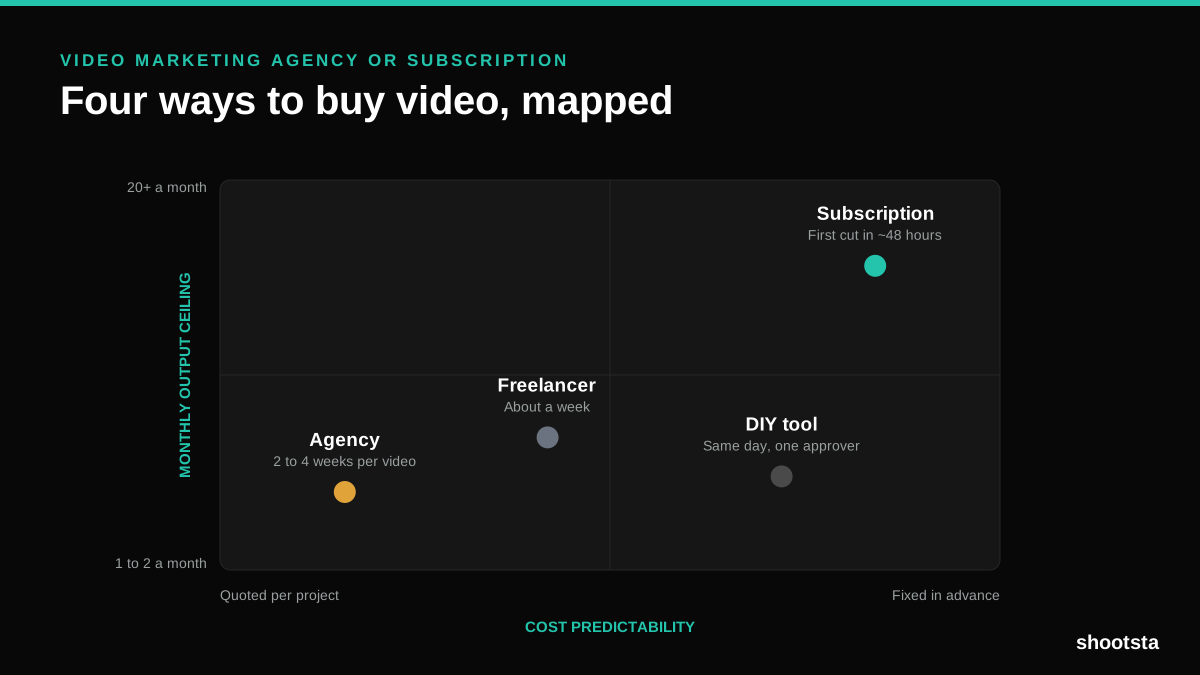
A video marketing agency prices per project and works in weeks. A subscription prices the year and works in days. Which one fits depends on how often you publish, not on which is better.

B2B Video Production: Costs and Buying Models
There are five ways to buy B2B video production. Each one works well up to a point and then breaks, usually at a volume nobody planned for. Here is what each costs and where the ceiling sits.
How to Measure Video Speed-to-Market
How to Measure Video Speed-to-Market
Speed-to-market is the lag between needing a video and publishing it. For marketing teams it is a revenue metric. Here is how to measure and improve it.