
Corporate Training Videos
Corporate Training Video Production at Scale
Your L&D calendar never stops: onboarding, compliance refreshers, product updates, upskilling. Shootsta turns your footage into polished, on-brand modules with a first cut in about 48 hours, so your library keeps up without hiring an editor or waiting weeks on an agency. Pair live action with animated explainer videos for complex topics, or fold training into your wider corporate video strategy.
Why do training videos work better than slide decks?
Most corporate training still relies on slide decks, PDFs, and live workshops that have to be repeated every time a new cohort joins. The problem is obvious: it doesn't scale, it's hard to keep consistent, and completion rates are low.
Corporate training video production solves this by turning your best training content into reusable, on-demand assets. A well-produced training video can be watched by 10 people or 10,000 people with no extra cost or effort. It can be updated when processes change, translated for global teams, and embedded directly in your LMS.
Video gives employees something a slide deck can't: they can pause, rewind, and rewatch a step until it lands, at their own pace. And for compliance topics where consistent messaging matters, video ensures every employee gets the same information delivered the same way, no matter who is running the session. This is especially true in regulated industries like healthcare, see how clinical and internal video production works for medical teams.
Whether you're building out a video program for your L&D team or need a single onboarding series, scalable training video production lets you start small and expand as your needs grow. If you are based in Australia, see our guide to internal communications video for Australian companies.
What training video at branch scale looks like
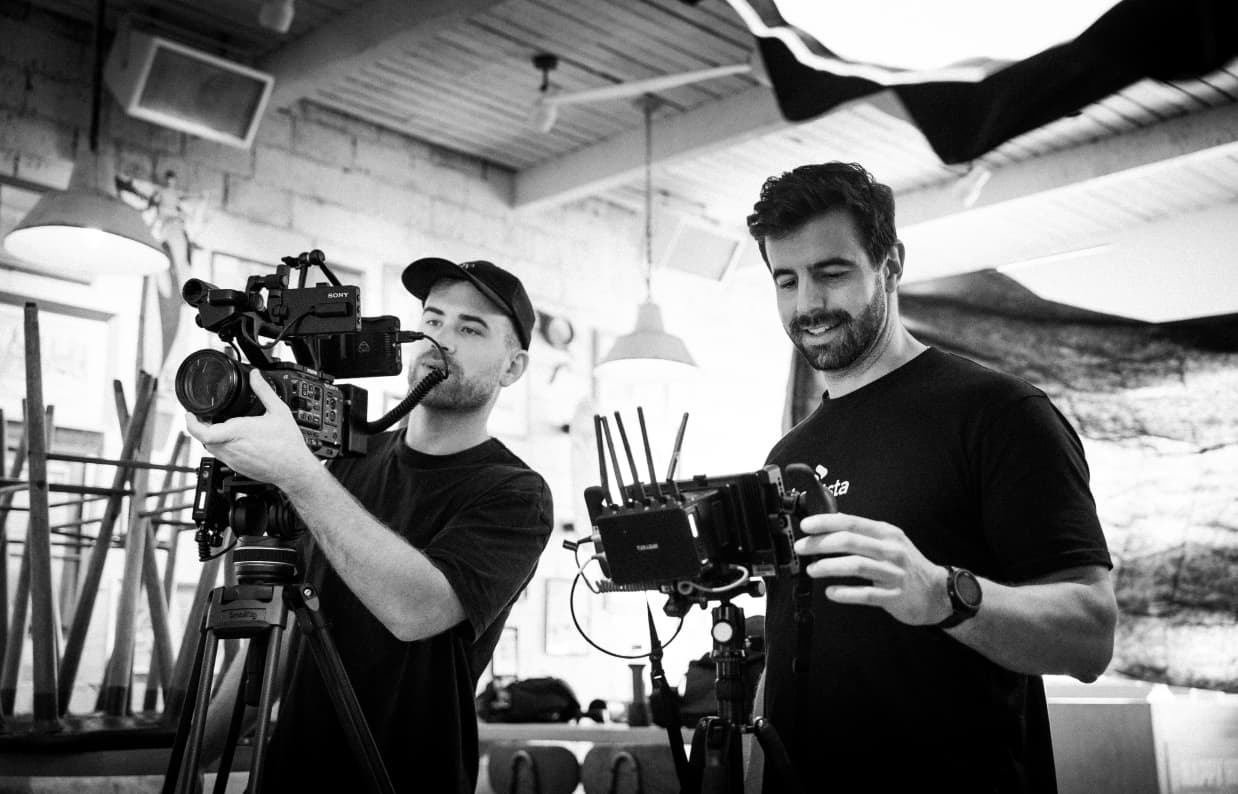
Reece film in their own branches. Editors return a first cut against a locked brand kit, so the hundredth training video matches the first.
How Reece Group produce training and internal comms video across hundreds of branches.
Clinique turned brand and product education into video at scale
Clinique needed a stronger digital education function to reach in-store and field teams fast. Video became the format that carried consistent training to every location.
Read the Clinique case studyHarperCollins built an in-house video capability
Outdated kit and high production costs held HarperCollins Australia back. With Shootsta they brought video in-house and kept quality high across the team.
Read the HarperCollins case studyWhat types of training videos can you produce?
From onboarding to microlearning, create training videos that help your team learn faster and perform better.
Onboarding Videos
Welcome new hires with clear, consistent introductions to your company, culture, values, and ways of working.
How-to and Tutorial Videos
Show step-by-step processes in a clear, visual way, ideal for internal systems or customer-facing tools.
Compliance Training
Make mandatory topics engaging and easy to follow with clear, structured videos employees actually remember.
Sales and Product Training
Equip your team with up-to-date knowledge through short, repeatable videos on products, sales tactics, or tools.
Customer Education
Support your users with accessible explainer videos that drive product adoption and reduce support tickets.
Microlearning Videos
Create short, focused videos that fit into daily workflows and reinforce key learning in just a few minutes.
How does training video production work?
Traditional training video production means hiring a crew, booking a studio, and waiting weeks for a finished product. That works for a flagship piece, but it's too slow and expensive when you need training content on a rolling basis.
With Shootsta, your team can produce training videos continuously. Film with your own devices or Shootsta's video kit, upload the footage, and receive a professionally edited video within 48 hours. Your brand guidelines, intros, lower thirds, and music are built into every edit automatically. Read more about video editing services for training content to see how this compares to other approaches.
This approach works especially well for organizations that need to produce training content across multiple departments or regions. Your HR team makes onboarding videos. Compliance produces policy updates. Product records feature walkthroughs. Same platform, same brand.
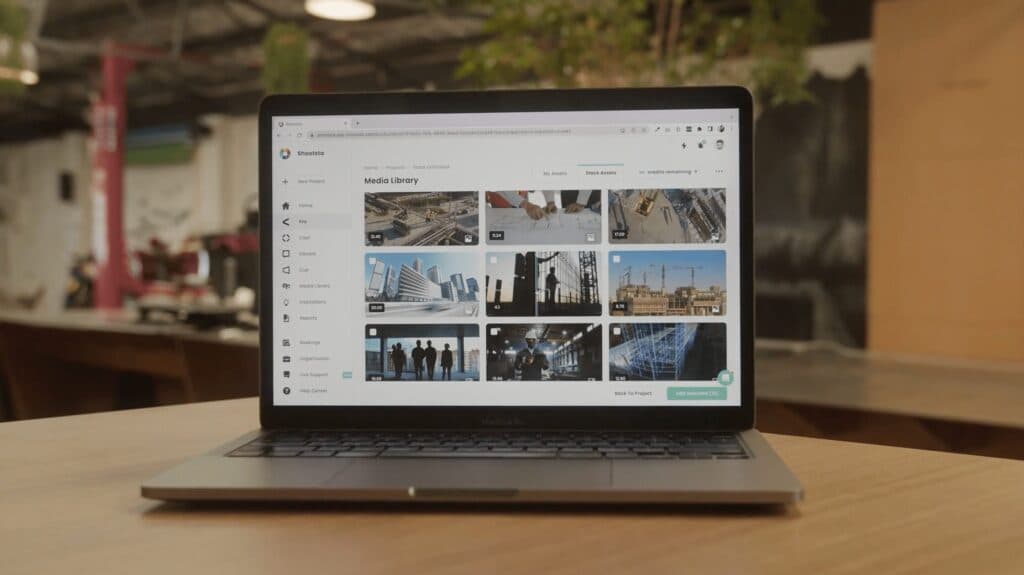
Brief
Describe the training topic, audience, and key messages using Shootsta's briefing tools.
Film
Record with your phone, webcam, or Shootsta's video kit. We give filming guides and tips.
Upload
Upload footage to the Shootsta platform along with any supporting assets or scripts.
Receive
Get a professionally edited training video within 48 hours, ready for your LMS or intranet.
See the full process in detail on our How It Works page, or explore animated training videos for topics that need visual explanation.
Why do teams choose Shootsta for training video production?
Everything you need to produce training video content at scale.
Your first cut in about 48 hours
Brief a module today and your first edit comes back in about 48 hours, so your training calendar keeps moving instead of waiting weeks on an agency.
Scale across every team
HR, compliance, and product teams all produce on one platform, so your library grows across departments and regions without a bottleneck.
A price you set before you start
Prepaid credits mean predictable cost with none of the agency surprises. Most teams spend well below what per-module production used to cost them.
Consistent and on brand
A dedicated editing team applies your brand kit, intros, lower thirds, and templates to every module, so quality holds at volume.
No editors to hire
Your team films or briefs; our editors handle the edit, motion graphics, captions, and LMS-ready formats. It is overflow capacity, not new headcount.
One partner, every market
One point of contact and a global crew network, with editors across Sydney, London, Singapore, and San Diego, so training ships across time zones and languages.
Videos delivered globally
First cut turnaround
Enterprise brands served
Global offices across AU, UK, SG, US
How does corporate training video production work for Australian teams?
Shootsta is headquartered in Sydney and has produced training video for Australian enterprises since 2014, including teams at Qantas. Our editors work across Sydney, London, Singapore and San Diego. Your first cut comes back in about 48 hours, rather than waiting overnight on one overseas studio. For a deeper walkthrough of compliance, LMS formats and cost, read our guide to corporate training video production in Australia.
Compliance is a common starting point. Work Health and Safety inductions, Fair Work and code-of-conduct modules, and industry-specific safety training all need consistent messaging that every employee receives the same way. Video handles this better than a slide deck repeated by a different facilitator each quarter. Read our guide to internal communications video for Australian companies for related formats.
Output works with the LMS platforms Australian teams already run. Every module ships as LMS-ready MP4 with professionally edited captions and transcripts, with SCORM packaging when your LMS needs tracked completions. See how a full program comes together on our learning and development page.
Last reviewed July 2026.
Should L&D teams produce training video in-house or outsource it?
The right answer depends on volume and format mix. For programs running fewer than 5 modules a month, in-house with a tool like TechSmith Camtasia or Vyond usually wins on economics. For 10+ modules a month with mixed formats, an outsourced editing service goes deeper. Here is the side-by-side.
For a deeper breakdown of the L&D video editing market, see our top 10 video editing services for training and L&D content guide. For the broader enterprise editing landscape, see the 10 best video editing services for enterprise marketing teams ranking.
Training video resources
Frequently asked questions
Do training videos work with our LMS, and do you deliver SCORM packages?
Video files themselves are LMS-agnostic. An MP4 uploads to Workday Learning, Cornerstone, Docebo, SAP SuccessFactors, Moodle or a SharePoint library with no special handling. Most teams host the video separately and embed it, so the file is not duplicated per course. SCORM matters when the LMS has to track completion or score a quiz. That packaging happens in an authoring tool such as Articulate or Captivate, with the video placed inside it. We deliver the video assets, captions and transcripts in whatever specification your authoring tool expects, so the packaging step is straightforward rather than a rebuild.
How long should a training video be, and does microlearning actually work better?
Shorter modules do perform better, but the reason is structural rather than psychological. A 40-minute course is impossible to update, hard to find your place in and useless as a reference. The same content split into eight five-minute modules can be searched, revisited, and re-recorded one piece at a time when a policy changes. Aim for one objective per module, five to eight minutes each, with a chapter list on longer pieces. Compliance content is the exception, where a regulator or a legal team may need a full sitting.
How do you make training video accessible for a global workforce?
Three things cover most of it. Burned-in or closed captions on every video, which also lifts completion for people watching without sound. Transcripts published alongside, so the content is searchable and screen-reader friendly. And language versions where the audience needs them, which is subtitling for most content and re-voicing for anything safety-critical. Three WCAG points get missed most often in on-screen graphics. Contrast, text size, and meaning carried by color alone. All three are cheap to fix at the template stage and expensive to fix per video.
We already have an in-house L&D team. Do we still need Shootsta?
Your L&D team's value is instructional design, not sitting in an edit suite. Shootsta handles the editing, animation, captions, and LMS-ready packaging so they focus on what to teach and how it lands. When onboarding season or a compliance deadline hits, we scale with the calendar rather than blocking on one editor.
How long does it take to produce a video with Shootsta?
You can receive a first cut of your edited video within 48 hours after submitting your brief and footage. Faster turnaround options are also available depending on your plan.
Do I need any video editing experience to use Shootsta?
Not at all. Shootsta is designed for non-experts. Simply shoot your footage (or use our global filming partners), upload it to the platform, and our editors take care of the rest.
What support do you offer during the video creation process?
We offer end-to-end support, from creative guidance and filming tips to edit reviews and technical help. You'll also have access to training resources, templates, and dedicated client success teams.
Do I film my own footage or does Shootsta help?
The core of the Shootsta product is for self-creation, but if needed, we also offer access to a global network of trusted videographers for professional shoots.
What's included in a typical Shootsta project?
A standard project includes access to our platform, briefing tools, professional editing, motion graphics (if required), brand kit integration, and two rounds of feedback. Add-ons like captions or voiceovers are also available.
Can I ensure my videos stay on brand?
Yes. Our editors use your brand assets, fonts, colors, and templates to ensure every video aligns with your guidelines. You can upload a brand kit directly to your Shootsta account.
How much does a typical video cost to produce with Shootsta?
Costs vary depending on your subscription plan and add-ons, but our model is a lot more cost-effective than traditional production. Get in touch for a custom quote based on your needs or head over to our pricing page for more information.
Should L&D teams produce training video in-house or outsource it?
It depends on volume and format mix. For training programs running fewer than 5 modules a month, in-house with a tool like TechSmith Camtasia or Vyond is usually the better economics. Outsourced editing scales better once a program runs 10+ modules a month in mixed formats. Live action, animation and screen capture all land in the same queue. It also takes the throughput burden off L&D staff. See our top 10 video editing services for training and L&D content guide for the full vendor comparison.
What output formats does training video need to support?
At minimum: MP4 with H.264 encoding for direct LMS upload, embedded captions, separate caption files (SRT and VTT) for accessibility re-use, full transcripts, and a thumbnail. For LMS delivery, MP4 alone is usually enough. SCORM packaging is required only when the LMS demands tracked completions on the video itself rather than on a wrapping module. Some compliance programs also need descriptive audio versions for accessibility.
Can Shootsta produce compliance training video for Australian regulations?
Yes. We produce Work Health and Safety inductions, Fair Work and code-of-conduct training, and industry-specific safety modules for Australian teams. Our editors work across Sydney, London, Singapore and San Diego, so edits keep moving and your first cut comes back in about 48 hours. Every module is consistent, so each employee gets the same compliance message delivered the same way, which is what regulators and auditors look for.
Does training video from Shootsta work with Australian LMS platforms?
Yes. Output ships as LMS-ready MP4 with professionally edited captions and transcripts, which loads into any major LMS used by Australian organizations. When your platform needs tracked completions on the video itself, we package it as SCORM. Sydney-based support means setup questions are answered in your time zone, not overnight.
How many training videos can a team produce each month with Shootsta?
There is no fixed cap. Teams brief and film modules as they need them, then get a first cut within 48 hours. Output scales with your training calendar, not a production crew's availability. L&D teams commonly run 10 to 50 modules a month from one platform. That covers onboarding, compliance and product training. Brand templates are applied automatically, so quality holds at volume.
Keep your training library moving, without the wait
Get on-brand, professionally edited training modules in 48 hours, without agency prices or delays. Tell us what is on your L&D roadmap and we will show you how it runs on Shootsta.