
shootsta.
Direct Video Messages for Customer Retention
By Shootsta · Published March 4, 2026 · Updated October 2026
A 60-second personal video beats a templated email almost every time. Here is how to use direct video messages to keep customers engaged and reduce churn.
Why direct video messages work for retention
Customer retention is mostly a relationship problem disguised as a product problem. A customer who feels like a number leaves faster than one who feels seen. A direct video message, even a 30-second one, shows that a real person at your company knows their name and their account. A templated email can't fake that signal.
Direct video messages tend to get more replies and clicks than templated emails. A personal message stands out when so much retention email reads like a form letter.
When to send a direct video message
The first month after onboarding
The first month is the riskiest window for churn. A 60-second video from the account manager checking in on early progress is more memorable than any email sequence.
The renewal conversation
30 to 60 days out, send a video that sums up usage, value delivered and what's next. This is where account managers earn their keep, and where video adds the most weight.
After a support escalation
When something goes wrong and gets resolved, a direct video from the account owner closes the loop. It shows that your company noticed and is still paying attention.
Product launches relevant to the customer
"We just shipped X. Here's why it matters for your team specifically." A generic email blast is easy to ignore, while a personal video usually gets watched.
The win moment
When the customer hits a milestone (first 100 videos shipped, first quarter of usage, an internal champion's promotion), a 30-second congratulations video builds the kind of relationship that survives a budget review.
How to make direct video messages at scale
Here is the honest tension. Personal video doesn't scale, and that is most of why it works. A team that records individual videos every week stands out, while a team that automates personal video into a templated sequence loses the effect.
The middle path is a tool that handles the production overhead while the recording itself stays personal. Templated intros, outros and branding handle the scale. The 30 to 60 seconds in the middle, recorded fresh per customer, carry the relationship. Shootsta's Elevate is built for exactly this workflow.
What to put in a direct video message
- Name the customer. Make it the first word if you can. "Hi Sarah" lands in a way "Hi there" never does.
- Reference something specific. Mention an account event, a recent ticket or a milestone. A generic compliment is worse than none.
- Make one ask. Ask for a meeting, a reply or a click. A video that asks for several things usually gets none of them.
- Keep it under 90 seconds. Watch rates fall off after that point. Shorter is better as long as the message is still clear.
Common mistakes
- Reading from a script. The viewer can hear it. Keep a few notes nearby and talk to the person.
- Filming in a chaotic background. A tidy frame looks professional, while a messy one pulls attention away from what you are saying.
- Sending one and stopping. Direct video works as a weekly habit rather than a campaign. A few videos every week build more trust than a big burst followed by a quiet quarter.
- Forgetting the call to action. Even retention videos need a next step. See our CTA writing guide.
Measuring impact
The metrics that matter for retention video:
- Reply rate. A reply from the customer is the strongest sign the message landed.
- Watch completion. Check whether they finished the video. It tells you whether the format and length are right.
- Renewal rate (cohort). Compare customers who got direct video with those who didn't, every quarter.
For a broader breakdown of how to use video across the whole sales and customer cycle, see our sales enablement video guide.
FAQs about direct video for retention
Who on the team should send direct video messages?
Account managers, customer success managers, and the occasional executive sponsor. The person who owns the relationship has the credibility to make a direct video land.
How long does it take to record a direct video?
With the right tool, it takes a few minutes per video, including review and send. Without one it takes much longer, and that is the usual reason a team gives up.
Can I use AI to generate tailored videos?
Use AI for the text around a recorded video, such as the email copy. Keep the recording human, because the point is that a real person pressed record.
Take this article with you
Read the latest at shootsta.com/blog/direct-video-messages-for-customer-retention
You might also like
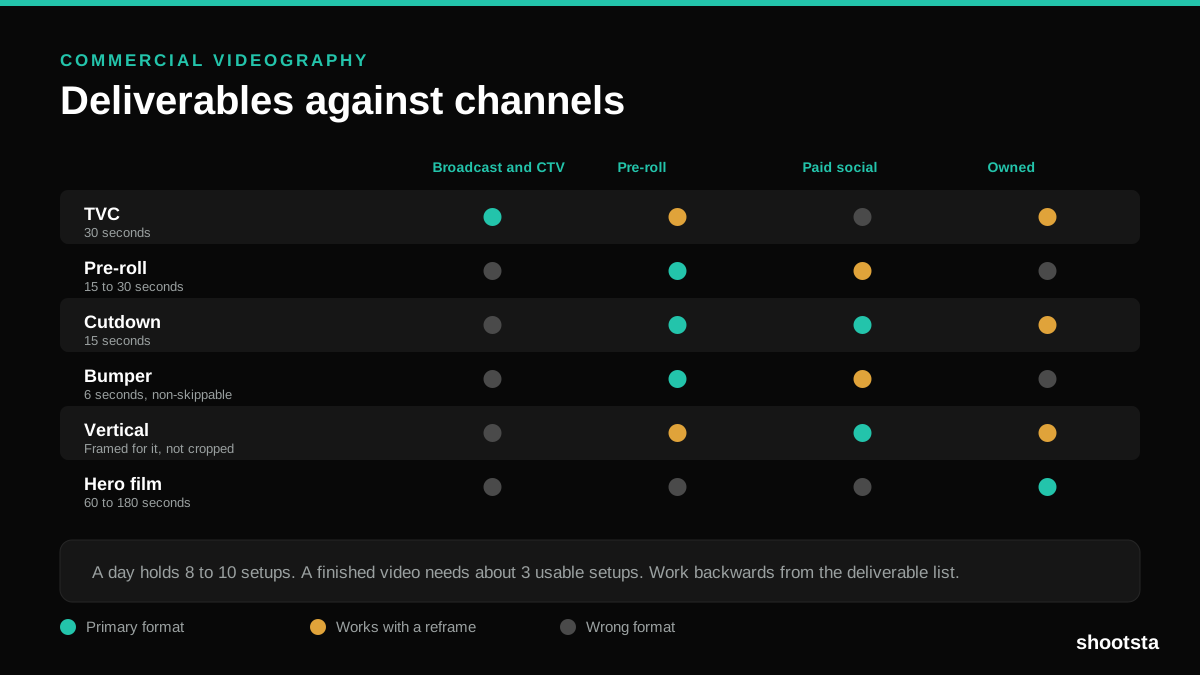
Commercial Videography: Cost and Scope
Commercial videography is priced by the day and judged by the deliverable. Most projects go wrong because those two numbers were never reconciled.
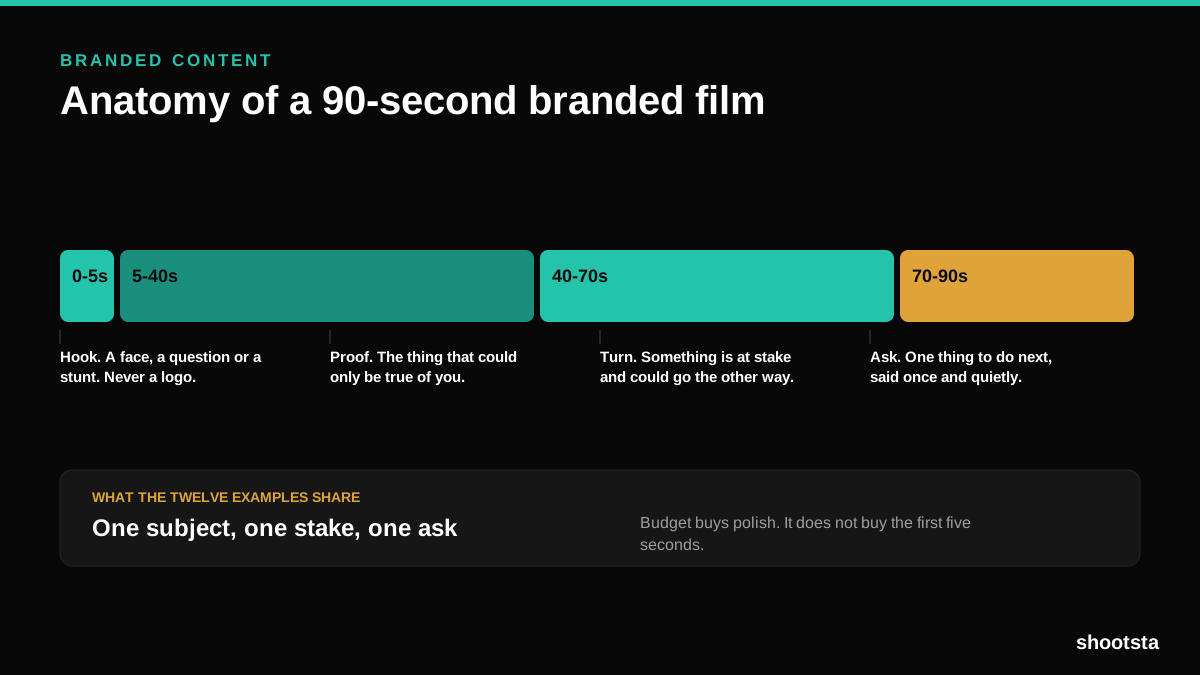
12 Branded Content Examples That Worked
Twelve pieces of branded content that people chose to watch, what each one got right, and the structure underneath all of them.
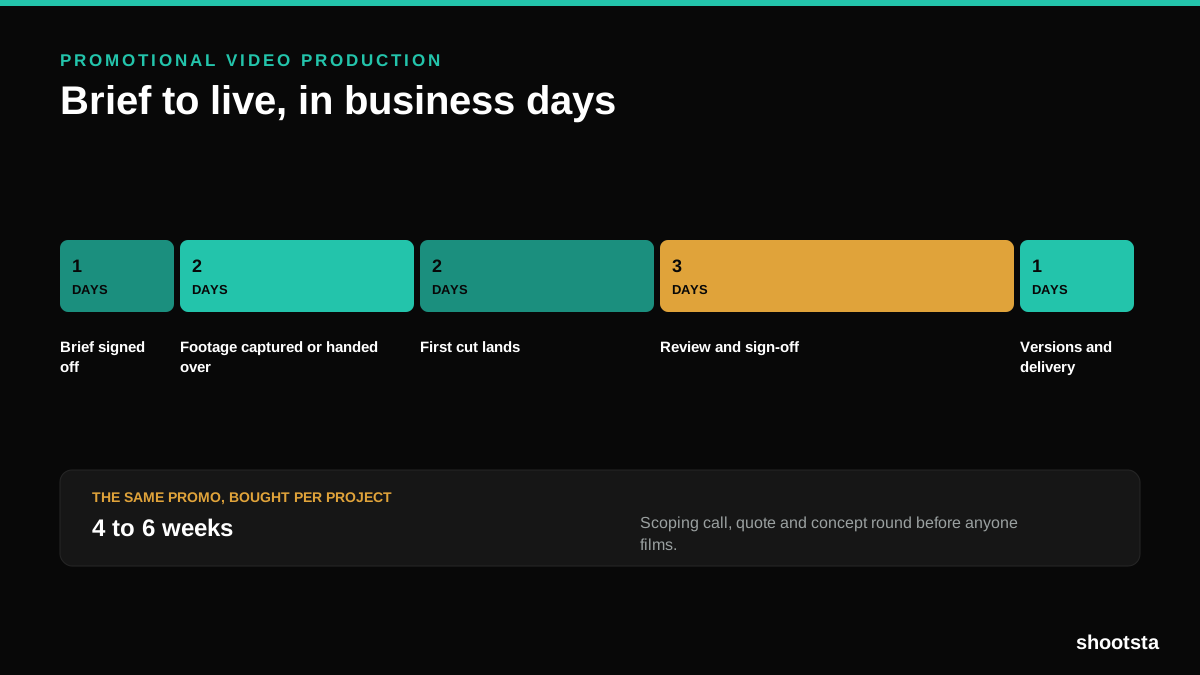
Promotional Video Production: Cost and Time
Most promotional video production schedules are not slow because of the edit. They are slow because of the approval chain. Here is where the days go.
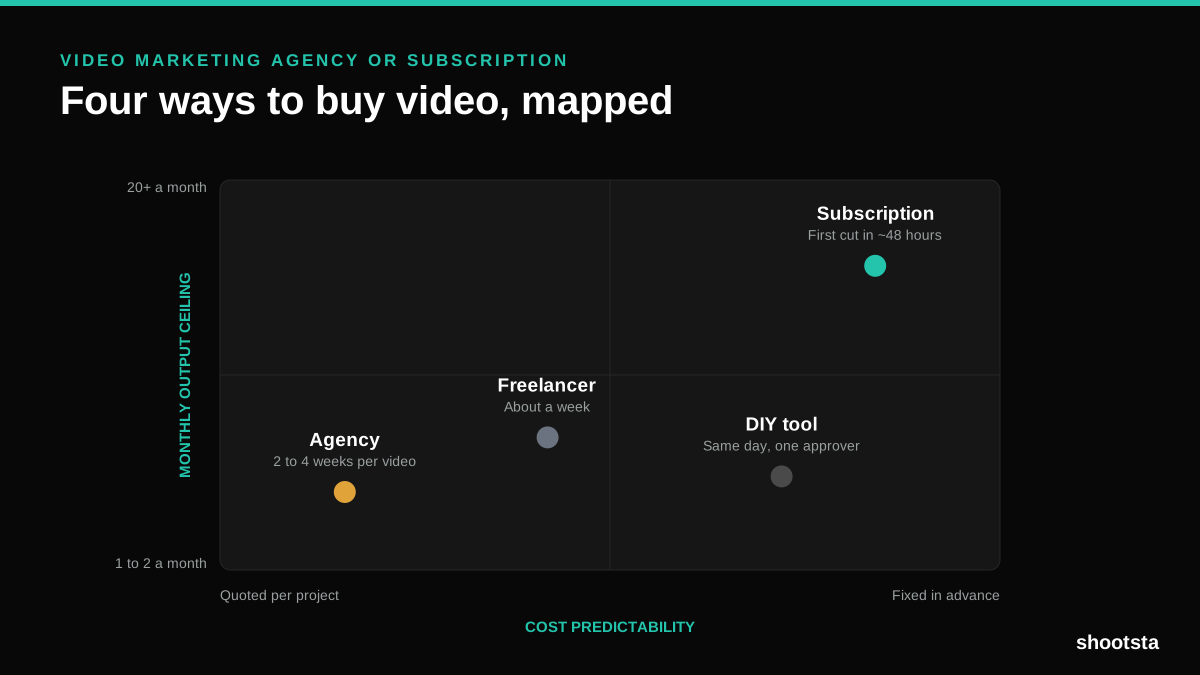
Video Marketing Agency or Subscription?
A video marketing agency prices per project and works in weeks. A subscription prices the year and works in days. Which one fits depends on how often you publish, not on which is better.

B2B Video Production: Costs and Buying Models
There are five ways to buy B2B video production. Each one works well up to a point and then breaks, usually at a volume nobody planned for. Here is what each costs and where the ceiling sits.
How to Measure Video Speed-to-Market
How to Measure Video Speed-to-Market
Speed-to-market is the lag between needing a video and publishing it. For marketing teams it is a revenue metric. Here is how to measure and improve it.