
shootsta.
Pay for project charges with Shootsta Dollars
By Shootsta · Published June 10, 2026 · Updated October 2026
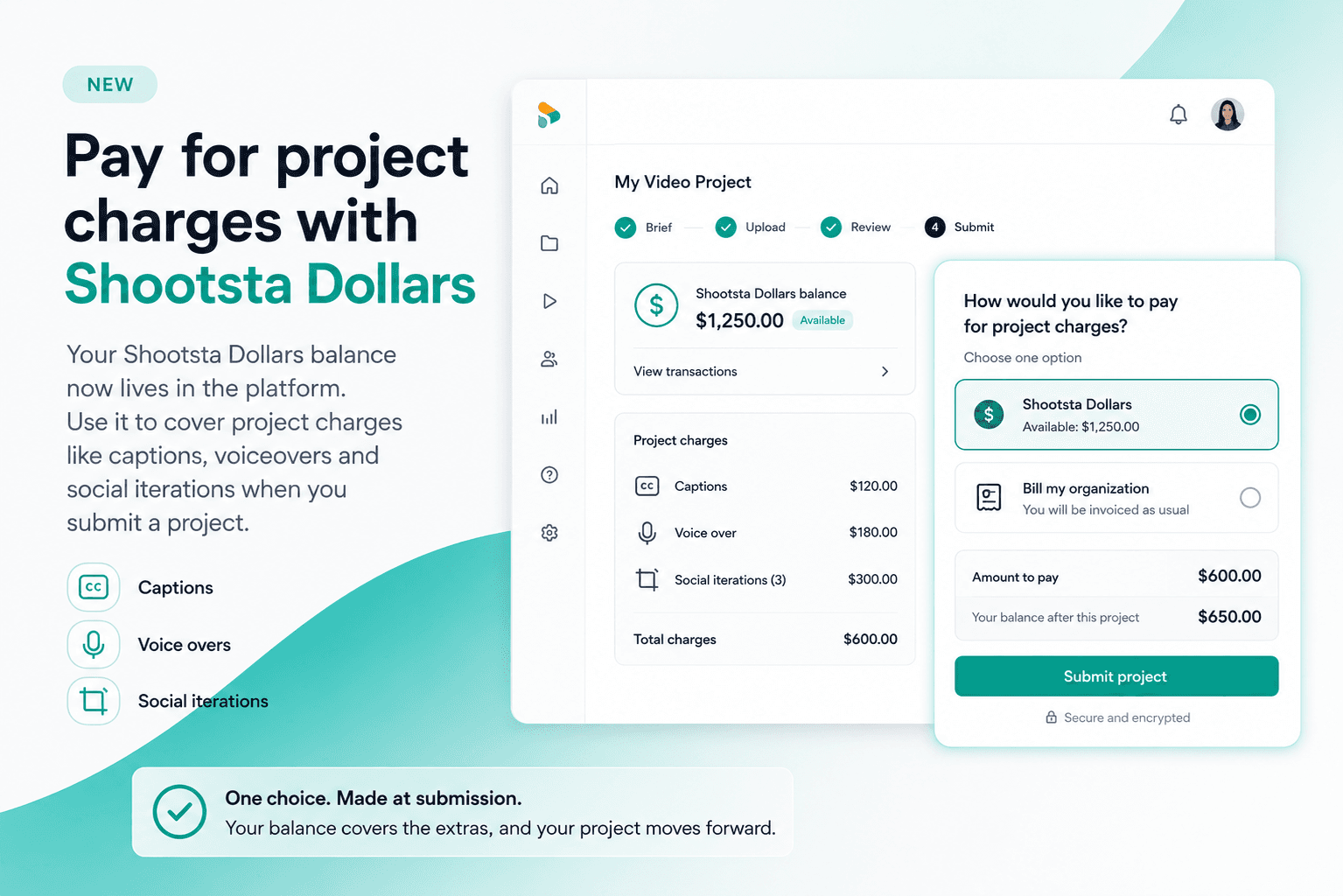
Your Shootsta Dollars balance now lives in the platform. Use it to cover project charges like captions, voiceovers and social iterations when you submit a project.
If you have a Shootsta Dollars balance, this update is for you. Your balance now sits inside the platform, and you can put it towards the charges on a project the moment you submit. You no longer have a separate invoice to chase or a back and forth with your editor halfway through.
The video below gives a quick walkthrough. After it, we cover what changed and how to use it.
What are Shootsta Dollars?
Shootsta Dollars are a pre-purchased balance that sits in your account, ready to cover the extra charges on a project: captions, voiceovers and social iterations. They are part of your retainer, so the balance is value you already hold with us. If you want to know more or top up, your account manager can walk you through it.
What has changed?
Two things have changed. Your Shootsta Dollars balance is now visible in your workspace, so you can see what you have and where it goes. And when you submit a project, you can choose to cover its charges with that balance instead of being invoiced.
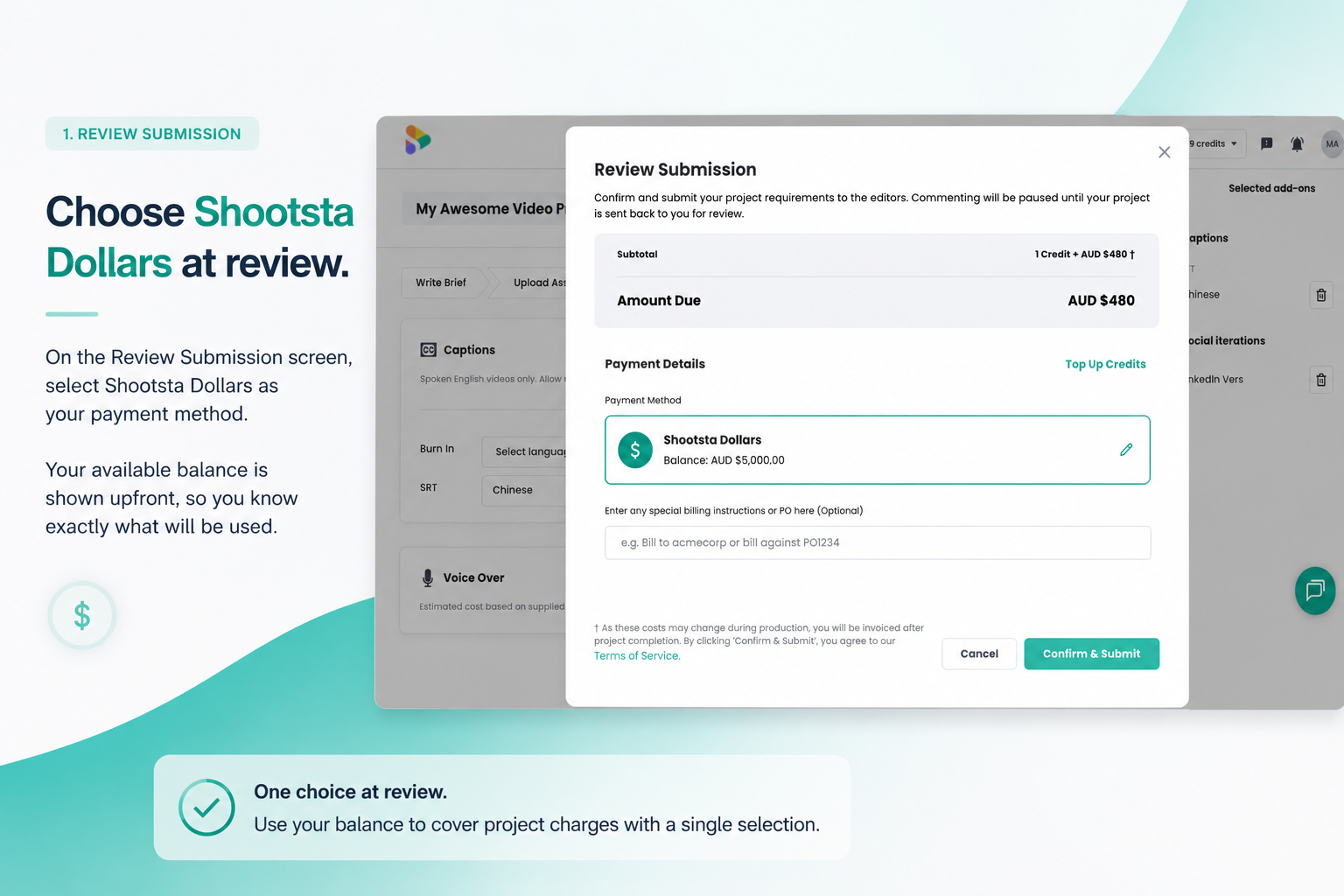
You make the decision once, up front, when you submit. That takes a few steps out of the process, and your balance does the rest.
Do you still need credits to submit a video?
Yes. You still use your video credits to submit and produce the video itself, the same way you always have. Shootsta Dollars cover the charges that sit on top of a project, like captions, voiceovers and social iterations.
Free Consultation
Want a hand with your next video?
Talk to a Shootsta producer about your goals, timeline, and budget. There is no pitch, just advice you can use.
What charges can Shootsta Dollars cover?
At submission, your balance can go towards the chargeable extras on a project:
- Captions - spoken English videos, usually ready within 48 to 72 hours.
- Voice overs - costed on script length and the number of voiceover artists.
- Social iterations - social cutdowns, prepared once your master is approved.
How do you pay with Shootsta Dollars?
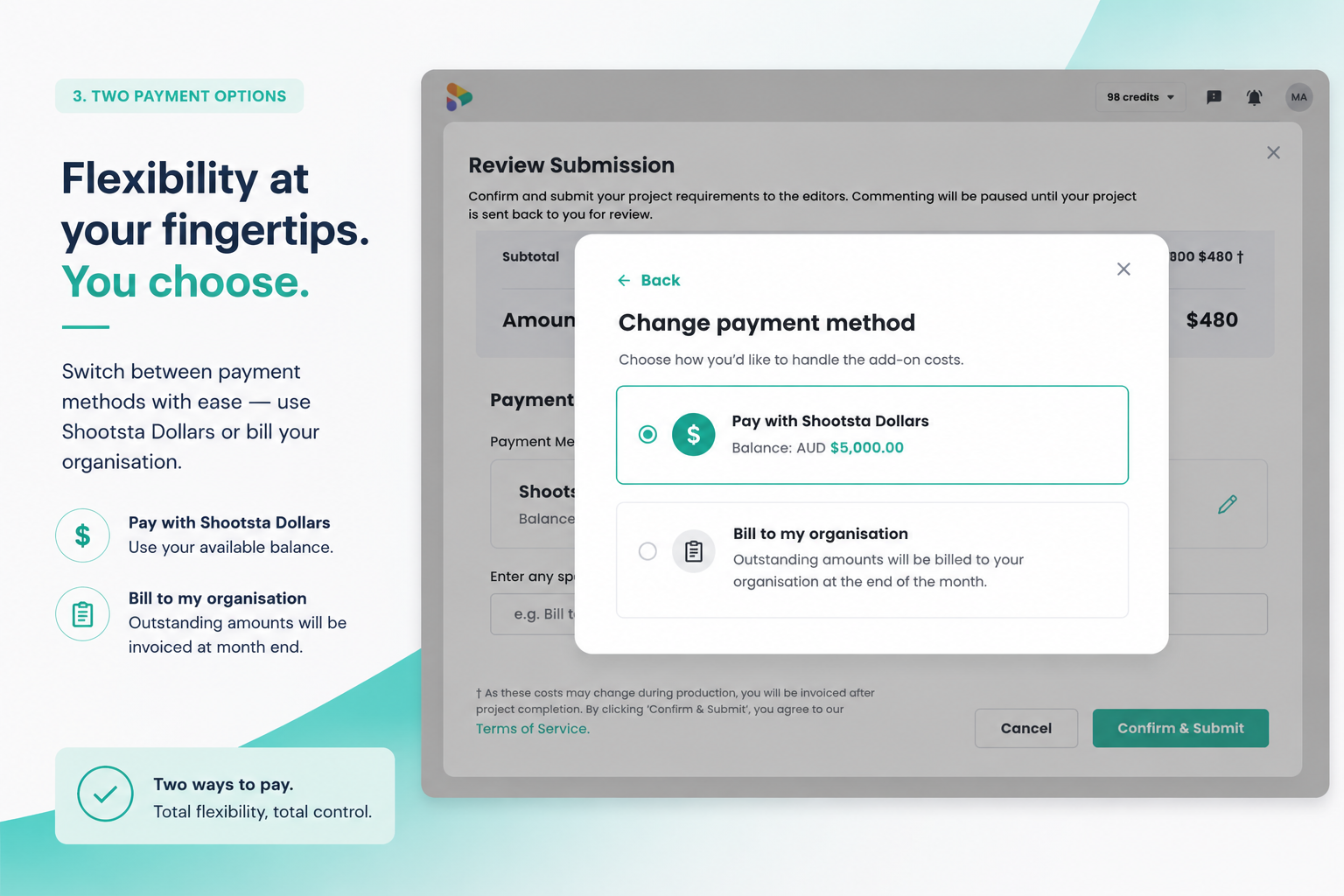
When you submit a project, you choose how to cover its charges:
- Shootsta Dollars - drawn from your existing balance.
- Bill your organization - invoiced as usual.
That is the whole change. You make one choice when you submit, and your project moves straight into production.
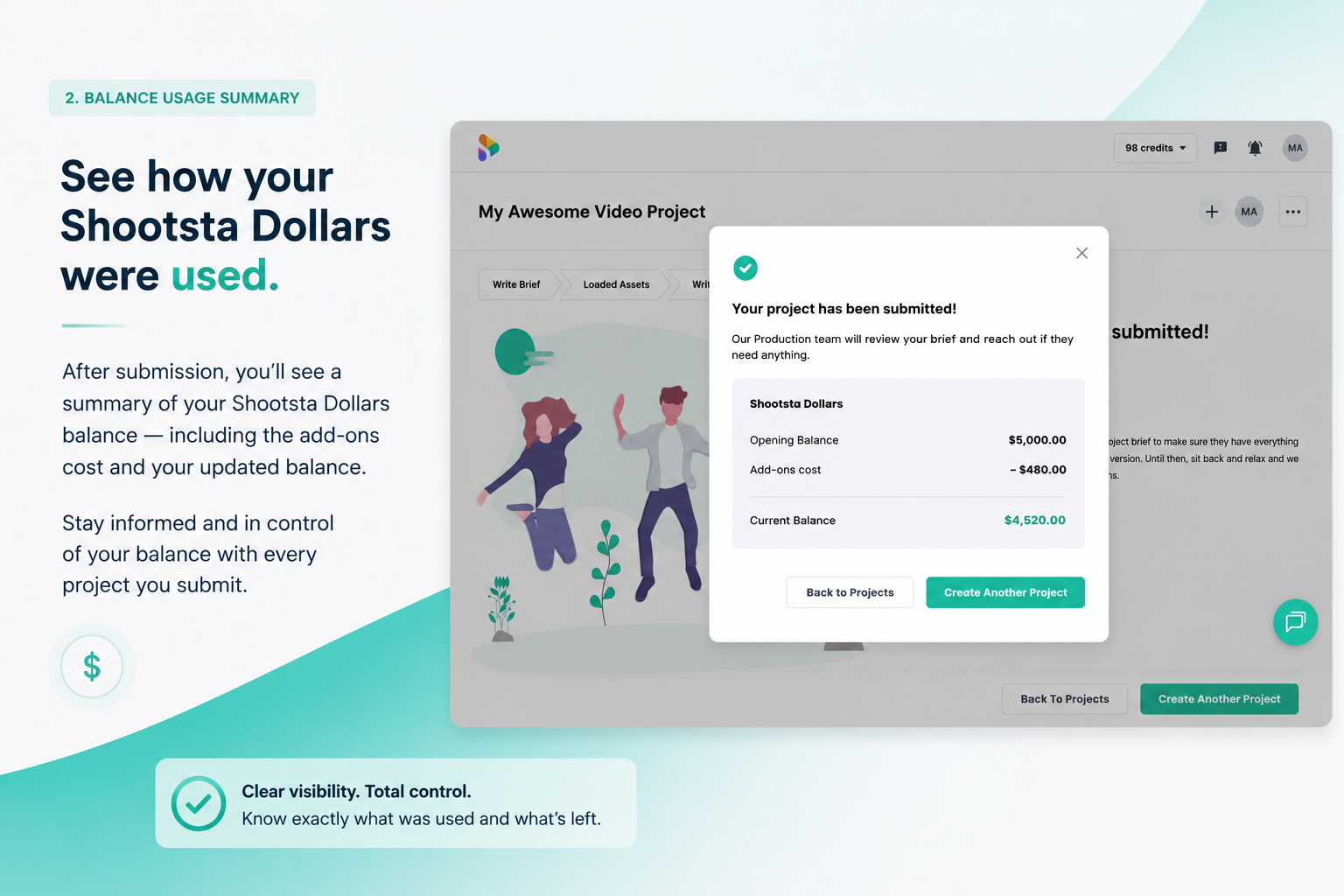
How do you see your Shootsta Dollars balance?
Your balance now shows in your workspace, alongside the rest of your account. Because it all sits in one place, you can see what you have spent and what is left each time you submit, which makes a retainer easier to manage across your contract.
If you are weighing how to spread your balance across the year, our guide to measuring video ROI is a good place to start, and the Shootsta pricing page explains how credits and your subscription fit together.
What if you do not have Shootsta Dollars yet?
If you do not have a balance yet, or you would like to know how Shootsta Dollars could work for your team, your account manager is happy to walk you through it. Talk to your account manager and they will help you get set up. Then you can start planning what to make next.
Take this article with you
Read the latest at shootsta.com/blog/shootsta-dollars-project-charges
You might also like
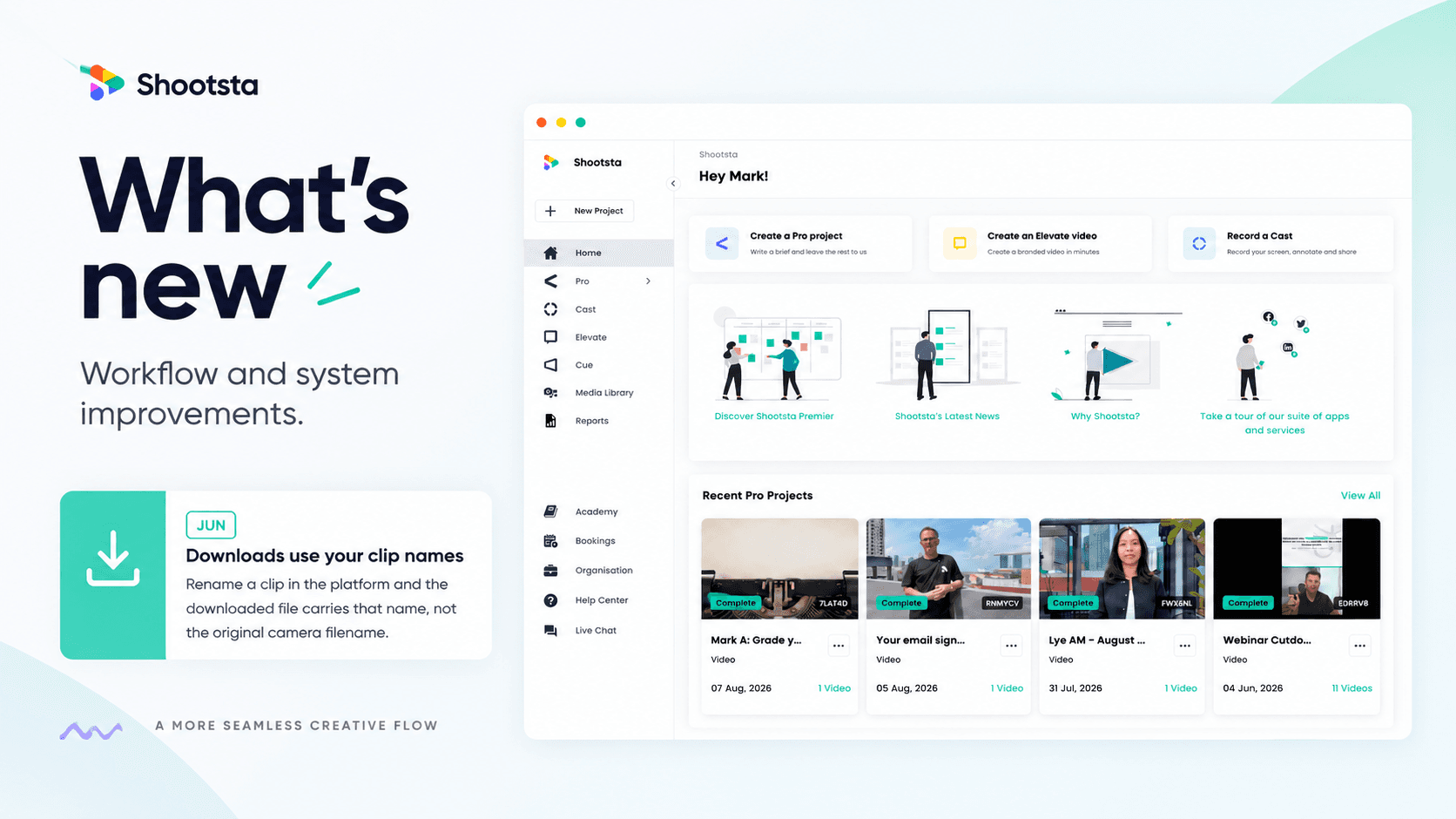
Less Admin, More Video: 15 Shootsta Updates
Fifteen platform updates from June to August 2026, covering video review, your media library, uploads and captions. Here is what changed and why it helps.
What we heard at the CMO Assembly in Nashville
Two days at the Millennium Alliance CMO Assembly in Nashville with marketing leaders from some of the world's biggest brands. Three things came up in almost every conversation: volume is up while budget is flat, brand drifts as volume rises, and speed decides whether a video still matters. Here is what we heard and what we shared.
Shootsta Impact Video Awards 2026: How to Enter
Shootsta Impact Video Awards 2026: How to Enter
Entries are open for the Shootsta Impact Video Awards 2026. Here is what the awards recognise, who can enter, the 14 categories, how the panel judges, and how to nominate your team before July 31.
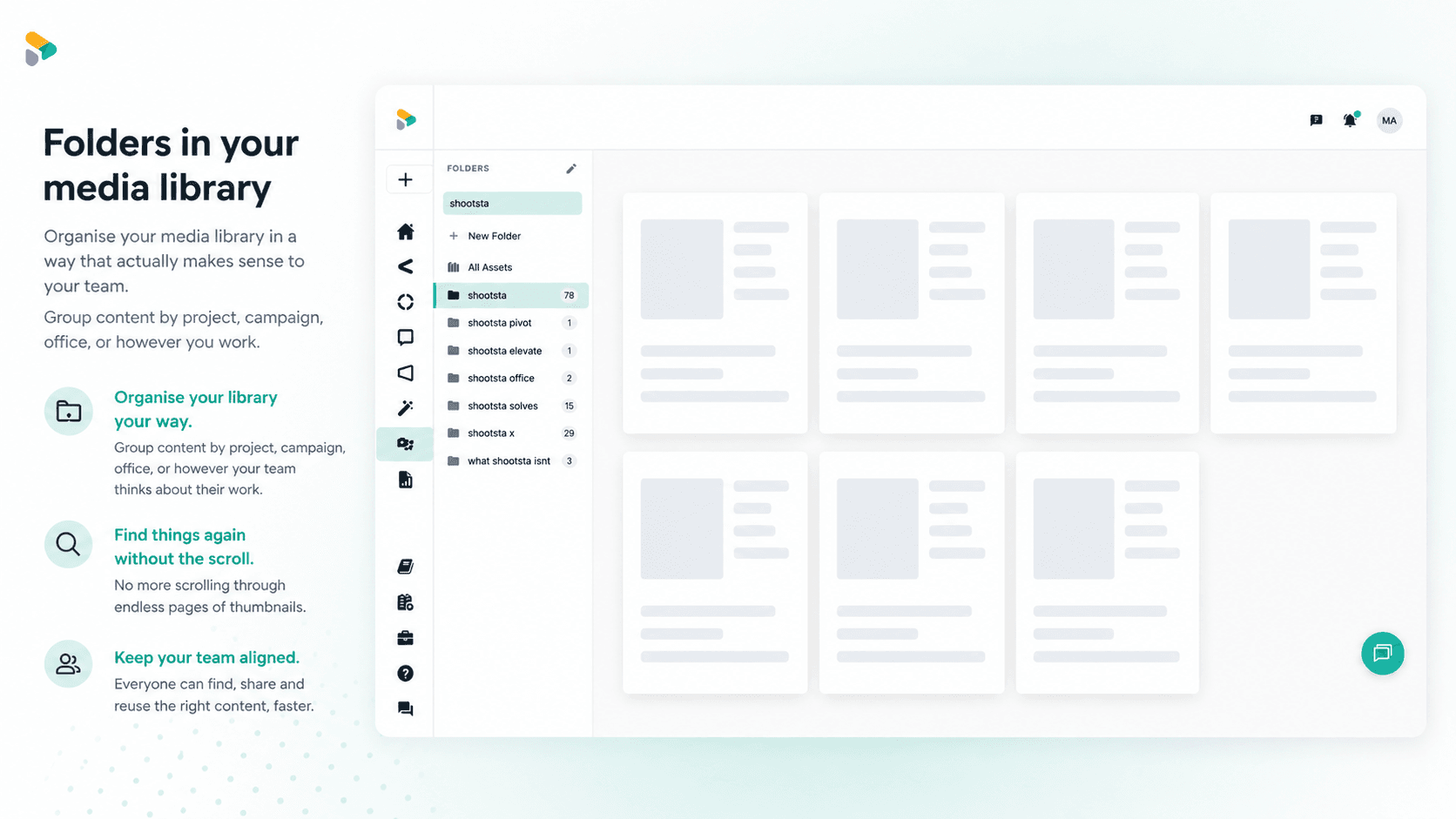
How to Use Media Folders in Shootsta
Organize your video assets into folders directly inside the Shootsta media library. Here is how to create folders, move assets, and keep your library clean as it grows.
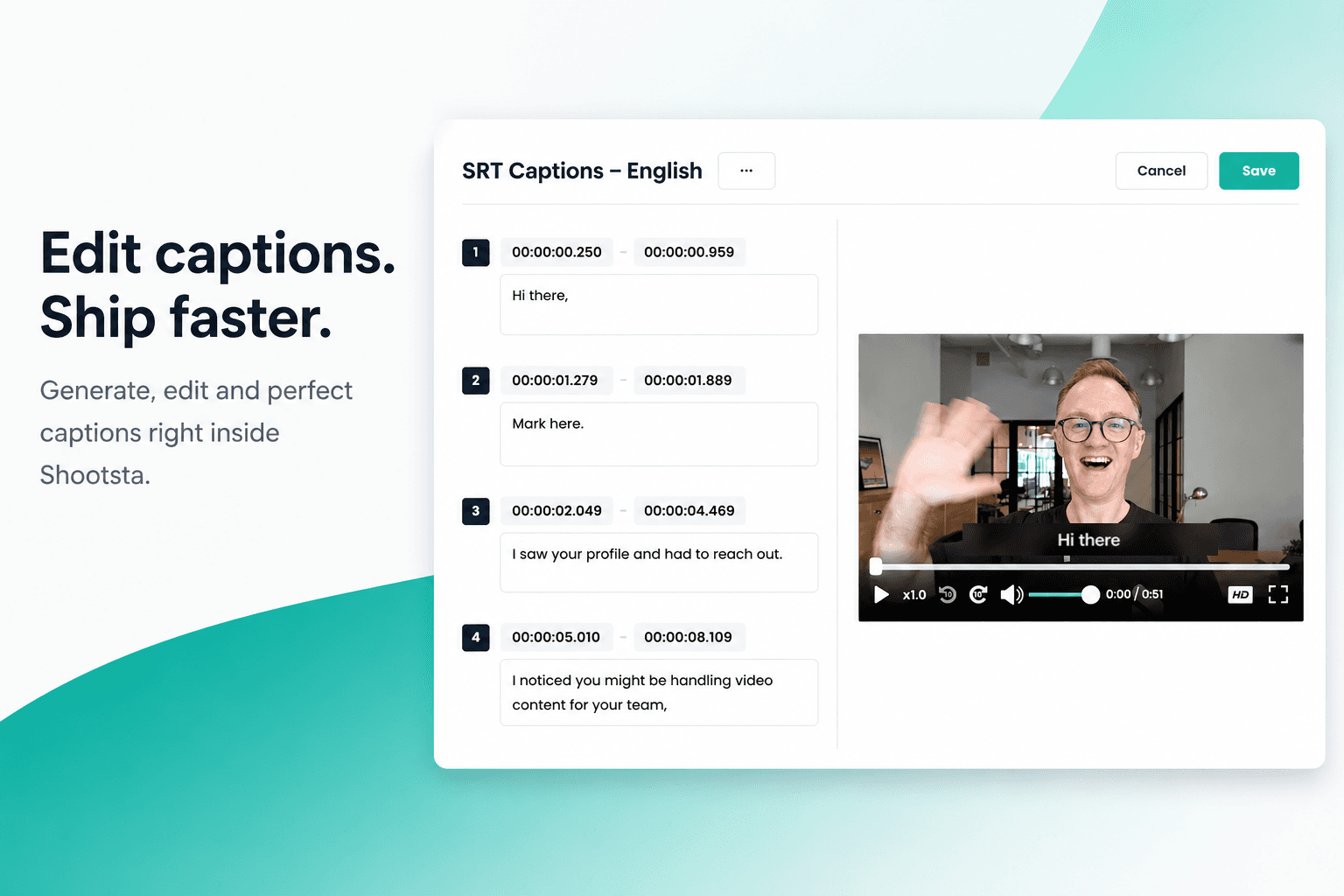
How to Add Captions in Shootsta
Generate and edit captions directly inside the Shootsta platform. No request forms, no back and forth, no waiting on turnaround. Here is how it works.
