
From Brief to Storyboard in 60 Seconds
shootsta.
From Brief to Storyboard in 60 Seconds
By Shootsta · Published June 4, 2026 · Updated October 2026
Type a video idea, drop in a brand URL, and get illustrated panels with a script and shot directions in about a minute. Here is how the Shootsta AI storyboard generator works and where it fits in a real production.
Storyboarding has always been the slow, expensive step before a shoot. You write a brief, wait days for an artist to sketch panels, then wait again for revisions when the concept shifts. The Shootsta AI storyboard generator collapses that into about a minute. You type a video idea, paste in a brand URL, and get illustrated panels with a script and shot directions before your coffee goes cold.
This post covers what the tool produces, how the 60-second flow works, and where it fits alongside a real production. The fastest way to see it is to run a board on an idea of your own.
Prefer the slides? Download the storyboard carousel (PDF)
What is the Shootsta AI storyboard generator?
The Shootsta AI storyboard generator is a pre-production tool that turns a text brief or script into illustrated storyboard panels, scene-by-scene narration, camera directions, and shot types. Add a company URL and it reads the site for brand name, tone, and audience, so the panels match the company instead of defaulting to generic stock visuals. Every storyboard gets a shareable link, so clients and stakeholders can review it without creating an account.
How do you go from a brief to a storyboard in 60 seconds?
The flow has three steps and takes about a minute end to end. First, describe your idea: type a concept, paste a script, or upload a brief. Rough ideas work as well as polished ones. Second, add brand context by dropping in a website URL, which is optional if you want something generic. Third, you generate the board and share it. You get a script, illustrated panels, and a link you can send straight to your team.
Because the panels are generated rather than drawn by hand, revisions are fast. You can regenerate a single panel, edit captions inline, or drag panels into a different order when the brief changes.
Free AI Storyboard Tool
Go from brief to storyboard now
See it for yourself. Shootsta's AI tool builds a storyboard draft from your brief in about a minute. It is free to try in your browser.
What are the three production tiers?
The tool offers three tiers so the output matches the project. Social tier creates vertical 9:16 sketches for TikTok, Reels, and Shorts. Brand tier produces clean widescreen 16:9 boards for corporate and marketing video, in a style that looks like a storyboard artist drew them. TVC tier generates detailed charcoal-style compositions with camera movement notation and lighting notes for broadcast work.
A TikTok does not need the same level of detail as a TV commercial, so picking the right tier keeps the storyboard useful without overworking it. If you want help deciding what to make in the first place, our guide to storyboarding a corporate video walks through the planning side.
Who uses an AI storyboard generator?
It is built for the people who plan video inside organizations. Marketing teams use it to show the exec team what a brand video will look like before any budget is spent. Video producers regenerate panels as a brief shifts the week before a shoot. Agencies drop in a prospect's URL and walk into a pitch with a storyboard that already uses the client's brand. L&D teams describe what a training video should cover and hand the result straight to an editor.
How does it compare to traditional storyboarding?
Traditional storyboarding takes two to five business days for a first version and runs from a few hundred to a few thousand dollars per project, with each revision round adding more of both. The AI generator produces a first version in under a minute, is free to start, and lets you regenerate any panel instantly. It will not replace a storyboard artist on a high-budget broadcast shoot, but for the everyday projects where you need boards to get alignment, approval, or a starting point, it gets you there far faster. For a wider view of the options, see our breakdown of alternatives to storyboards in video production and the best AI storyboard generators in 2026.
Is there a free plan?
Yes, there is. You can create your first storyboard for free with no credit card and no account needed. The tool generates the board in your browser, and you only sign up if you want to save and manage more of them.
The storyboard generator is part of Shootsta Create, a set of AI pre-production tools that also includes script generators, a browser teleprompter, and screen recording. When a board is ready for production, you can hand it to Shootsta's editing team to turn it into finished video.
Take this article with you
Read the latest at shootsta.com/blog/from-brief-to-storyboard-in-60-seconds
You might also like
How to Plan Video Team Capacity Around Leave
Your only editor just booked two weeks off, and you already know which projects will slip. Chad Lakin explains how to plan video team capacity so the work keeps moving when someone is away.
Corporate Video Editing Standards: Full Guide
A two-page editing standard does more for consistency than a forty-page brand book. Here is what it should cover, who owns each part, and how to enforce it with an in-house editor or an outside partner.
Quality Control in Outsourced Video Editing
When editing leaves the building, quality has to be checked by a system rather than by whoever happens to look. Here is the system: acceptance criteria, two QA gates, counted revision rounds and a quarterly audit.
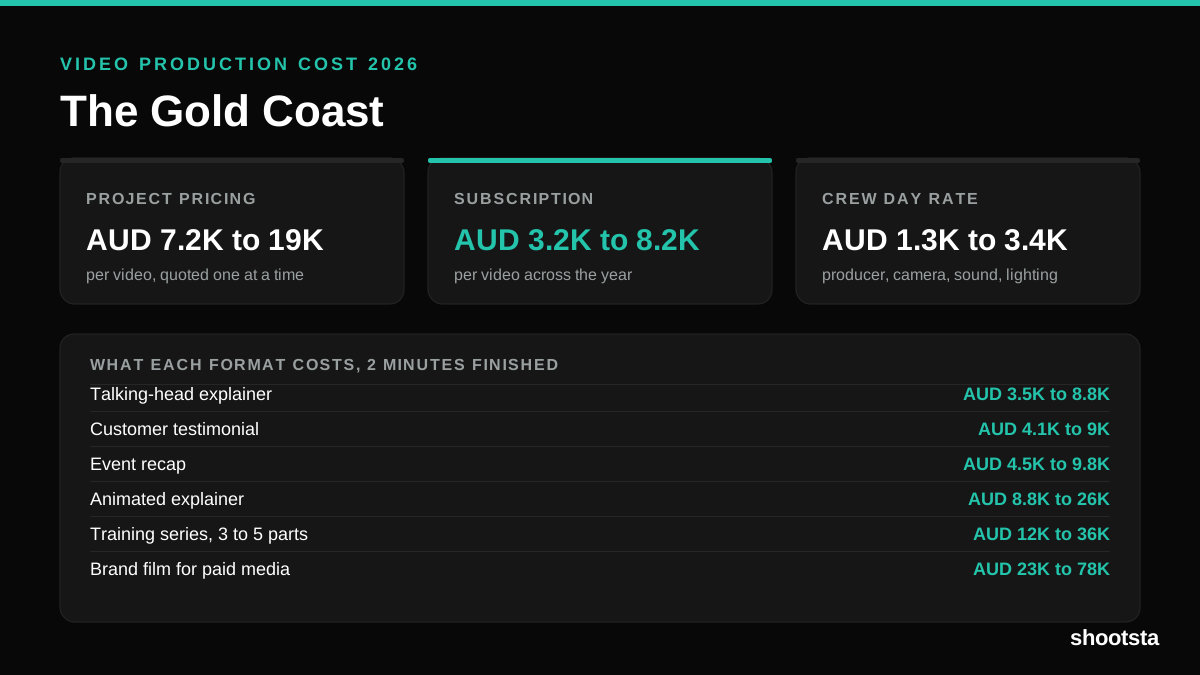
Video Production Cost on the Gold Coast 2026
Video production in the Gold Coast costs AUD 3,200 to AUD 8,200 per finished video on a subscription model, and AUD 7,200 to AUD 18,500 for one-off project work. Here is what you are paying for, and how the three pricing models compare.
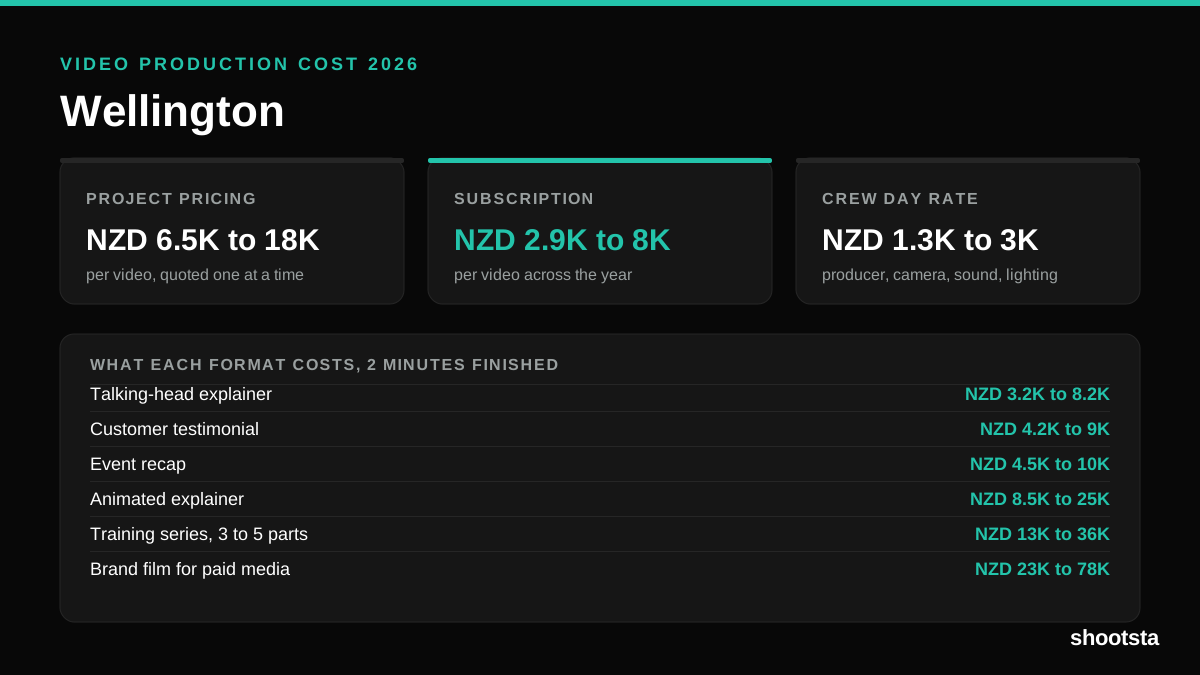
Video Production Cost in Wellington (2026)
Video production in Wellington costs NZD 2,900 to NZD 8,000 per finished video on a subscription model, and NZD 6,500 to NZD 18,000 for one-off project work. Here is what you are paying for, and how the three pricing models compare.
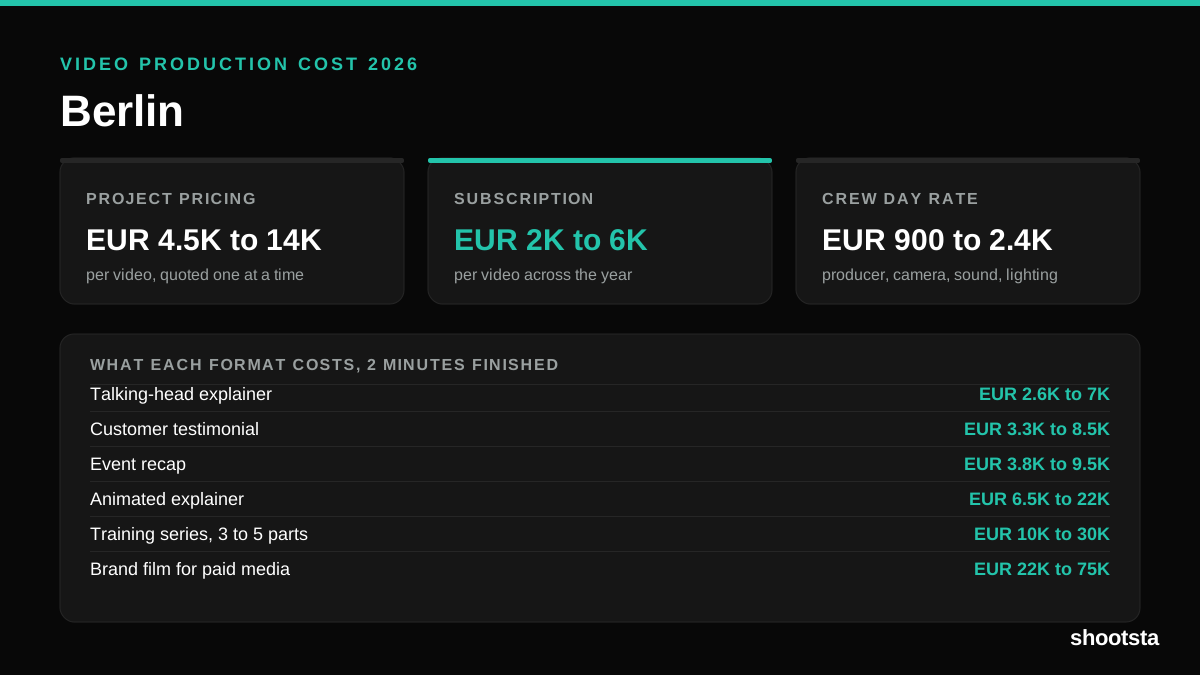
Video Production Cost in Berlin (2026)
Video production in Berlin costs EUR 2,000 to EUR 6,000 per finished video on a subscription model, and EUR 4,500 to EUR 13,500 for one-off project work. Here is what you are paying for, and how the three pricing models compare.