
Best AI Storyboard Generators in 2026
shootsta.
Best AI Storyboard Generators in 2026
By Shootsta · Published April 30, 2026 · Updated October 2026
We tested every AI storyboard generator we could find. Most are built for filmmakers or solo creators. Only a few handle the things enterprise video teams need - brand context, shareable links, and production-tier output.
AI storyboard generators went from novelty to production tool in about 18 months. In early 2025, most of them produced generic comic panels that looked the same regardless of your brief. By mid-2026, the best ones can read your brand, generate production-ready boards, and share them with your team in under a minute.
We tested the AI storyboard tools available right now and compared them on what business video teams need from one: speed, brand awareness, output quality, sharing, and whether the board is good enough to put in front of a client.
What should an AI storyboard generator do?
Teams producing corporate, marketing or training video need a few things from these tools. Here is the checklist we used before comparing them:
- Generate script and visuals together. A tool that only makes images isn't a storyboard generator - it's an image generator with frames. You need narration, camera directions, and scene notes alongside the panels.
- Understand brand context. Generic output forces you to redo everything. The tool should adapt to your brand's tone, audience, and visual style.
- Support sharing without friction. If your client or stakeholder needs to download an app or create an account to view the board, you've already lost them.
- Allow edits after generation. AI gets it 80% right. You need to fix the other 20% without regenerating the whole thing.
- Produce different quality levels. A TikTok doesn't need the same storyboard as a TV commercial.
The tools we tested
We looked at dedicated AI storyboard tools, not general-purpose image generators (Midjourney, DALL-E) or presentation tools (Canva, PowerPoint) being repurposed for storyboarding. Those can work, but they require you to do most of the creative heavy lifting yourself.
Shootsta Storyboard Generator
Best for: Enterprise and agency teams producing brand-specific video
Shootsta's AI storyboard generator is the only tool we tested that reads your brand from a URL. Drop in a company website and it pulls the brand name, tone, audience, and what the company does. The storyboard matches the brand rather than defaulting to generic visuals.
It generates a full storyboard with illustrated panels, scene-by-scene narration, camera directions, and shot types. Three production tiers let you match the output to the project: Social (vertical 9:16 sketches), Brand (clean widescreen boards), and TVC (detailed cinematic layouts with camera movement notation).
Every board gets a shareable link. Clients and stakeholders can view without creating an account. Individual panels can be regenerated, captions edited inline, and panels reordered by dragging. You can also animate panels into short video clips for pitch decks.
The whole process takes under 60 seconds, and you can start for free without signing up.
Strengths: Brand-aware generation, three production tiers, shareable links, panel-level editing, animation to video
Limitations: No real-time collaboration (yet), focused on business video rather than film
Boords
Best for: Freelance video producers and small studios
Boords has been around since before the AI wave. It started as a manual storyboarding tool with a clean drag-and-drop interface and added AI image generation later. The tool works well for people who want fine control over every panel and are comfortable spending more time on each board.
Free AI Storyboard Tool
Skip the comparison, make one now
Shootsta's AI storyboard tool turns a brief into a storyboard in minutes. It is free to try in your browser.
The AI features generate images for individual frames, but you still write the script and scene notes manually. It's more of a traditional storyboard tool with AI assist than a full AI storyboard generator.
Strengths: Clean interface, good for manual storyboarding, team collaboration features
Limitations: AI only handles image generation (not script or directions), no brand awareness, slower workflow
Storyboarder (by Wonder Unit)
Best for: Indie filmmakers and film students
Storyboarder is a free, open-source desktop app built for filmmakers. It includes basic drawing tools, shot type selectors, and timeline views. It's designed for people who want to sketch their own boards with production-specific tools.
It doesn't have AI generation capabilities. You draw everything manually. But if you're comfortable sketching and want a purpose-built tool (rather than paper or PowerPoint), it's the best free option for manual storyboarding.
Strengths: Free, open source, film-specific tools, timeline view
Limitations: No AI generation, desktop-only, no sharing features, no brand context
Krock.io
Best for: Creative agencies managing review workflows
Krock positions itself as a creative project management tool with storyboarding as one feature. It's strong on review and approval workflows - you can leave timestamped comments, track revisions, and manage client feedback in one place.
The storyboarding itself is mostly manual. You upload images or create simple frames, then organize them into sequences. AI features are limited compared to dedicated generators.
Strengths: Review/approval workflow, client feedback management, project tracking
Limitations: Minimal AI generation, more of a project management tool than a storyboard generator
How we compared them
We ran the same test on each tool: create a storyboard for a 60-second corporate explainer video about a fictional software product. We measured:
| Feature | Shootsta | Boords | Storyboarder | Krock.io |
|---|---|---|---|---|
| Time to first draft | ~45 seconds | ~25 minutes | ~40 minutes | ~30 minutes |
| AI generates script | Yes | No | No | No |
| AI generates visuals | Yes | Partial | No | No |
| Brand-aware | Yes (URL scan) | No | No | No |
| Shareable link | Yes (no login) | Yes (login required) | No | Yes (login required) |
| Production tiers | 3 (Social/Brand/TVC) | 1 | 1 | 1 |
| Free tier | Yes | Trial only | Yes (fully free) | Trial only |
| Panel editing | Yes | Yes | Yes | Yes |
| Animate to video | Yes | No | No | No |
Which one should you use?
The right pick depends on the kind of video you make and who has to sign off on it. If you produce brand or corporate video regularly and need to get stakeholder alignment quickly, Shootsta's AI storyboard generator is the fastest path from idea to shareable board. Because it reads your brand first, the output fits your company from the first generation.
If you're a freelance producer who wants detailed control over every panel and doesn't mind spending more time, Boords gives you a clean manual workflow with AI image assist. You will write the script yourself, but you control every frame.
If you're a filmmaker or student who draws their own boards, Storyboarder is free and purpose-built for that workflow. It suits a solo creator more than a team that needs to share boards.
If you need heavy review/approval workflows with client feedback tracking, Krock.io handles the project management side better than the others. Plan to build the frames yourself or bring them in from another tool.
The bigger picture
AI storyboard generators are part of a broader shift in how video gets planned. The manual process - writing a brief, hiring a storyboard artist, waiting days for a draft, revising, and repeating - worked when teams produced a few videos a quarter. It doesn't work when you need dozens of videos a month.
Shootsta's storyboard tool sits inside Shootsta Create, a suite of AI-powered pre-production tools that also includes script generators, a browser teleprompter, and screen recording. For teams that need finished video production, storyboards can be handed directly to editors through Shootsta Pro or Shootsta Premier. An approved storyboard is only the starting point, so it pays to decide early who will turn it into a finished video.
Take this article with you
Read the latest at shootsta.com/blog/best-ai-storyboard-generators-2026
You might also like
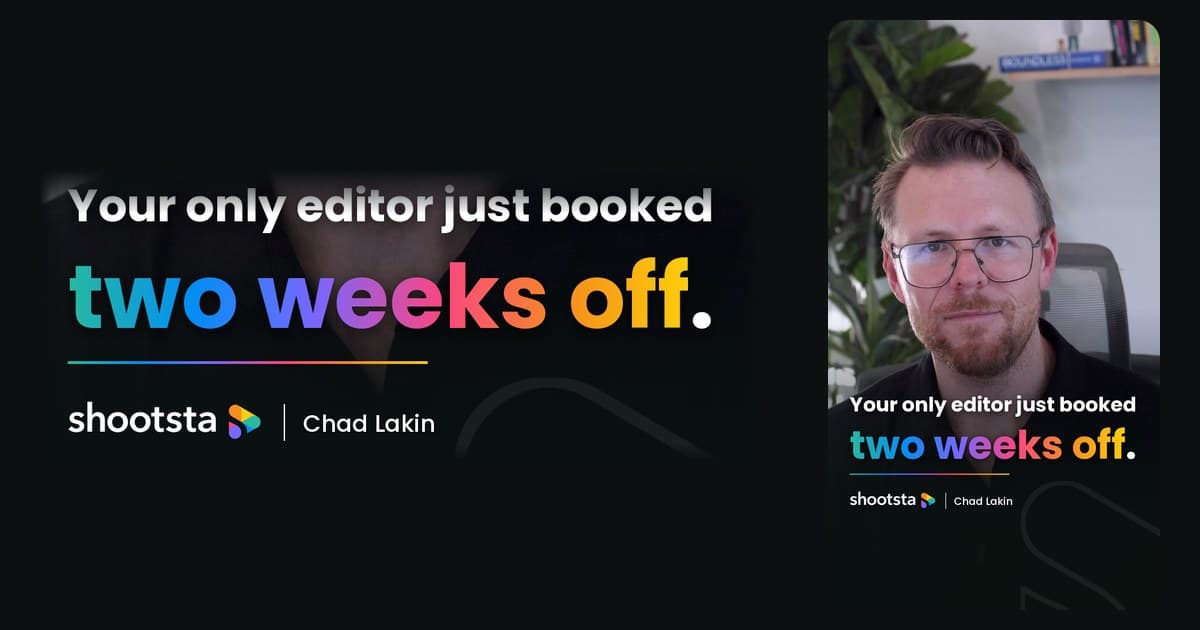
How to Plan Video Team Capacity Around Leave
Your only editor just booked two weeks off, and you already know which projects will slip. Chad Lakin explains how to plan video team capacity so the work keeps moving when someone is away.
Corporate Video Editing Standards: Full Guide
A two-page editing standard does more for consistency than a forty-page brand book. Here is what it should cover, who owns each part, and how to enforce it with an in-house editor or an outside partner.
Quality Control in Outsourced Video Editing
When editing leaves the building, quality has to be checked by a system rather than by whoever happens to look. Here is the system: acceptance criteria, two QA gates, counted revision rounds and a quarterly audit.
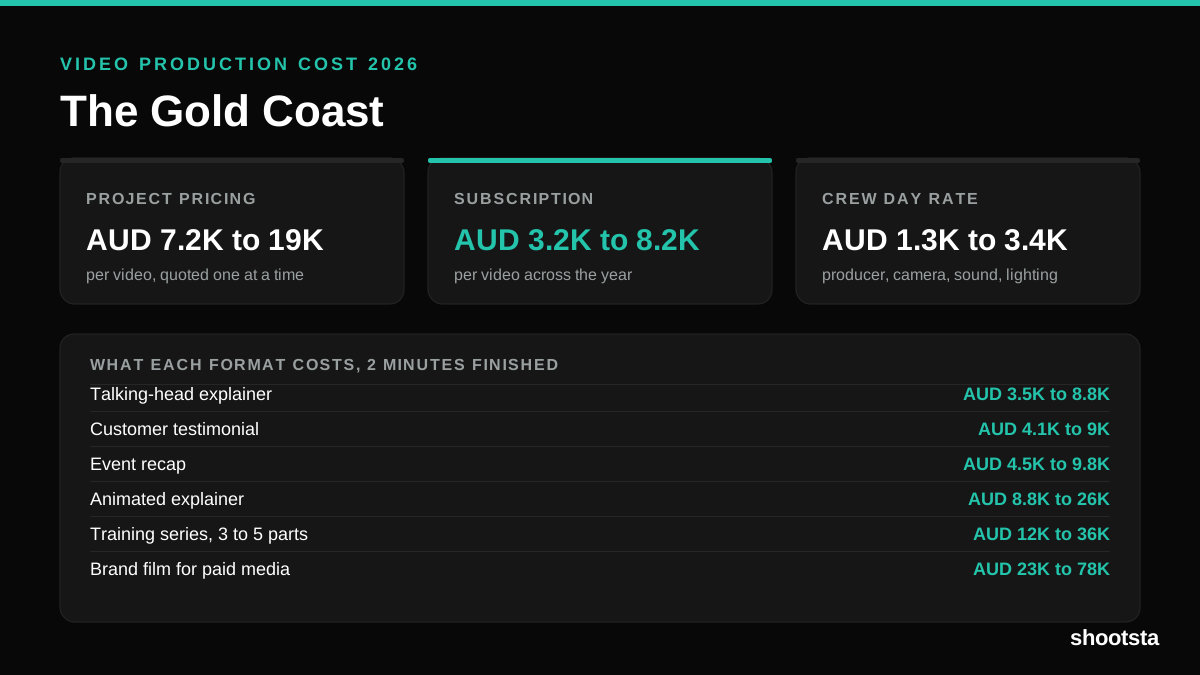
Video Production Cost on the Gold Coast 2026
Video production in the Gold Coast costs AUD 3,200 to AUD 8,200 per finished video on a subscription model, and AUD 7,200 to AUD 18,500 for one-off project work. Here is what you are paying for, and how the three pricing models compare.
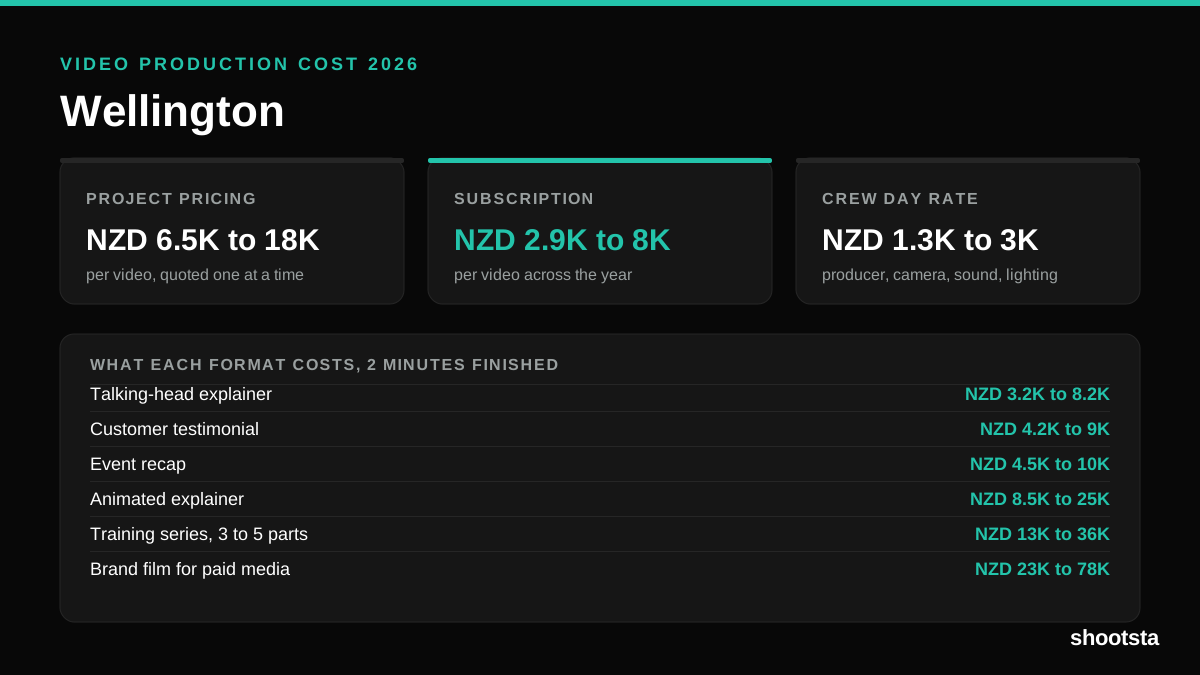
Video Production Cost in Wellington (2026)
Video production in Wellington costs NZD 2,900 to NZD 8,000 per finished video on a subscription model, and NZD 6,500 to NZD 18,000 for one-off project work. Here is what you are paying for, and how the three pricing models compare.
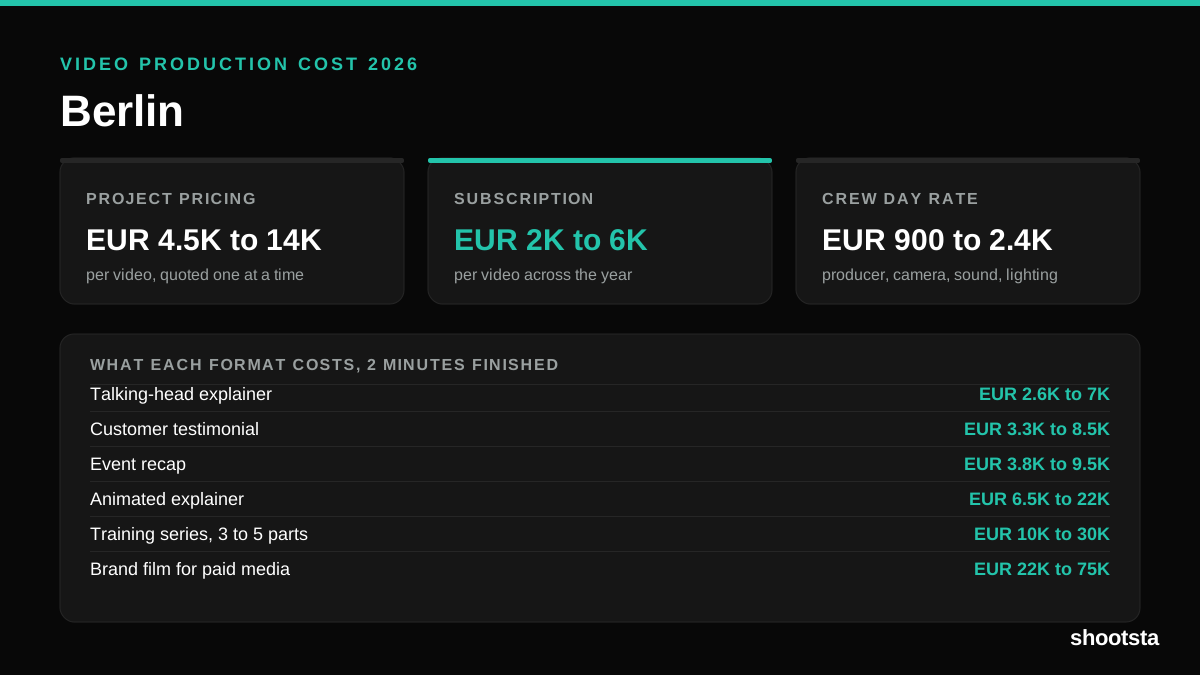
Video Production Cost in Berlin (2026)
Video production in Berlin costs EUR 2,000 to EUR 6,000 per finished video on a subscription model, and EUR 4,500 to EUR 13,500 for one-off project work. Here is what you are paying for, and how the three pricing models compare.