
shootsta.
Elevate: Transforming Personalised Video Creation
By Justin · Published July 12, 2024 · Updated May 2026

Welcome to the latest evolution of Shootsta’s Elevate—introducing a new way to create Elevates! This update is an enhancement of our existing personalised video creation tool. This update has been designed to remove the work of creating templates and streamline the process, making it easier than ever to create high-quality, personalised video content in minutes.
Frictionless Elevates are accessible for current users of Elevate and Shootsta Pro.
What’s New in Elevate?
Frictionless Personalised Video Creation
The primary shift in this latest update its predecessor is the move away from mandatory templates. Users can now build their Elevate directly in the Shootsta Platform by entering their scenes directly, choosing whether to show a piece-to-camera or a cutaway for each scene, and immediately start recording using the integrated teleprompter–the Shootsta AI with edit the video together, ready to share in just a couple of minutes.
This development significantly reduces the turnaround time, making it possible to generate a complete video in minutes. This enhancement not only speeds up the production process but also democratises video creation, making personalised video creation accessible and practical for daily business communications and rapid content creation.
Getting Started with Elevate
Creating a new Elevate is straightforward and designed for user convenience. Users can simply log into the Shootsta Platform and navigate to the Elevate section. Here, you will be able to choose the option to create a new video using the new streamlined workflow.
How to Create a New Elevate:
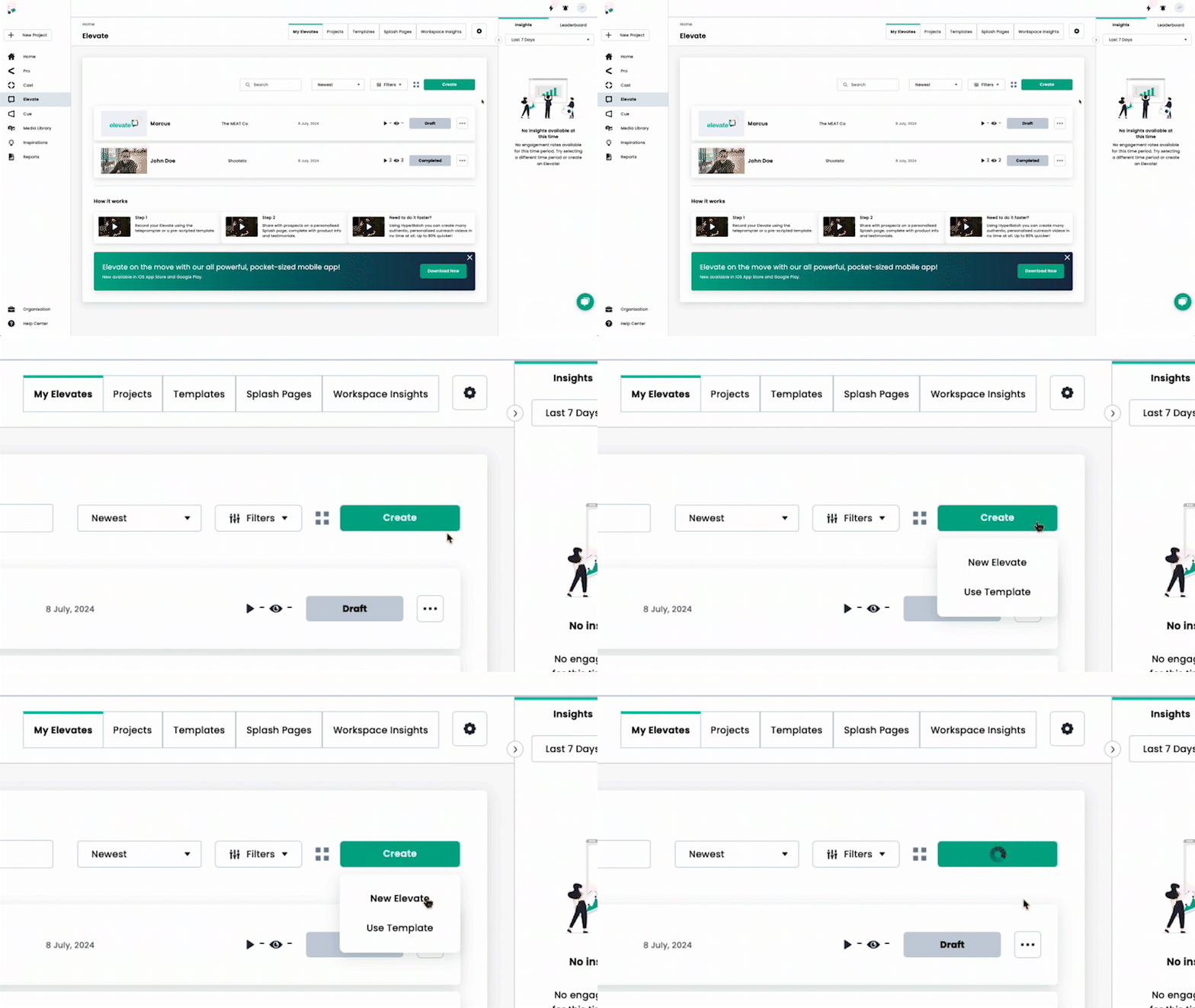
1. Start a New Elevate
Click on the ‘Create’ button and select “New Elevate”.
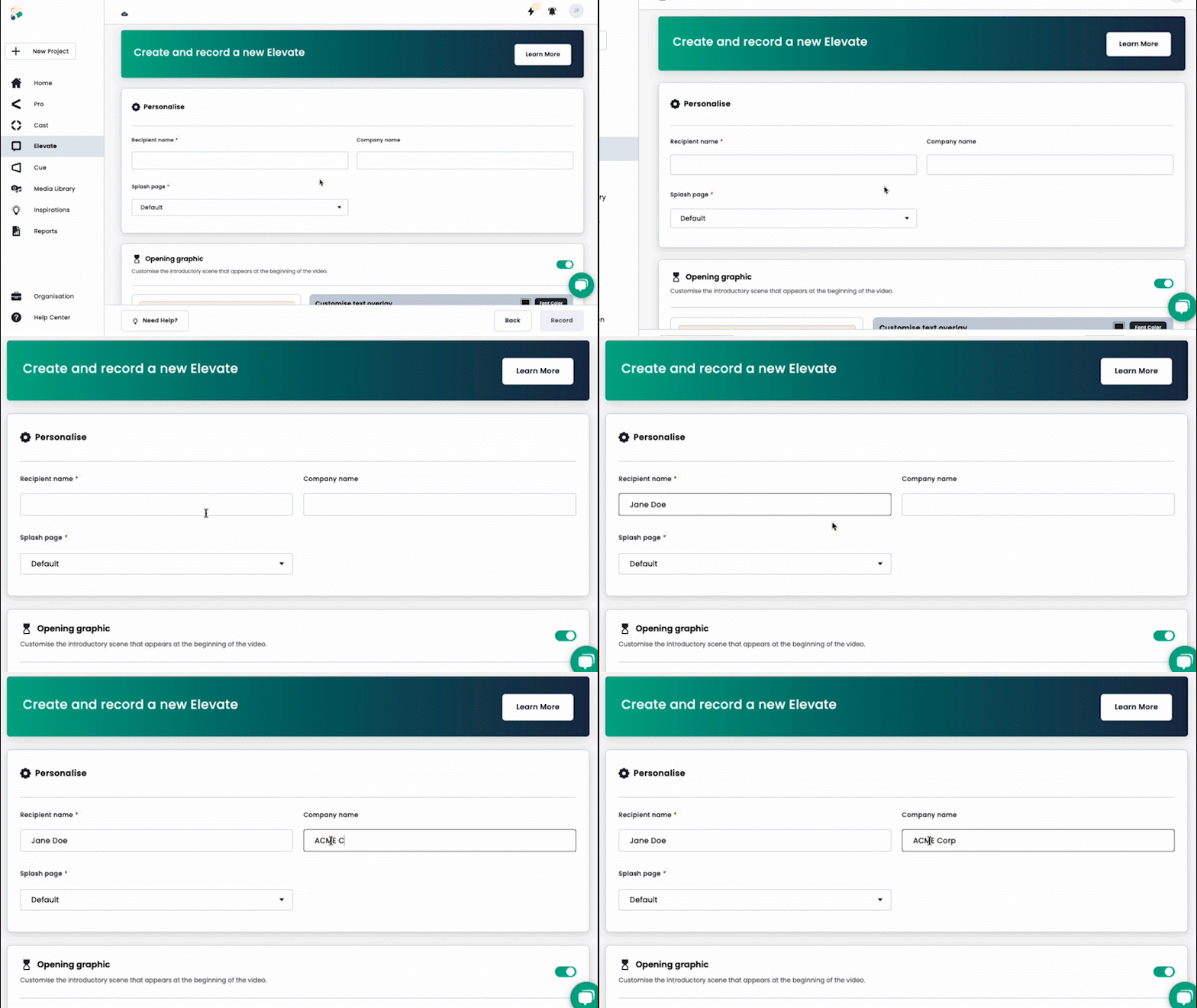
2. Personalise
Enter essential details like the recipient's name and company. Choose a splash page or stick with the default setting.
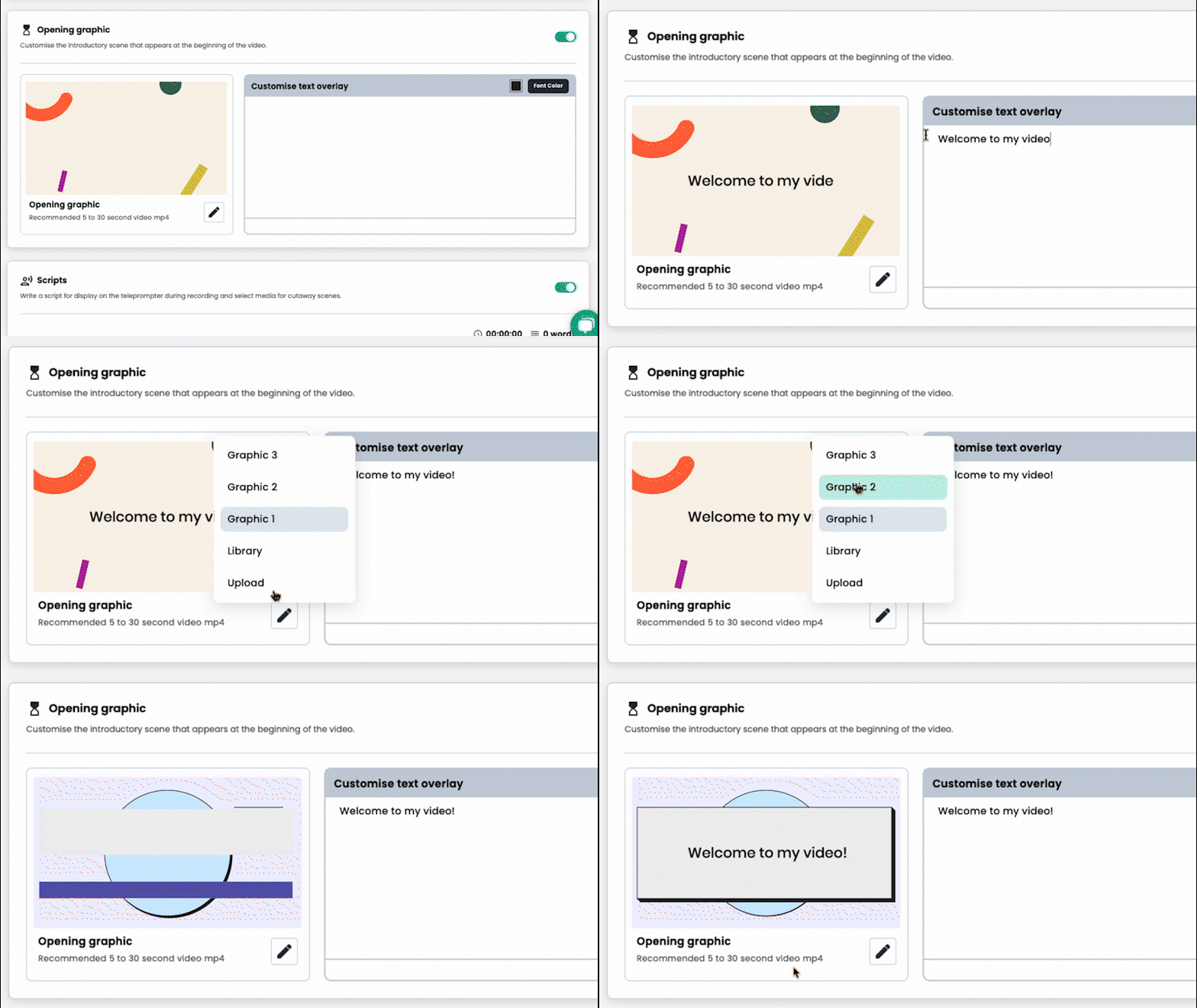
3. Customise Your Opening Graphic
Select from a range of opening graphics or upload your own. Then customise the text overlay according to your message needs.
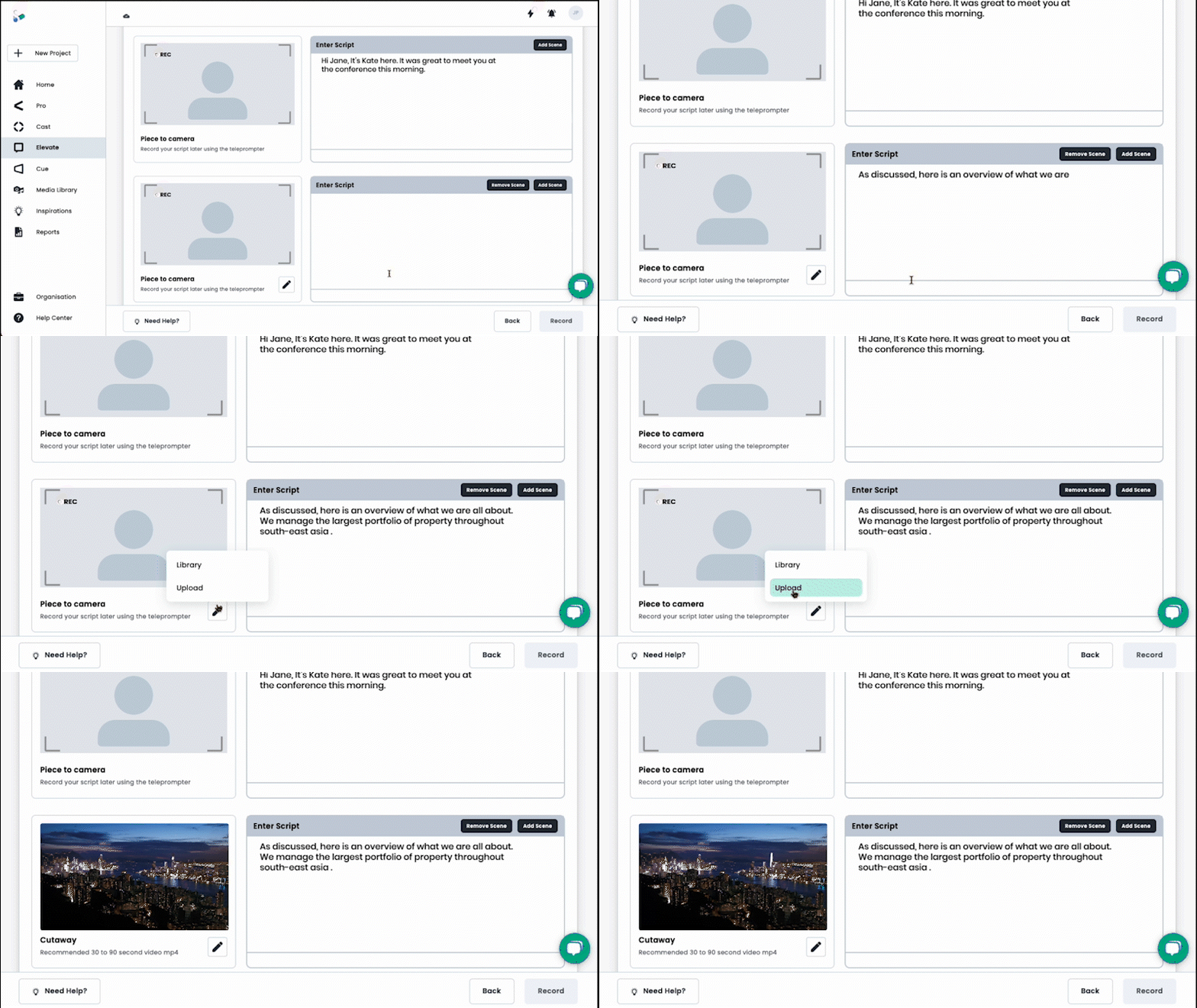
4. Scene Customisation
Free Consultation
Want a hand with your next video?
Talk to a Shootsta producer about your goals, timeline, and budget. No pitch, just useful advice.
Write or paste your script directly into the platform for your piece-to-camera (PTC). Add scenes and decide if you want cutaways or additional PTCs. Customise your video further by selecting from a set of closing visuals and background music options.
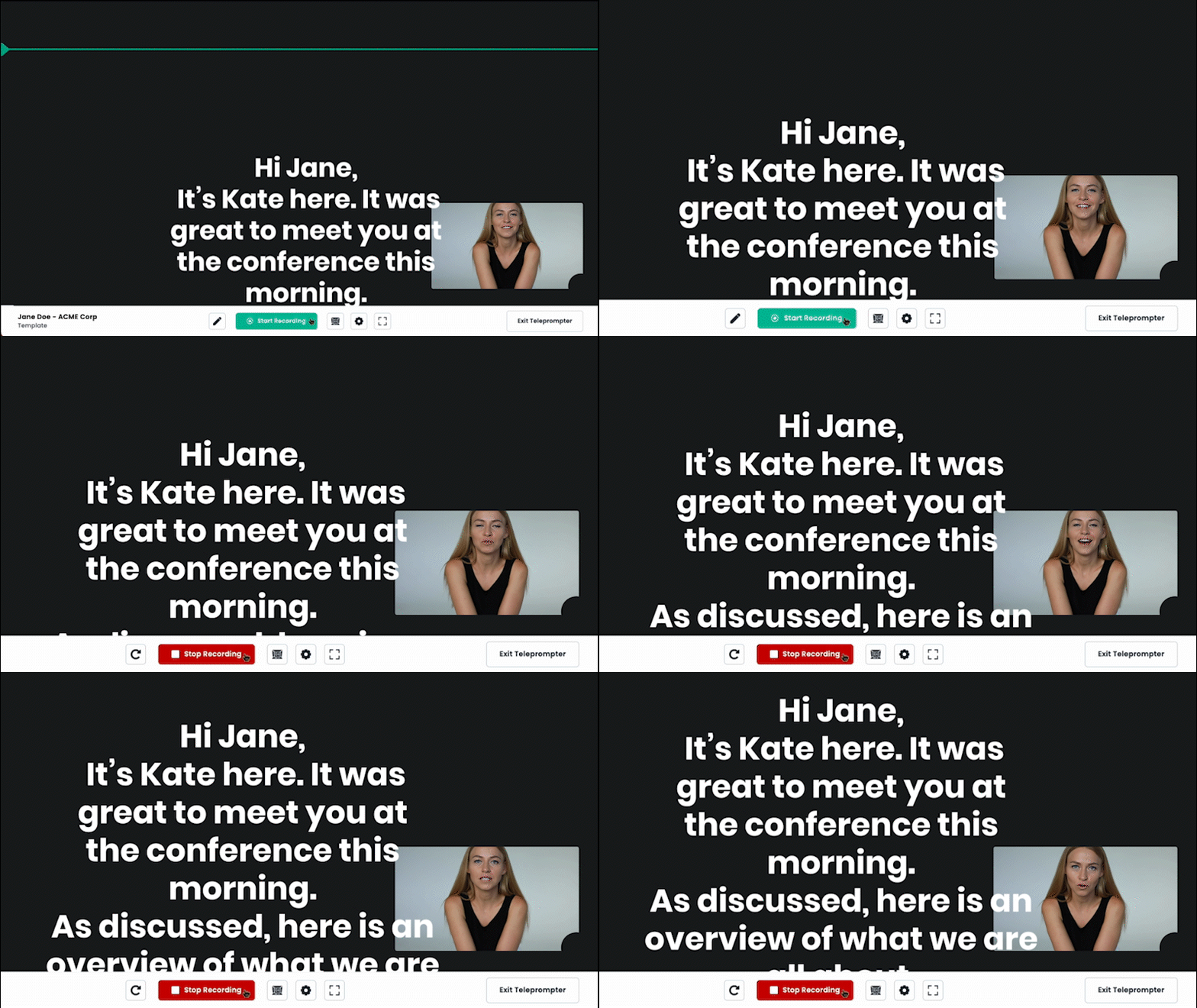
5. Recording
Utilise the built-in teleprompter to record your video smoothly.
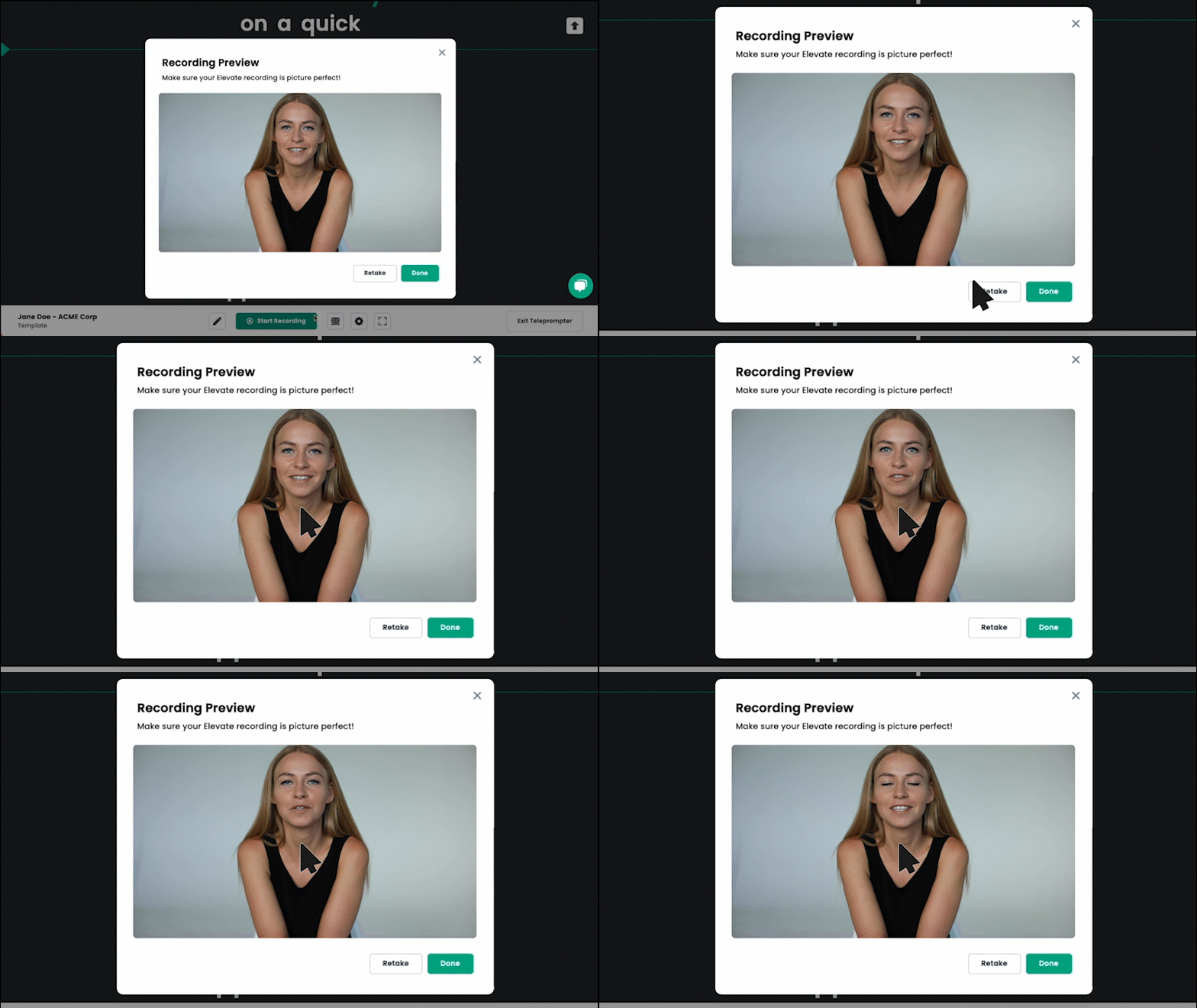
6. Review and Adjust
Before final submission, review your video and make any necessary adjustments to ensure it meets your standards and objectives.
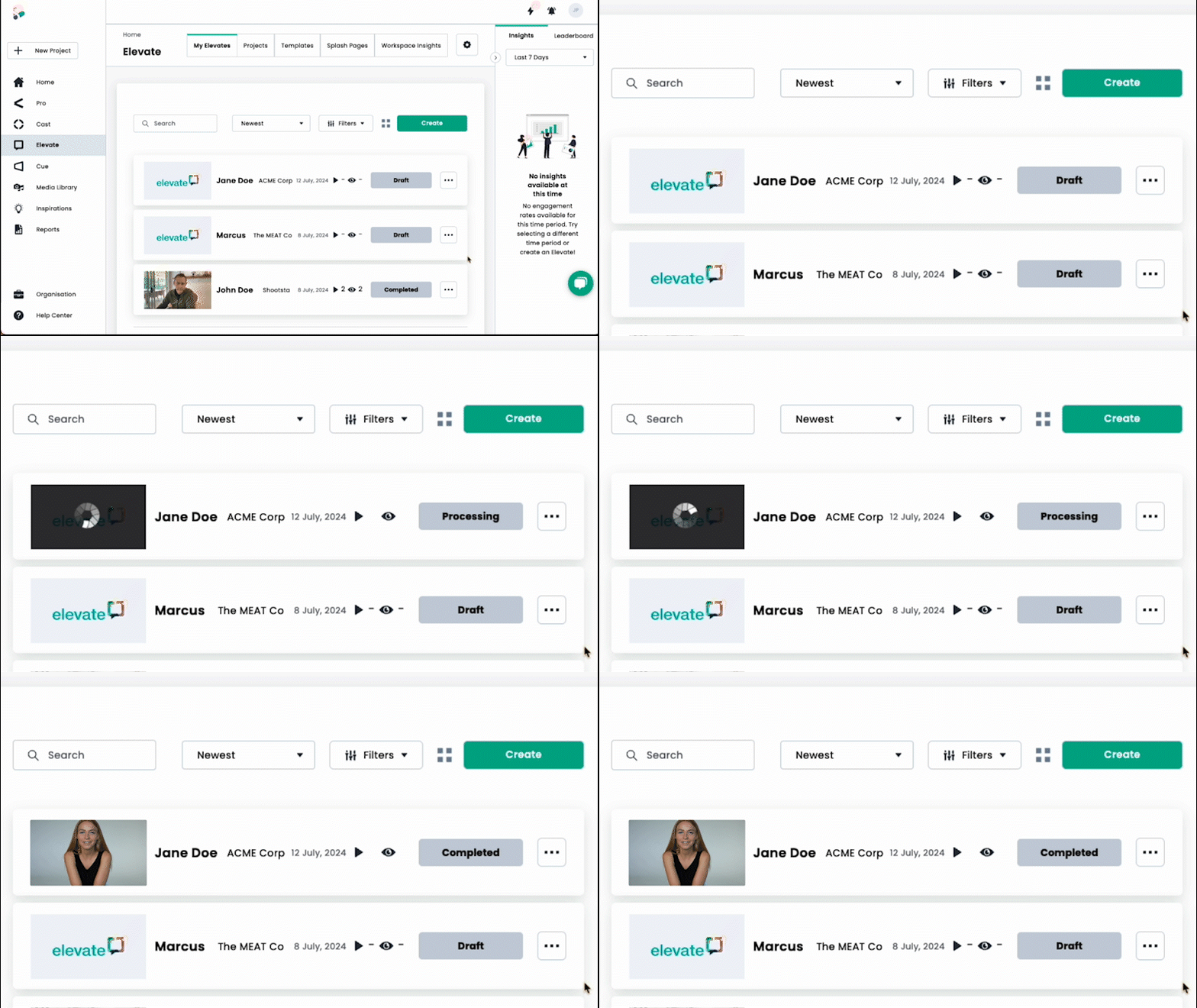
7. Shootsta AI-Powered Editing
Sit back and watch as your video is edited together using Shootsta AI and shareable in just minutes!
This new workflow is designed to be intuitive and quick, reducing the complexity and time associated with video production. Each step is customisable, allowing users to take control of their content to best suit their communication goals.
Why Use Elevate?
- Quick and Efficient Video Creation: Elevate has been revamped to provide a faster, smarter, and more intuitive experience. Now, personalised video creations takes minutes instead of hours or days, thanks to the elimination of lengthy template creation processes.
- Ready-Made Templates: To streamline your video creation process even further, Elevate now includes a selection of professionally designed templates. These templates come equipped with engaging opening graphics, polished closing visuals, and mood-setting background music, ensuring your content looks consistent and professional.
- AI-Powered Cutaways: Shootsta AI analyses your speech and key phrases to automatically determine optimal moments for cutaways, enhancing viewer engagement without requiring manual input.
- Integrated Teleprompter: The built-in teleprompter feature ensures a smooth, confident delivery of your script, helping you produce polished videos with fewer takes.
- Lightning-Fast Processing: With upgraded processing capabilities, your personalised videos are ready within just 5-10 minutes, enabling quick responses and timely communication.
- Simple Intuitive Reporting: Track and improve with Elevate's simple yet intuitive analytics. Users can track visitor behaviour to understand what works, then adjust future content to improve conversion rates.
Experience Elevate Today
Ready to transform how you create and share video content? We invite you to experience the simplicity and speed of personalised video creation with Elevate firsthand.
Get Started Now:
If you are a Shootsta User, simply log into your Shootsta account, navigate to Elevate, and select ‘Create’ > ‘New Elevate’.
Not a Shootsta Users? Get in touch with us to explore Shootsta’s video production solutions.
Whether you're prospecting, creating impactful marketing content, or just wanting to communicate more effectively, Elevate is designed to meet your needs. Don’t wait—Start using Elevate and see just how easy and effective your personalised video creations can be!
Keep reading
Take this article with you
Read the latest at shootsta.com/blog/elevate-transforming-personalised-video-creation
You might also like
Less Admin, More Video: 15 Shootsta Updates
Fifteen platform updates from June to August 2026, covering video review, your media library, uploads and captions. Here is what changed and why it helps.
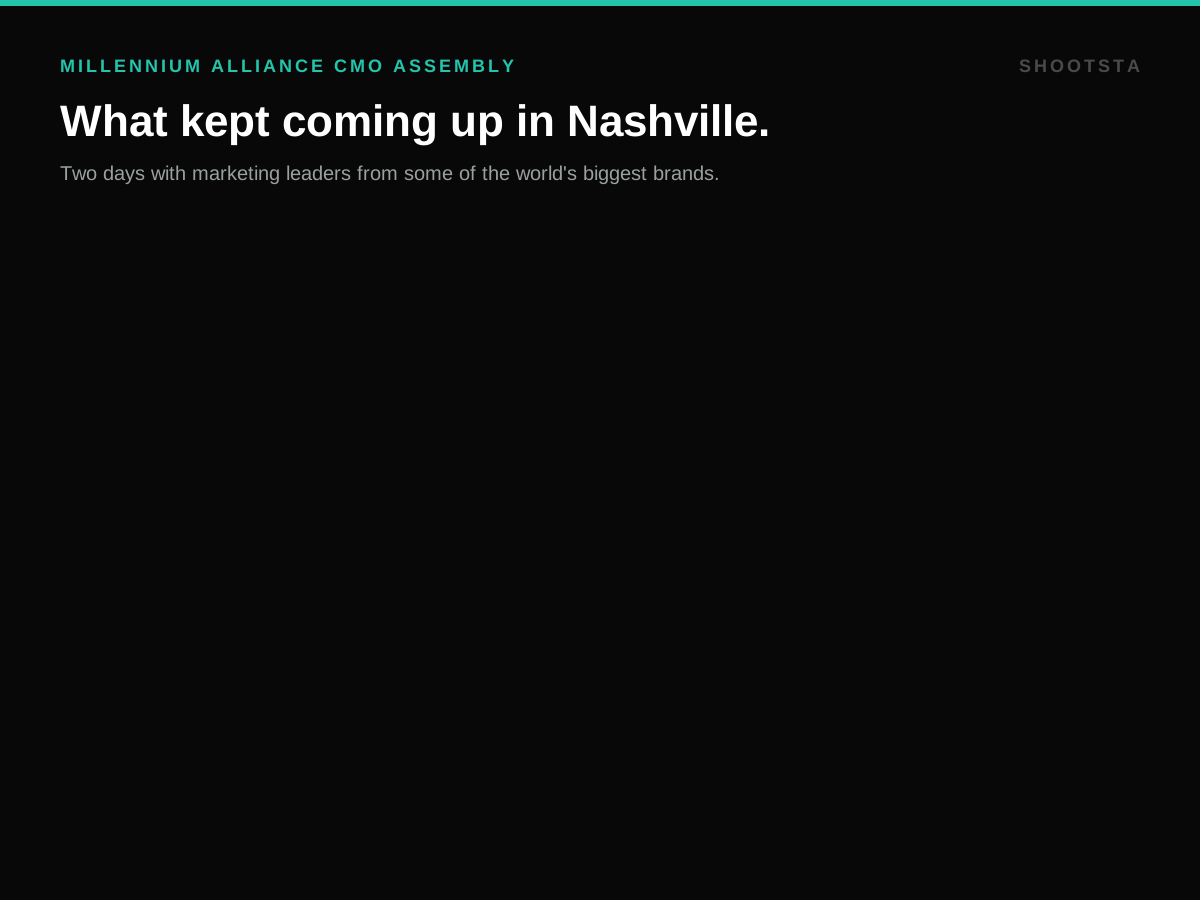
What we heard at the CMO Assembly in Nashville
Two days at the Millennium Alliance CMO Assembly in Nashville with marketing leaders from some of the world's biggest brands. Three things came up in almost every conversation: volume is up while budget is flat, brand drifts as volume rises, and speed decides whether a video still matters. Here is what we heard and what we shared.
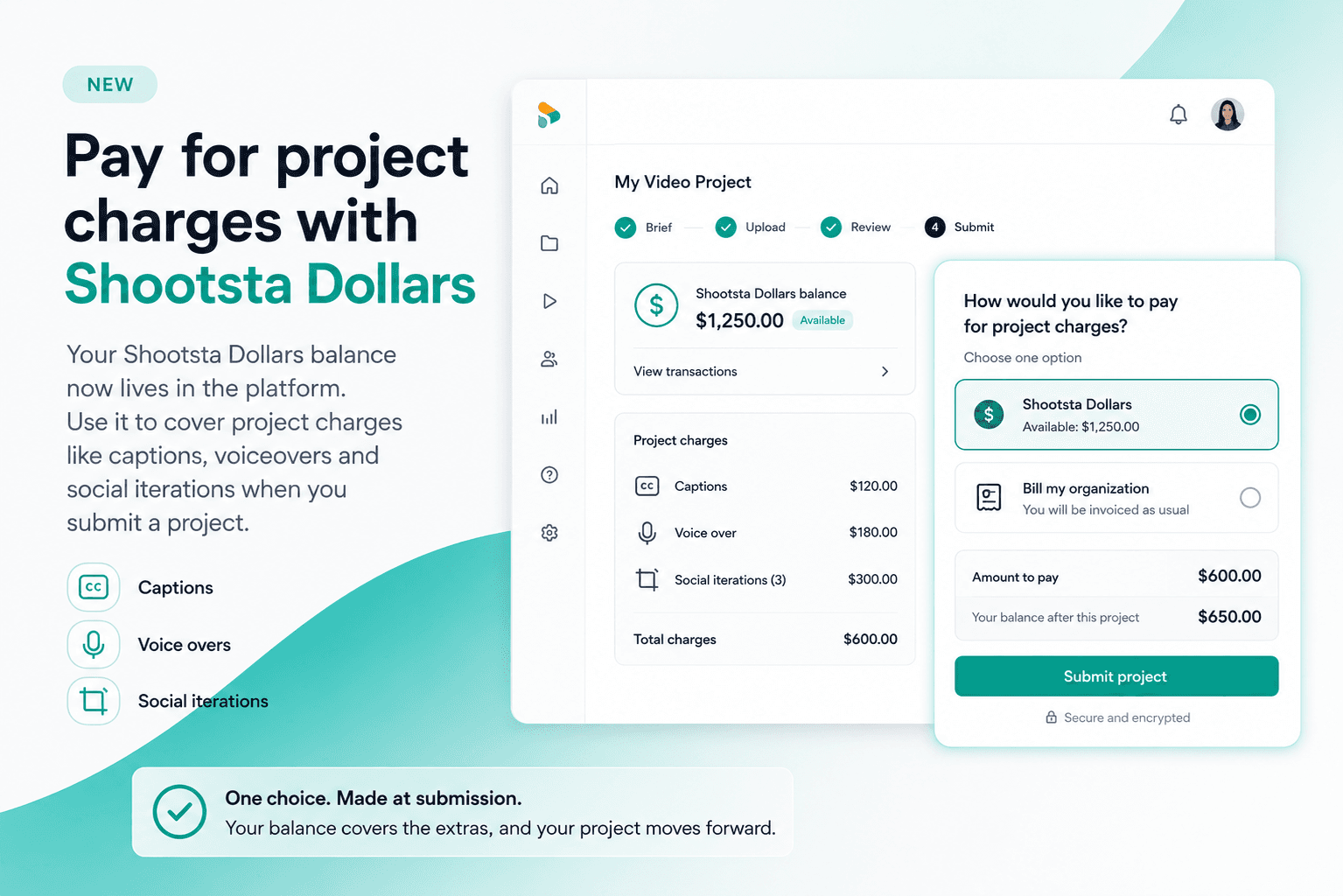
Pay for project charges with Shootsta Dollars
Your Shootsta Dollars balance now lives in the platform. Use it to cover project charges like captions, voiceovers and social iterations when you submit a project.
Shootsta Impact Video Awards 2026: How to Enter
Shootsta Impact Video Awards 2026: How to Enter
Entries are open for the Shootsta Impact Video Awards 2026. Here is what the awards recognise, who can enter, the 14 categories, how the panel judges, and how to nominate your team before July 31.
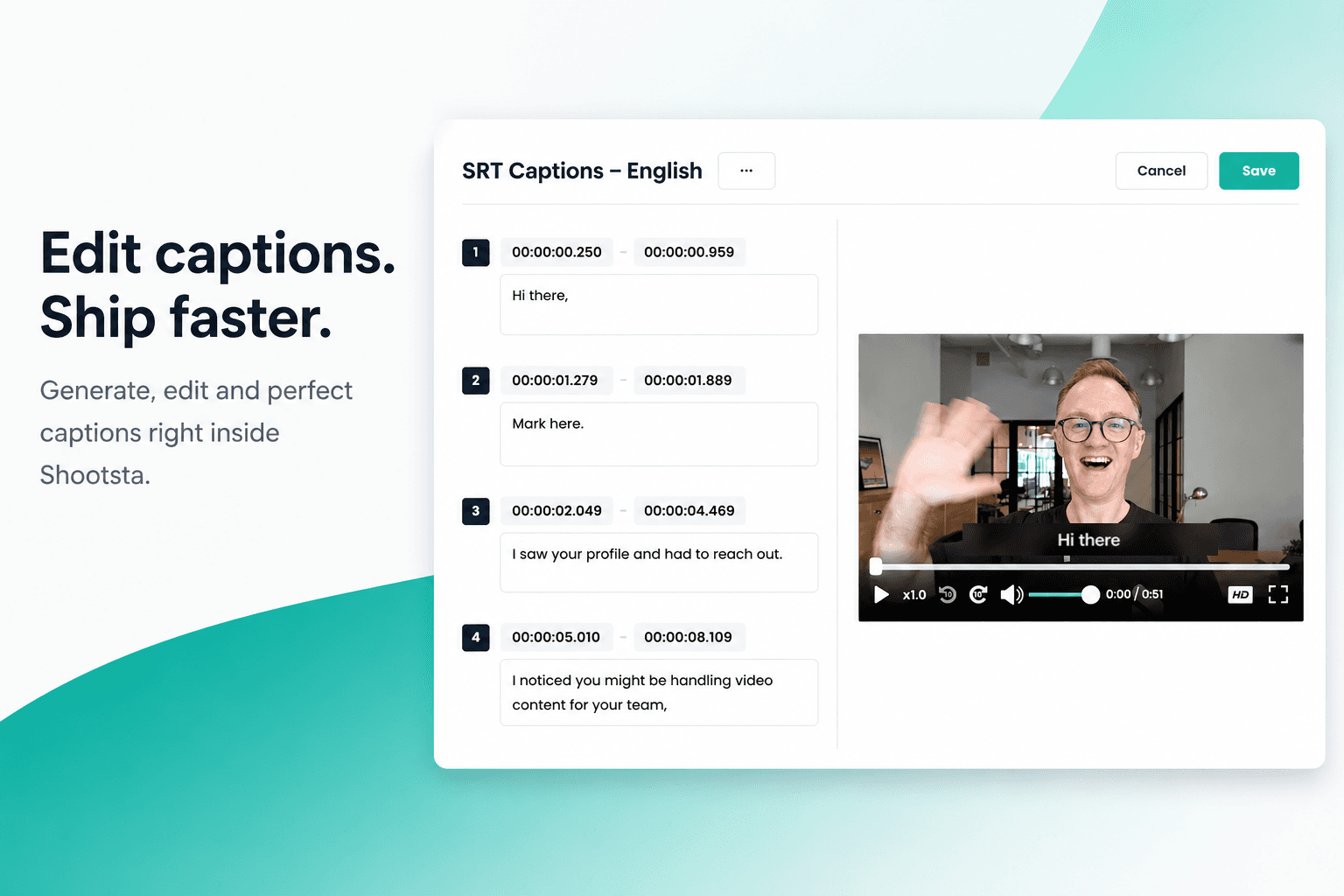
How to Add Captions in Shootsta
Generate and edit captions directly inside the Shootsta platform. No request forms, no back and forth, no waiting on turnaround. Here is how it works.
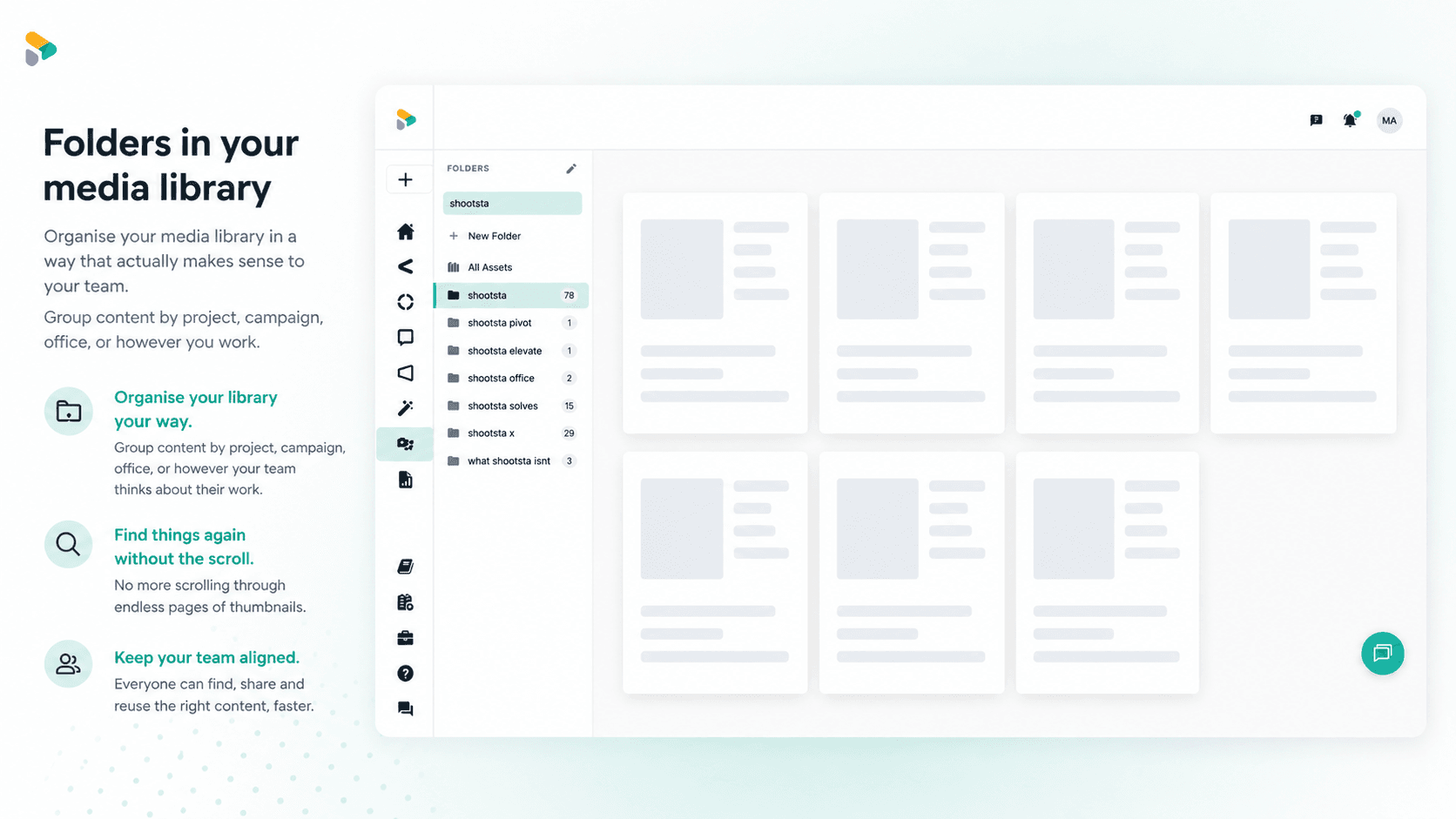
How to Use Media Folders in Shootsta
Organize your video assets into folders directly inside the Shootsta media library. Here is how to create folders, move assets, and keep your library clean as it grows.