
shootsta.
How to Plan Internal Comms Video That Works
By Mark Ashworth · Published February 4, 2026 · Updated October 2026
How to plan internal comms video that employees watch and understand. It covers setting the goal, structuring the message, scripting and getting sign-off before anyone films.
Internal communication videos often fail for a simple reason. They are filmed before anyone agrees on what the video is meant to do.
When you rush into recording a CEO update or leadership announcement, the result is often vague, overlong or confusing. Employees watch the video and still ask what changed, why it happened and what it means for them. A clear plan fixes this.
This guide shows how to plan a practical internal communications video using a worked example. It puts clarity and structure ahead of performance or polish. We'll use an example brief from a company, Northwind Trading, who are making an internal comms video to announce a new initiative to improve how teams work together. (If you want to skip this article and go straight to creating your brief: open the Video Brief Planner)
Why internal comms videos break down
Internal videos usually struggle because they try to do too much at once. Leadership wants to reassure employees, while team leads want to explain the change. The communications team wants the video to hold attention. Without a clear plan, the message gets diluted.
Common problems include:
- Too much context and not enough clarity
- Abstract language instead of practical detail
- No clear next steps for employees
- A single talking head with no visual rhythm
Planning the video before filming avoids all of this. For a deeper look at what makes a strong brief across any video type, see our guide to writing video briefs that editors get right on the first pass.
A typical internal comms scenario
This is a common use case for internal video. Here is the setup:
Company: Northwind Traders
Video type: CEO announcement
Audience: All employees
Topic: A new initiative to improve how teams work together
Goal: Explain what is changing, why the decision was made, and what happens next
There is nothing dramatic about this brief. It is a routine leadership update, and the plan below shows how to do it well.
The exact video brief used
This is the prompt that could be used to create the video plan. It is short and written in plain language:
An internal CEO video for employees at Northwind Traders announcing a company-wide initiative to improve how teams work together. The goal is to explain what is changing, why the decision was made, and what employees should expect next. The tone should be calm, clear, and reassuring. This video is for internal use and should help employees feel informed, aligned, and confident about the company's direction. Use a small mix of camera shots where it helps keep the message clear and engaging.
The brief has no script and no shot list yet. It only sets out the intent and the outcomes you want.
Here's the link if you want to view or edit this plan. You can copy it and change the details for your own announcement:
https://tools.shootsta.com/video-brief-planner/c7fcca6d-2f0a-4abb-a5ae-ca653861f584
Want to plan a video like this?
Use the Video Brief Planner to turn your goal into a clear, structured video plan in minutes.
The five-scene internal comms video plan
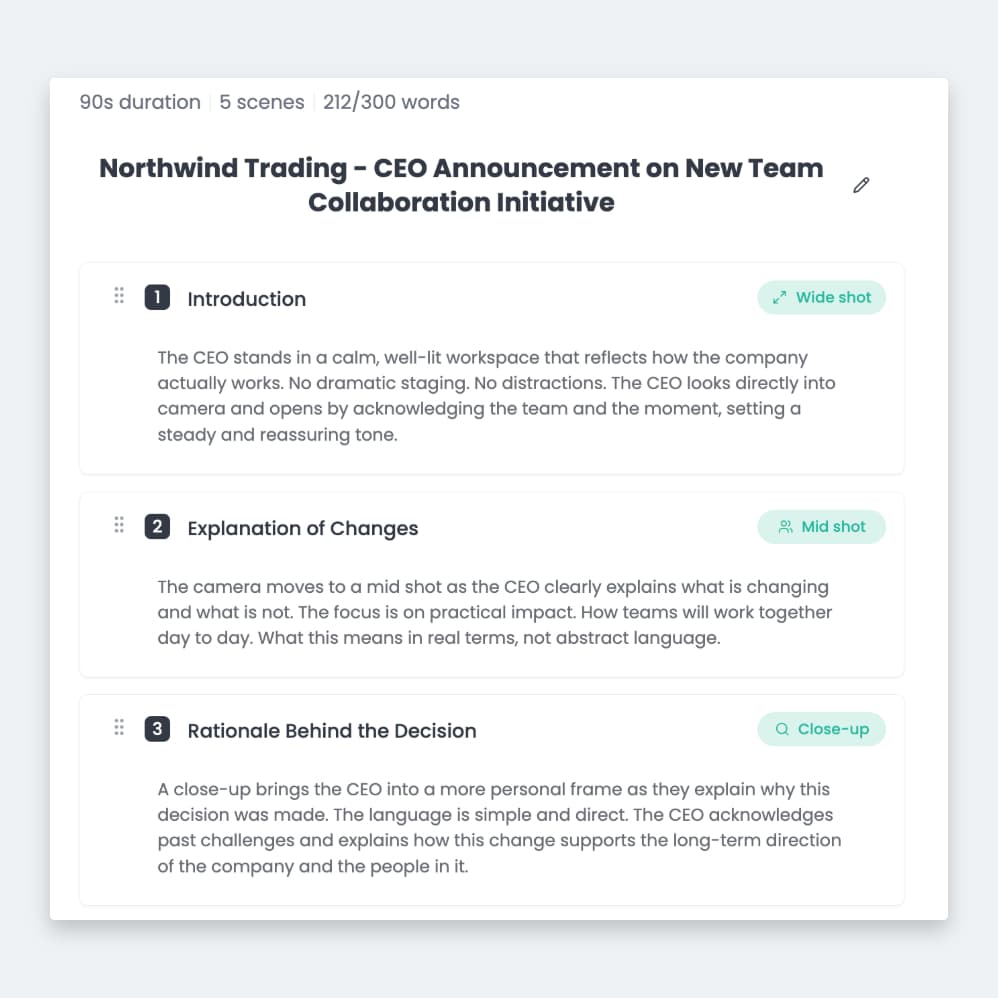
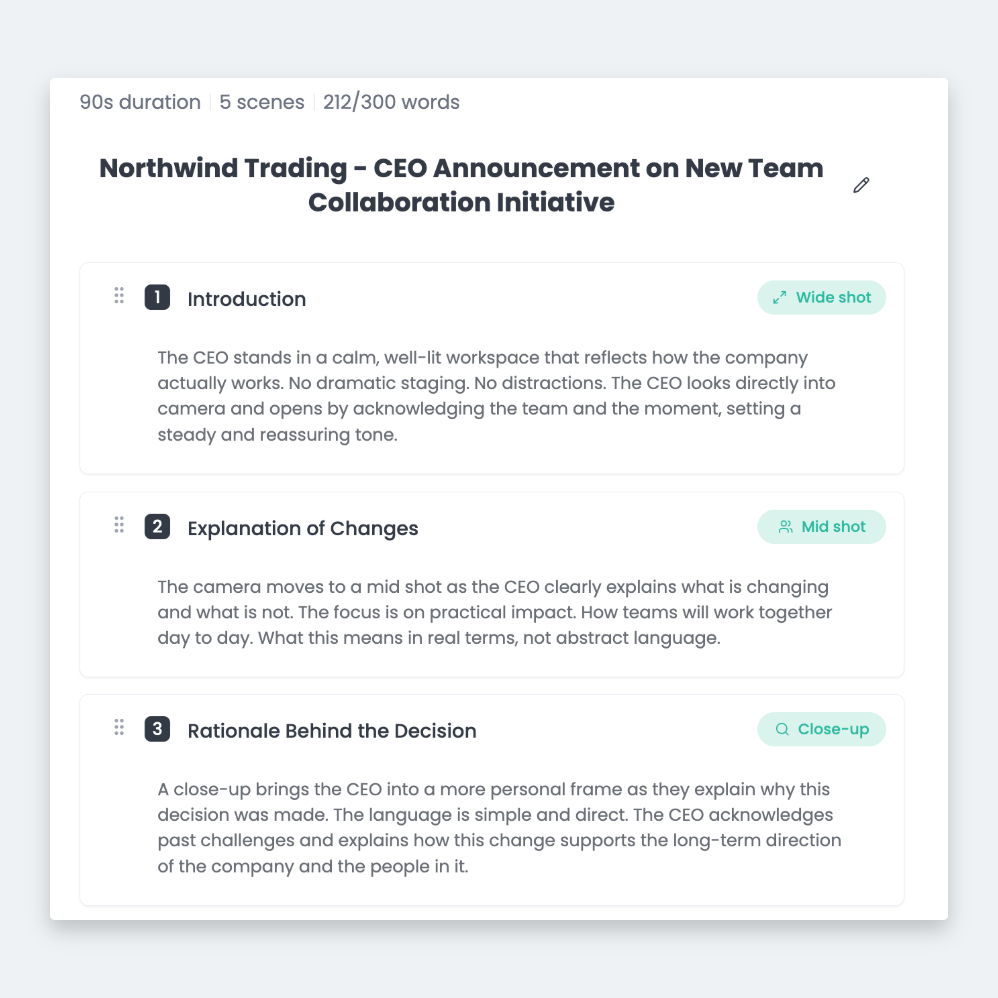
The resulting plan uses five scenes. Each scene has a purpose, and each camera choice supports the message.
Scene 1: Introduction
Wide shot
The CEO opens in a calm, familiar workspace that looks like the place the team works every day. There is no dramatic staging and nothing to distract the eye. The CEO acknowledges the team and the moment, which sets a steady tone and builds trust before any information is delivered.
Scene 2: Explanation of changes
Mid shot
The camera moves closer as the CEO explains what is changing and what is not. The focus is on practical impact: how teams will work together day to day, and what employees will notice in real terms. In this scene, clarity matters more than inspiration.
Scene 3: Rationale behind the decision
Close-up
A close-up brings the CEO into a more personal frame. This is where the "why" is explained. The CEO acknowledges past challenges and sets out the long-term direction of the company. The close-up is saved for this moment because it signals trust and accountability.
Scene 4: What employees should expect next
Mid shot
The camera pulls back slightly as the CEO outlines next steps, timing, and where employees can go with questions. This section is structured and calm, so employees know what happens next and do not need to chase answers later.
Scene 5: Closing remarks
Wide shot
The video closes where it began. The CEO reinforces confidence in the team and the direction ahead, then ends on a composed and optimistic note. There is no motivational speech, because the goal of this close is to leave people feeling steady.
The Video Brief Planner helps you build this kind of structure. It turns your goal into a plan with scenes and shot types.
Why this structure works for internal communication
This structure mirrors how employees process change. First they need context, and then they need clarity. After that they need reassurance, and finally they need direction.
The camera choices support this flow:
- Wide shots establish stability
- Mid shots handle explanation and instruction
- Close-ups are used only when trust matters most
Each shot choice is planned in the brief, so nothing about the framing is left to chance on the day. The editor then knows which shot carries which part of the message.
The real value happens before filming
The biggest benefit of this approach is the alignment your stakeholders reach before the camera turns on.
When teams agree on:
- What the video is meant to achieve
- What it should not try to do
- What success looks like
Filming becomes faster and calmer. You get fewer revisions and a clearer message. Employees leave the video feeling informed rather than confused.
When to use an internal comms video like this
This type of video works well for:
- CEO updates and leadership announcements
- Change management communication
- Internal initiatives and process changes
- Company-wide alignment moments
If the message affects how people do their jobs, clarity matters more than creativity. A plain update beats a clever one here.
Plan before you record
If you are planning an internal video, ask one question before scripting or filming. Do you have a clear plan that matches how your people take in information? If you don't, start there.
Our Video Brief Planner is built to help with exactly that step. It turns your goal into a scene-by-scene plan before anyone books a camera.
FAQ: Internal communications video planning
What makes a good internal communications video?
How long should an internal CEO announcement video be?
Should internal videos use multiple camera shots?
Do internal videos need to feel polished?
When should a company use video instead of email?
Keep reading
- Internal Communications Specialist Playbook
- Internal Communications Video Best Practices UK
- Secure Internal Communication Through Video
If your comms videos keep landing late, the causes are usually the same seven. They are set out in internal comms video editing delays and how to fix them.
Take this article with you
Read the latest at shootsta.com/blog/internal-comms-video-planning
You might also like
What Makes a Great Internal Comms Video
What Makes a Great Internal Comms Video
Internal comms video competes with everyone's inbox. The best ones are honest, short, and clear about what changes. Here is how they are built and how the panel scores them.
APRA-Aligned Video Production for AU FS
APRA-Aligned Video Production for AU FS
AU financial services video carries a specific regulatory load. APRA, ASIC and AFCA shape the workflow. The compliance gate pattern, the SM-equivalent accountability requirements under FAR and BEAR, and the per-asset audit trail that holds at APRA inspection for Big 4 banks, super funds and insurers.
Animation vs Live Action for Internal Comms in Banks
Animation vs Live Action for Internal Comms in Banks
Internal comms teams in banking default to talking-head videos. Animation is often the better format. Here is a clear framework for choosing between them.
Event Recap Videos for Tourism Boards: When 48 Hours Matters
Event Recap Videos for Tourism Boards: When 48 Hours Matters
Trade shows, ribbon cuttings, festivals. Tourism boards generate dozens of events a year. The recap video is the asset that lives forever, but only if it ships within days.
AI Rollout Comms in Financial Services
AI Rollout Comms in Financial Services
AI tools are landing inside every major FSI firm in 2026. The communication challenge is bigger than the technology. Here is how to use animation to roll AI out across staff.
Recruitment Video Production Formats
Recruitment Video Production Formats
Job listings with video get more applications from better candidates. Here are the recruitment video formats that work, with production tips for each one.