
Sales Enablement Video: A Practical Guide
shootsta.
Sales Enablement Video: A Practical Guide
By Shootsta · Published March 24, 2026 · Updated October 2026
Build a sales enablement video library that helps reps close deals faster. Covers video types, production workflow, and how to integrate video into your sales process.
What is sales enablement video?
Sales enablement video is any video designed to help your sales team sell more effectively. That includes product demos, pitch videos, competitive positioning, customer testimonials and training materials that reps can use throughout the sales cycle.
Video gives your reps better tools to work with, and it supports the conversations they already have. A rep who can send a 2-minute product overview video after a discovery call moves faster than one who relies on a 30-page slide deck. A prospect who watches a customer testimonial video before their demo is already halfway to a yes.
Why do sales teams need video content?
B2B buying has changed. Gartner reports that buyers spend only 17% of their buying process meeting with potential suppliers. They spend the rest researching on their own, talking to peers and reviewing material in their own time.
If your sales material is locked in slide decks and PDFs that only work in a live presentation, you're invisible during 83% of the buying process. Video changes that, because buyers can watch it whenever they like and pass it around their team. That suits the way buyers now prefer to evaluate solutions.
Video throughout the sales funnel
Top of funnel: Thought leadership videos and industry insight content position your company as a credible authority before a prospect ever talks to sales.
Mid funnel: Product demos, feature walkthroughs, and comparison videos help prospects understand your solution in concrete terms. These are the videos reps send between calls to keep momentum.
Bottom of funnel: Customer testimonials, case study videos, and ROI breakdowns provide the social proof and business case that decision-makers need to sign off.
Types of sales enablement video to produce
Product demo videos
Pre-recorded product demos save your sales engineers from repeating the same walkthrough many times a week. Create versions for different industries, use cases or buyer personas, so reps can send the most relevant demo to each prospect.
Personalized outreach videos
Short videos recorded by individual reps for one prospect stand out in a crowded inbox. A 60-second video where a rep greets the prospect by name and refers to their specific challenges tends to get more replies than a templated email.
Competitive comparison videos
When a prospect is weighing you against a competitor, a clear, factual comparison video helps your rep frame the decision. Focus on the specific points where your solution differs, and skip generic claims.
Customer testimonial and case study videos
Hearing from someone who has already bought is one of the strongest reasons a prospect signs. Short testimonial clips from happy customers are among the most useful assets a sales rep can carry. Pair these with written case studies for prospects who prefer to read.
Sales training videos
Onboard new reps faster with video-based sales training content. Product knowledge, objection handling, competitive positioning, and process walkthroughs can all be delivered through video and accessed on demand.
Proposal and recap videos
After a key meeting, send a short video that recaps what was discussed, confirms next steps, and reinforces your value proposition. It's more memorable than a follow-up email and shows the prospect you're invested in the relationship.
Building a sales enablement video library
One-off videos are useful, but most of the value comes from a library of reusable sales videos that your whole team can access. Here's how to build one.
Start with the highest-impact formats
Start by surveying your sales team. Ask which questions they answer most often, where deals stall and what material they wish they had. Those gaps tell you which videos to produce first.
Organize by sales stage and persona
Tag every video by funnel stage (awareness, consideration, decision) and buyer persona (end user, champion, decision maker). This makes it easy for reps to find the right video for the right moment.
Keep videos short
Sales enablement videos should be 1-3 minutes for outreach content and under 5 minutes for demos. If a video runs longer than 5 minutes, split it into chapters or separate clips.
Update regularly
Product features change, pricing moves and new competitors enter your market. Schedule quarterly reviews of your video library to retire outdated videos and fill new gaps.
How do you produce sales enablement video efficiently?
Many sales teams don't have a dedicated video producer. That's where a video production subscription makes sense. Your team films the raw footage, such as screen recordings, webcam pieces and customer interviews, and professional editors handle the polish.
With Shootsta, your sales and marketing teams can produce a steady stream of enablement videos without hiring a video team. You upload footage, add your brief and receive edited videos in about 48 hours. Your brand kit is built into every edit, so every video looks consistent.
For personalized outreach videos, tools like Shootsta Elevate let individual reps record and send one-to-one video messages directly from their browser.
How do you measure the impact of sales enablement video?
Track video engagement at the individual prospect level. Know which videos each prospect has watched, how long they watched, and when. This gives reps real-time buying signals they can act on.
At a program level, measure whether deals that include video touchpoints close faster and at higher rates than those that don't. Compare sales cycle length and win rate before and after you roll video out, and review the numbers each quarter.
If you're ready to build your sales enablement video program, Get in touch to see how Shootsta can help your sales team sell with video.
If you're still choosing tools, read our guide to video maker tools for sales teams. It covers one-to-one prospecting, demo clips and follow-up videos.
Related reading
- The same approach works after the sale, for keeping customers engaged. Read about direct video messages for customer retention.
Take this article with you
Read the latest at shootsta.com/blog/sales-enablement-video-guide
You might also like

Shootsta at Day 1 of B2B Marketing Leaders Forum
Shootsta is at B2B Marketing Leaders Forum Asia in Singapore on 14 and 15 October 2026. Watch our day 1 video, edited overnight and ready before the first coffee break on day 2.
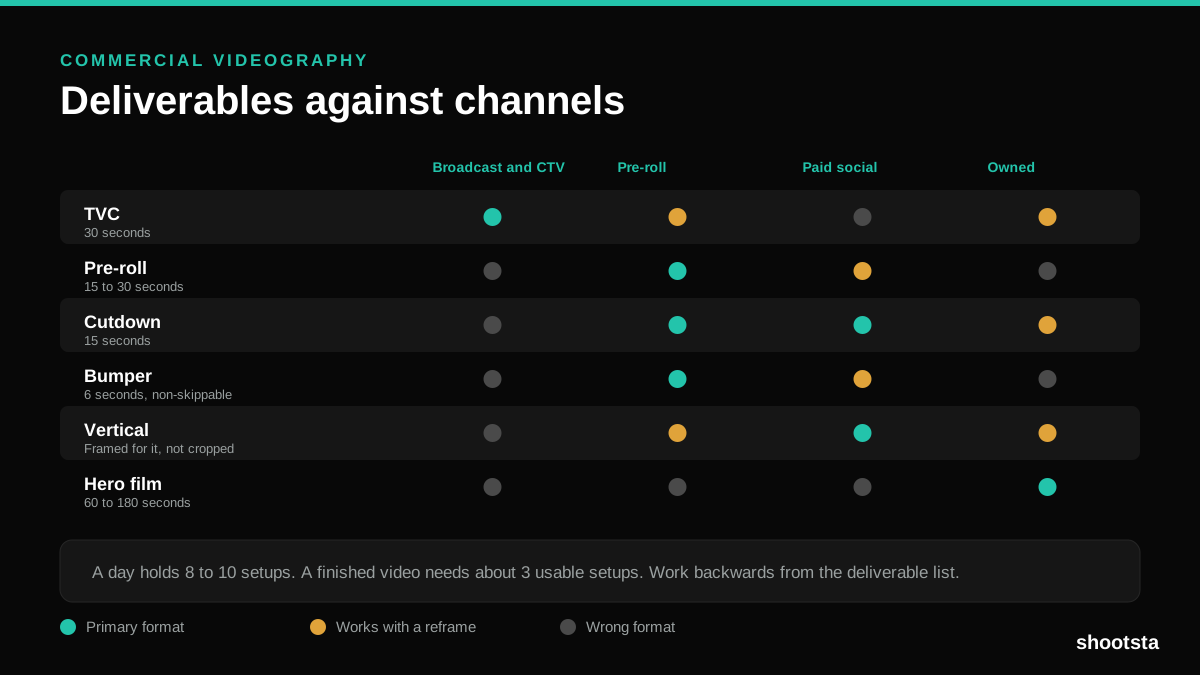
Commercial Videography: Cost and Scope
Commercial videography is priced by the day and judged by the deliverable. Most projects go wrong because those two numbers were never reconciled.
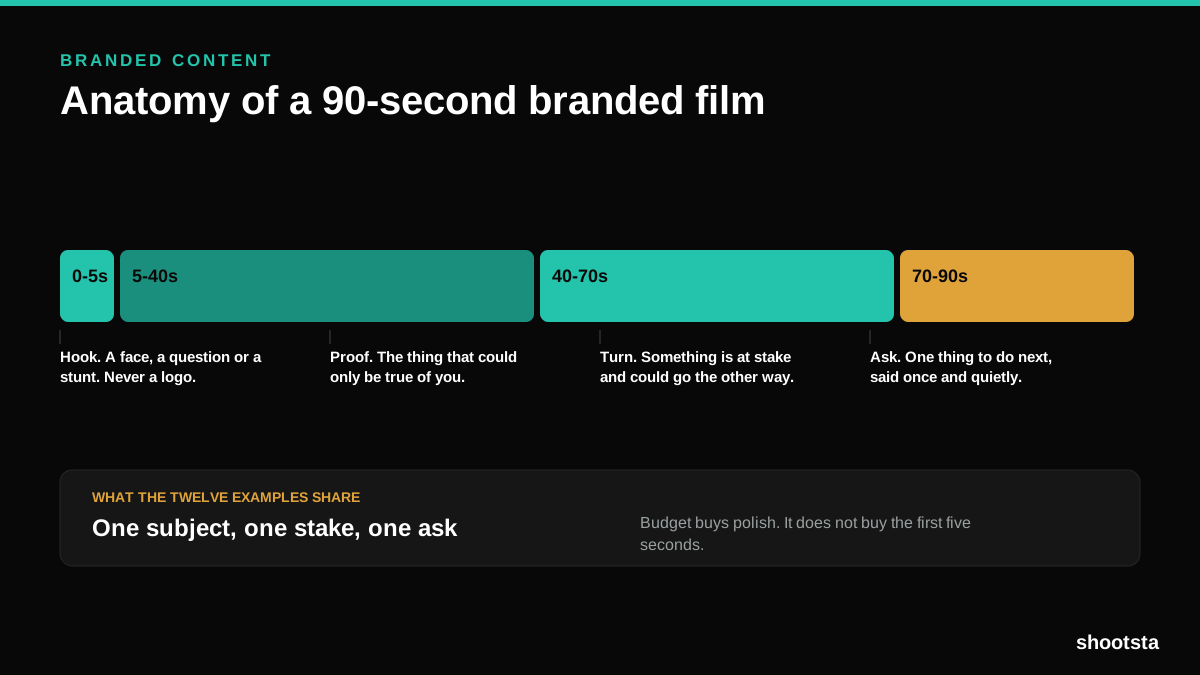
12 Branded Content Examples That Worked
Twelve pieces of branded content that people chose to watch, what each one got right, and the structure underneath all of them.
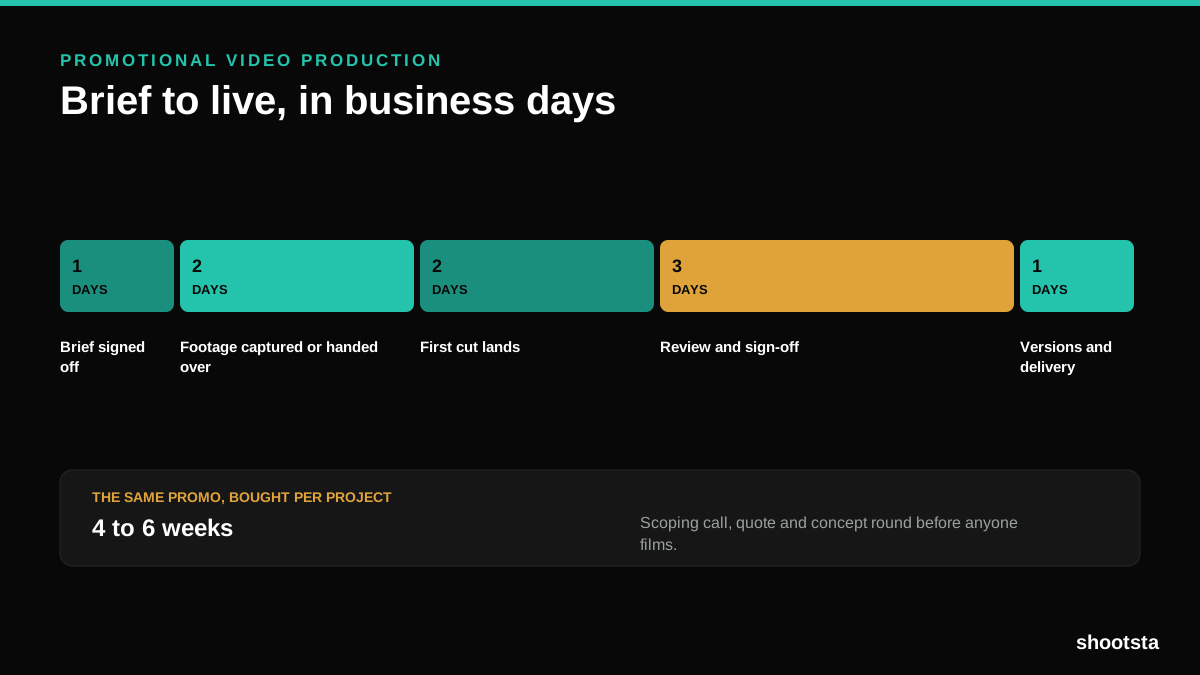
Promotional Video Production: Cost and Time
Most promotional video production schedules are not slow because of the edit. They are slow because of the approval chain. Here is where the days go.
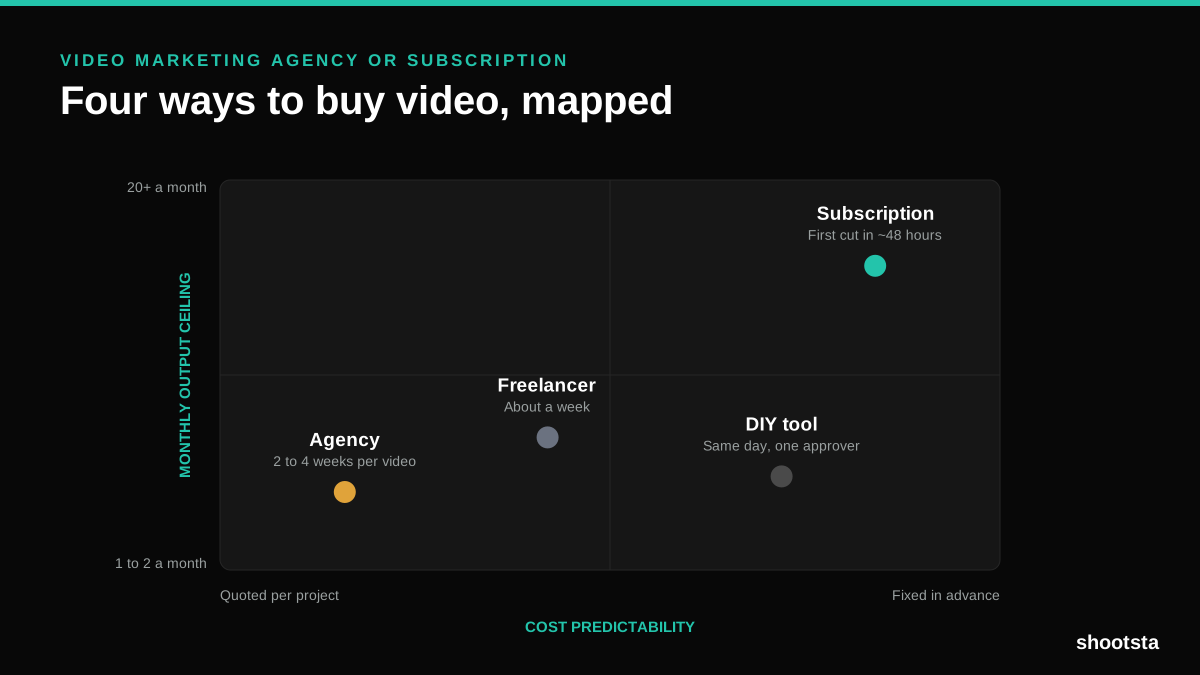
Video Marketing Agency or Subscription?
A video marketing agency prices per project and works in weeks. A subscription prices the year and works in days. Which one fits depends on how often you publish, not on which is better.

B2B Video Production: Costs and Buying Models
There are five ways to buy B2B video production. Each one works well up to a point and then breaks, usually at a volume nobody planned for. Here is what each costs and where the ceiling sits.